
TuCalendi Analytics lets you discover trends and metrics of the booking activity made through TuCalendi during the current year, as well as statistics related to the users that make up your team.
Accessing TuCalendi Analytics is very simple.
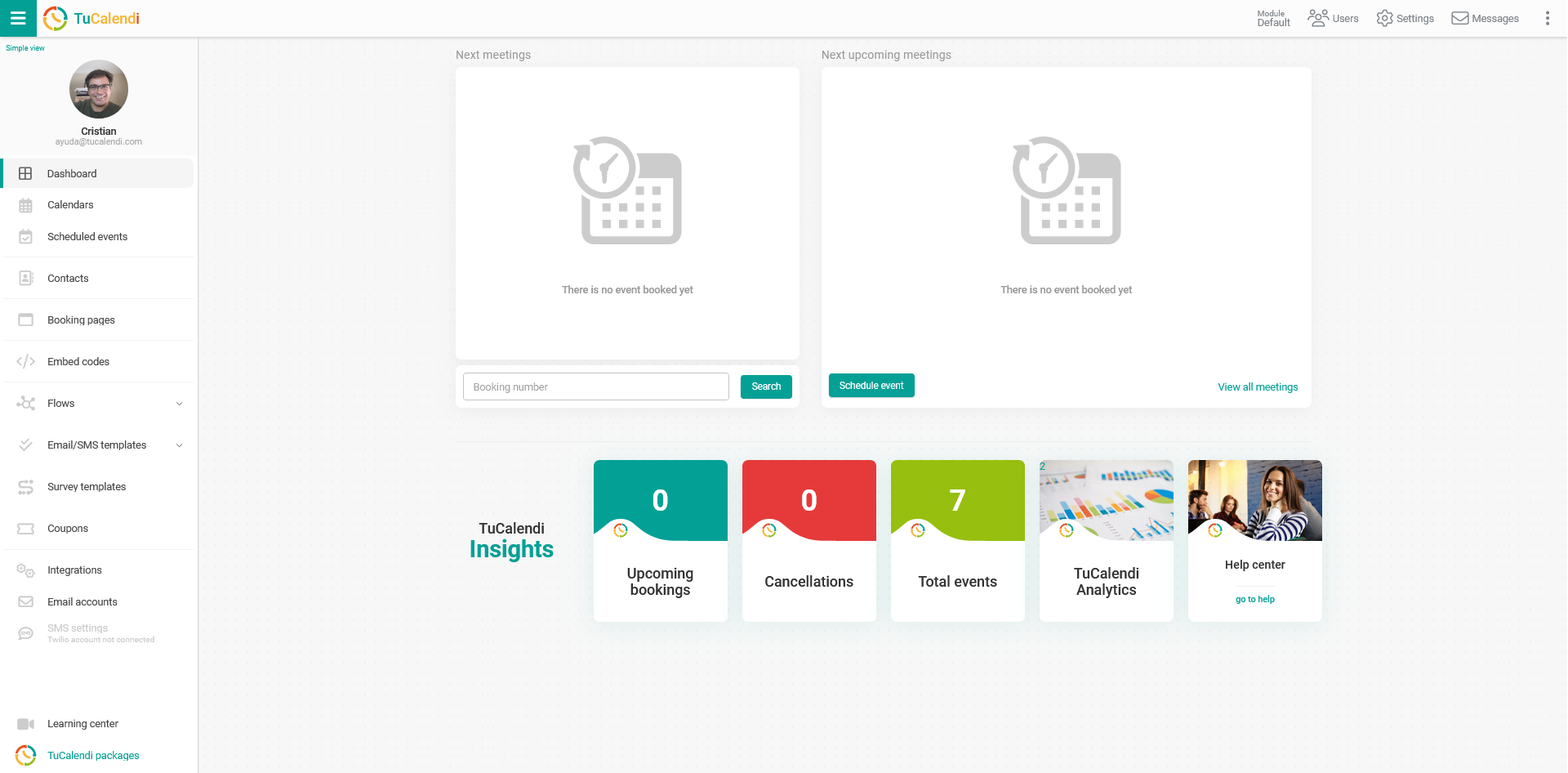
Log in to TuCalendi with your username and password. In the "Dashboard" you will find the shortcut:
NOTE: To access TuCalendi Analytics you need to subscribe to the Pro Plan.
In the "TuCalendi Insights" section, click on the "TuCalendi Analytics" option.
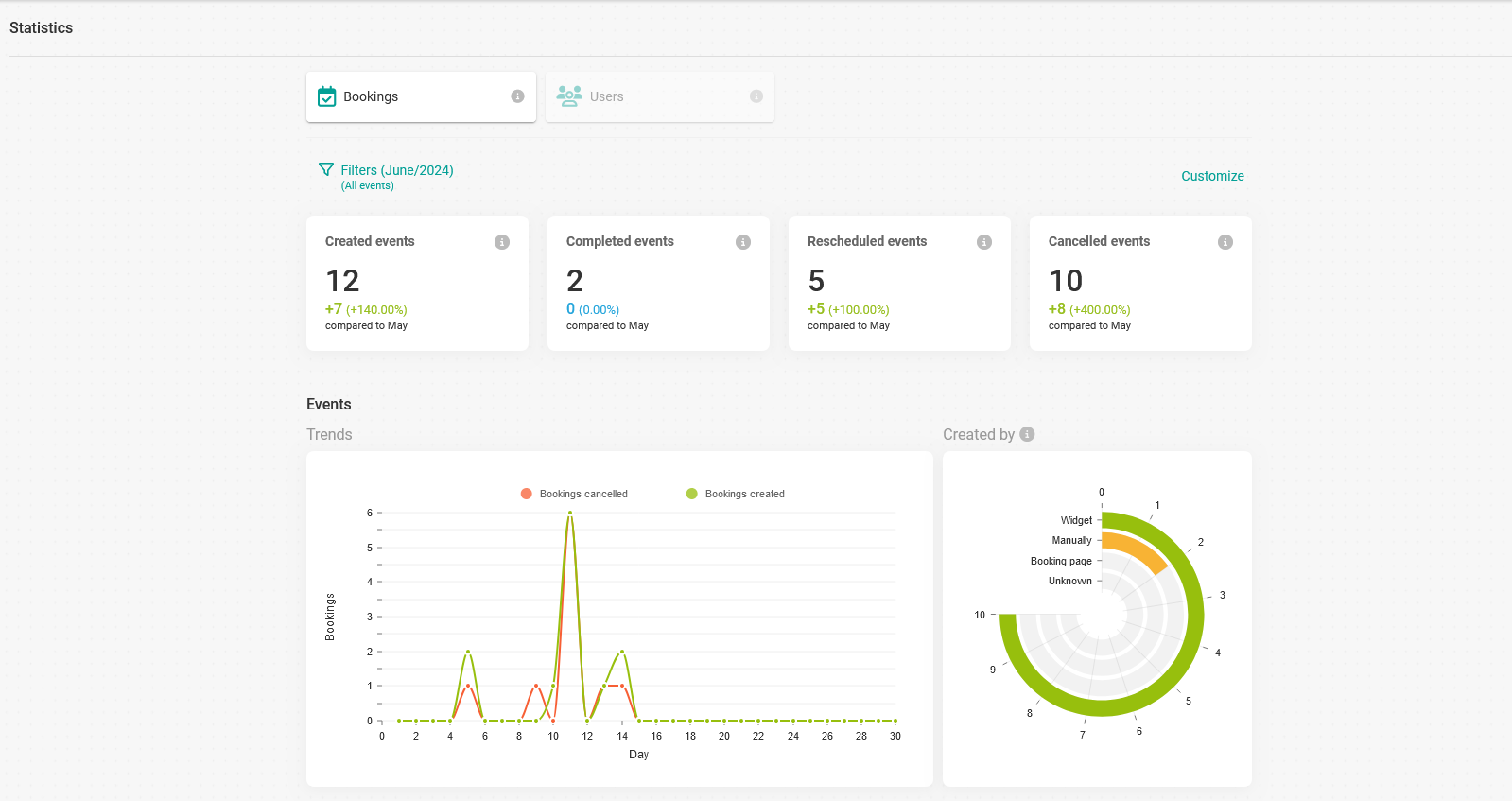
Bookings
You will see different boxes with data and graphs showing the booking trends:
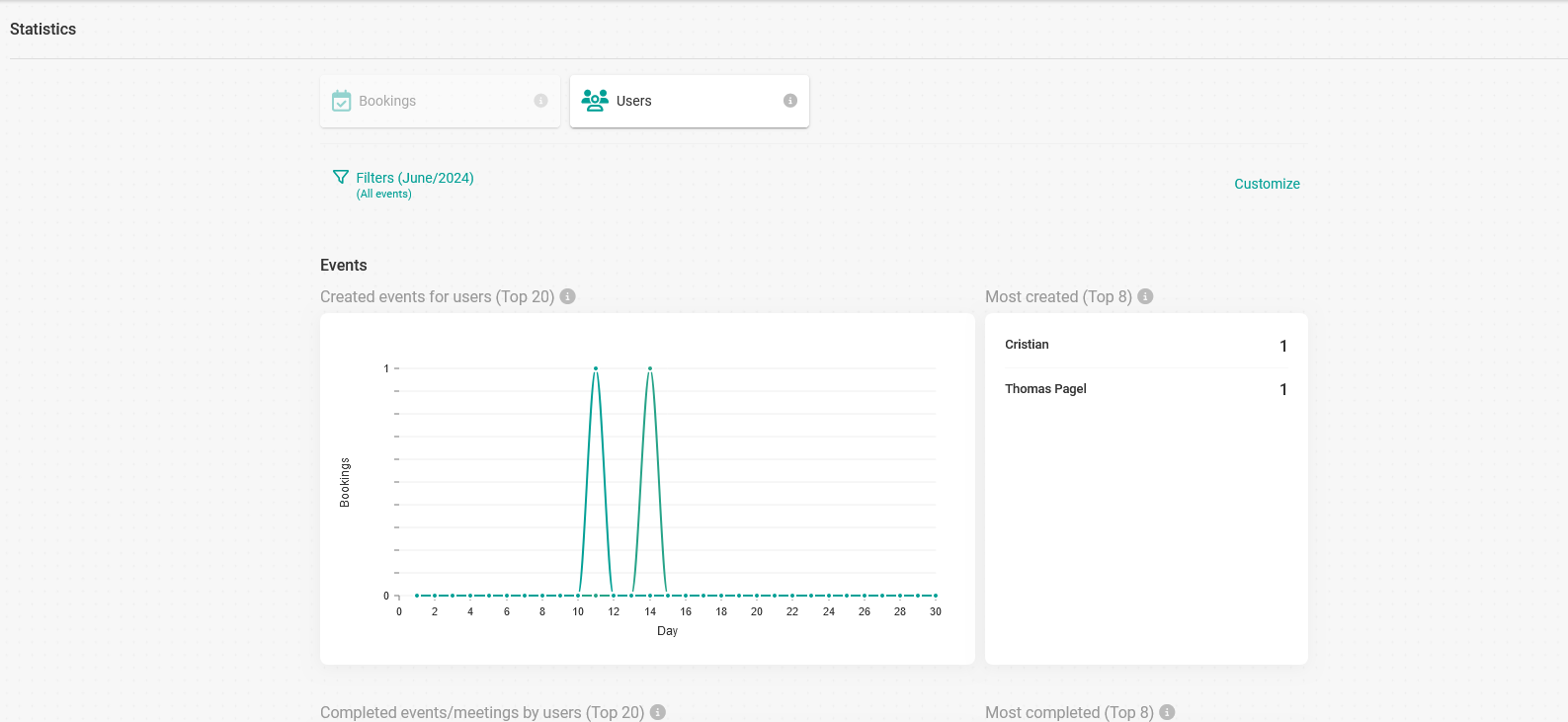
Users
Switching to the "Users" option displays the data and graphs related to the users of your team.
Filters
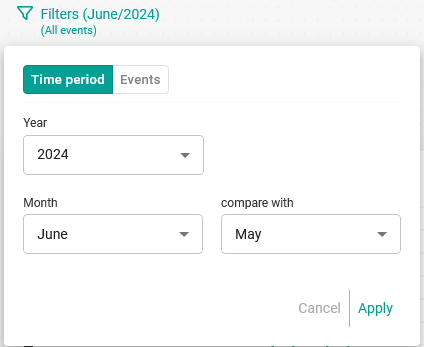
The information available in TuCalendi Analytics covers the data of the current year. You can filter by month and compare with another month of the year.
Customize
You can customize the data and graphs displayed in TuCalendi Analytics:
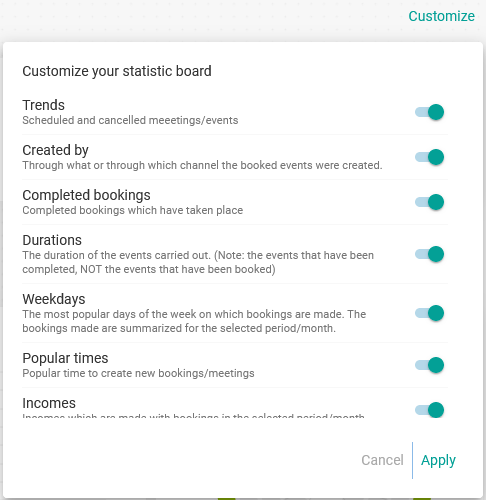
Enable or disable the options you want to see and click "Apply".