
We have added a new feature for the event description in your online calendar. Usually, when you open an online calendar, you can read a short description of what you get when you make a booking.
We know that a picture is worth a thousand words. But at TuCalendi we go a step further: instead of an image, we have added the option to show a video in the description of your events.
Yes, you read that right. Instead of writing a description of the service people can book with you, you can now show a video.
By including a short video that introduces you and explains your service, you connect with your clients and potential clients right from the start. You will engage your audience and stand out from your competition.
Adding your video presentation to TuCalendi events is very simple. You just need to create the video in mp4 format and specify in the event which video you want to show.
Log in to TuCalendi with your username and password and go to the "Calendars" option.
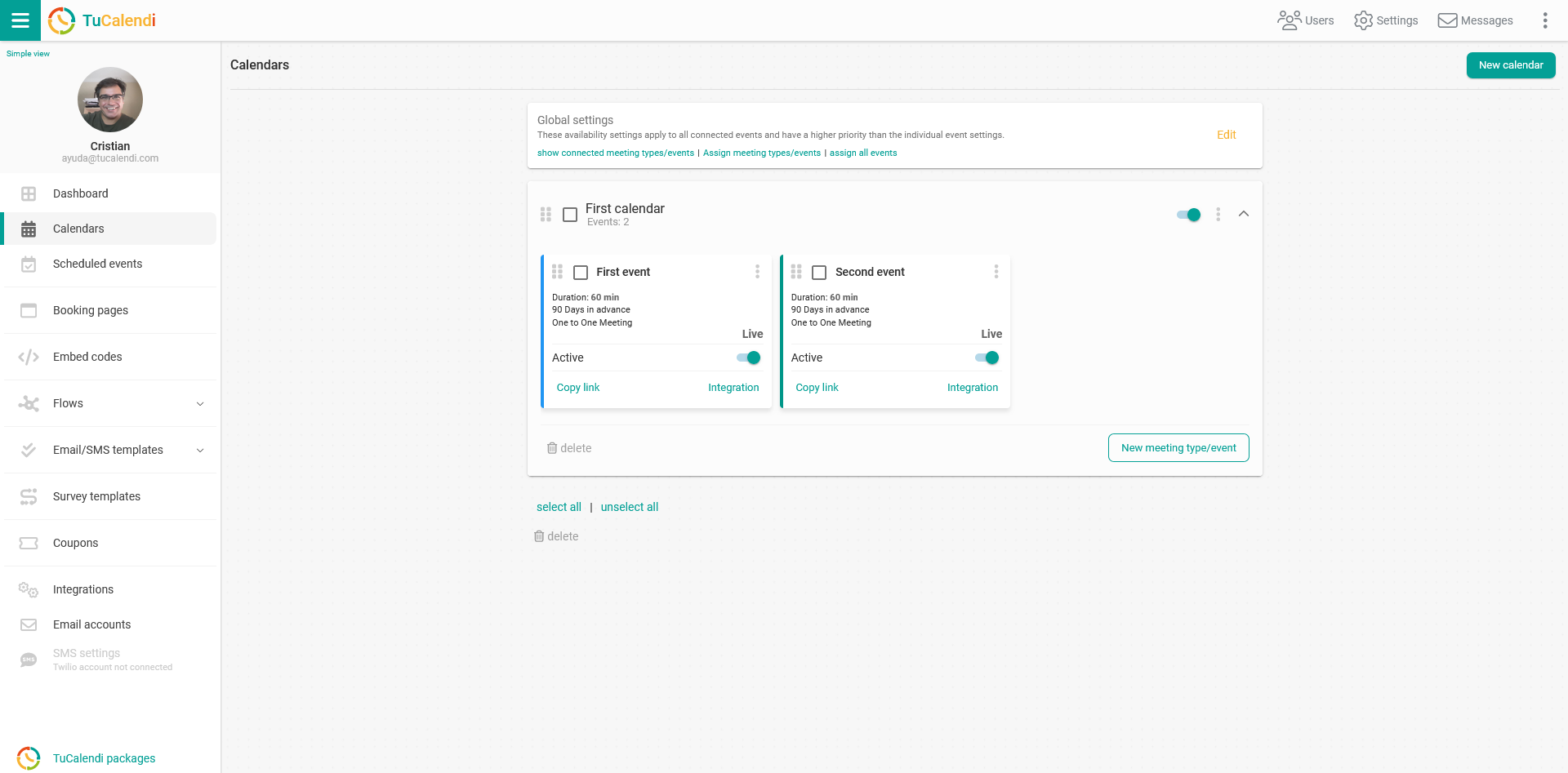
Find the event where you want to add a video to the description and click on the event name.
All the event configuration options appear in the horizontal menu.
Click on the "Basics" block.
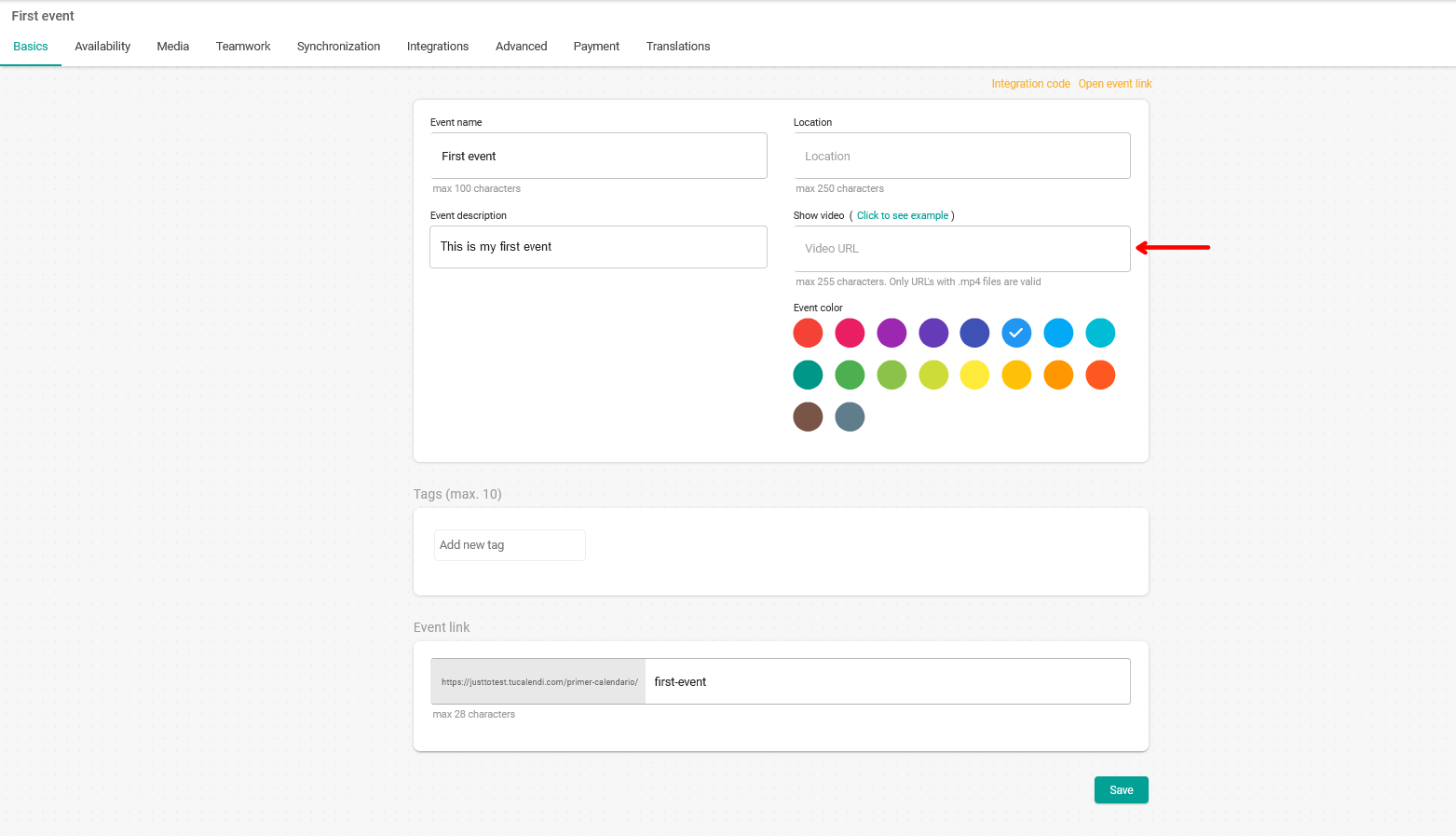
In the text field of the "Show video" option, enter the URL where the video you want to display is located.
Once you have done that, simply click on the "Save" button.
From now on, the event description in your online calendar will be shown with a video.
Click here to see an example we have prepared.
The videos must be in mp4 format and are added via a URL.