
Depending on the service you provide, you may sometimes need to allow only one reservation with the same customer's email address for this type of event. This does not mean that the customer can't book another appointment with you using the same email address. Booking again with the same email is only blocked while the booking is active.
An active booking is a booking that has not yet taken place and is still pending on the calendar because the date and time of the meeting have not arrived yet.
Once the appointment or meeting has taken place, the customer can book the event again with the same email.
Let's see how to allow only one booking per email for an event in your calendar.
Log in to TuCalendi with your username and password. Go to the "Calendars" option:
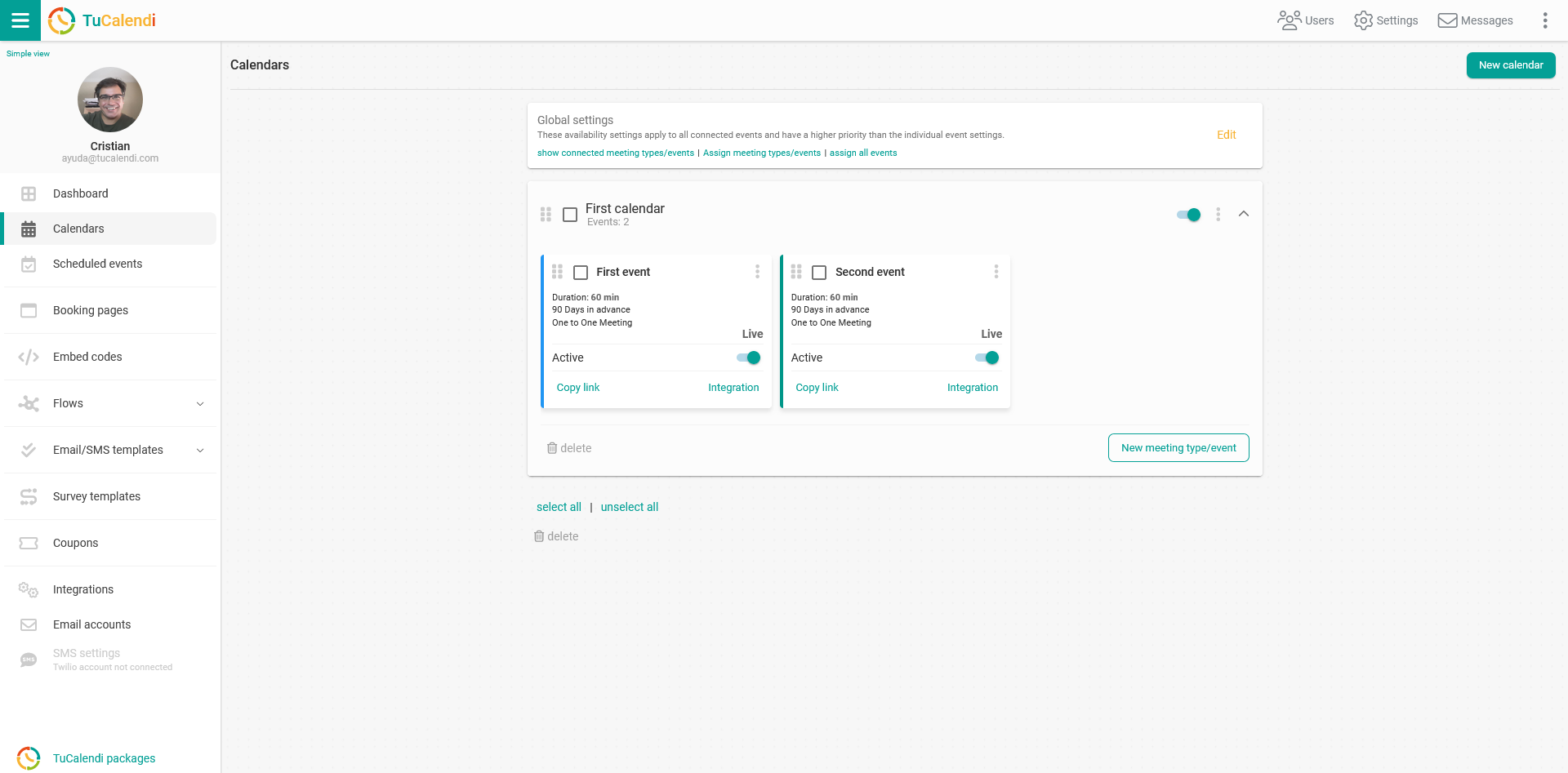
Locate the event for which you want to allow only one reservation with the same customer email while a booking is active.
All the event configuration options appear in the horizontal menu.
Click on "Advanced":
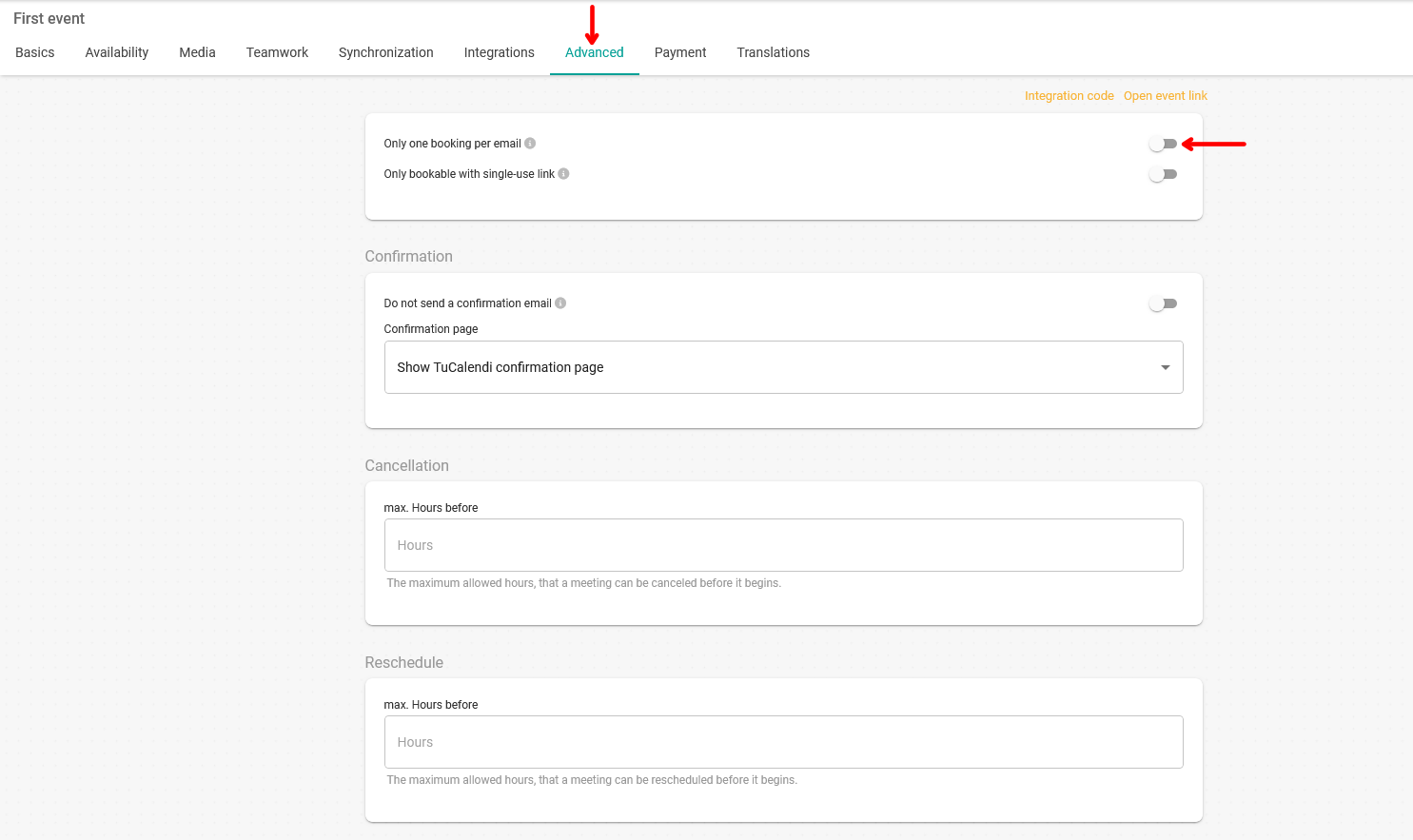
Activate the option "Only one booking per email".
If this option is activated, the event can only be booked once with the same customer email. If the customer tries to book the same event again with an email that still has an active booking for that event, they can't book it until the active booking has taken place. An active booking is an appointment that is on the calendar and has not yet taken place.
Once you have activated the option, click on the "Save" button so that only one booking can be made with the same email.