
With TuCalendi, in every appointment, meeting or event you organize, you can collect information from your customers or users through the conventional form, and you can also assign the survey you have created to gather more of the data you need for the meeting.
Log in to TuCalendi with your username and password and select the "Calendars" option:
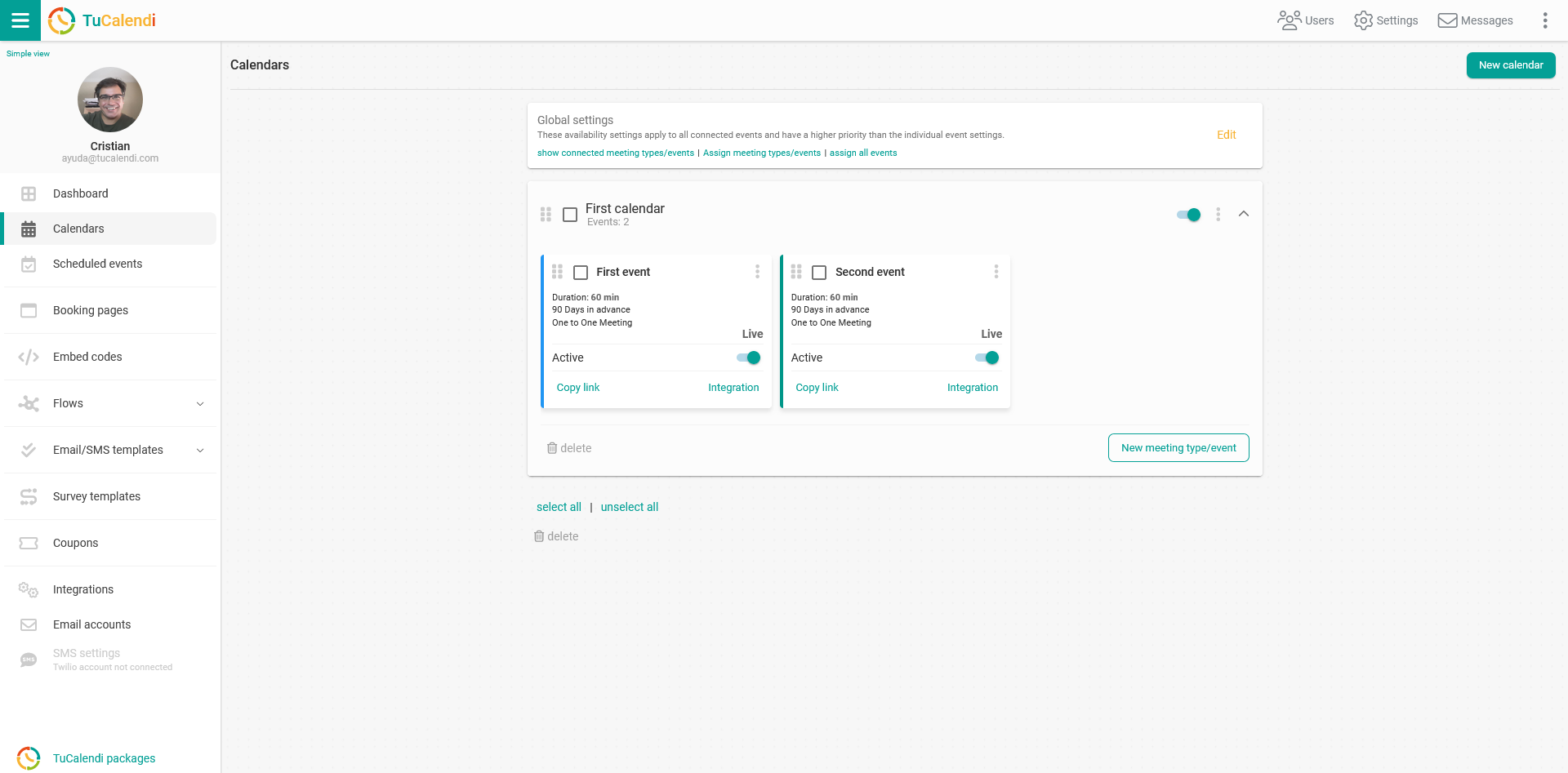
Find the event you want to assign a survey to and click on the event name.
The horizontal menu will show the various configuration options.
Click on "Advanced" to open this module.
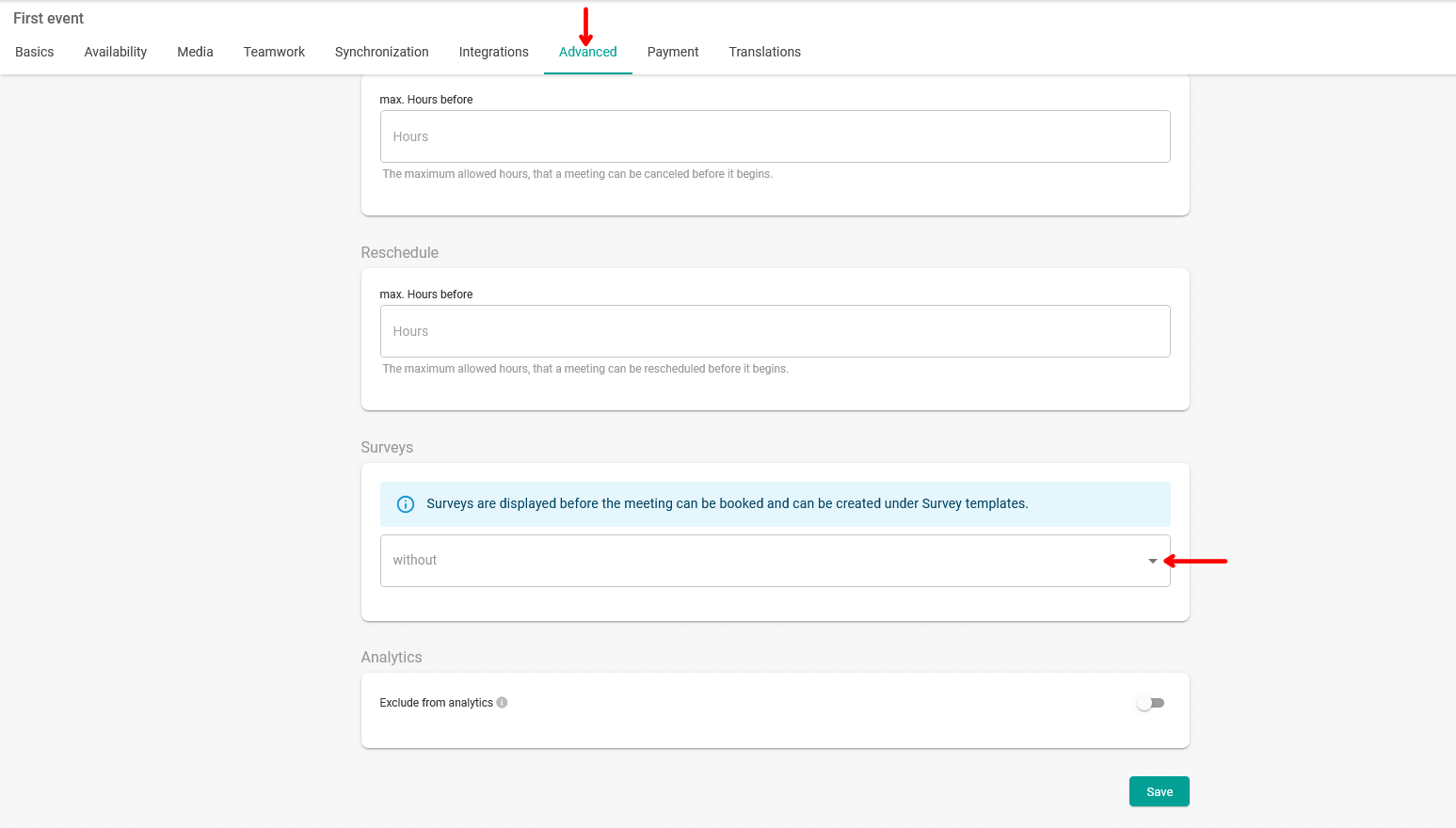
Click on the "Surveys" field to select the survey you have created, and it will be assigned to the event.
Once you have done this, click on the "Save" button.