
When you have created two or more events in your calendar that share the same schedule, fully or partially, you can use the cross availability option to prevent your customers' reservations from overlapping. Enabling this option is very simple.
Avoid overlapping reservations thanks to cross availability.
Log in to TuCalendi with your username and password. Go to the "Calendars" option.
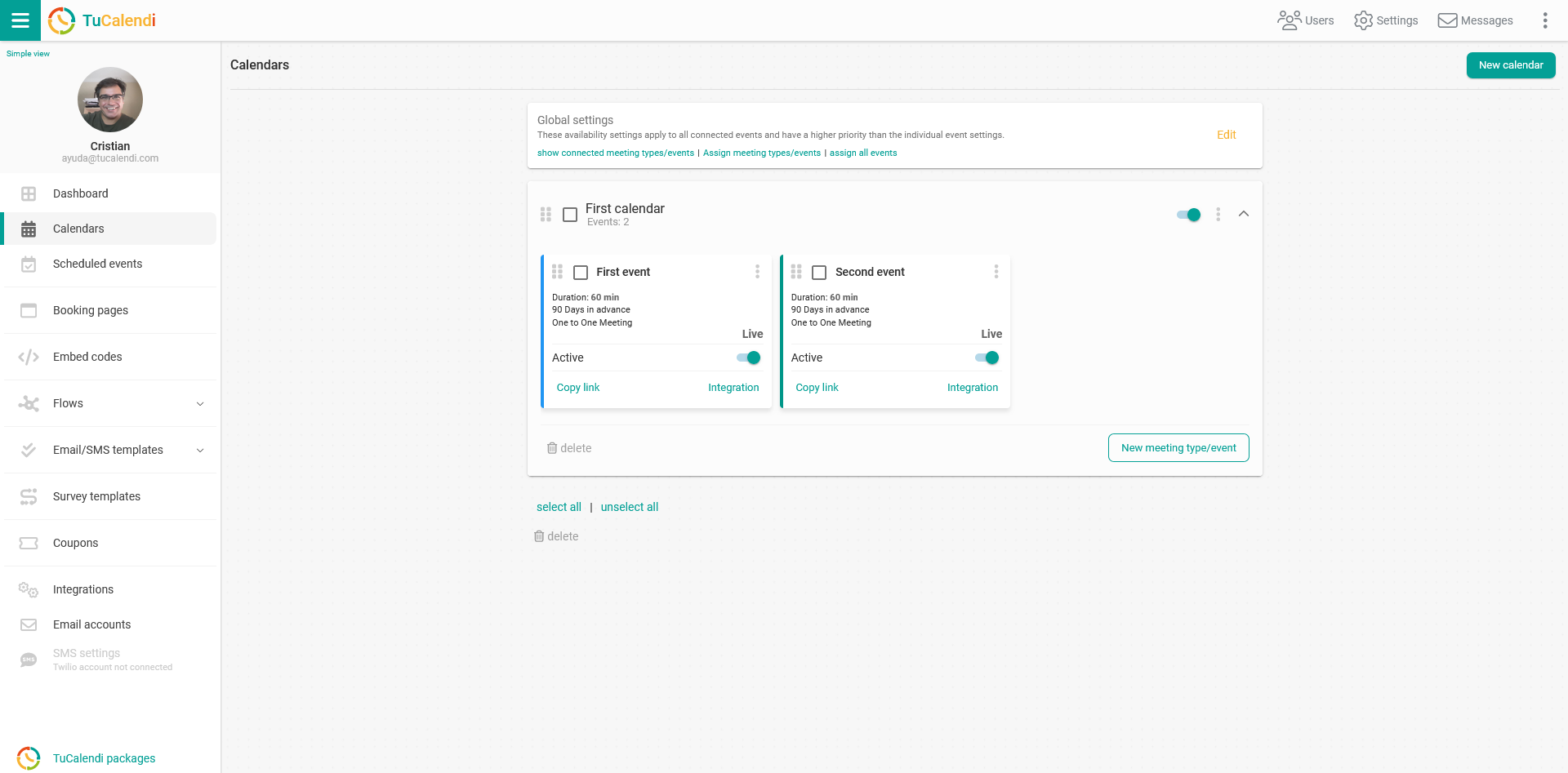
In this case, we have two events that share availability at certain times of the day, and we don't want the reservations made for both events to coincide. To prevent this, you need to enable cross availability.
Select the event for which you want to enable cross availability and click on the event name.
All configuration options will be displayed in the horizontal menu.
Click on "Synchronization". There you'll find all the options to connect and synchronize.
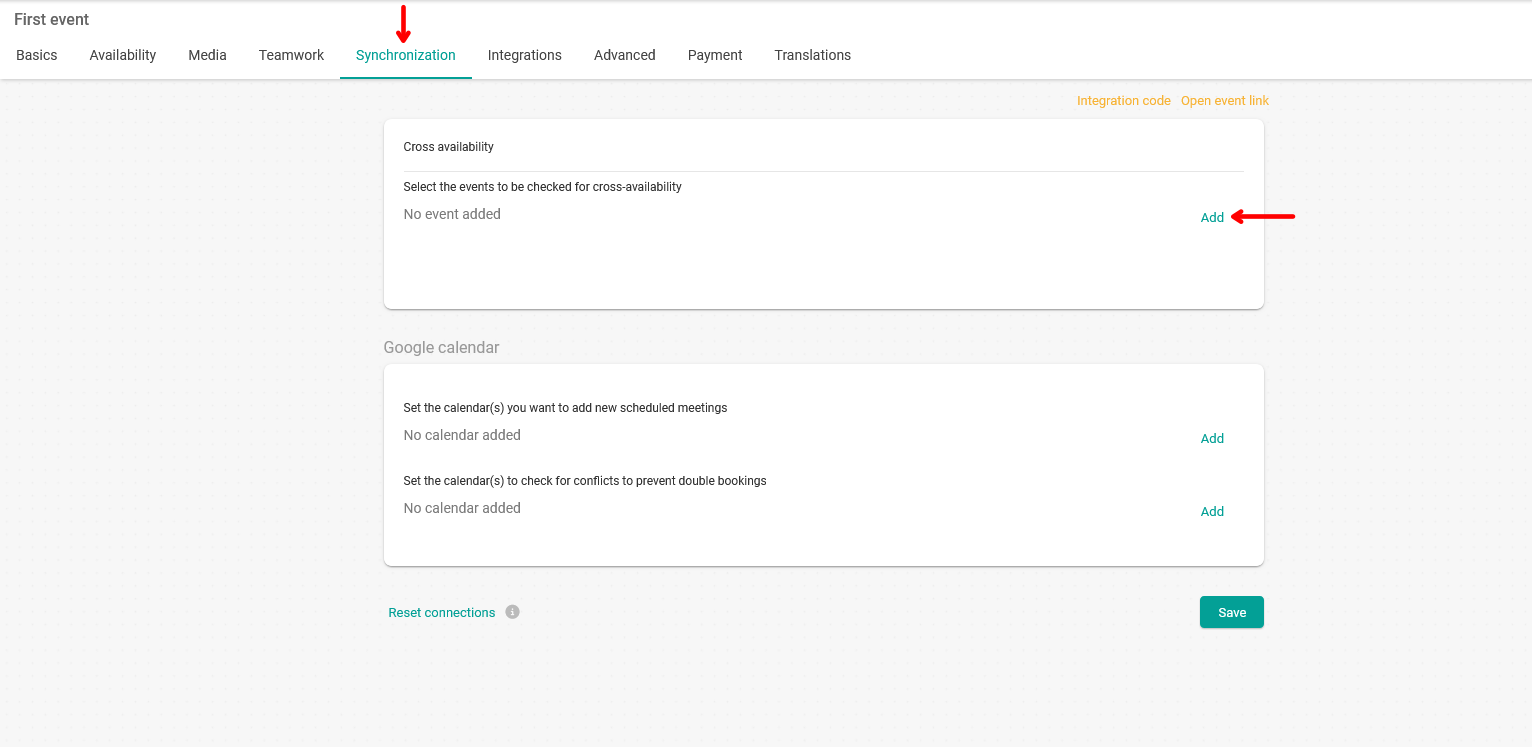
In the "Cross availability" block, no events will appear at first. Click on "Add" to select the events you want to be taken into account for cross availability.
Once you've chosen the events to be taken into account for cross availability, click on "Save".
If you have synchronized events with your external calendars, cross availability will not be taken into account. Synchronization with external calendars takes priority.