
Disable time zone selection is an event setting that prevents people who book an appointment or meeting through the TuCalendi widget from changing the time zone.
The time zone selection in the widget is enabled by default.
Log in to TuCalendi with your username and password. Go to the "Calendars" option.
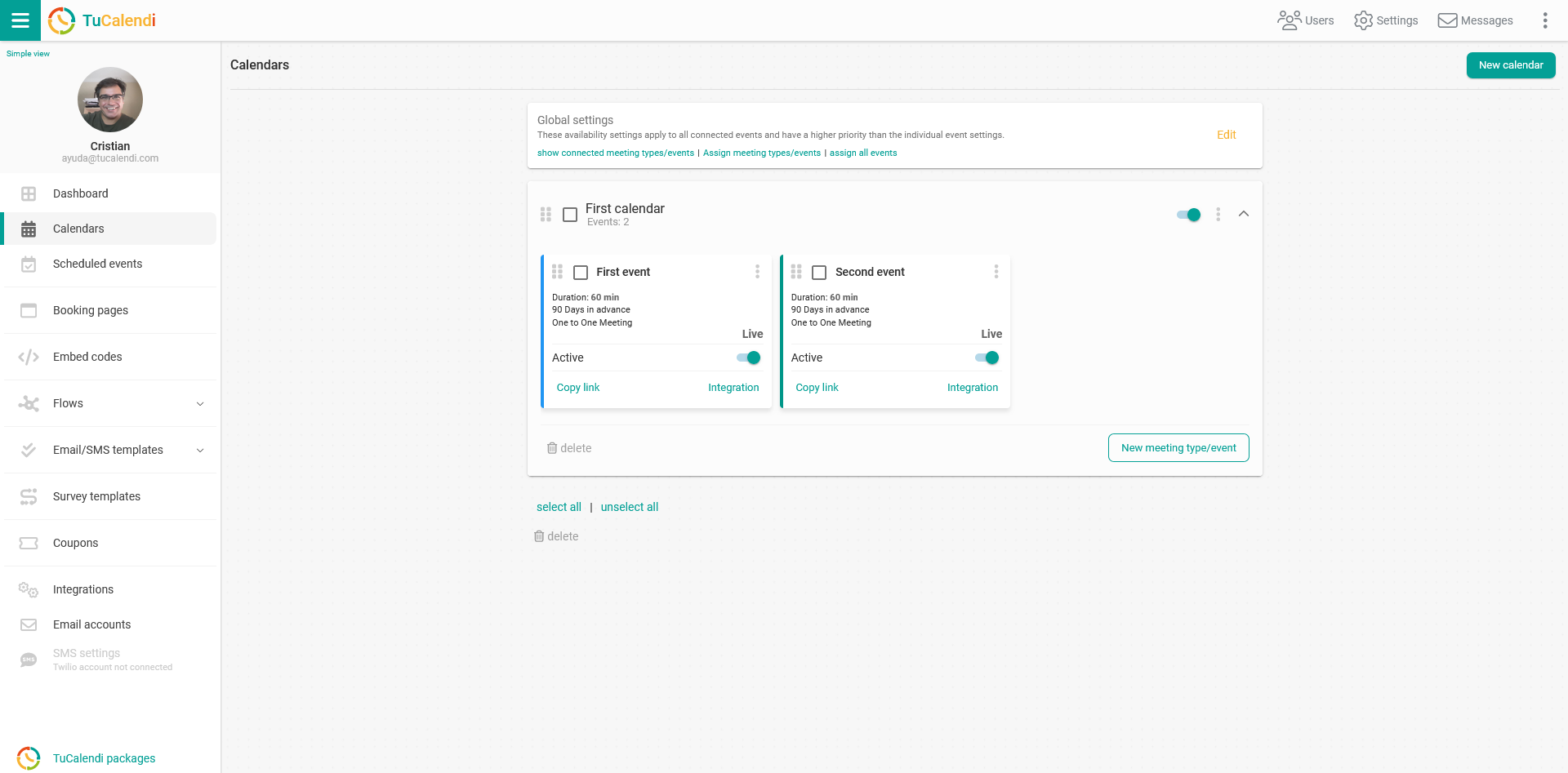
Locate the event for which you want to disable the time zone selection in the widget and click on the event name.
All the event configuration options appear in the horizontal menu.
Click on the "Availability" option.
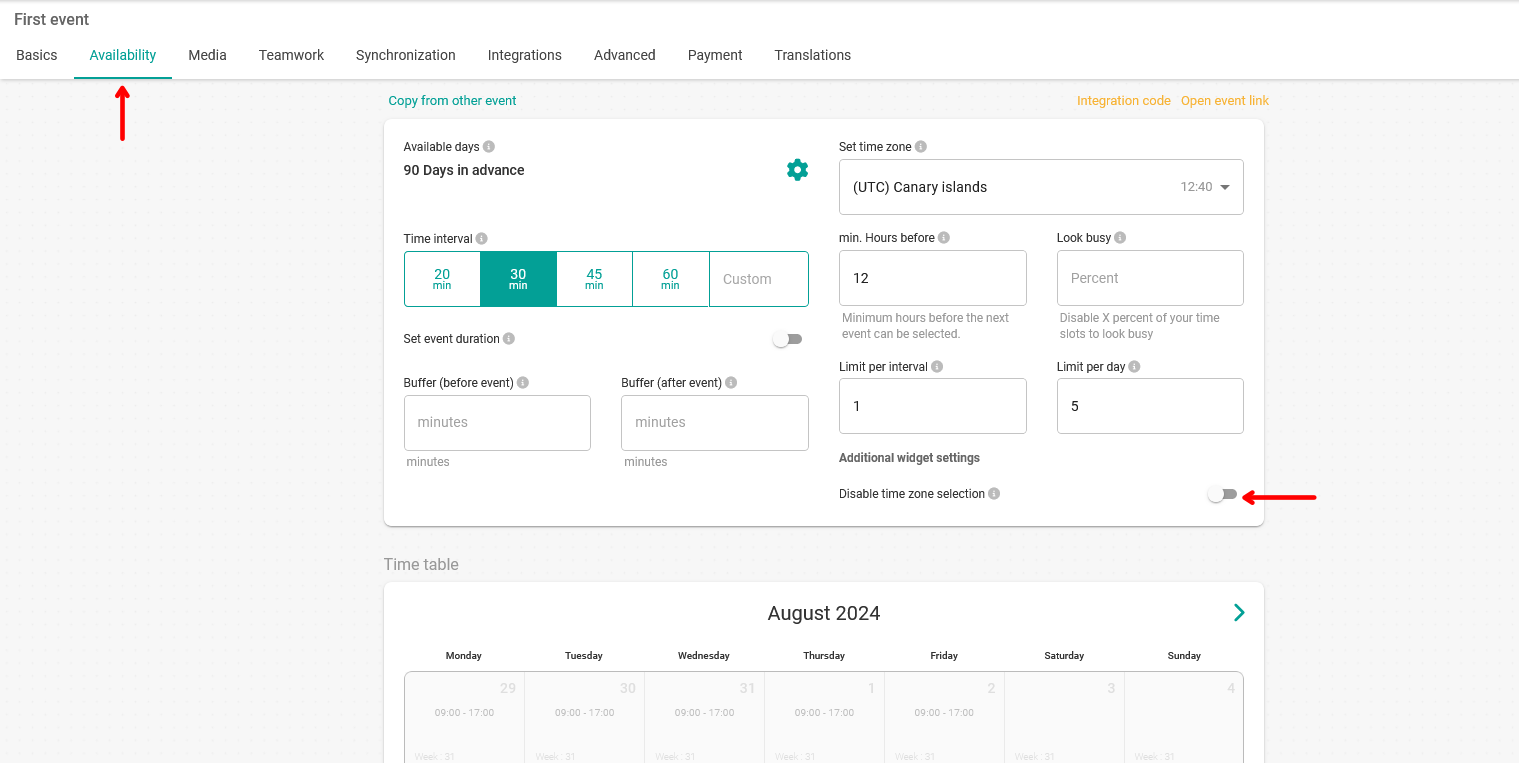
All you have to do is activate the "Disable time zone selection" option.
If you check this option, your customers will always see the time zone you set in the event in the widget, regardless of the time zone they are in.
When you have modified the settings, click on "Save" to save the changes.