
For a variety of reasons, there may occasionally be a problem with the availability shown in your online calendar. This may be because the synchronization between an event and your external calendar has been interrupted.
We have added an option to force the disconnection and re-establish the connection from scratch. Let's see how to disconnect the synchronization of events in a quick and transparent way.
With this new feature, the synchronization is checked and the connection is completely removed.
Log in to TuCalendi with your username and password. Go to the "Calendars" option.
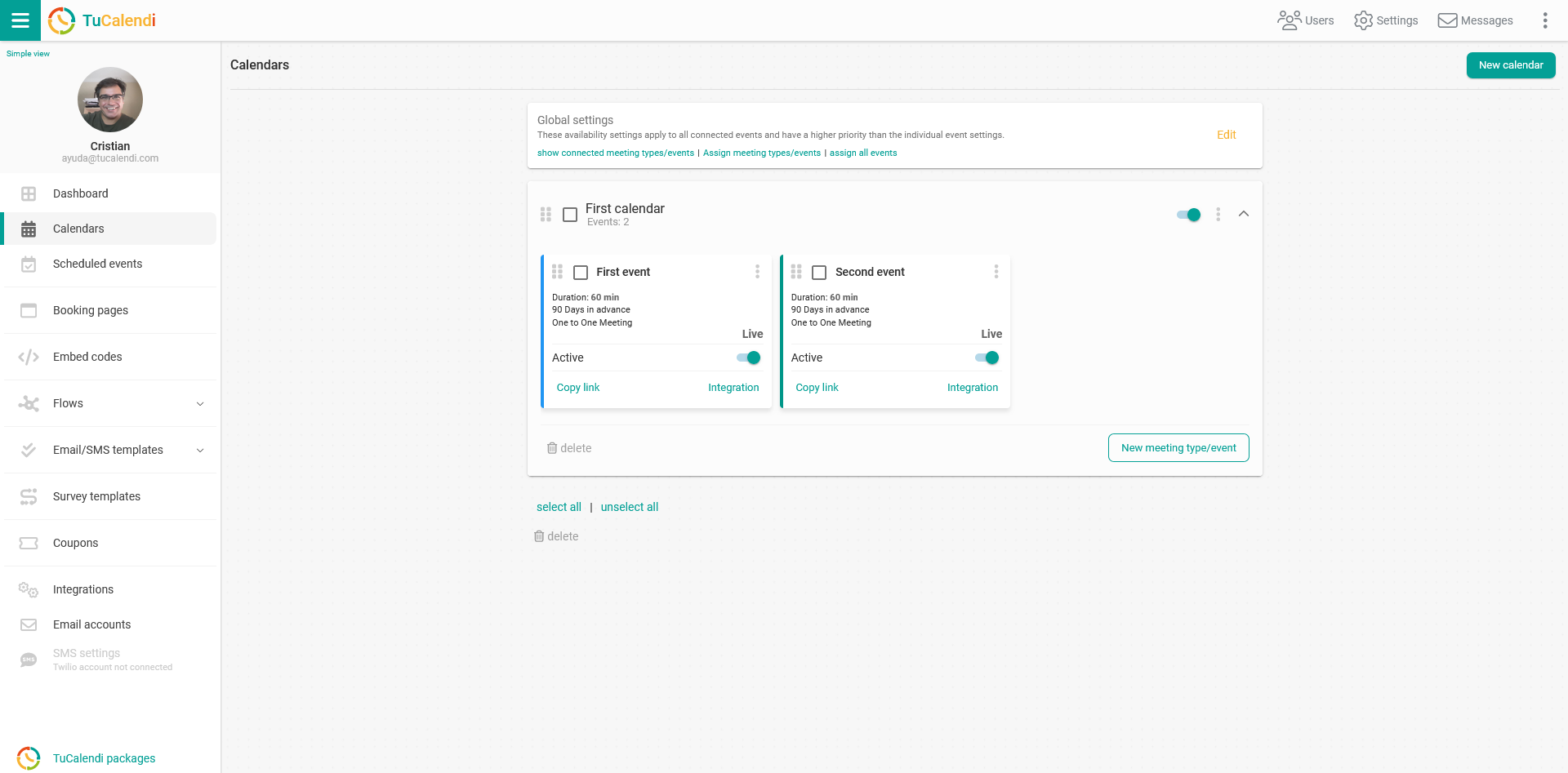
Locate the event whose synchronization with your external calendar you want to disconnect and click on the name of the event.
All of the event's configuration options appear in the horizontal menu.
Click on "Synchronization".
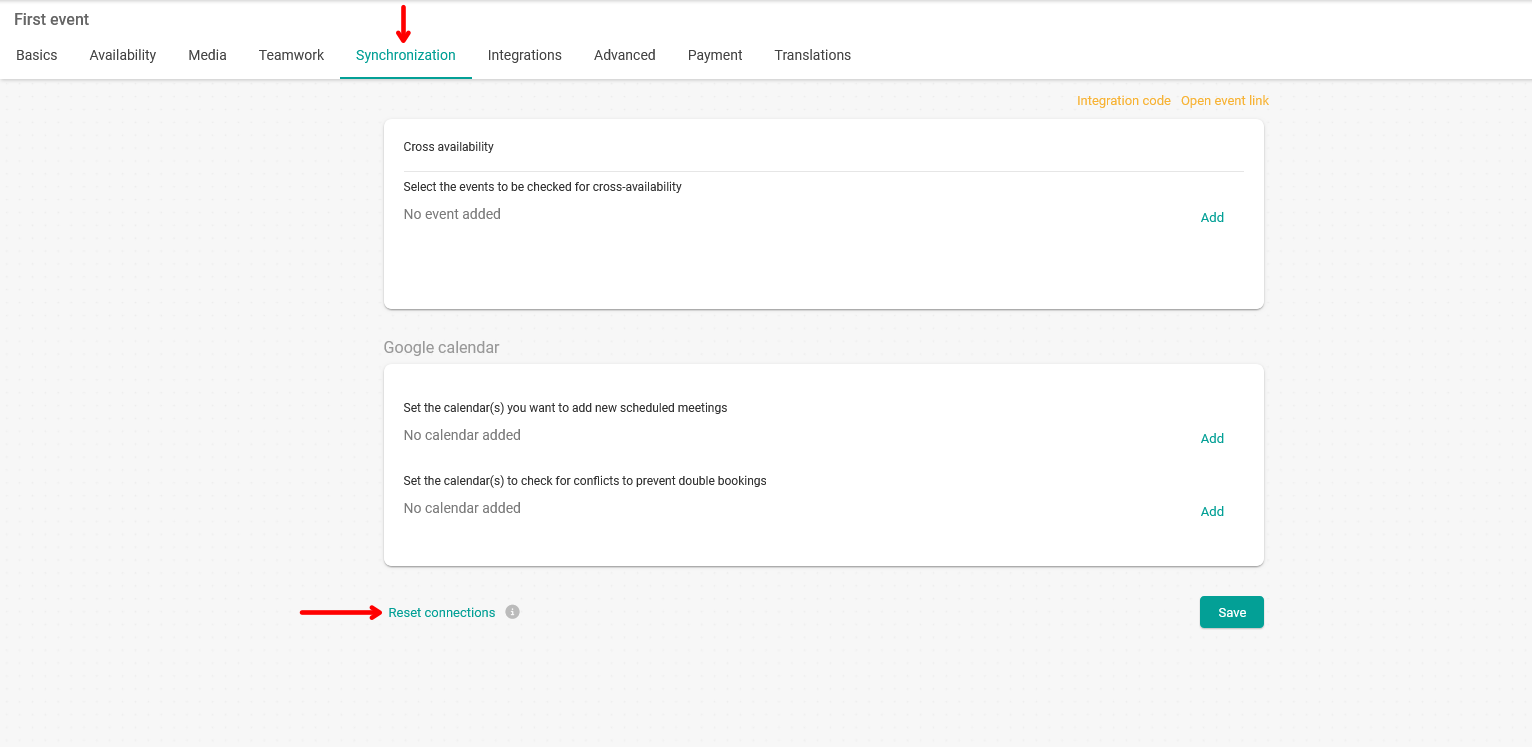
You will be able to check the calendars with which you had synchronized the event.
Clicking on "Reset connections" forces the disconnection of the synchronization between the event and the external calendars.
IMPORTANT: After forcing the disconnection, you must re-synchronize with the corresponding external calendars.