
When you have created a group event, you can limit the number of participants of a group event. This means the maximum number of people who can attend the event, either in person or online.
Log in to TuCalendi with your username and password. Go to the "Calendars" option.
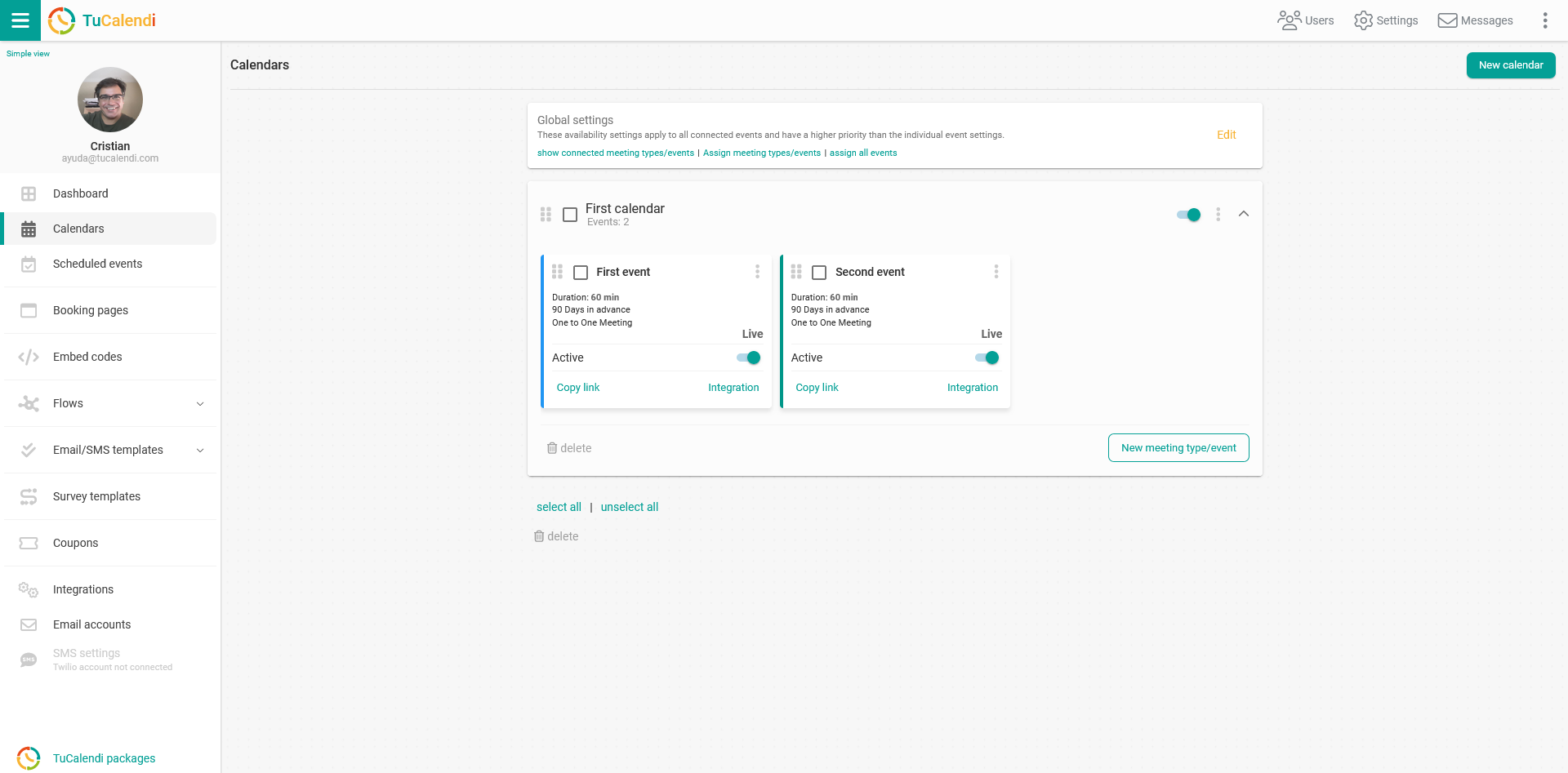
Locate the group meeting event you want to set the participant limit for and click on the event name.
In the horizontal menu, click on "Availability".
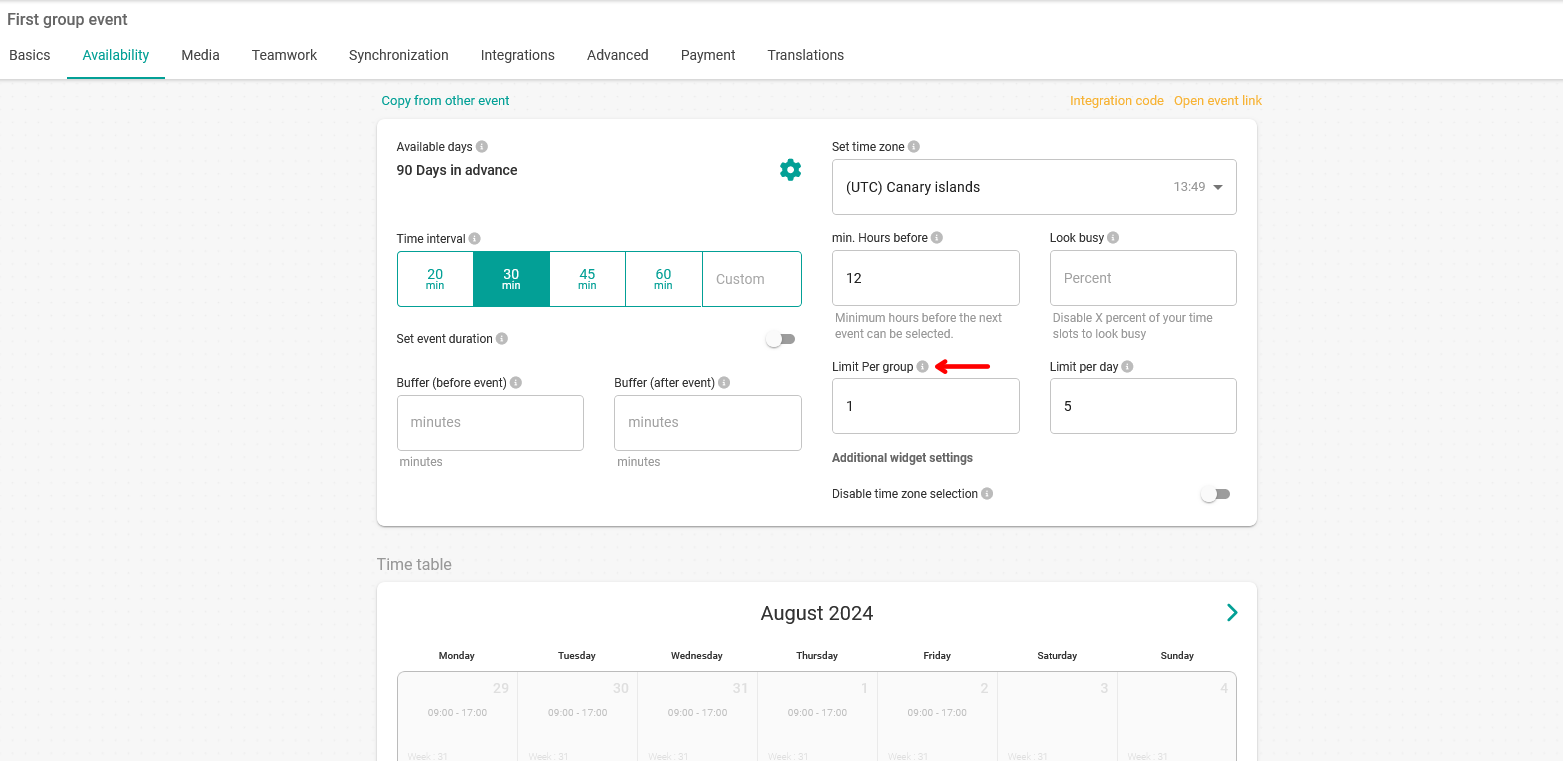
In the "Limits per group" field, enter the maximum number of people who can participate in the group event. In the example, the limit is 1.
When you have set the limit per group, click "Save" to update the event information.