
By default, your booking schedule is valid for a period of 90 days. You can change this range to fit your particular requirements.
When you schedule a special event that will only be available between certain dates, you can choose to have it enabled in your calendar or schedule for a specific period of time.
Log in to TuCalendi with your username and password. Go to the "Calendars" option.
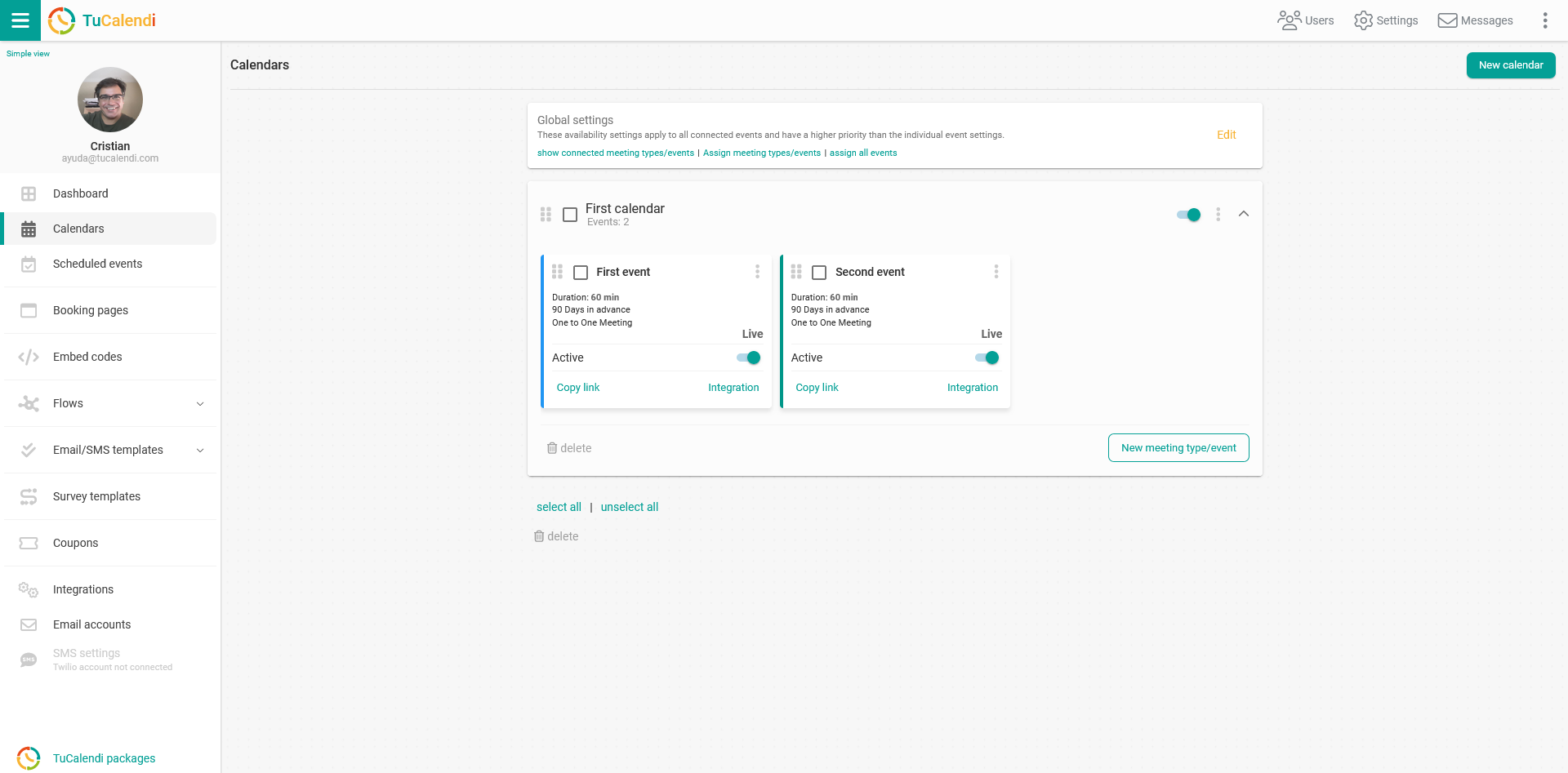
Locate the event whose date availability you want to adjust and click on the event name.
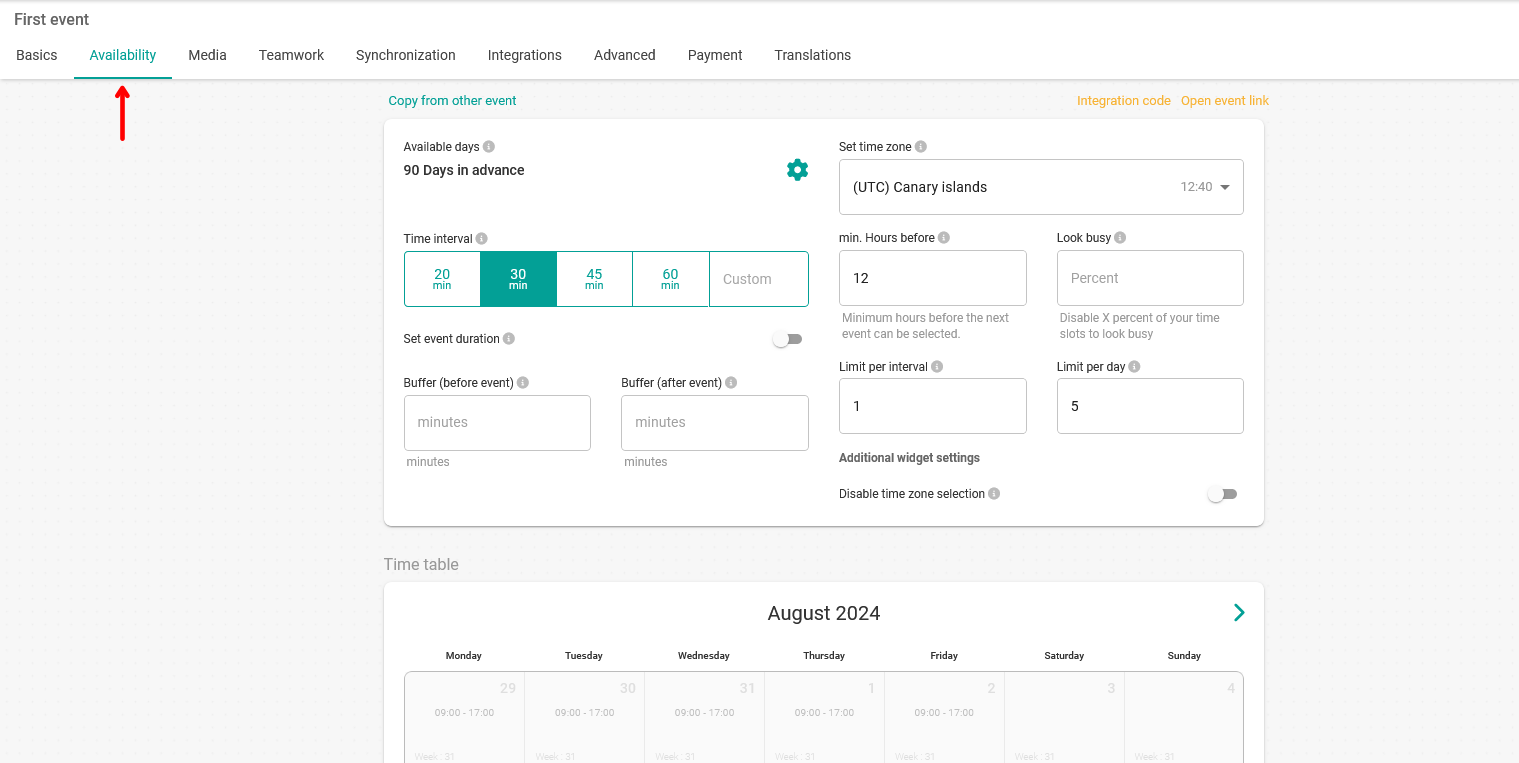
The horizontal menu shows all the event configuration options.
Click on the "Availability" block.
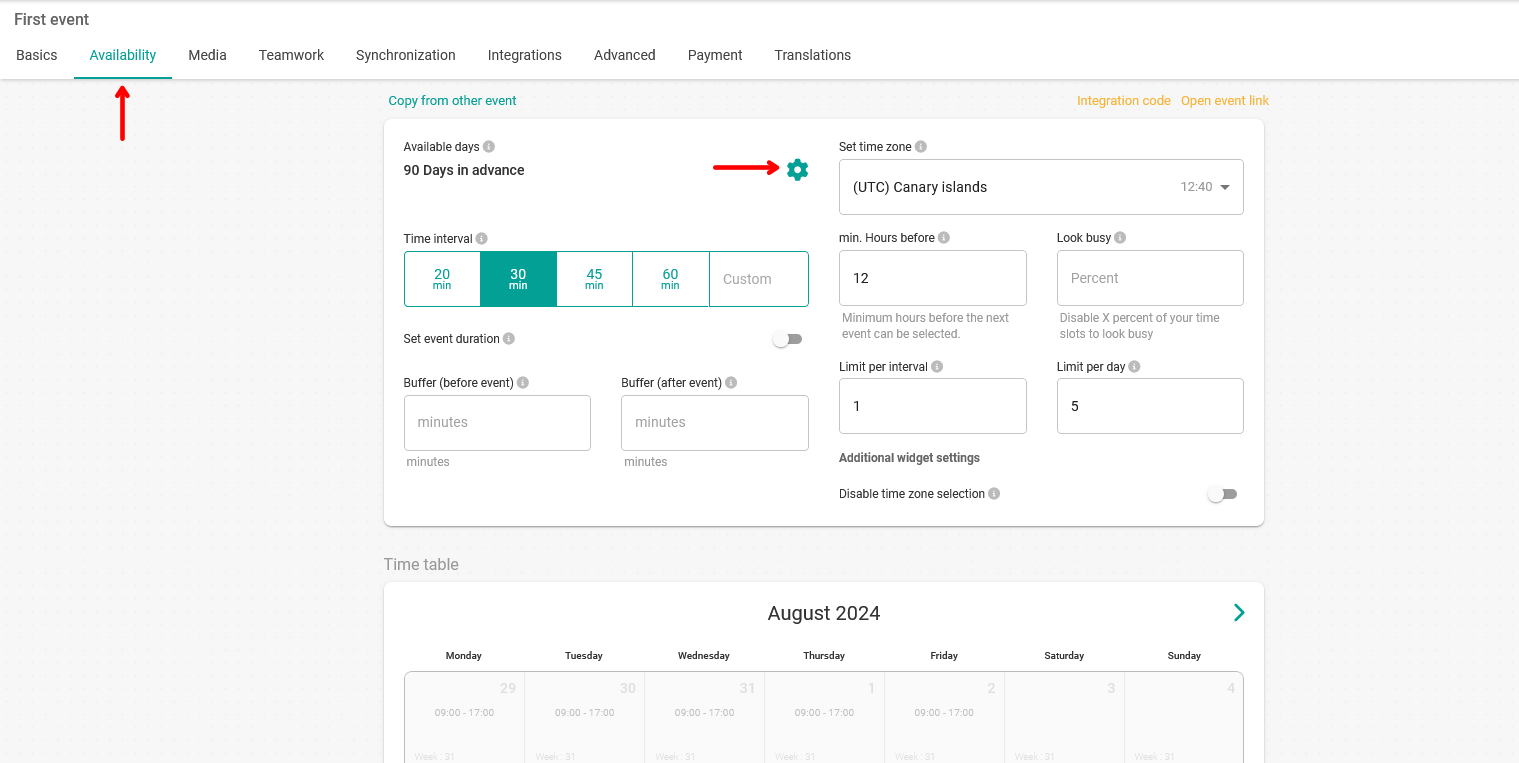
In the "Available days" block you can set the date range for planning. Click on the configuration wheel icon.
This lets you make the appropriate change.
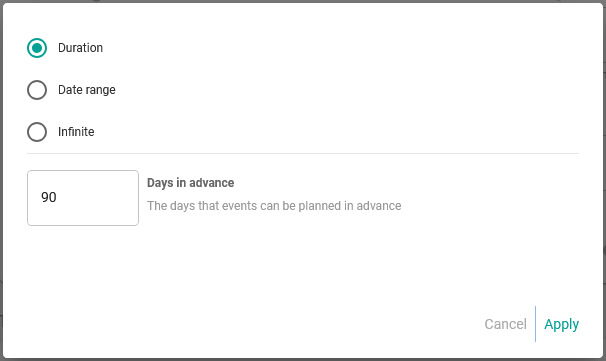
Choose the option that fits your needs:
- Duration. Sets the number of days in advance in which bookings can be made. (In the example, it is 90 days.)
- Date range. Lets you select specific days.
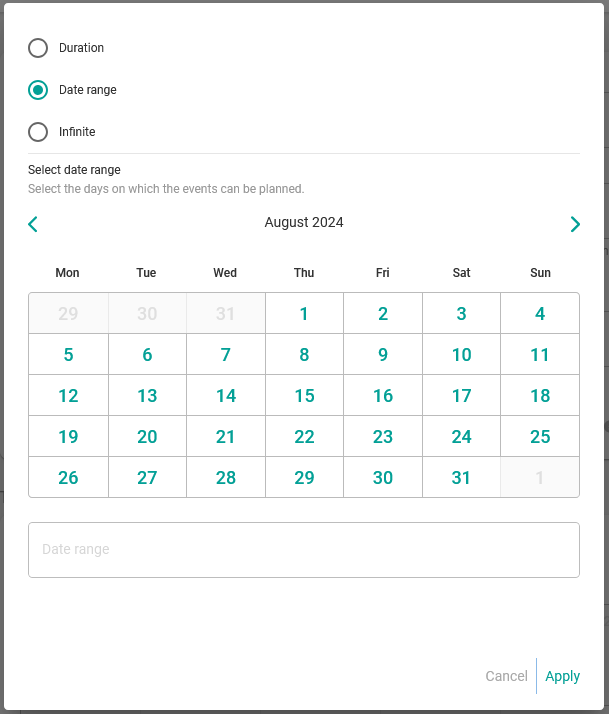
- Infinite. No defined time period.
When you have set the available days, click on "Apply" in the pop-up window.
Finally, to save all the availability settings for the event and make it available for your customers to book, click "Save" in the main window.