
In the same way that you can download invoices for your monthly or yearly Pro Plan subscription, which you need for accounting your business expenses, you can download invoices for the extras subscriptions you have added to your TuCalendi account.
Downloading the invoice for your extras subscription payments is quick and easy.
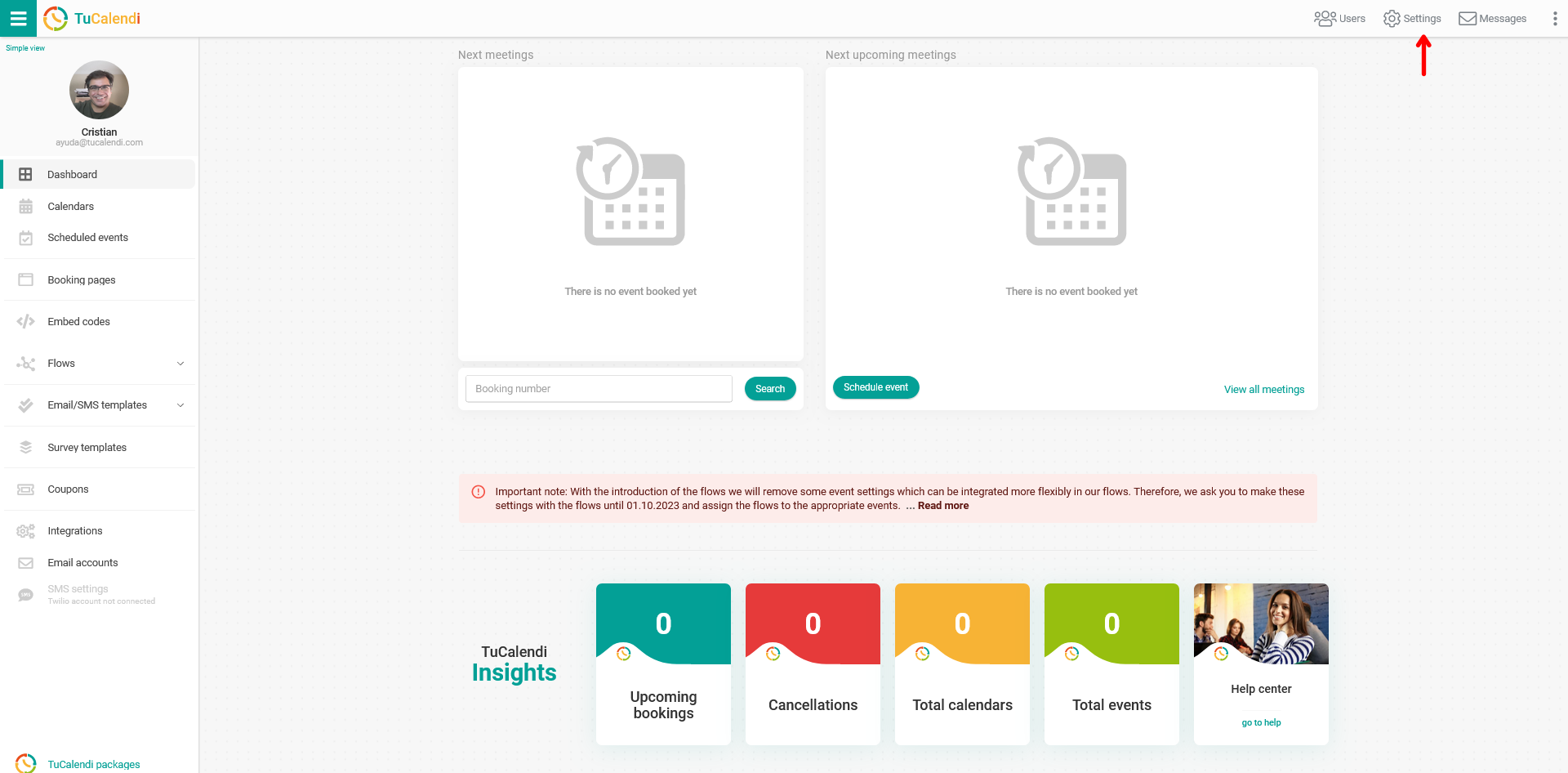
Log in to TuCalendi with your username and password. Go to the "Settings" option:
Click on the "Plan Settings" tab:
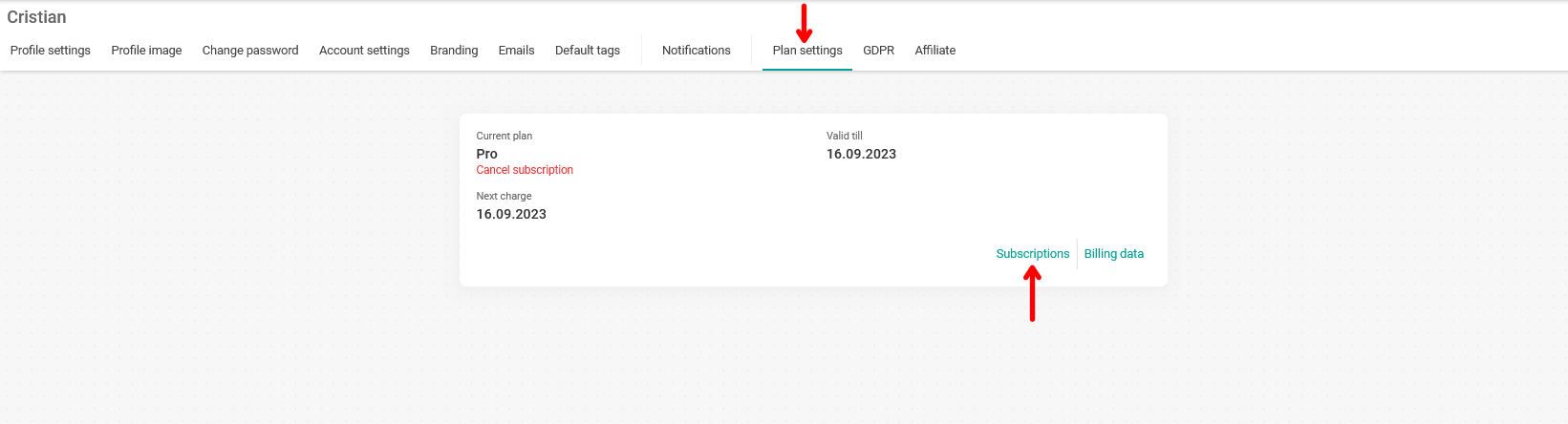
In your account information, click on the "Subscriptions" option to see more details about all your subscriptions, both your account's Pro Plan subscription and the extras you have added:
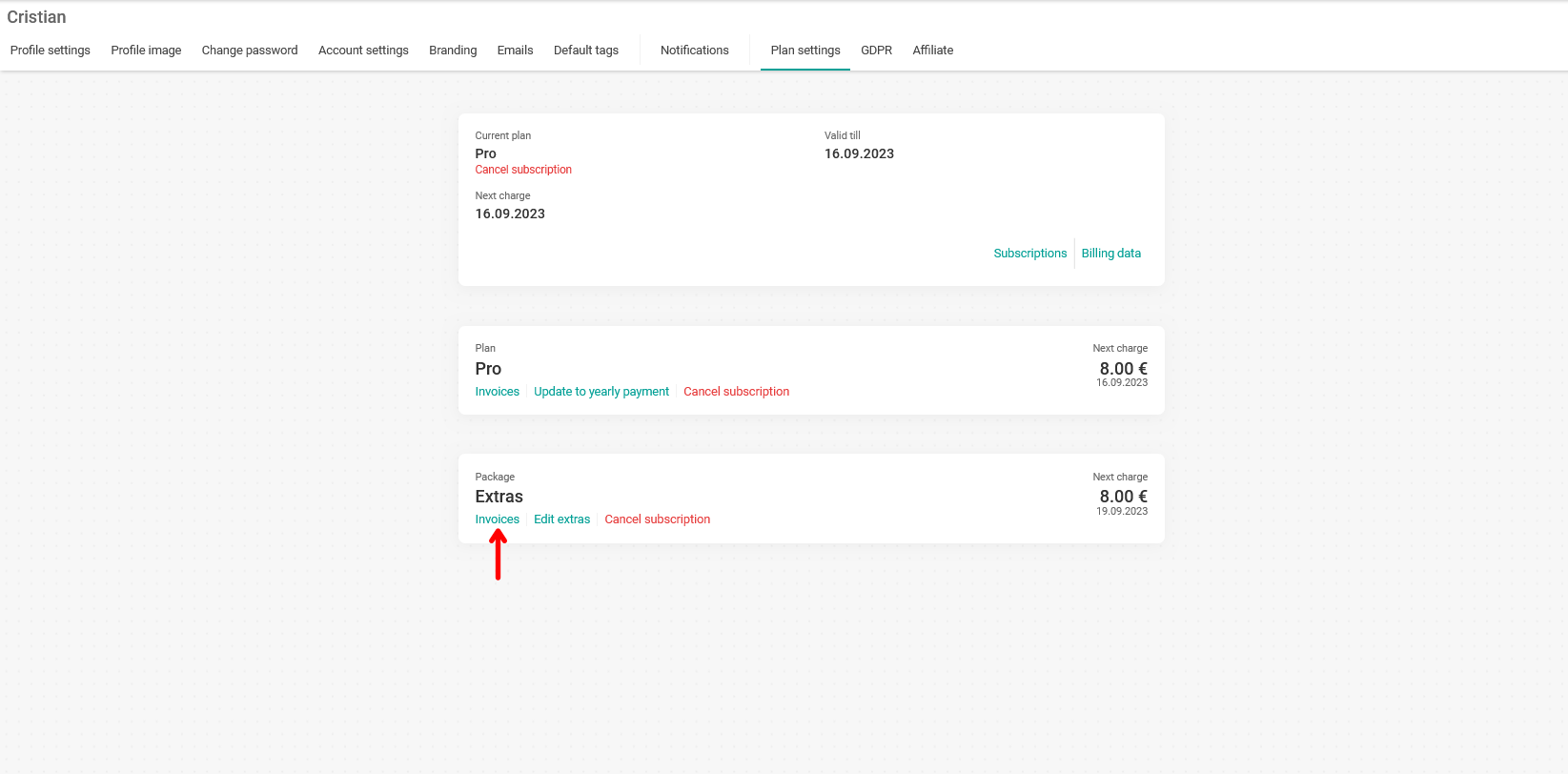
In the "Extras Packages" section, click on the "Invoices" option to access all the invoices for the subscriptions of your added extras:
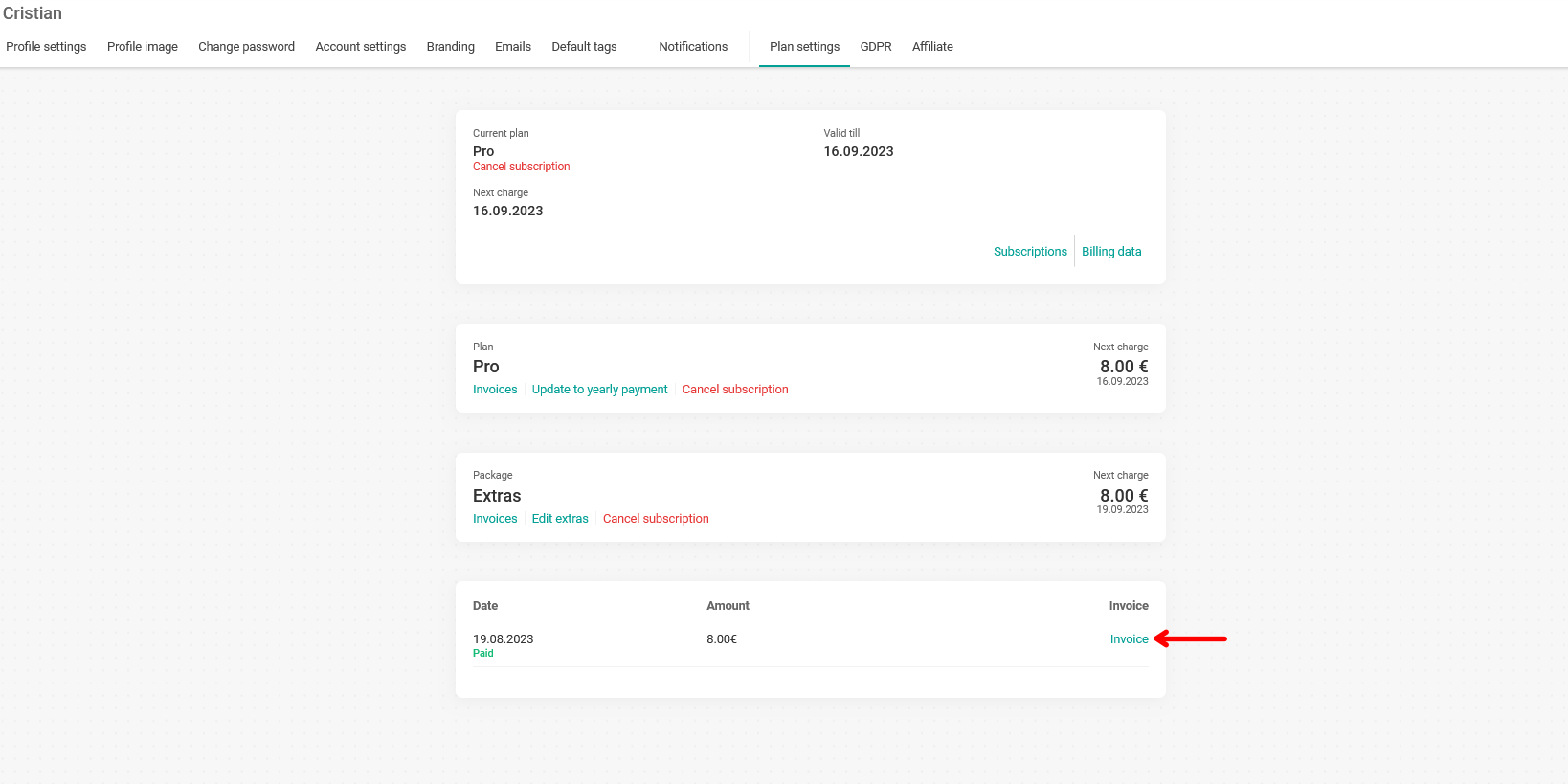
To download an invoice, just click on the "Invoice" option shown to the right of each payment. You will be redirected to Stripe, where you can download the corresponding invoice.