
Many customers asked us how they could include their data in their subscription invoices. It was no problem for our team to do this, although we had to ask them for the data and enter it manually. This sometimes meant a small delay.
We have automated the process, and you can update your billing information at any time from your account settings.
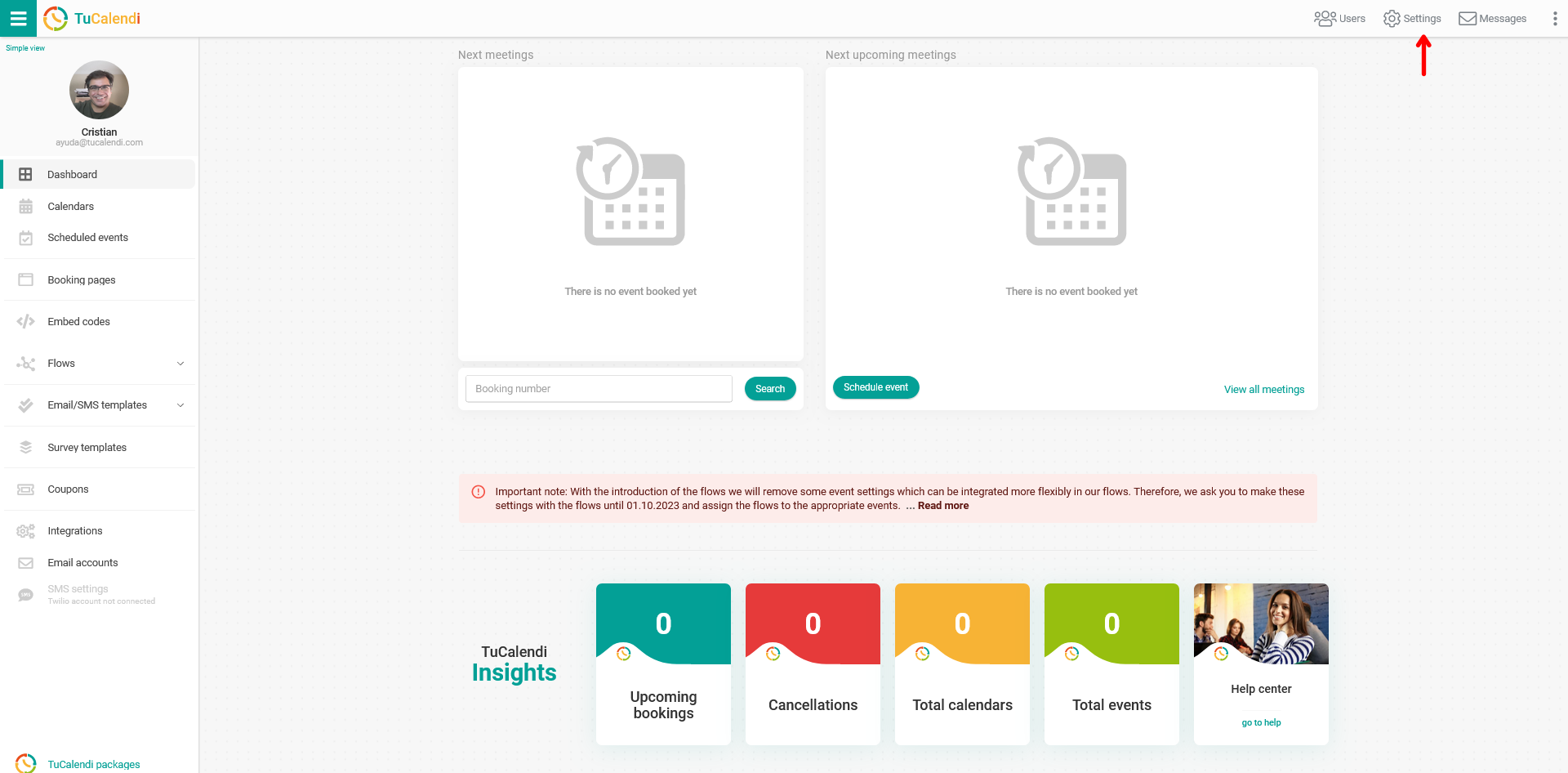
Log in to TuCalendi with your username and password. Click on the "Settings" option:
In the horizontal menu of the settings, click on "Plan Settings":
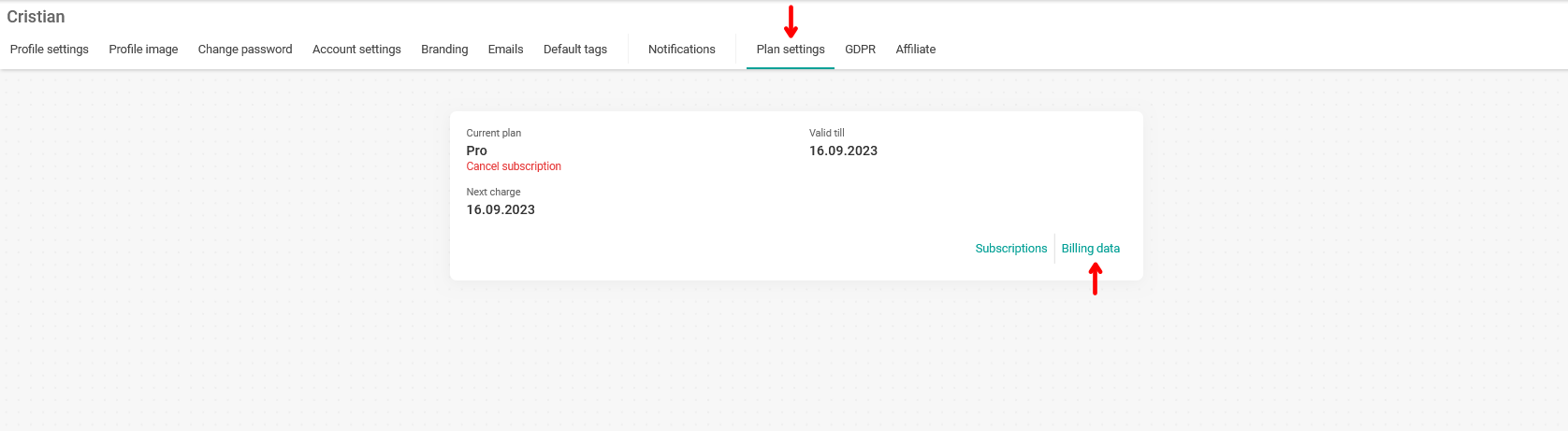
In your subscription information, click on "Billing data".
A pop-up window will appear informing you that you will be taken to the billing portal:
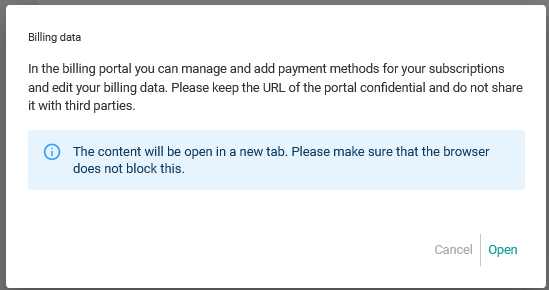
Just click "Open" to enter the billing portal with all your subscription information:
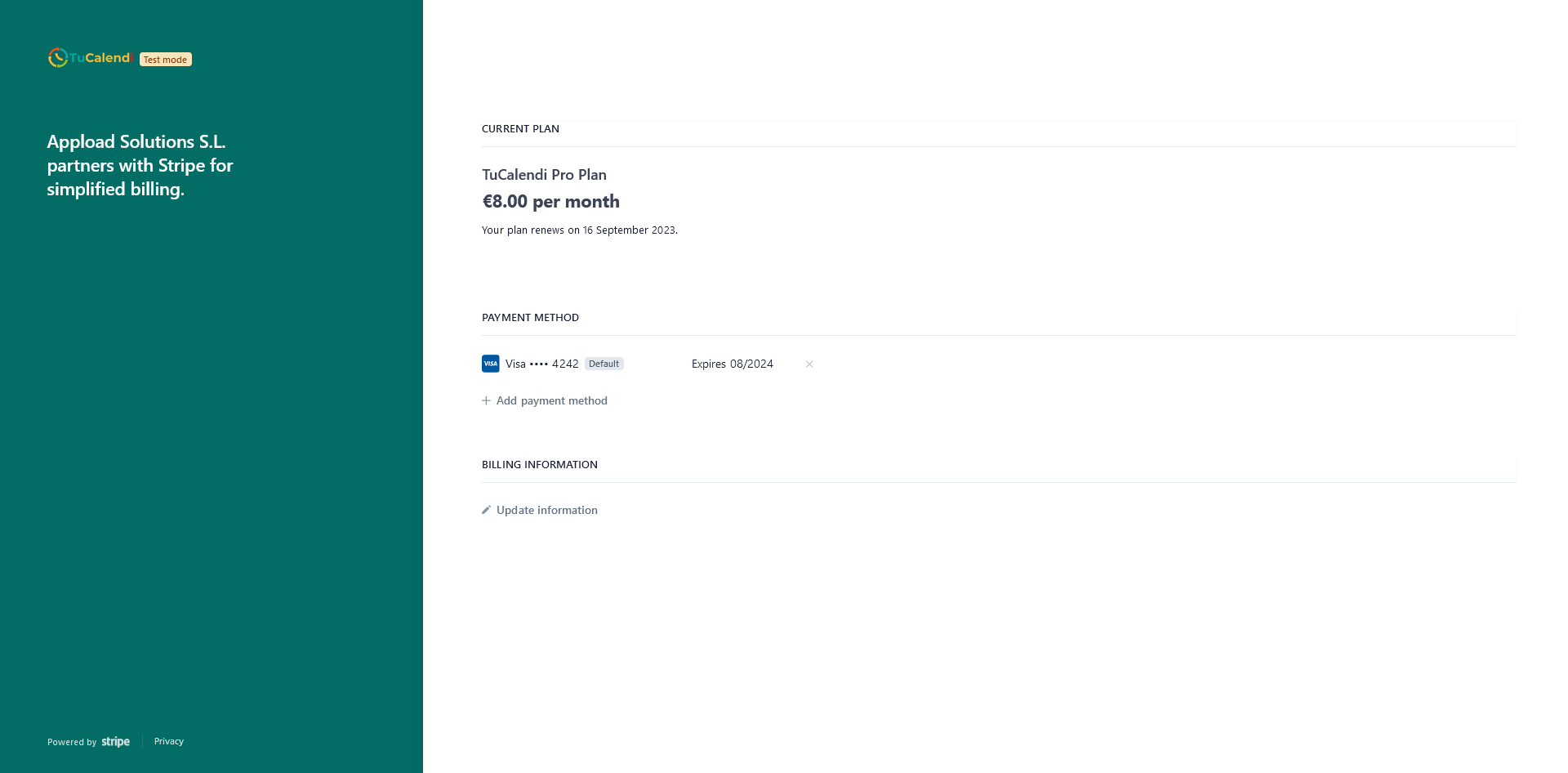
For the creation, management and automation of monthly or annual subscriptions to the TuCalendi Pro Plan, we use Stripe. From the secure access to the billing portal, you will be able to manage your information.
In the "BILLING INFORMATION" section, you can enter the information you want to appear on your TuCalendi Pro Plan subscription invoices.
Click on "Update information":

Now you can add the data you need on your subscription invoices:
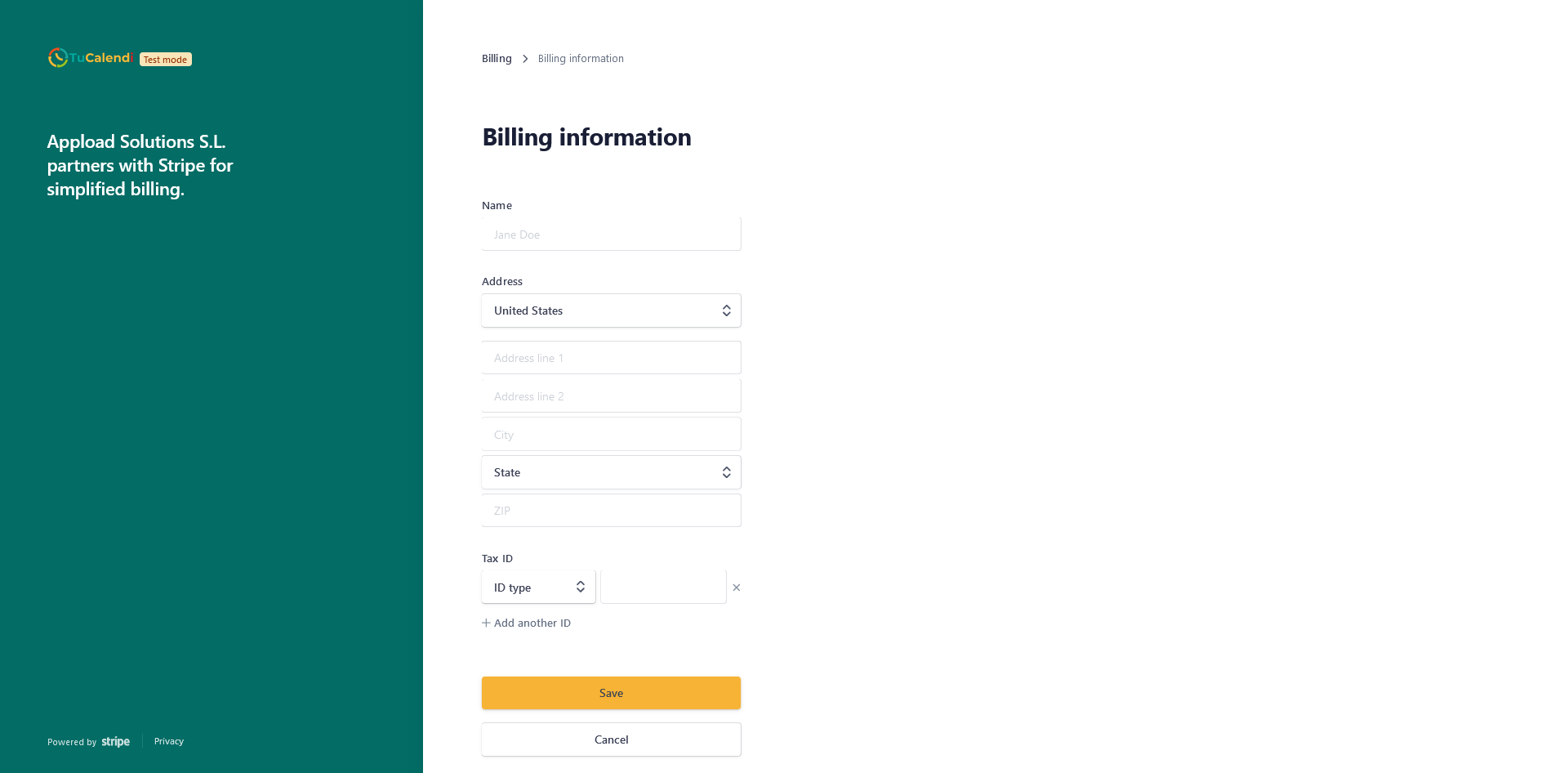
When you have added it, click "Save". From now on, all your invoices will include your personal data.