
Many users who upgrade from the Basic Plan to the Pro Plan of TuCalendi choose to pay monthly for different reasons. But as time goes by, they get to know TuCalendi's features, see how it works for their business, the ease of use of the platform and our customer service, and decide to upgrade from the monthly Pro Plan to the annual Pro Plan, taking advantage of the offer of getting two months free.
Upgrading your TuCalendi subscription from monthly to annual is very fast.
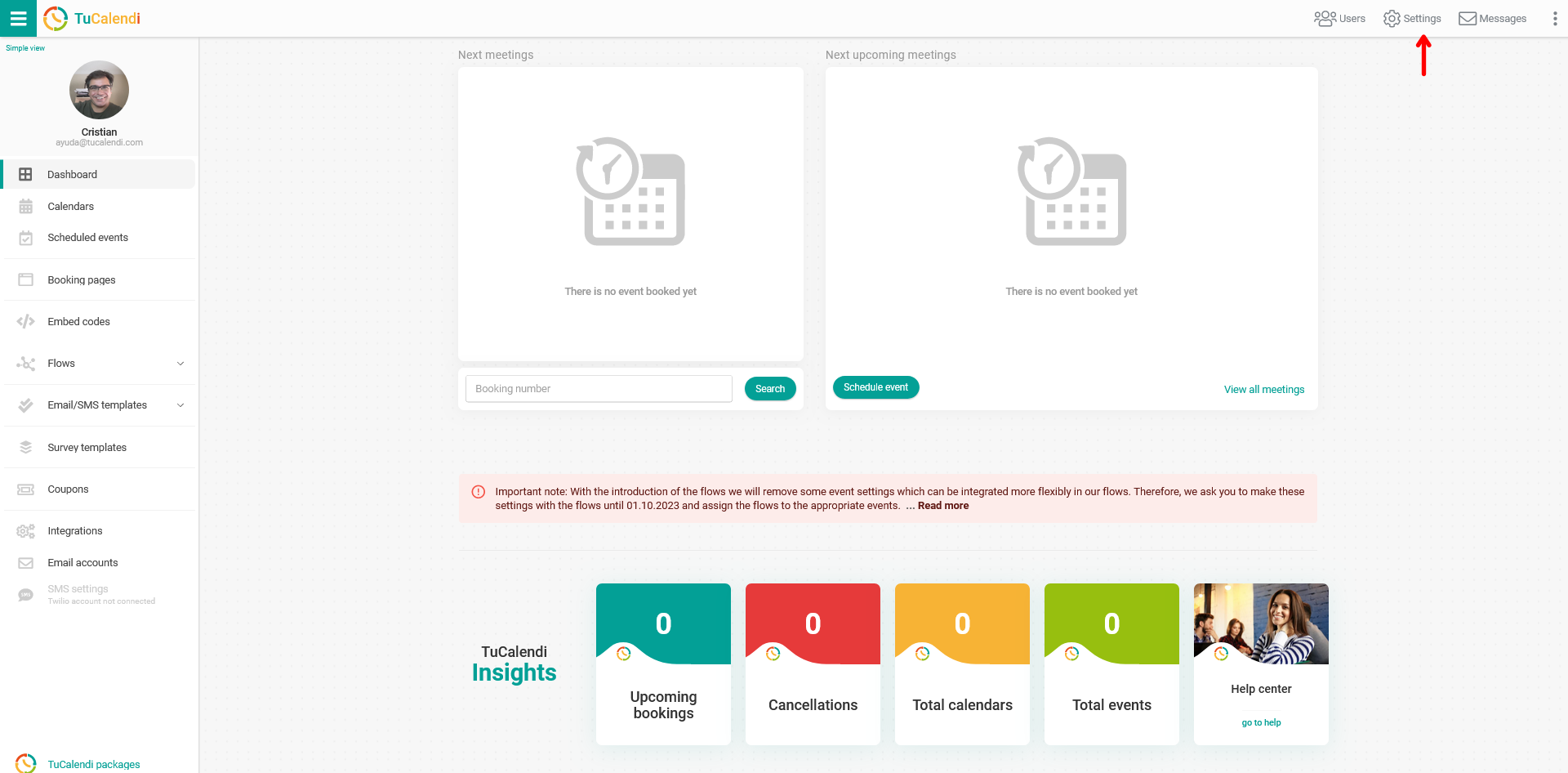
Log in to your TuCalendi account with your username and password. Go to the "Settings" option:
Click on the "Plan Settings" tab:
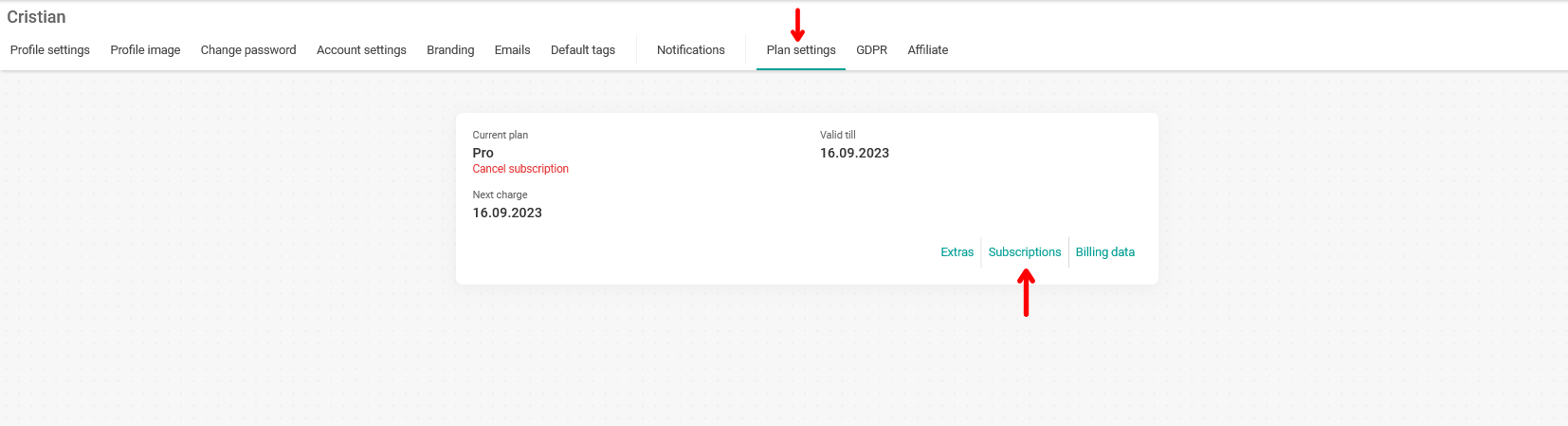
In your account information, click on the "Subscriptions" option to see more details about your subscription:
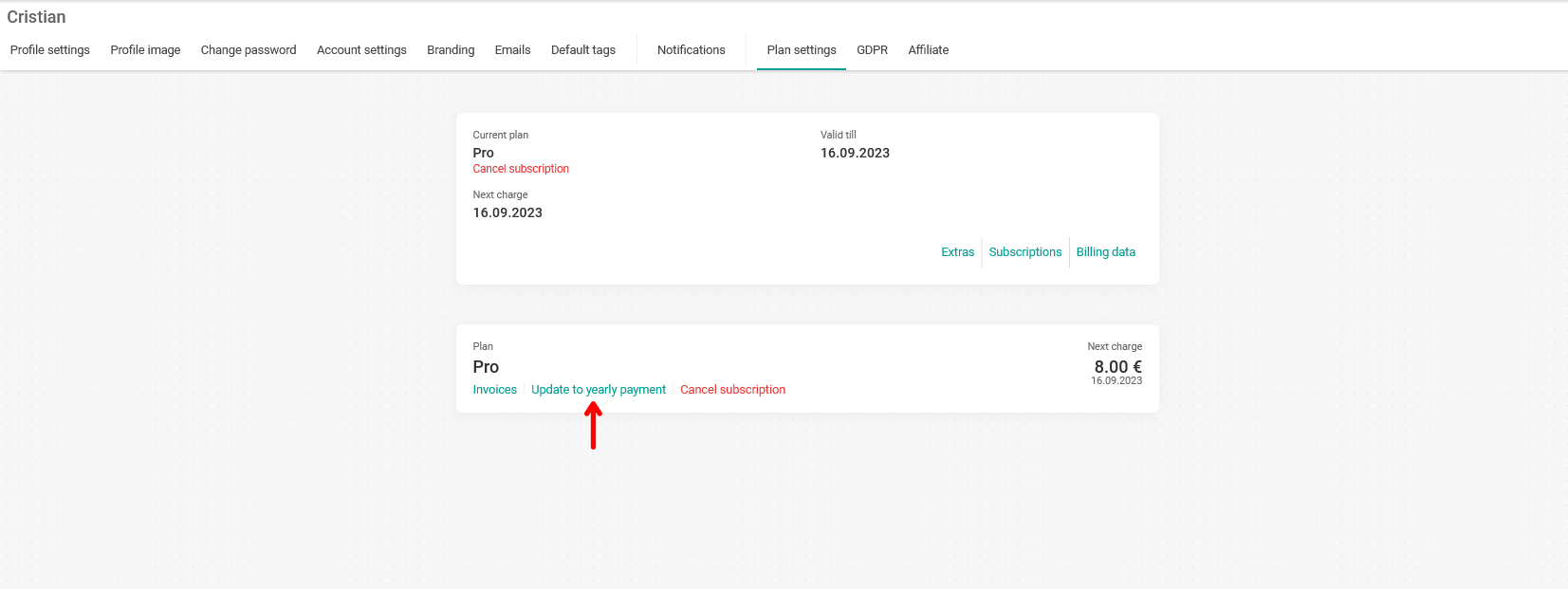
Click on "Update to yearly payment":
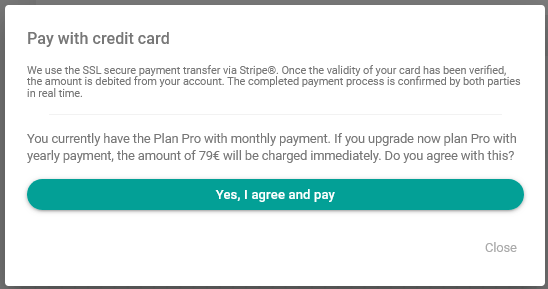
You only need to confirm that you agree to switch to annual payment by clicking "Yes, I agree and pay". Your card will automatically be charged the annual Pro Plan fee.
If you want to upgrade to the three-year Pro Plan, please contact our support team at support@tucalendi.com. For the three-year Pro Plan, we have to do the process manually.