
The next step is to choose the template for your booking page. You can choose one of the designs we have prepared for your booking page. Our team will keep adding different booking page designs so you can choose the one that best suits your taste.
Selecting the template is a very simple process, as you will see below.
Log in to TuCalendi with your username and password. Go to the "Booking pages" option:
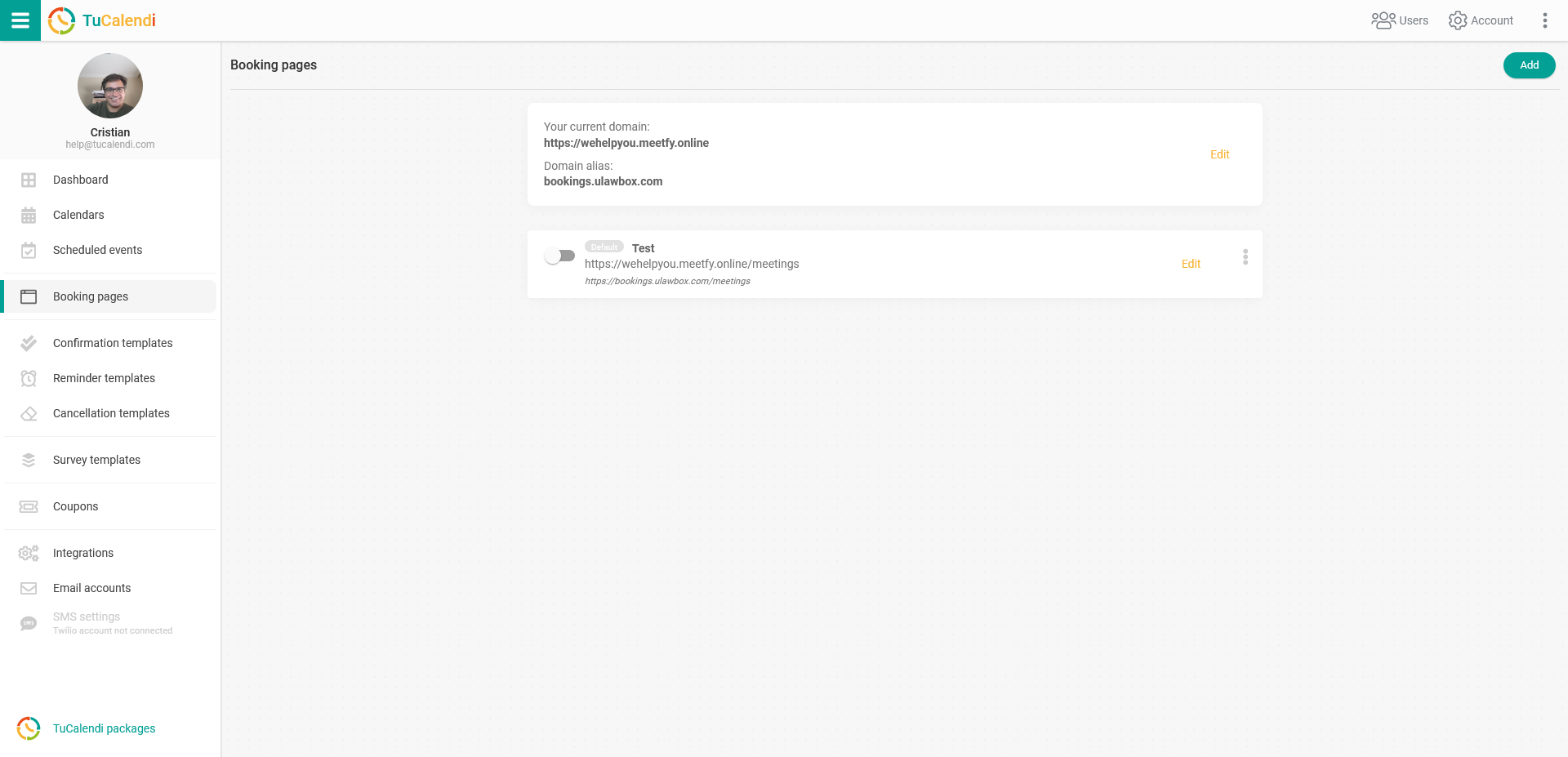
Click on "Edit" to open the editing and configuration of your booking page.
Choose the "Template" option:
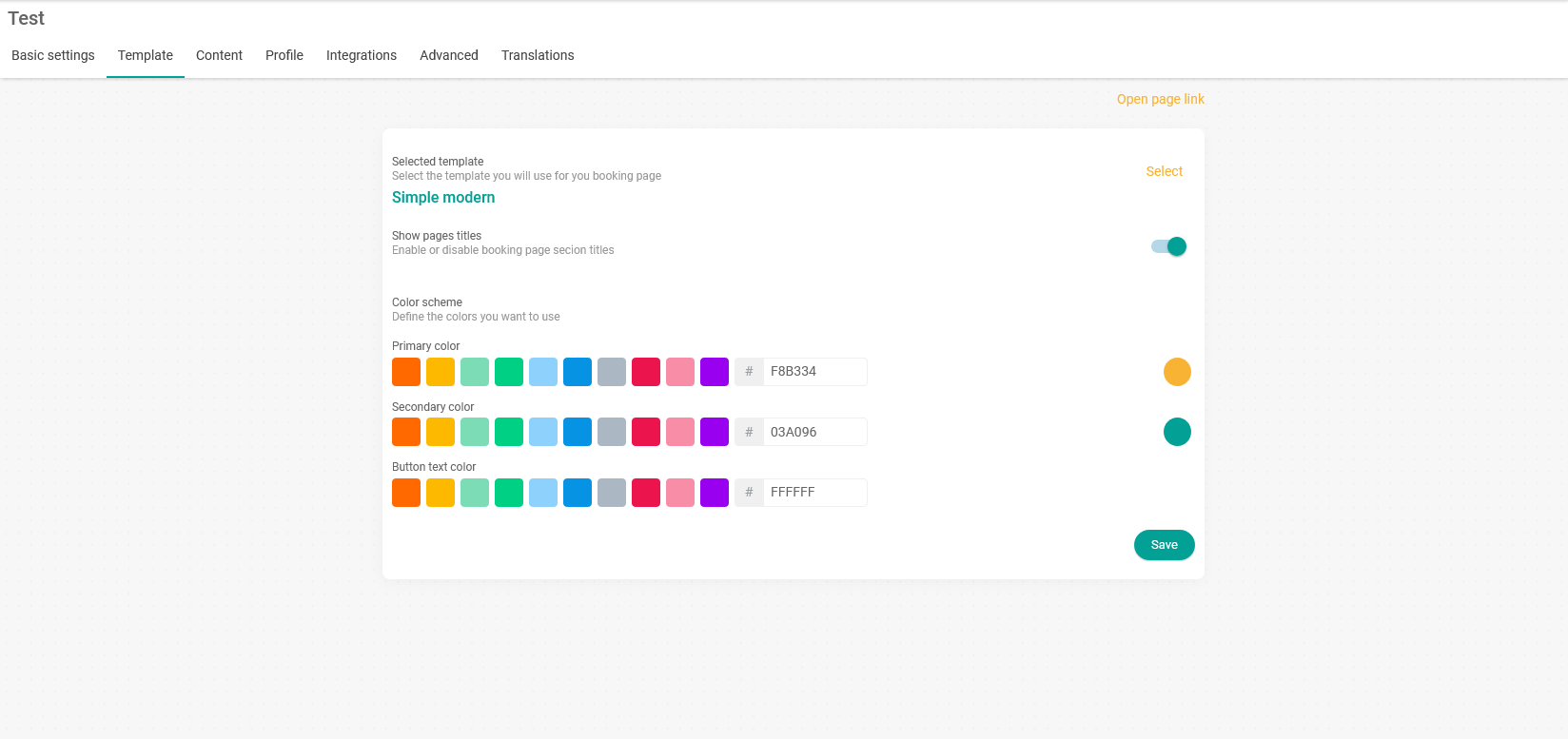
The "Select template" option shows the template you have chosen. In our case, it is the "Simple modern" template. If you want to see the available templates and switch to another one, just click on "Select" and a window will open with the available templates:
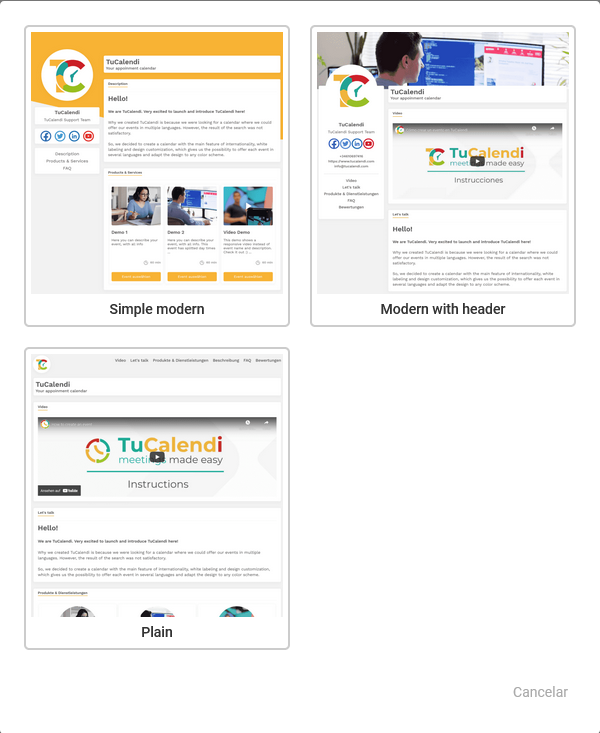
At the time of writing this tutorial, we only had 3 templates available. Our team will be adding more templates so that you have more options to choose from.
Select the one you like and that suits you best. Then just click "Save" and you have chosen the template for your booking page.