
Having the help you need to use TuCalendi and make the most of all its possibilities is fundamental for us. For this reason, we have created the help center, where you will find numerous tutorials explaining how to make the settings you need, as well as explanations of the features so you can get the most out of TuCalendi.
The help center is continuously growing with new tutorials on the features we implement. We also create tutorials based on questions from users, because they can help the rest of the community.
Accessing the help center is very easy and it's always available.
Once you have logged in to TuCalendi with your username and password, you will enter the dashboard.
Whichever section of TuCalendi you are in, you will find the following options on the top right hand side of the screen.

Clicking on the three vertical dots opens a menu with different options.
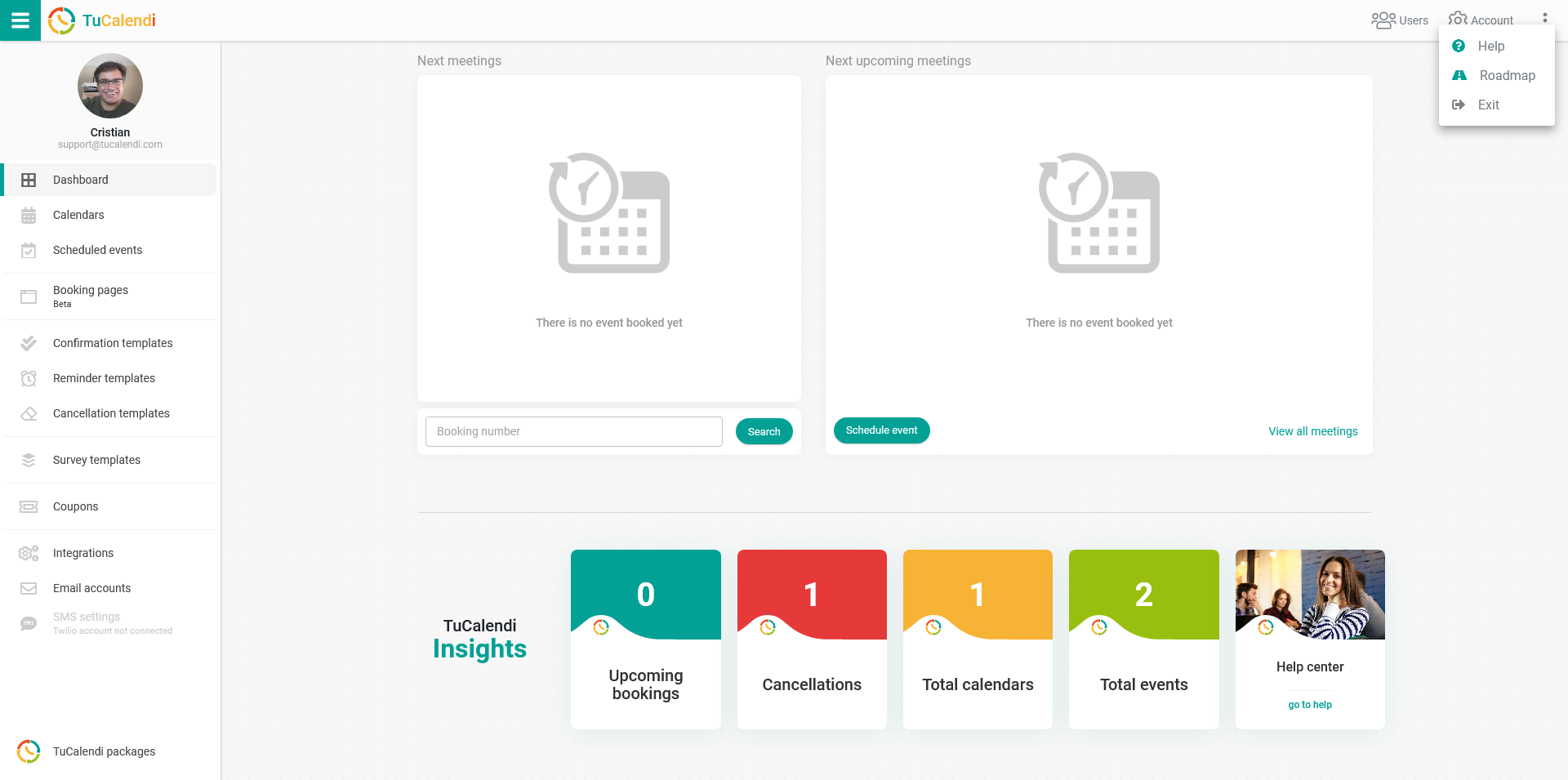
Just click on "Help" and the TuCalendi help center will open in a new browser tab.
The help center is divided into sections that you can browse, and you can also find what you need by typing in the search engine.
Whenever you have any questions about TuCalendi, you can always access the help center, where you will find all the tutorials.