
Every app, website or computer system that we work with on a daily basis uses the most common user interface style, the so called light mode. But more and more, a new mode known as dark mode is being promoted.
What is dark mode and light mode?
Dark mode is a way of displaying an application or web page on the screen of different devices with white text on a dark background. The traditional way, light mode, is the opposite: dark text is displayed on a light background.
Several factors can influence the choice between dark mode and light mode. Things like each person's vision, the work environment, the different devices or the interface design lead each user to choose one mode or the other.
It's up to you to choose the mode you feel more comfortable working in and that causes less eyestrain.
We have added the dark mode and light mode feature to the TuCalendi interface so you can select the one that suits you best. Switching between light and dark mode is very easy.
After logging in with your TuCalendi username and password, you will access the dashboard.
At the top right of the screen you will find the following options:

Click on the three vertical dots and a menu will open:
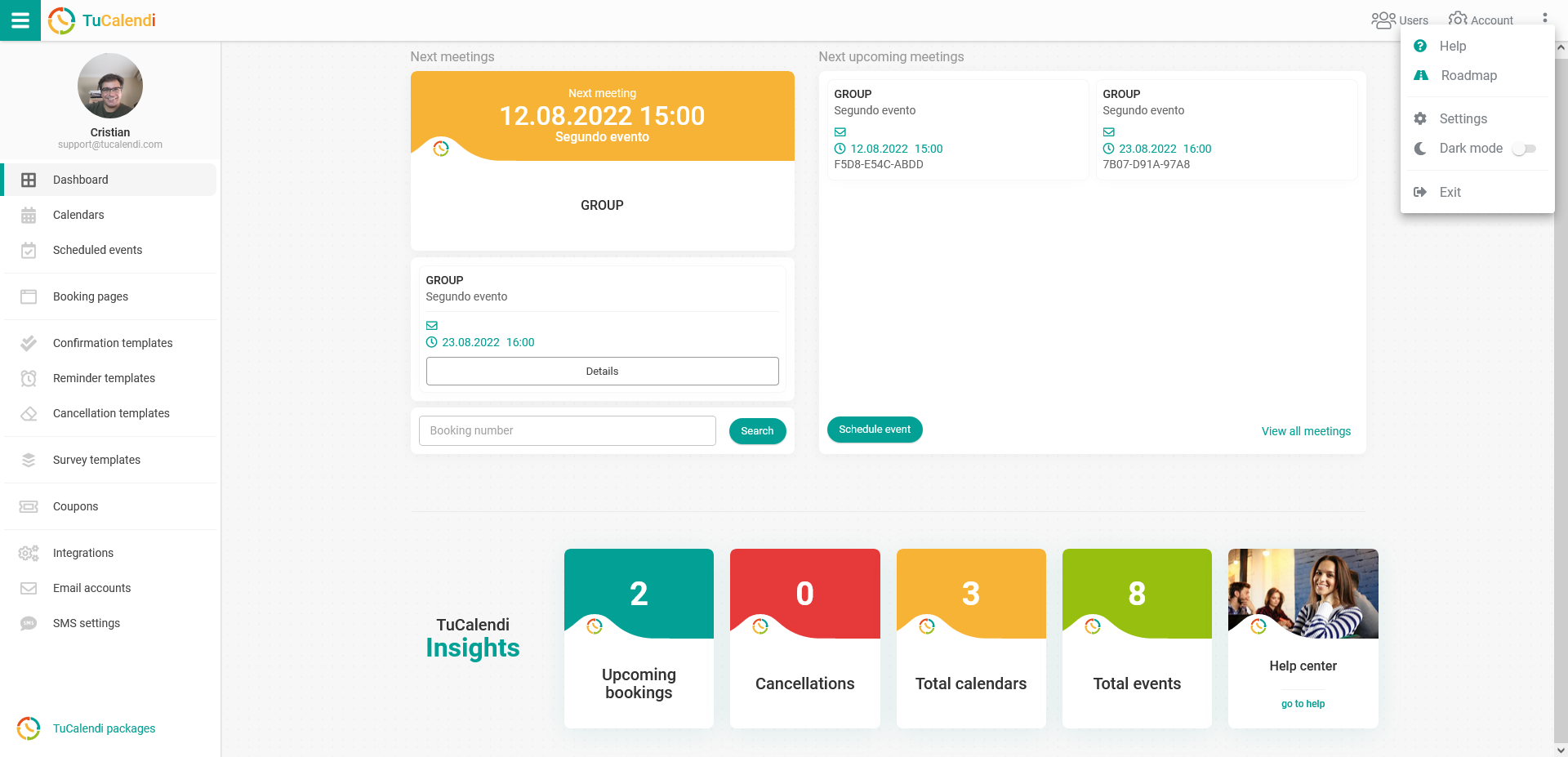
By default, light mode is activated.
Simply turn on dark mode and the TuCalendi interface will look like this:
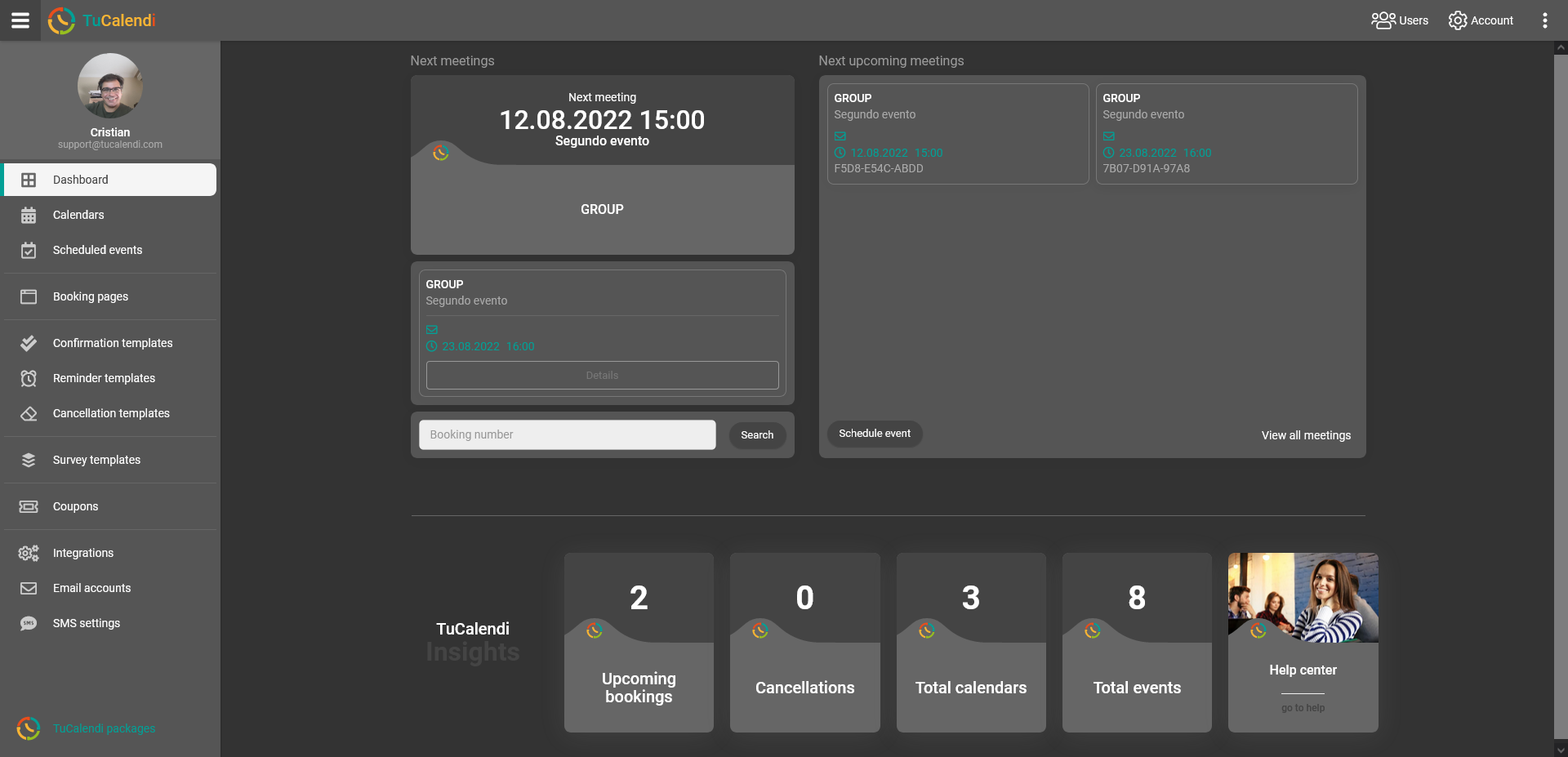
Now you are the one who decides how TuCalendi is displayed.