
The external ID in custom form fields is a unique identifier for each field. It's essential when you want to send TuCalendi form information to third party platforms, such as the direct integration with Klicktipp, or when you send information using webhooks through Pabbly or Zapier.
Identifying each custom form field is very simple.
Log in to TuCalendi with your username and password. In the side menu, go to the "Flows" option:
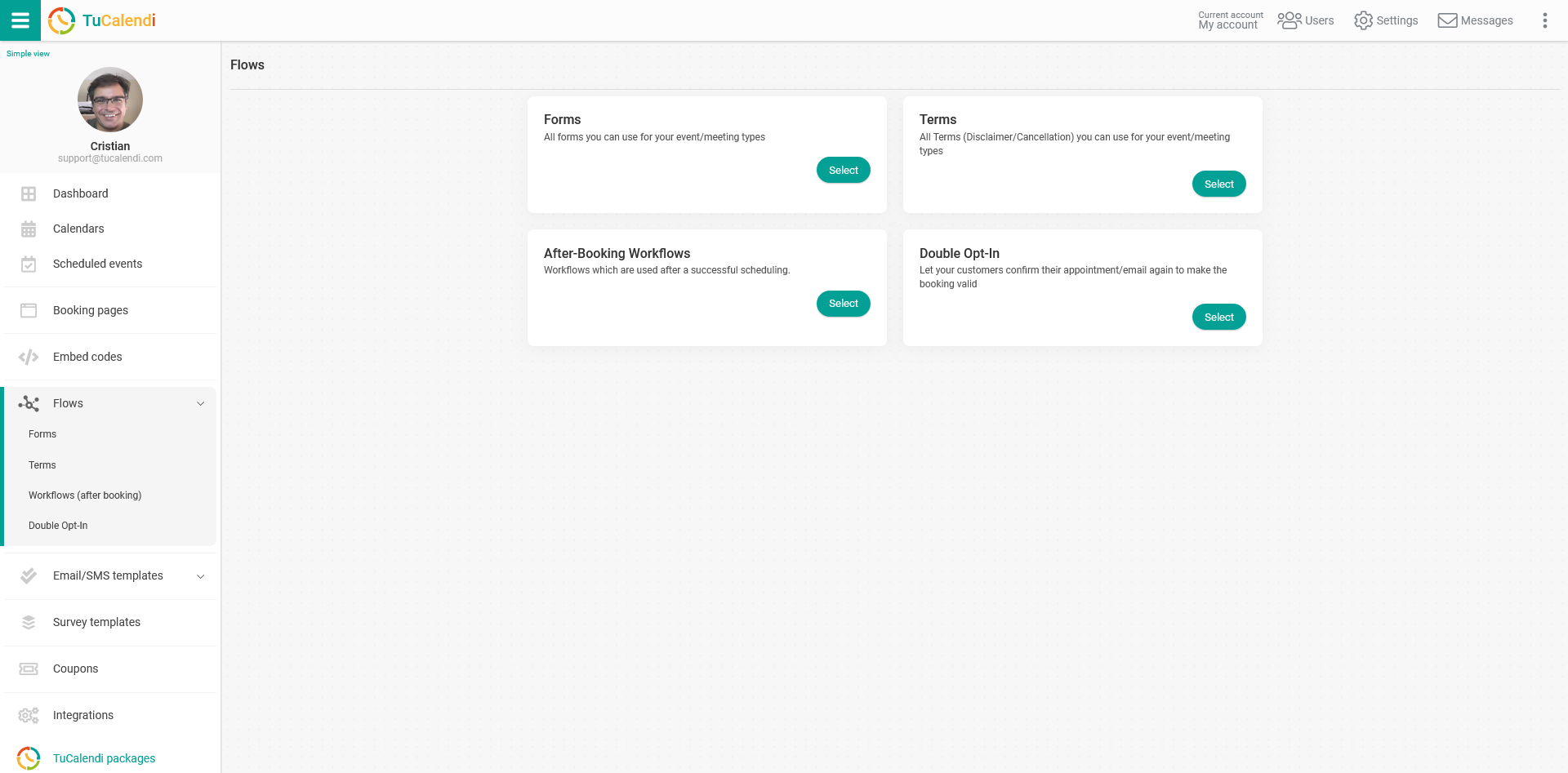
In the forms option, click "Select" to open your form flows.
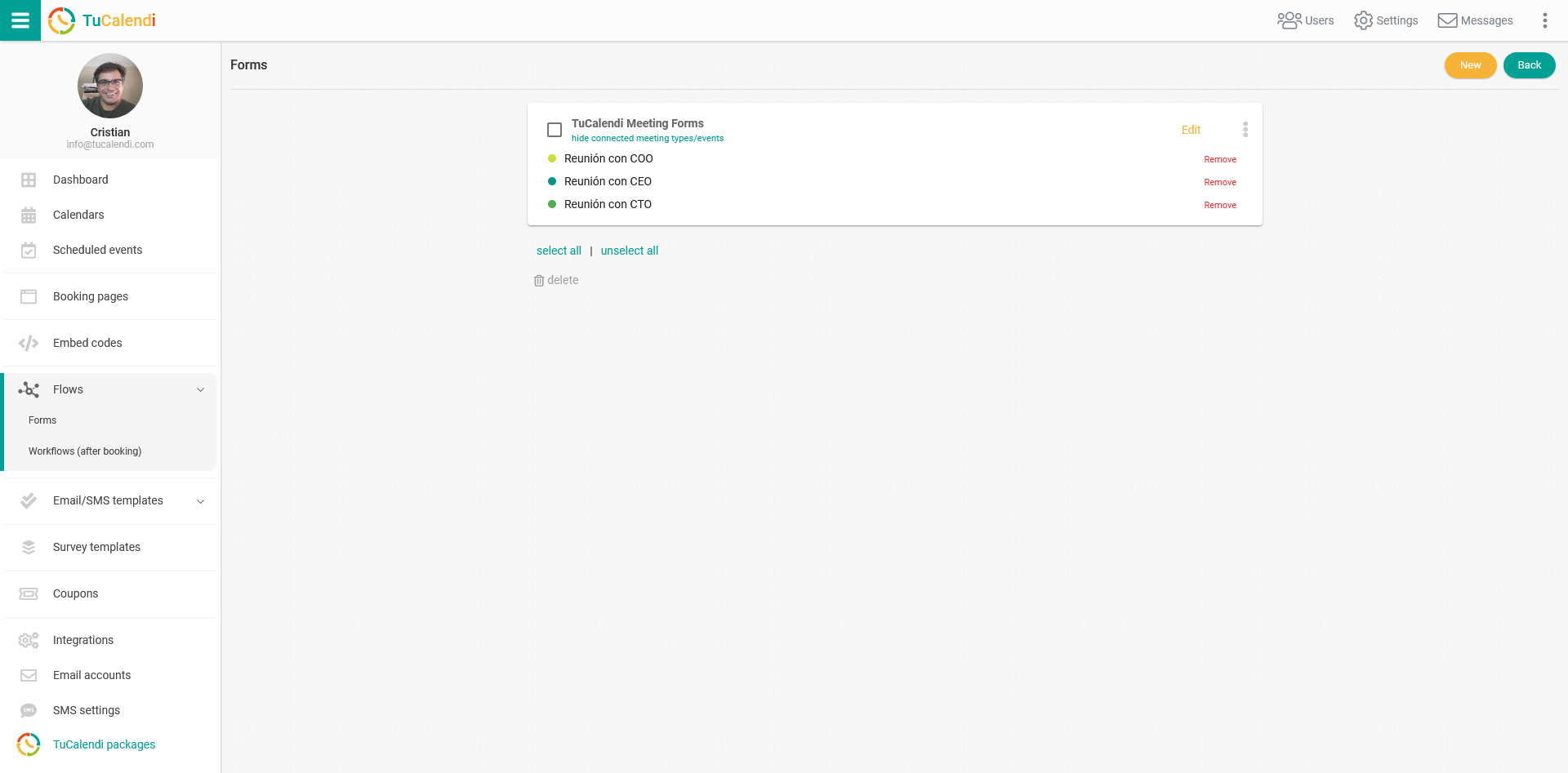
If you haven't created a form flow yet, the list will be empty and you can create a new one.
If you've already created a form flow, click "Edit":
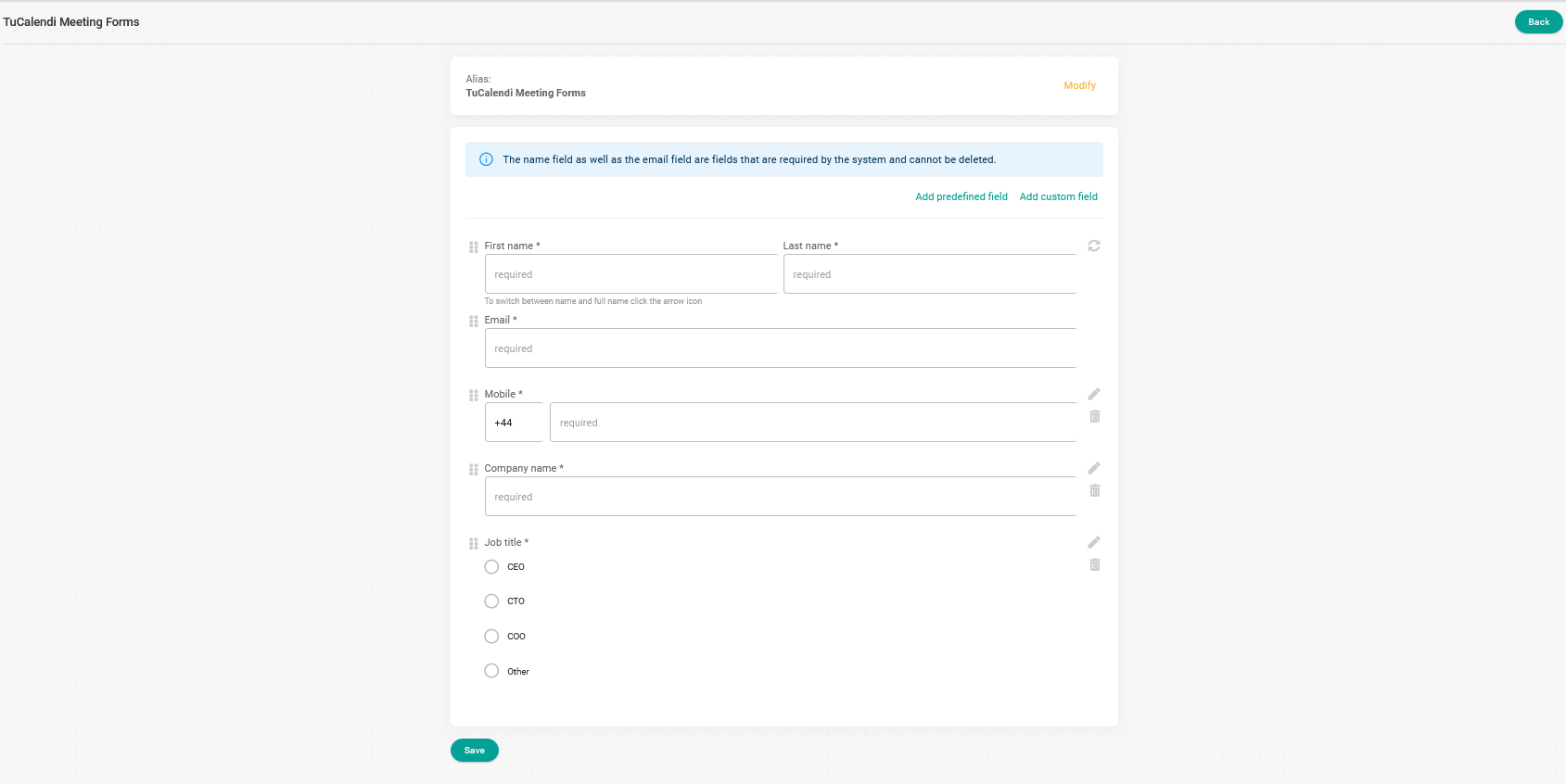
In our form flow we have two custom fields:
- Company name.
- Job title.
To edit the custom fields, click the pencil icon next to each field:

In the window that opens with all the custom field information, click "Optional" to enter the external ID:
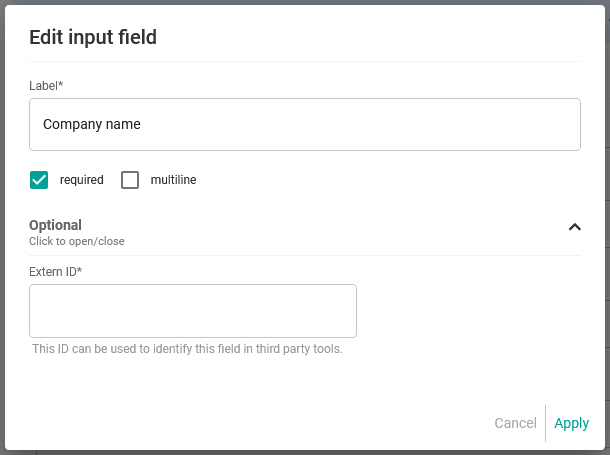
Type in the external ID you want to assign and click "Apply".
You'll return to the main screen of the form flow you're editing. Then click "Save".
The external ID must be set individually for each custom field.
From now on, when you want to connect to third party platforms, your fields will already be identified with an external ID, so you can work with them more easily.