
To publish your calendars or events and receive online bookings from your customers, you need to have your own domain at TuCalendi.
You can customize the domain to match your name or your business name.
It would look something like this:
https://yourname.tucalendi.com
where "yourname" is the part you can customize.
We have added a feature that also lets you choose what to display on the home page of your domain.
Creating your domain name and choosing what is displayed by default on your domain's home page in TuCalendi are both very easy.
Log in to TuCalendi with your username and access your account settings.
Click on the "Account Settings" option:
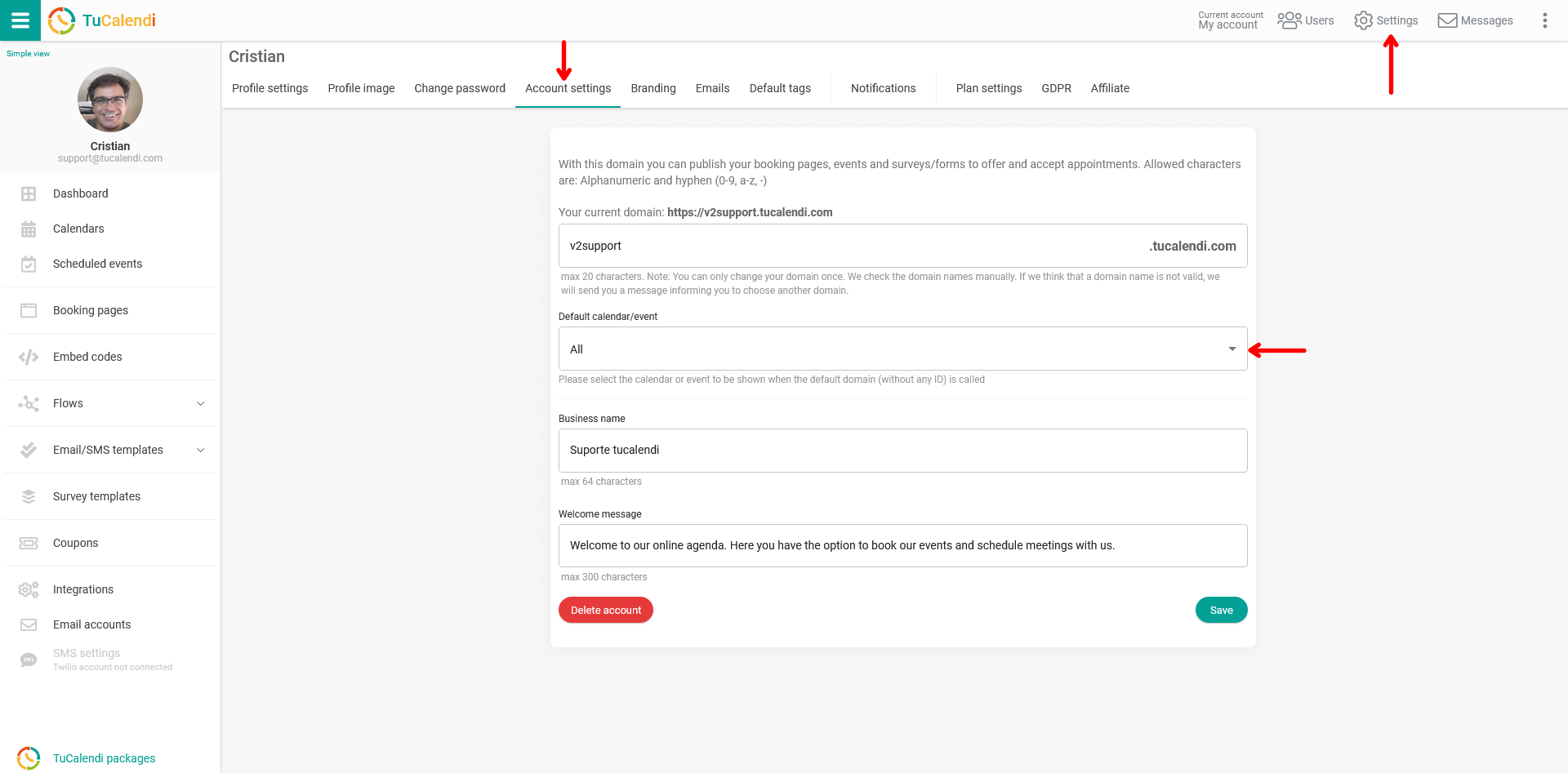
The image shows our own customized domain: https://v2support.tucalendi.com
Find the "Default Calendar/Event" field and click on it to open the menu with the different options:
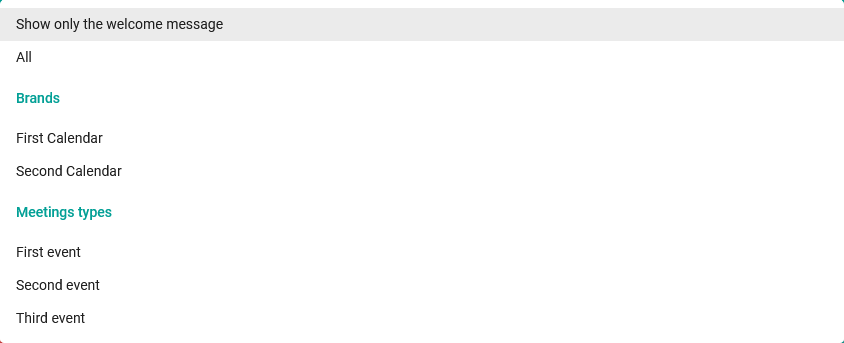
These are the options you can choose from to decide what is displayed by default on the home page of your domain:
- Show only the welcome message: Displays only the welcome message you have set.
- All: Displays all the calendars you have created.
- Calendars: Displays a single calendar that links to all the events included in it.
- Meeting types: Displays only one of the events you have created.
Once you have chosen what will be displayed by default on your domain, click on the "Save" button.