
Since you can have virtual meetings with people from anywhere in the world, it is important that you set your time zone to avoid possible errors caused by different time zones.
To start using TuCalendi, we recommend that your first step is to set up your time zone to avoid time errors.
Log in to TuCalendi with your username and password.
Click on "Profile settings":
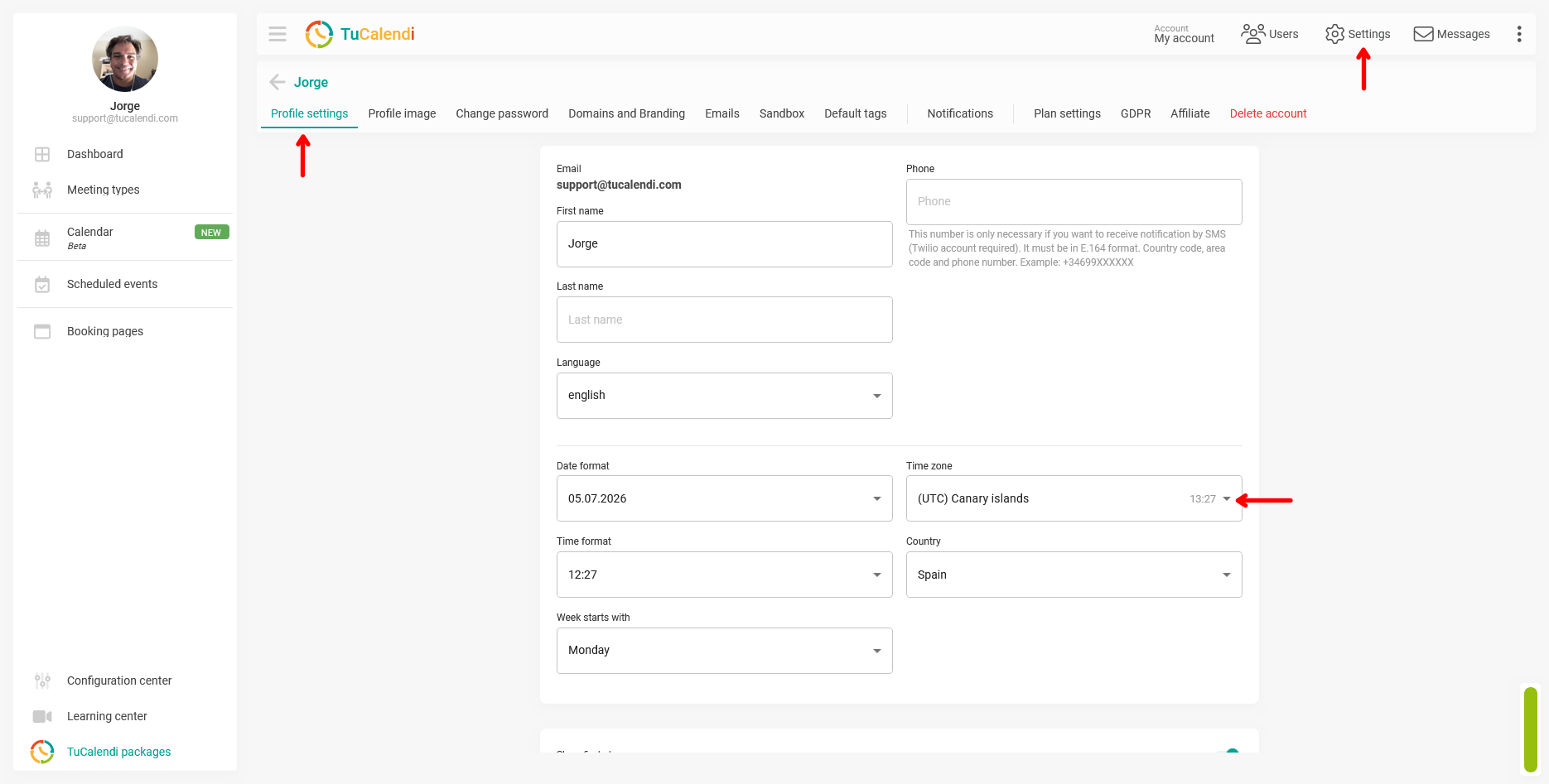
In the "Time zone" block you can find all the time zones. Choose the one that matches your location.
Once you have selected it, click "Save" so that your change takes effect.
IMPORTANT: Don't forget to set up your time zone.