
With TuCalendi you can add a booking button to your Facebook profile, so that your fans and followers can make reservations with you directly from the social network. In this guide we'll show you how to include a booking button on your Facebook profile.
Are you ready? Follow the steps below to set up a booking button on Facebook.
First, open your Facebook page.
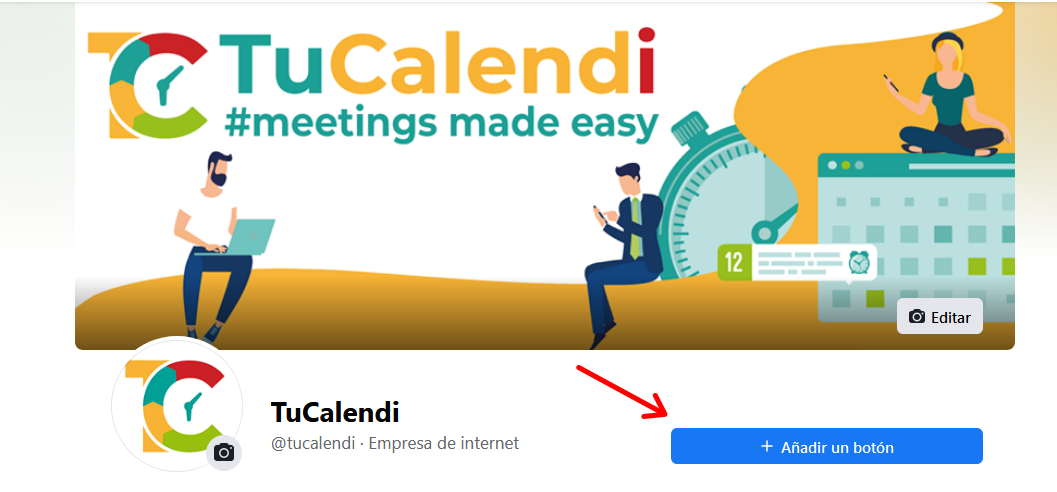
Click the "+Add a button" button.
A list with all possible options for the call-to-action button you want to install will be displayed.
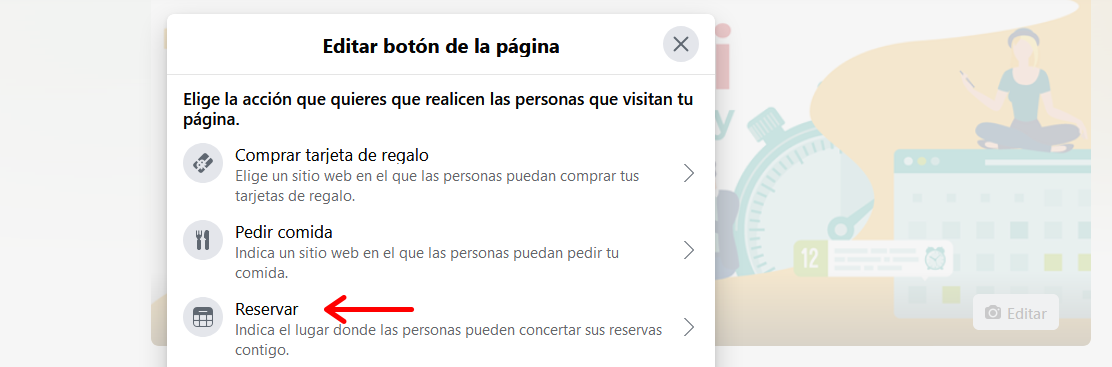
Choose the "Reserve" option.
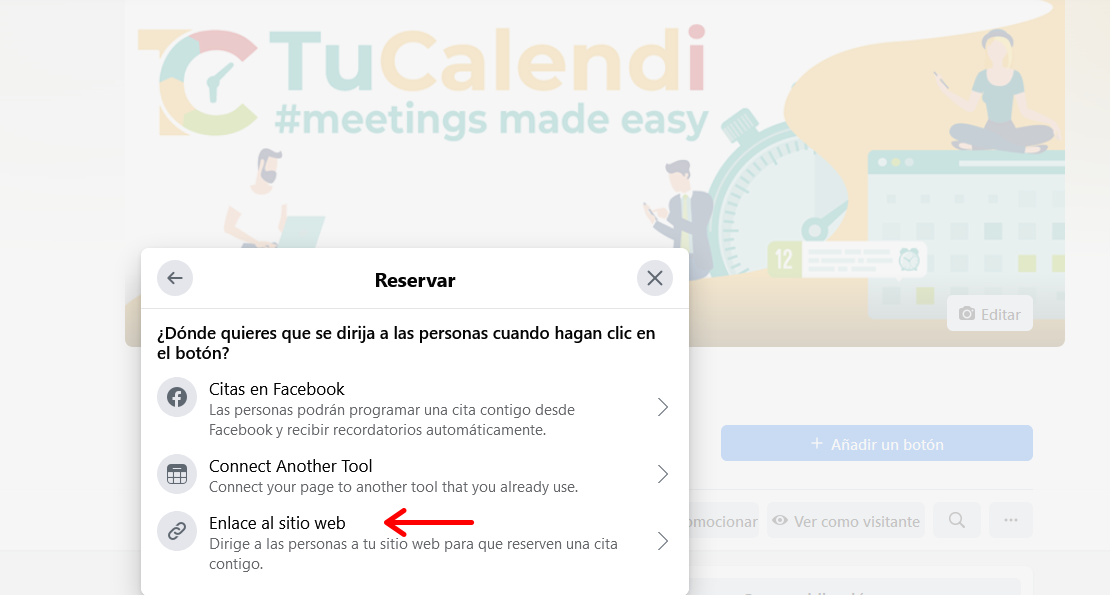
Choose the "Link to website" option, so that people can directly access your TuCalendi booking page.
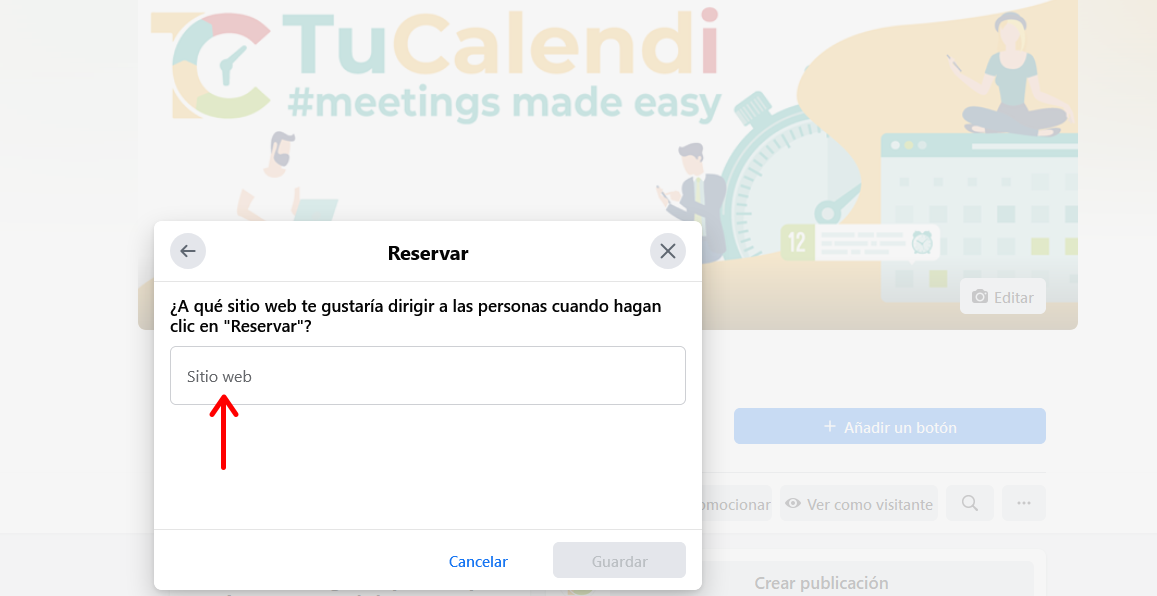
Here you must include the URL of your TuCalendi calendar or events.
Copy the address from TuCalendi and paste it into Facebook, so that the Facebook booking button links to the calendar and all the events you have scheduled in TuCalendi.
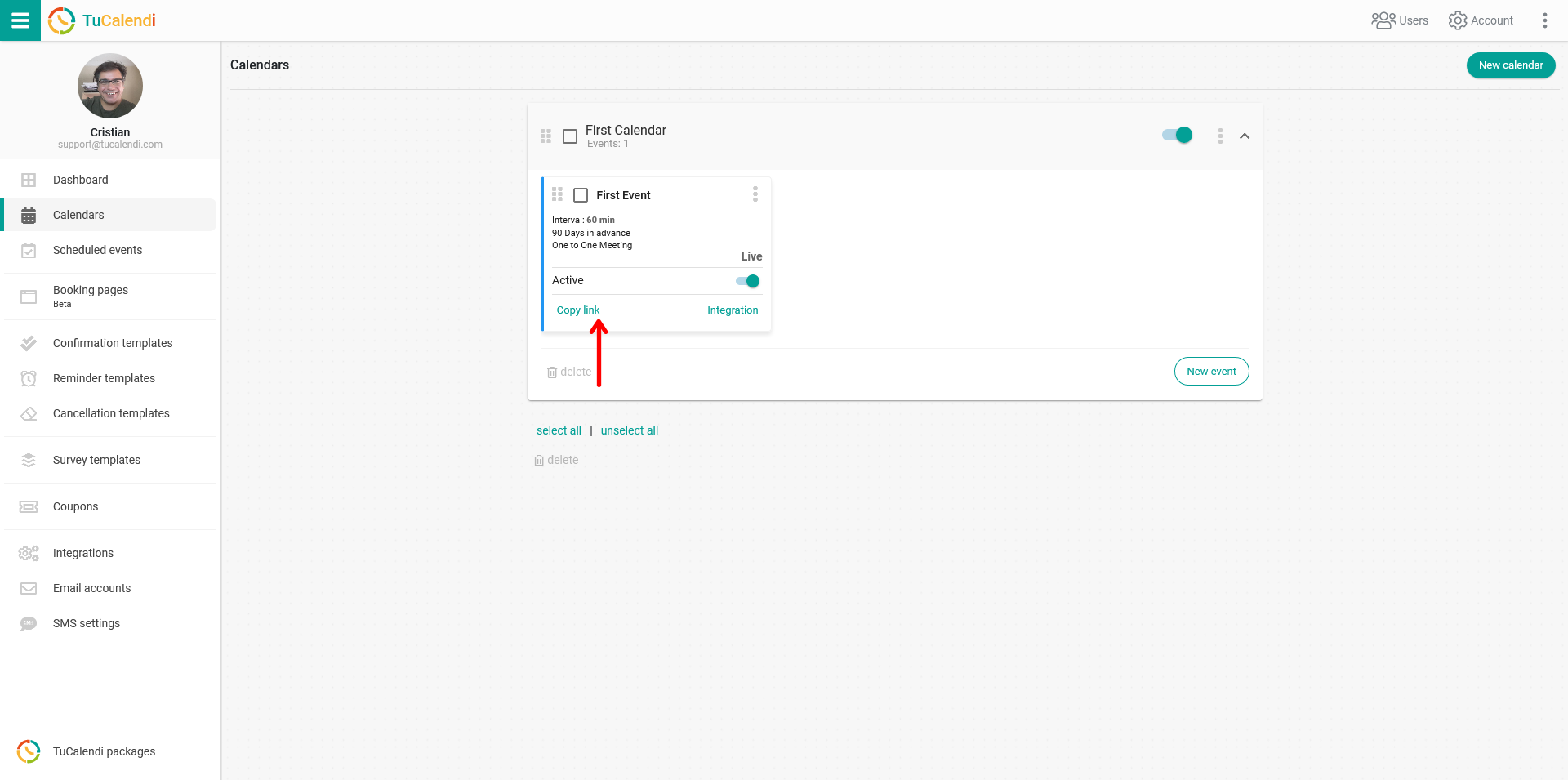
When you click "Save" in Facebook, your Facebook page will automatically have a booking button that links to your calendar or events scheduled in TuCalendi.
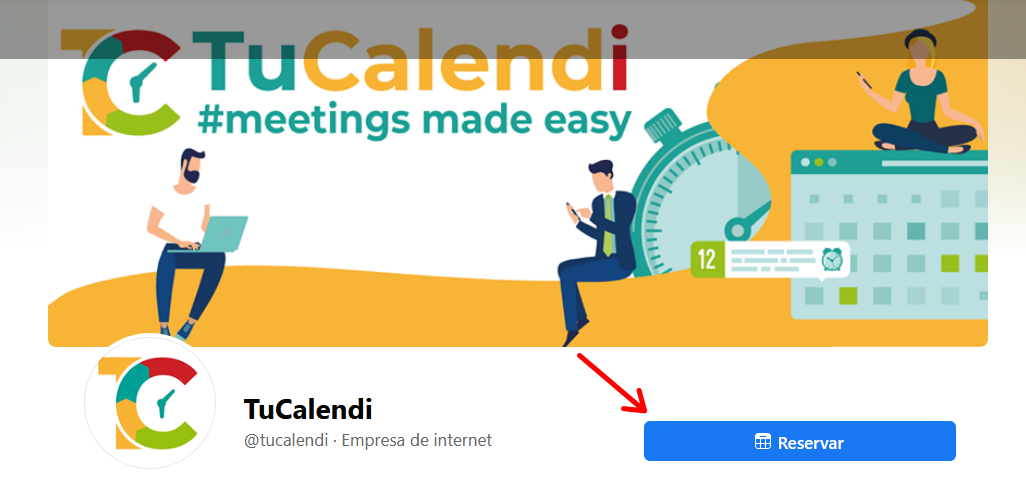
IMPORTANT: You must have a Facebook business page to use this feature.