
Letting your clients book a meeting with you on TuCalendi is as simple as sharing the event link. Once they click on the link, your clients or potential clients are taken to the event booking page, where they simply choose the date and time that best suits their needs.
We've made the process even simpler.
Search for the event you want to share
Once you have logged in with your TuCalendi username and password, go to the "Calendars" option.
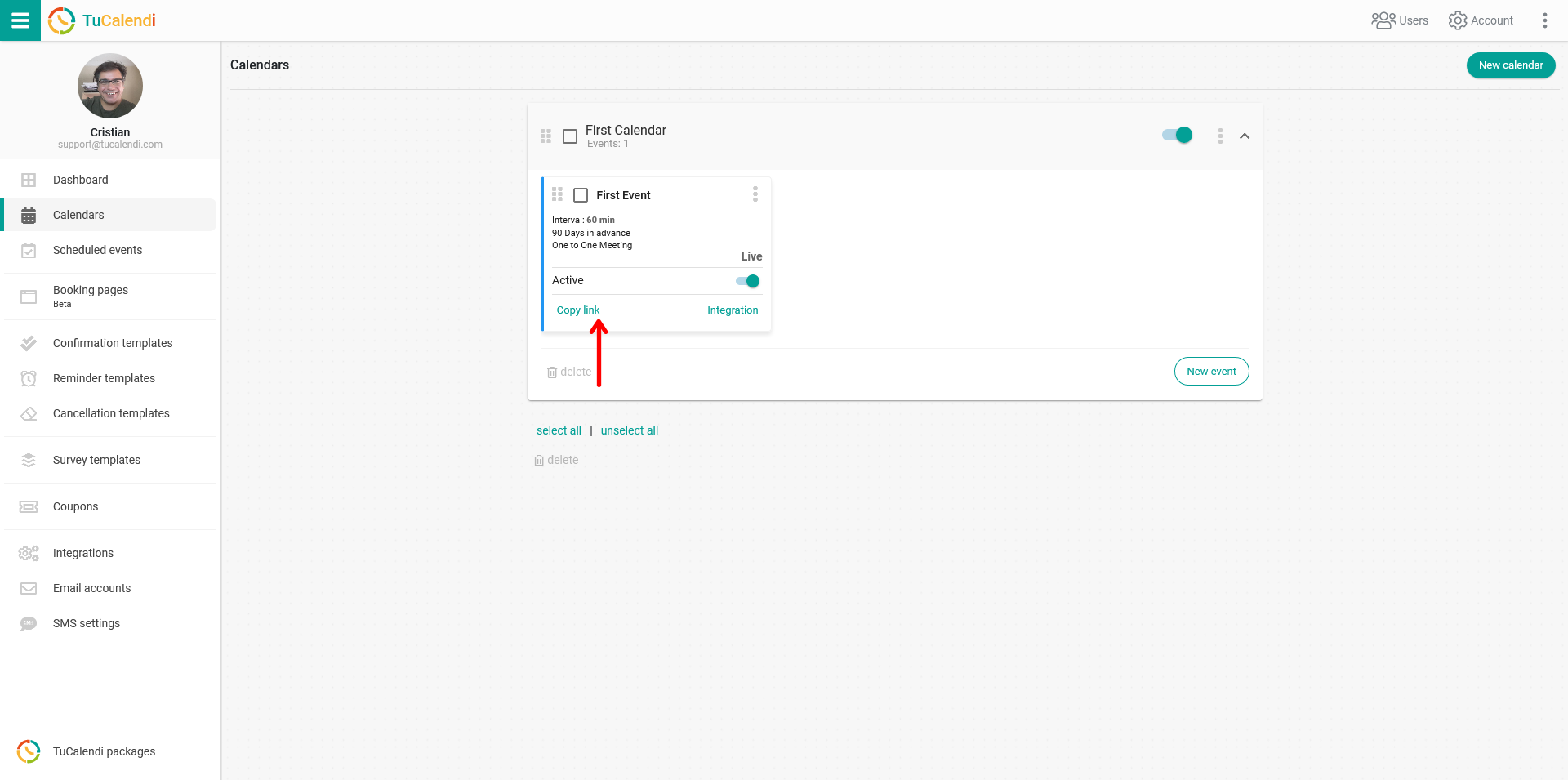
In each event you will find the "Copy link" option, which has a unique link. Just click on it to copy the link to the clipboard.
Share the link
Now you only have to paste the link into an email, a WhatsApp message, any article on your blog or the posts on your digital channels you use to reach your users or customers.