
As a TuCalendi account owner, you can invite other people to join your team. This lets you create your own work group so they can attend meetings, appointments or event bookings scheduled by your clients.
Please note that this option is only available for paid price plans.
Inviting users to join your TuCalendi team is easy. Log in with your username and password. Go to the "Users" option.
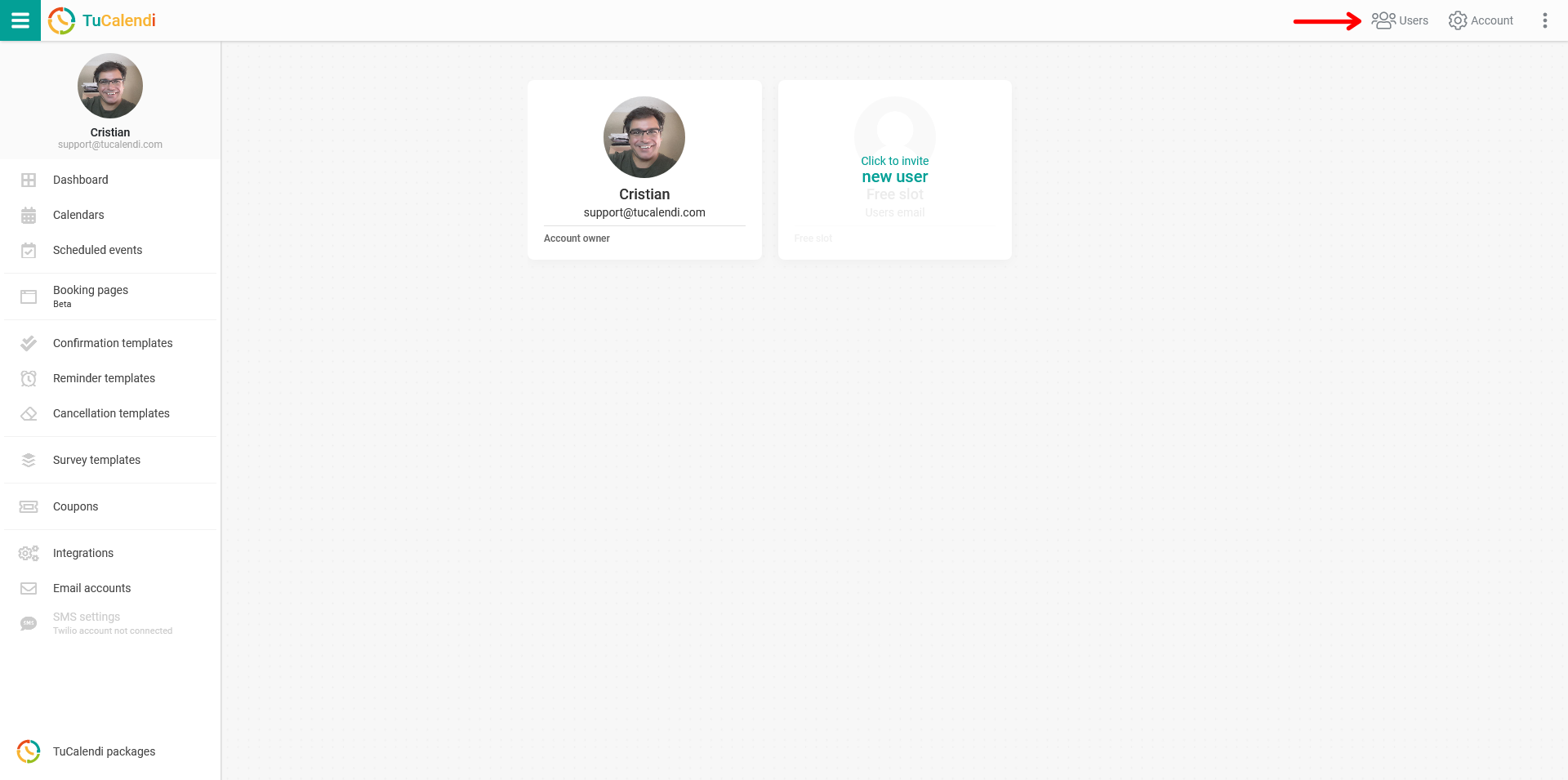
Depending on your paid pricing plan, a number of users you can invite will be included. If your team is larger than the number included in your plan, don't worry, you can build teams as big as you need.
In the "All connected users" block, if you have free invitations, click on "New user" to invite a new user to your work group.
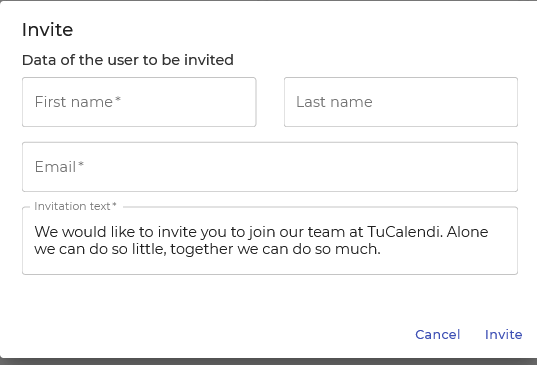
Fill in the form with the name, surname and email of the person you want to invite and click on "Invite". You can also add an invitation text. The person receives the invitation to activate their access to TuCalendi.
NOTE: The users you send the invitation to do not need to have their own TuCalendi account.