
Depending on the type of meetings you have or events you organize, it may be necessary to allow last minute bookings so that clients can make a reservation up to the time the event is about to start. It may even happen that a client calls you on the phone, needs to meet you on the fly and you have to schedule the meeting manually.
In TuCalendi you can allow last minute bookings quickly.
Log in to TuCalendi with your username and password. Go to "Calendars".
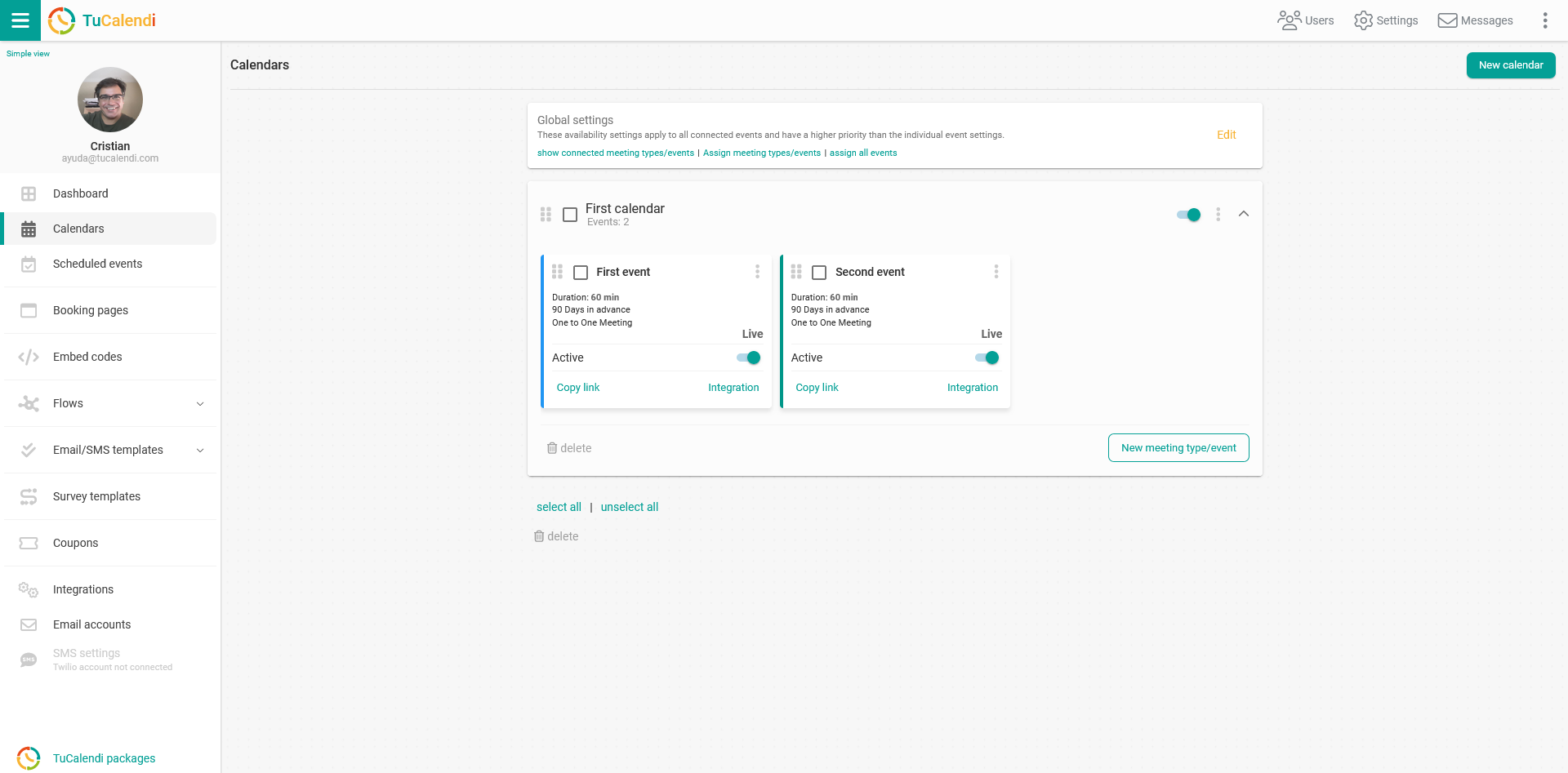
Locate the event you want to allow last minute bookings for, so that it is available for booking until the meeting starts, and click on the event name.
The horizontal menu displays all event configuration options.
Click on "Availability".
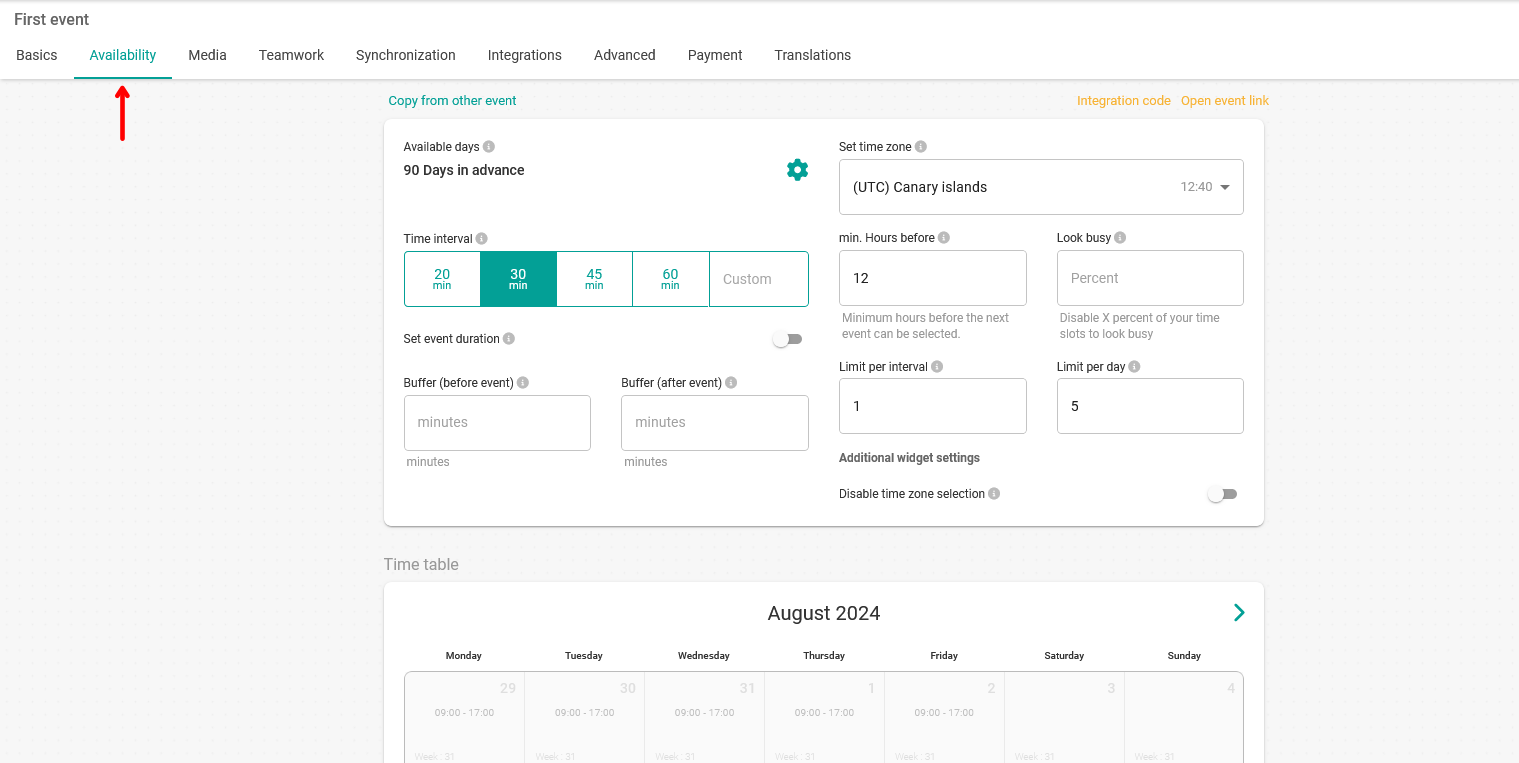
You will access the availability settings and will be able to allow last minute bookings by setting the number of hours before to 0.
To allow last minute bookings you must enter 0 in the "Minimum hours before" field.
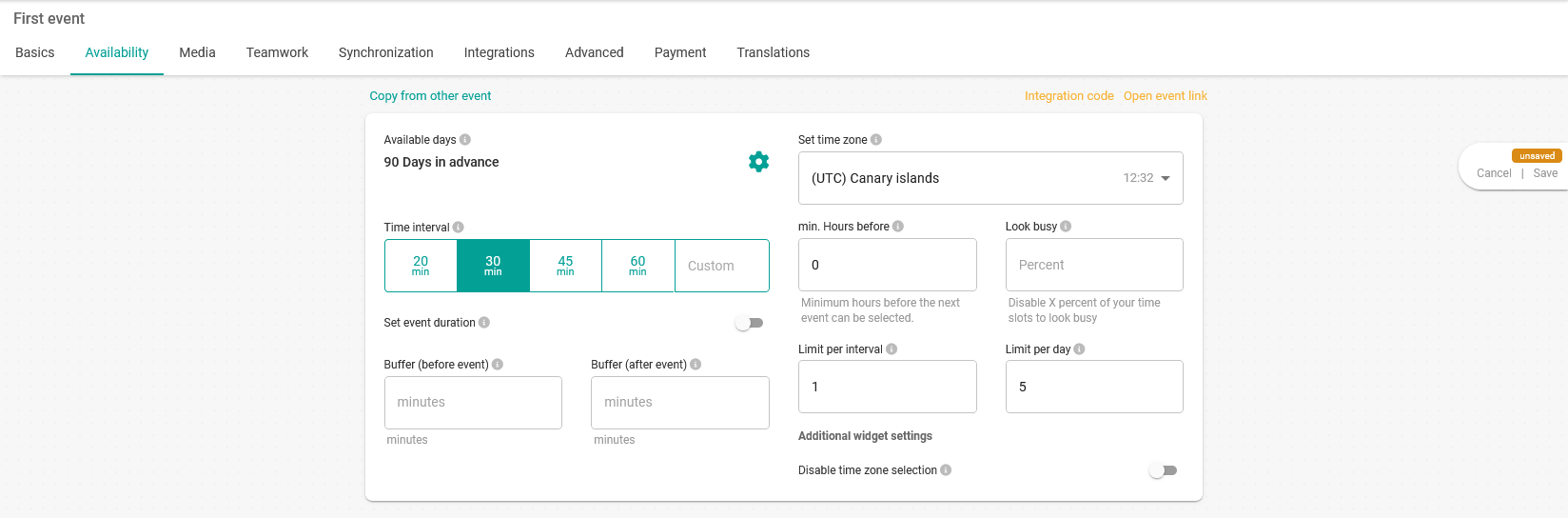
When you have set the minimum number of hours before to zero to allow last minute bookings, you must click on "Save" to save the changes you have made to the event availability.