
When you create an event in TuCalendi, it will be operational so that you can receive unlimited bookings from the event link or from the integration code you add to your website. But you may want a specific event to be bookable only with single-use links.
The general event link becomes a single-use link and when you share the link with someone it can only be used once.
Let's see how to set up an event so it can only be booked with a single-use link.
Log in to TuCalendi with your username and password. In the side menu, go to the "Calendars" option:
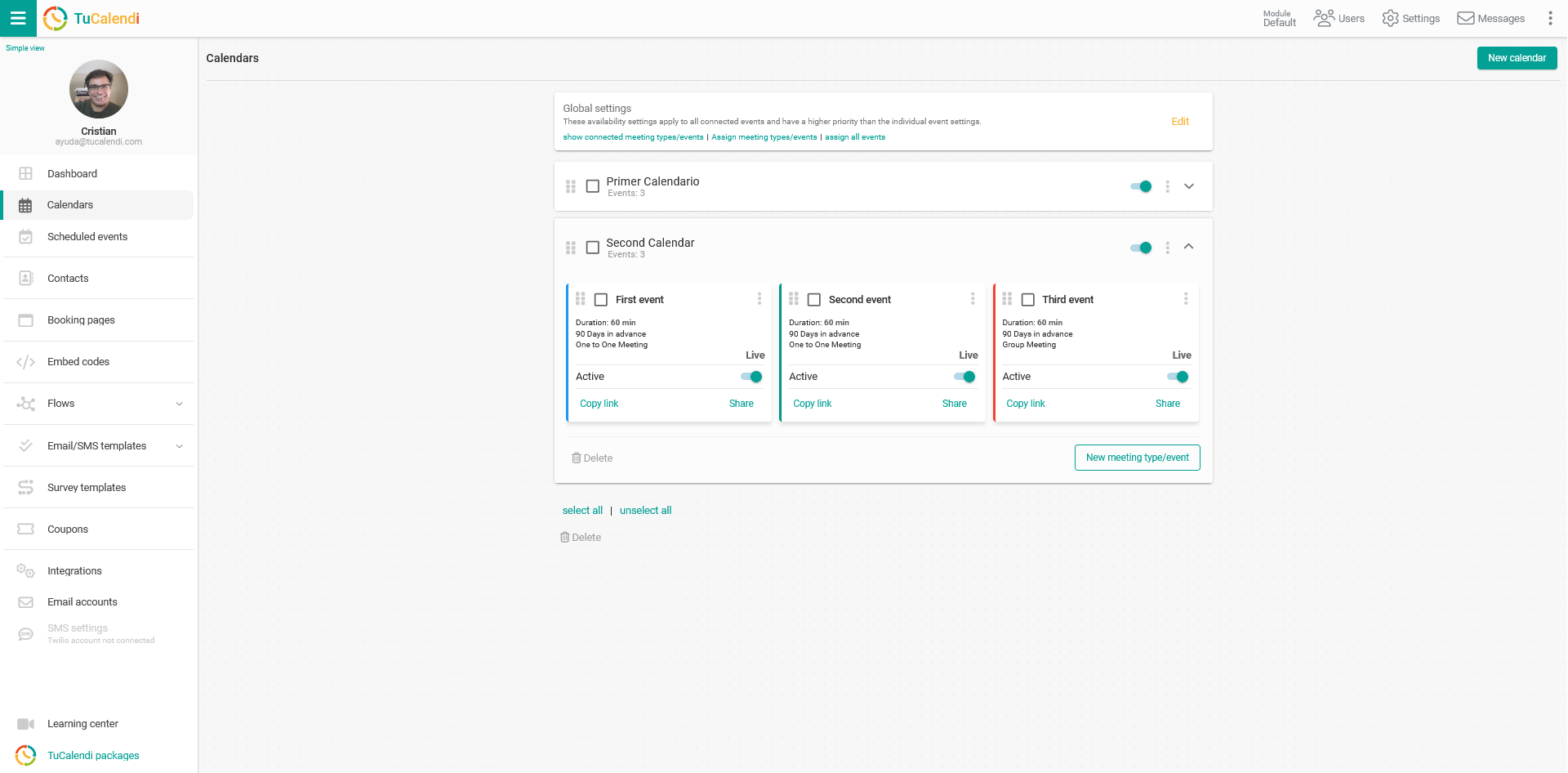
Locate the event for which you want to allow bookings only from single-use links and click on the name of the event.
All the event configuration options appear in the horizontal menu.
Click on "Advanced":
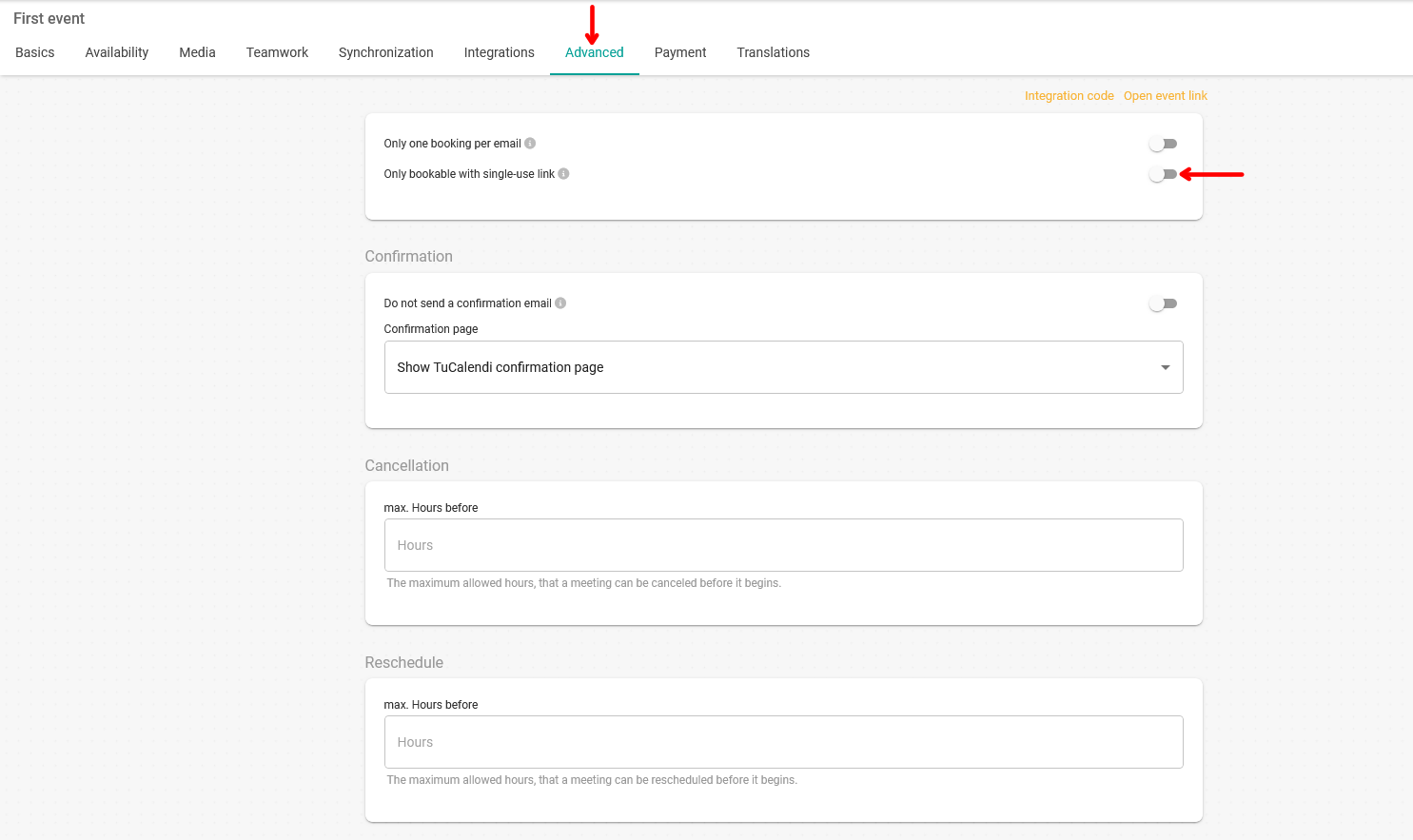
In the "Booking/scheduling" field, activate the option "Only bookable with a single-use link".
If this option is activated, this event can only be booked with a single-use link. Single-use links can be created in the sharing options.
Once you have activated the option, click "Save" to make the event operational with single-use links only.