
Once you have set up the integration between TuCalendi and your Mailchimp account, you need to connect your events with Mailchimp. This way, when your customers book a meeting with you, their contact information is added to the corresponding Mailchimp list, and you can automate sending email marketing campaigns.
Log in to TuCalendi with your username and password. In the side menu, go to the "Calendars" option:
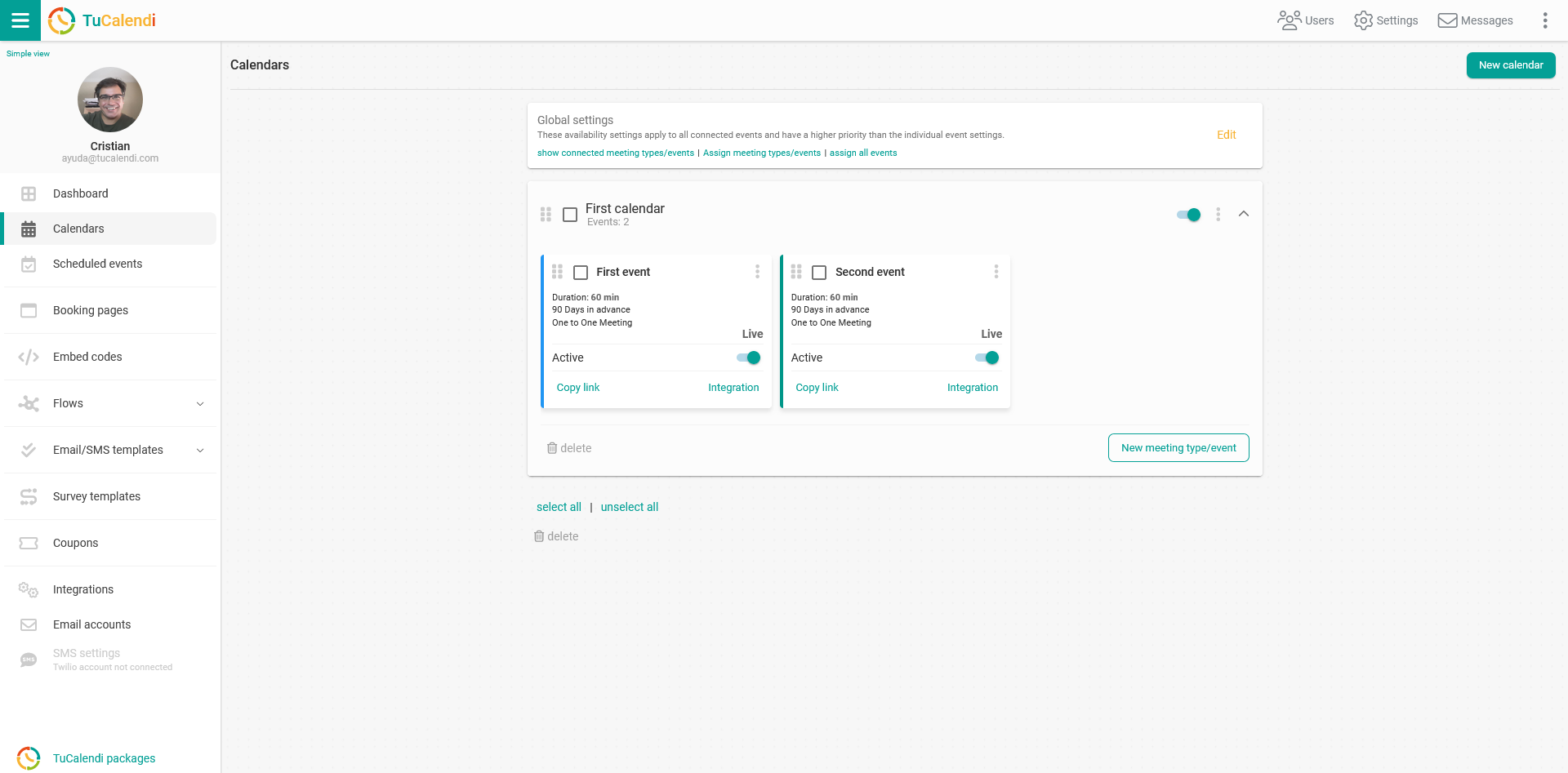
Find the event you want to connect with Mailchimp and click on the event name.
The horizontal menu shows all the options for configuring the event.
Click on "Integrations":
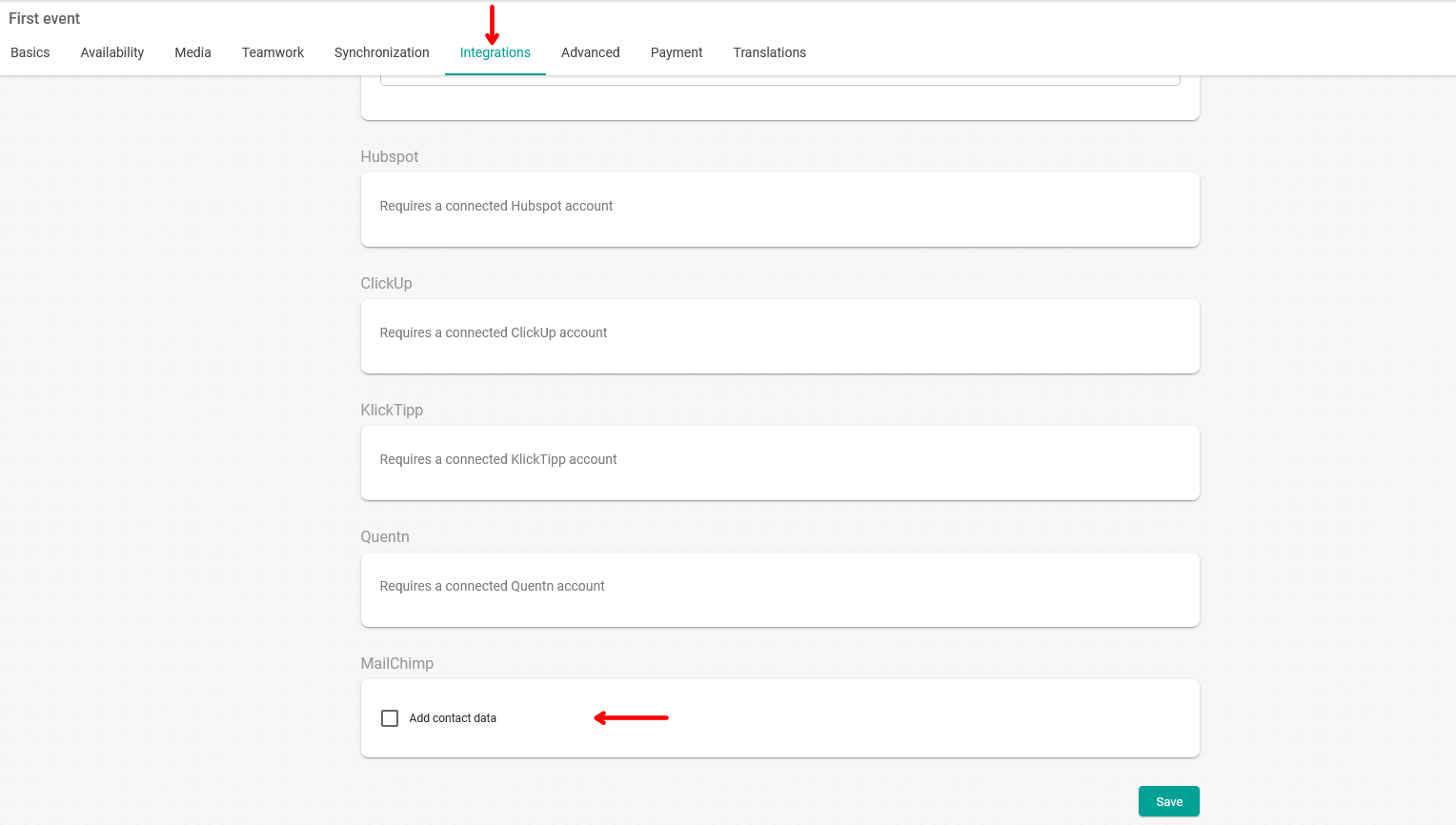
In the "Mailchimp" block, check "Add contact to list":
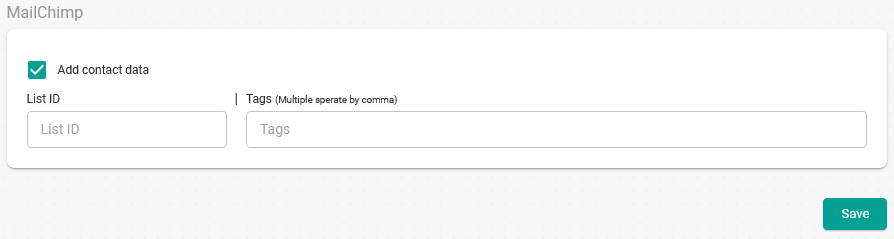
Enter the Mailchimp contact list ID and the tags you want to use.
Once you have done this, click on "Save" and the event will be connected to your Mailchimp account. From now on, when a customer makes a booking with you, their contact information will be added to the Mailchimp list.