
After you have integrated TuCalendi with your Hubspot account, connecting events to your favorite CRM is very simple. This applies to customers who register for any meeting or event with you.
Log in to TuCalendi with your username and password and go to the "Calendars" option:
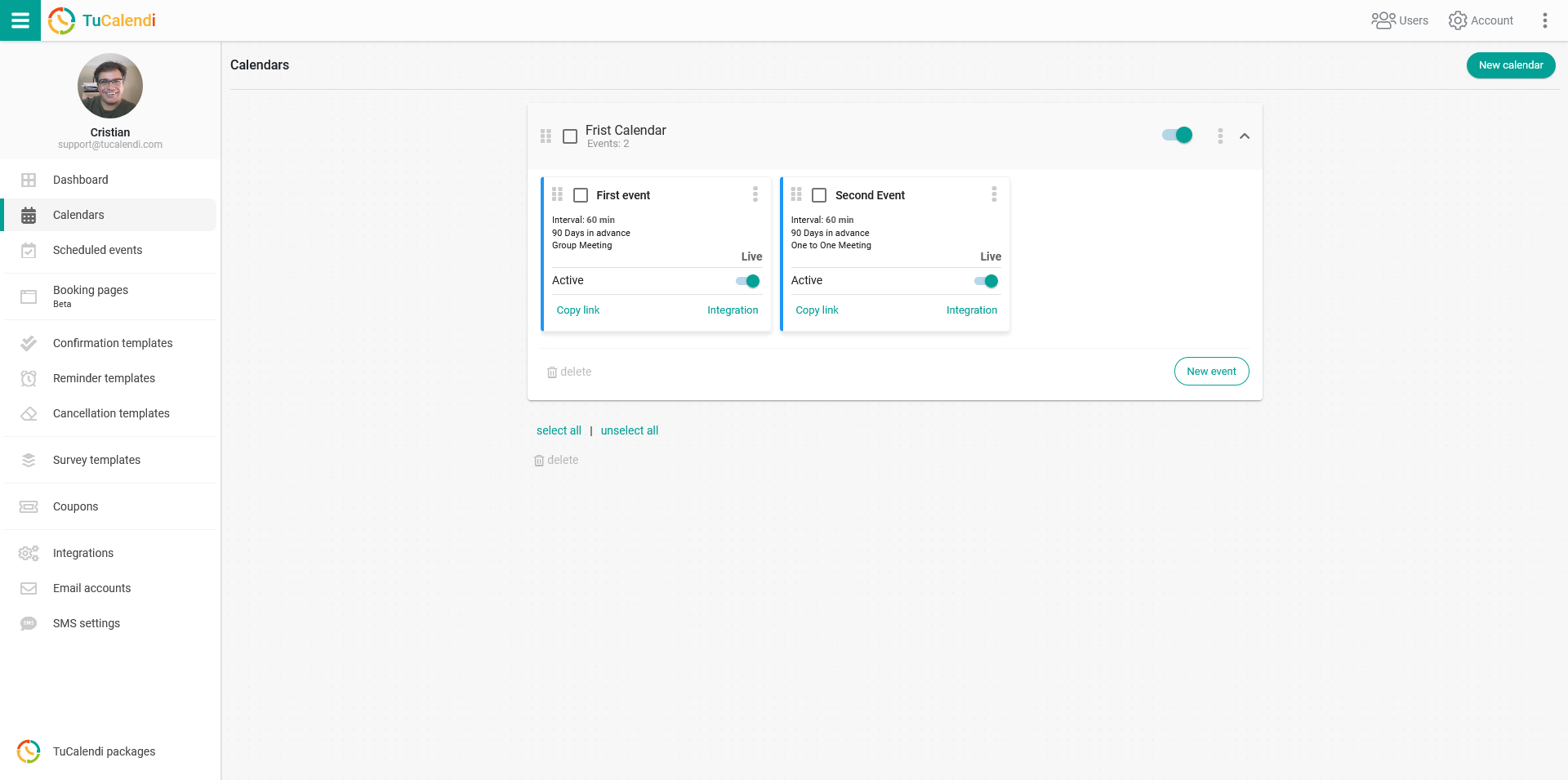
Locate the event you want to connect with Hubspot when your customers schedule it with you or your team, and click on the event name.
The horizontal menu shows all the event configuration options.
Click on "Integrations".
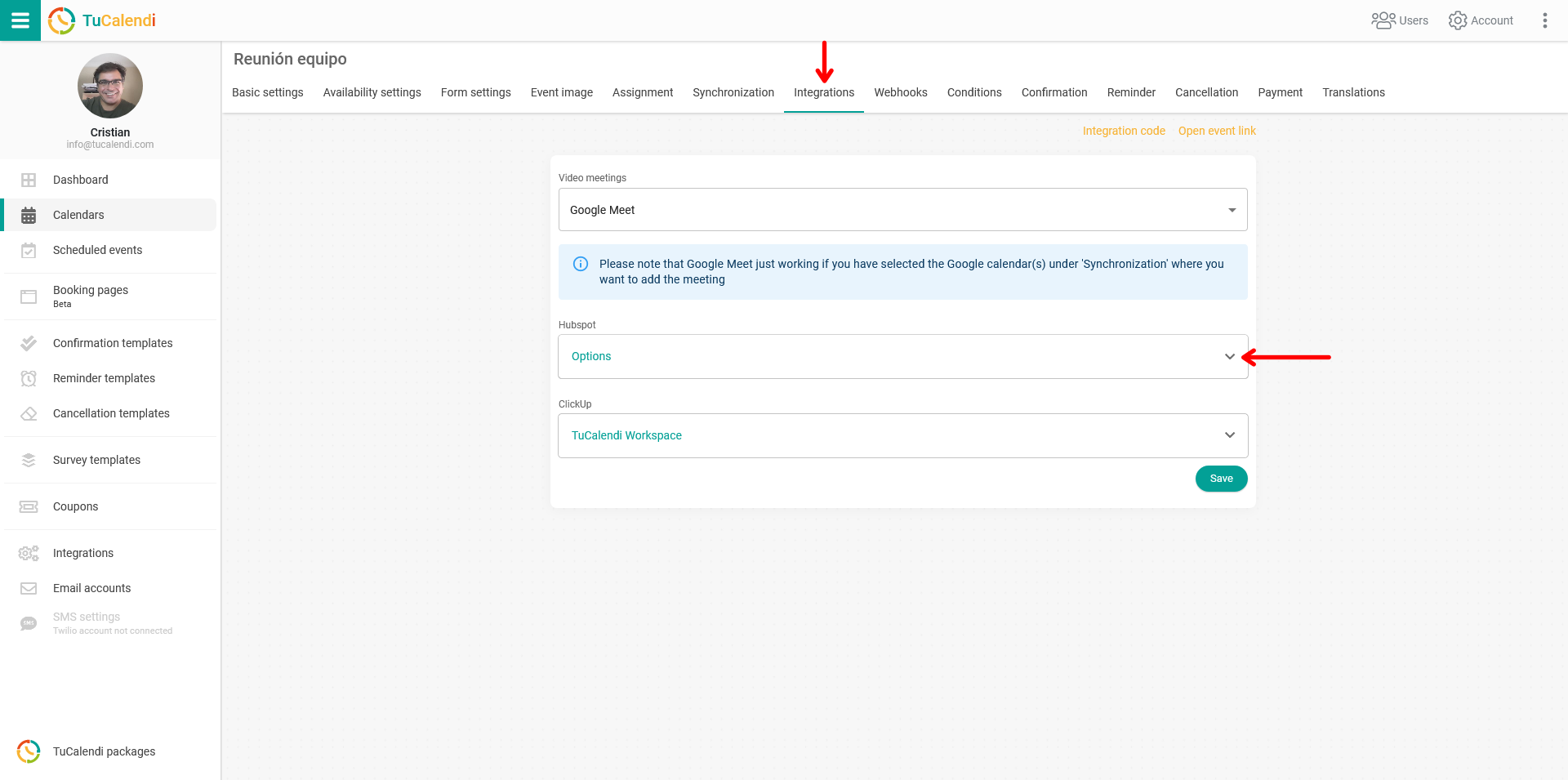
In the "Hubspot" block, enable the available options.
When you're done, click "Save" and your event will be connected to your Hubspot account.
REMEMBER: Before connecting the event with Hubspot, you must have integrated TuCalendi with Hubspot.