
The events you create in a calendar have their own link so that they can be shared. As with the calendar link, you can customize the event link, although there is a limit on the number of characters you can use (28 characters maximum) and you cannot use special characters.
When you are creating a new event, by default, the name you give to the event is the one that will appear in the event link.
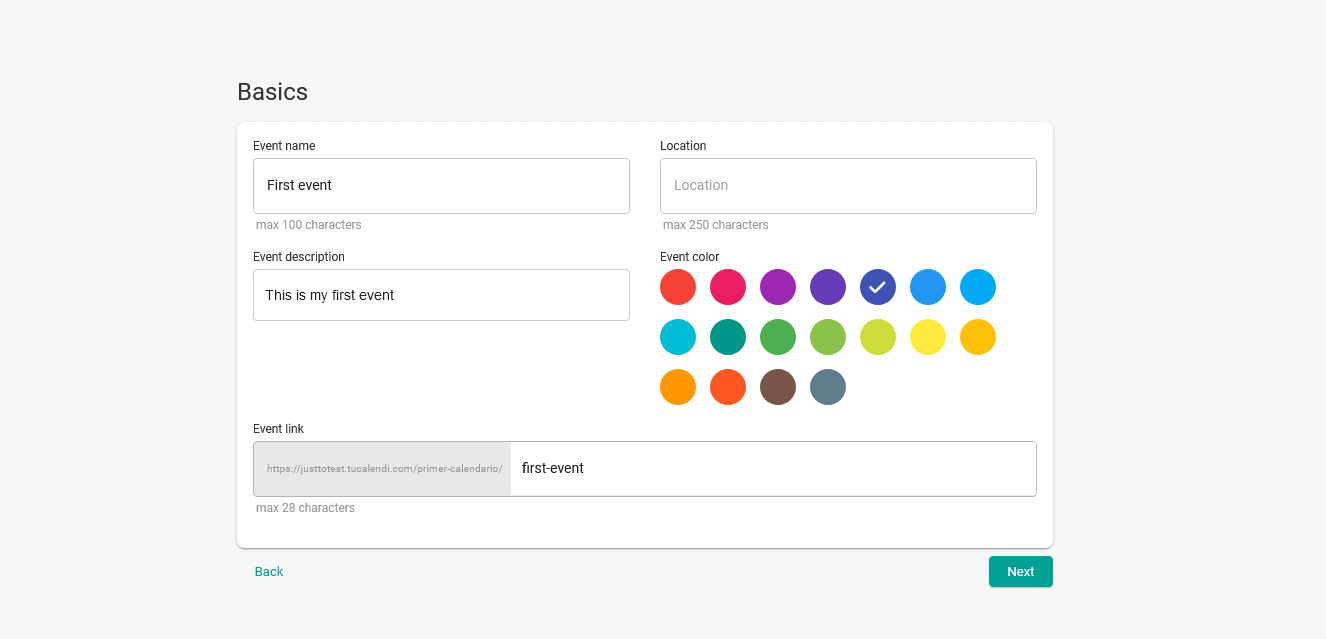
You can modify the event link when creating the event or later.
The maximum number of characters is 28. Special characters cannot be used. Only letters, numbers and - are allowed.
If, after creating the event, you think another link would be better, you can easily modify it.
Log in to TuCalendi and go to the "Calendars" option.
Find the event you want to modify and click on the event name.
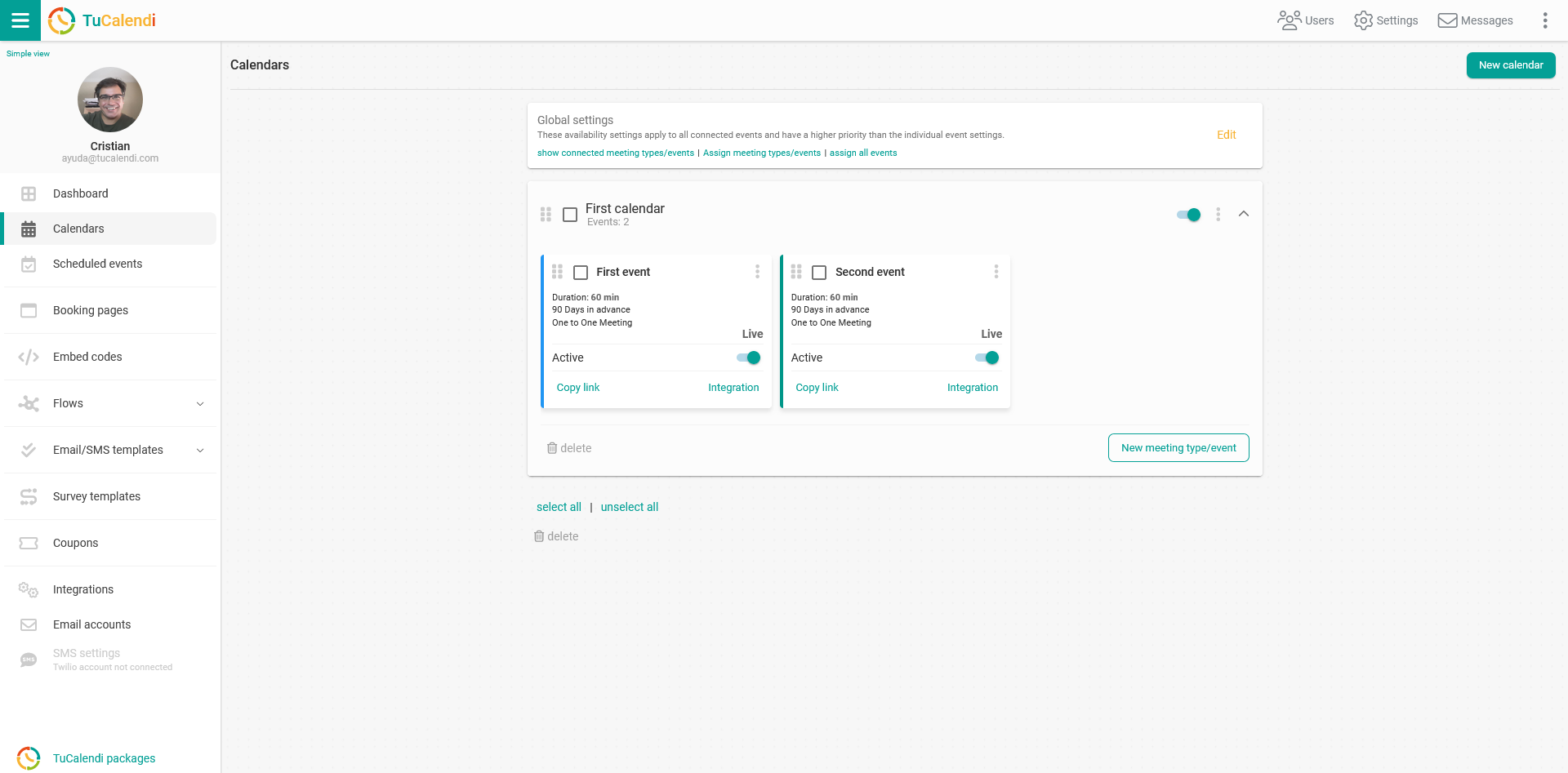
Once you open the event, you can access all the settings from the horizontal menu.
Click on "Basics":
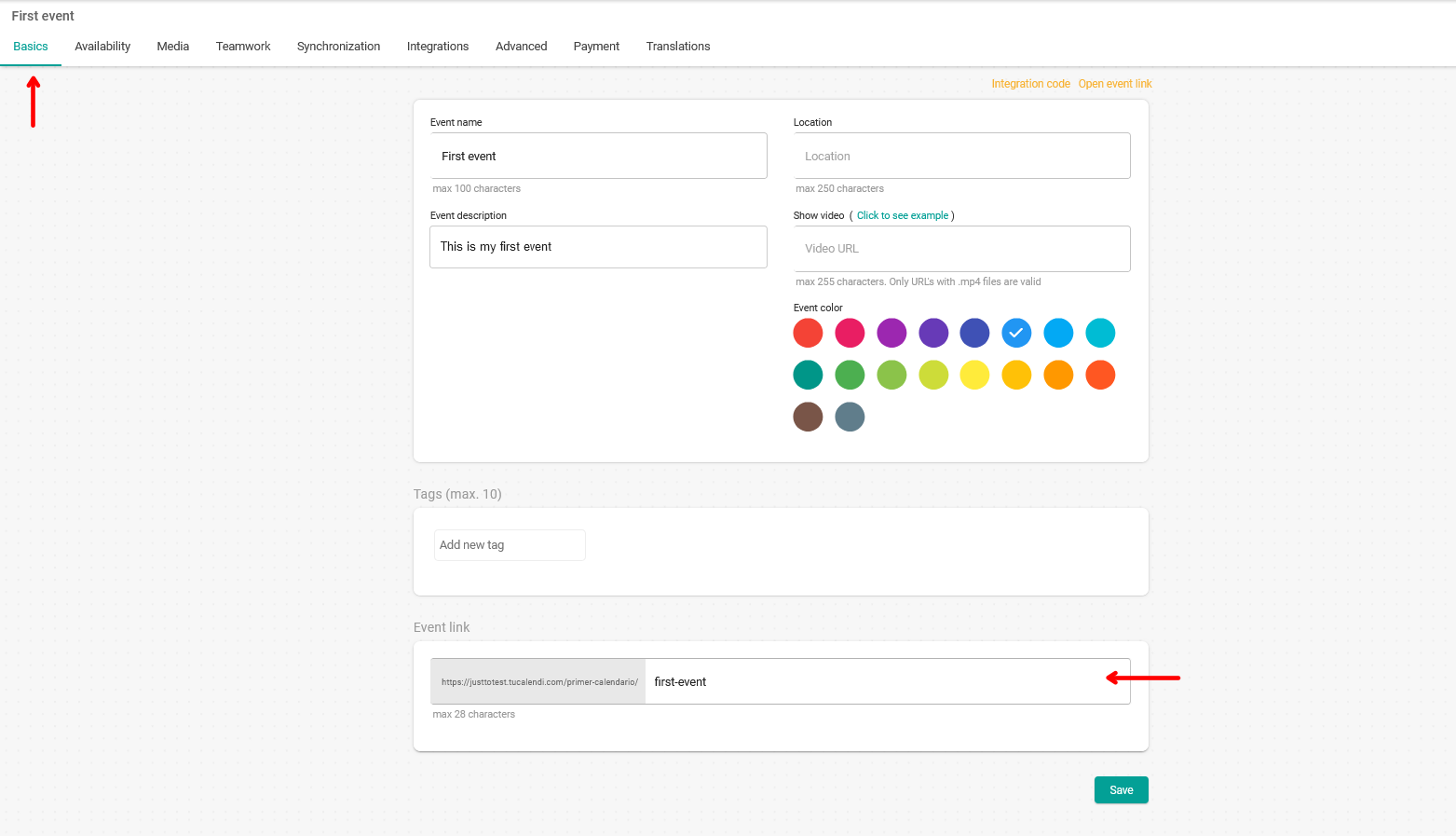
In the "Event link" field you can enter the link where the event will be available. In this case it is called "first-event".
When you have made the changes, click "Save" to save the new link.
IMPORTANT: Due to the inner workings of TuCalendi, event links cannot match, even if they are in different calendars. Even if the full URL is different and unique, TuCalendi uses a unique ID for event links, and this prevents two events from having the same "Event link" field.