
For various reasons, clients may be forced to reschedule an appointment. Usually, you set a time limit so that clients who book with you can reschedule their upcoming appointment. This avoids last minute rescheduling of bookings, which can leave free hours in your schedule that could have been used by other clients.
Let's see how to set the maximum number of hours before a booking within which clients can reschedule the appointment.
Log in to TuCalendi with your username and password. Go to the "Calendars" option:
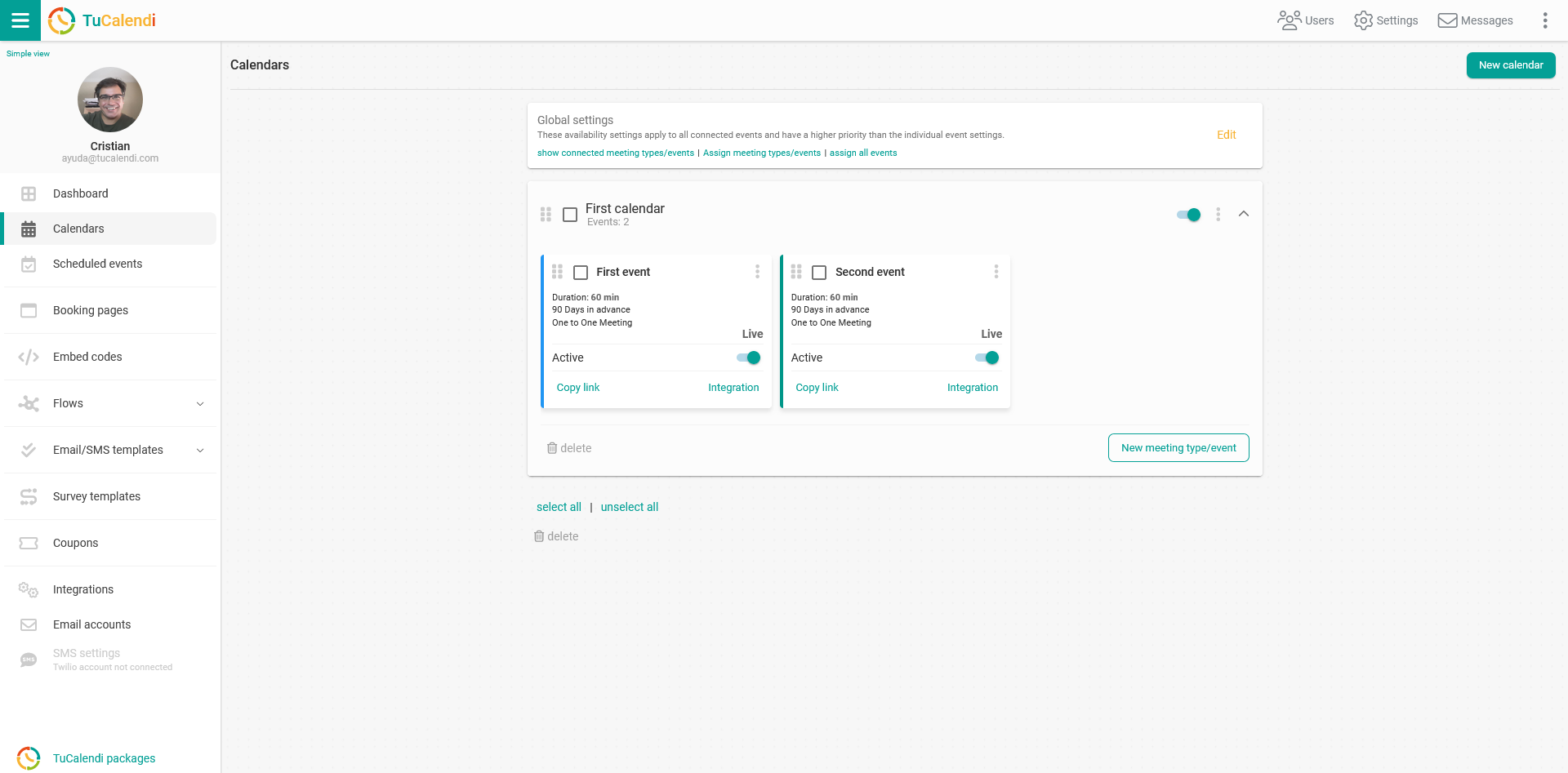
Locate the event for which you want to set the hour limit for rescheduling bookings.
The horizontal menu shows all the event configuration options.
Click on "Advanced".
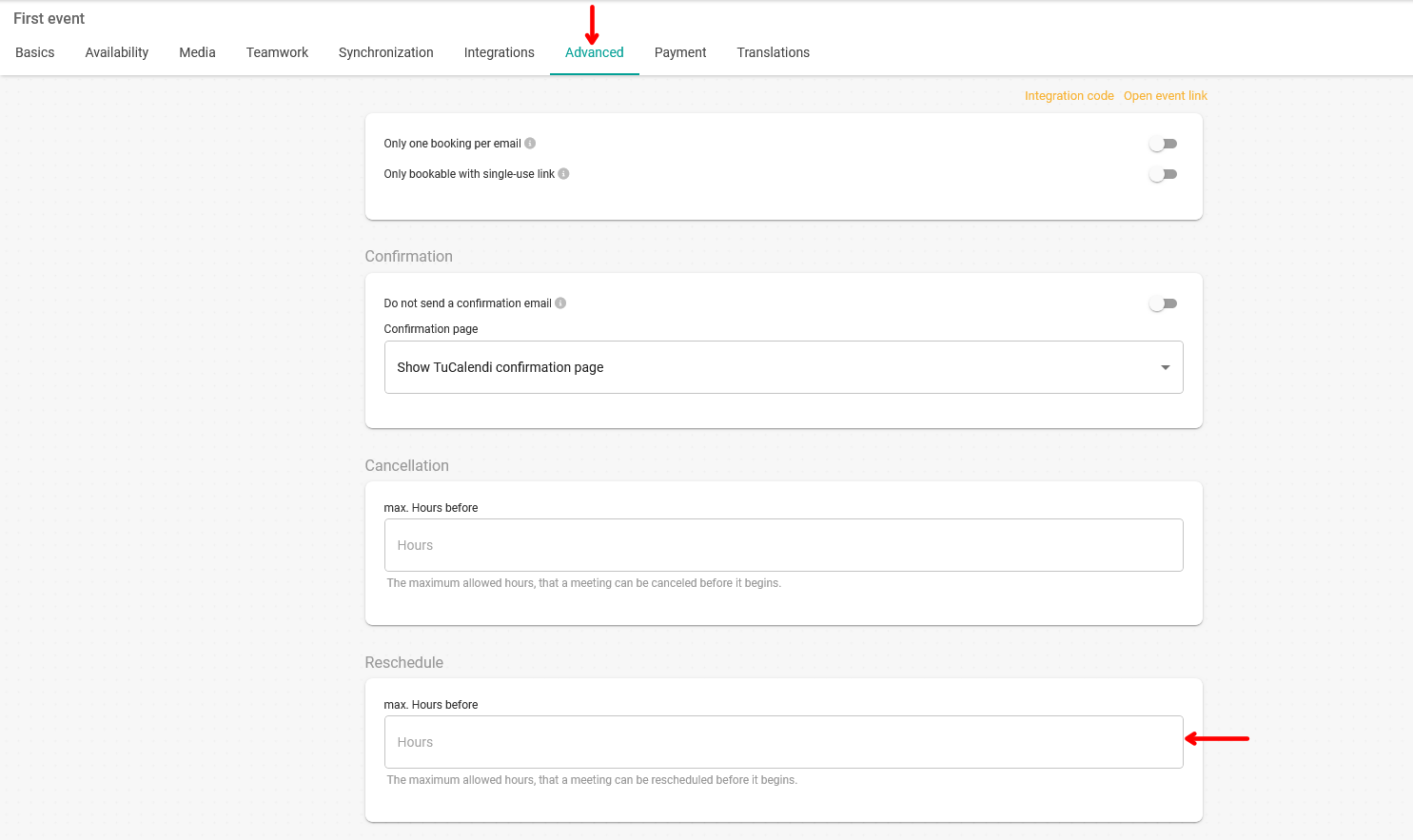
In the "Reschedule" field, just enter the number of hours limit within which a meeting with you can be rescheduled.
Once you have entered it, click the "Save" button to activate the hour limit for rescheduling.
Remember to create the workflows to associate the rescheduling template with the events.