
For various reasons, some customers ask us the following question when they go to renew their subscription: How can I change the credit card associated with the payment of my subscription? When they go into their account settings, they cannot find the option to update the credit or debit card used to pay the monthly or annual Pro Plan subscription.
For security reasons we do not store any data of the cards associated with the subscriptions. All the management of automated subscription creation, renewals and cancellations is handled automatically by Stripe.
To update the card associated with the subscription payment, you need to use the billing portal.
The process is simple and is shown below.
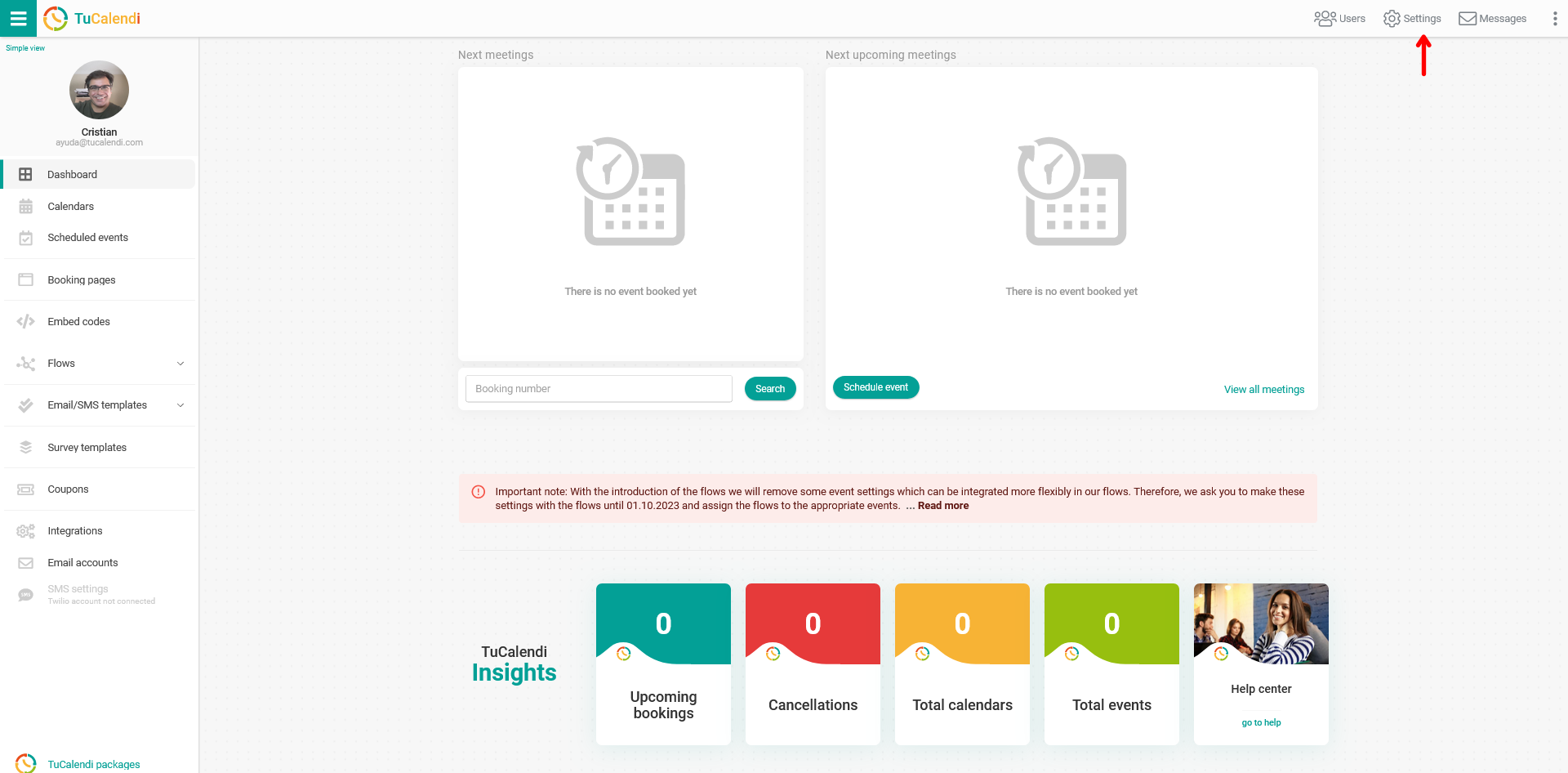
Log in to TuCalendi with your username and go to the "Settings" option:
Click on the "Plan Settings" tab:
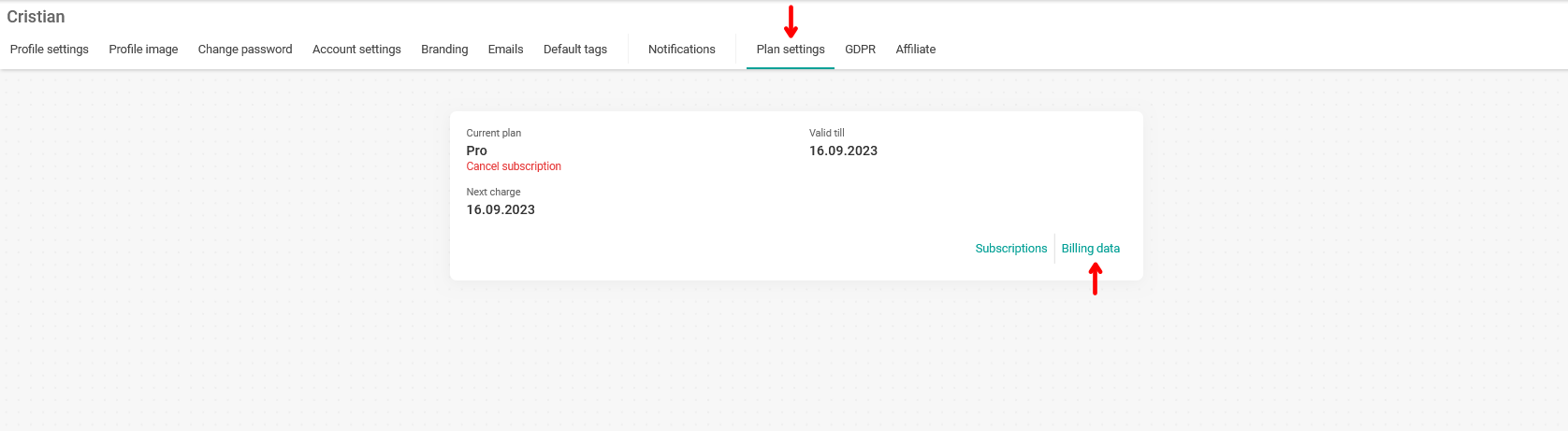
In your subscription information, click on "Billing data".
A pop-up window will appear informing you that you will be taken to the billing portal:
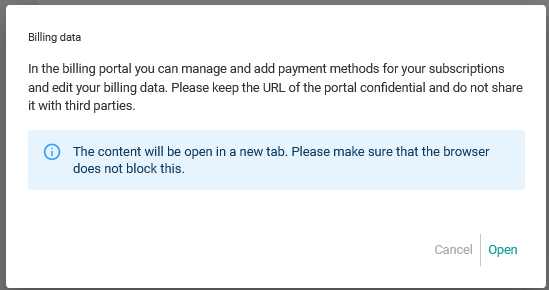
Just click on "Open" to enter the billing portal with all your subscription information:

For the creation, management and automation of monthly or annual subscriptions to the TuCalendi Pro Plan we use Stripe. Through the secure access to the billing portal you can manage your data.
In the "PAYMENT METHOD" section, the card associated with the payment of the TuCalendi Pro Plan subscription is displayed and you can add a new payment method.
Click on "Add payment method":

Enter the details of the new card you want to use to pay for the Pro Plan subscription:
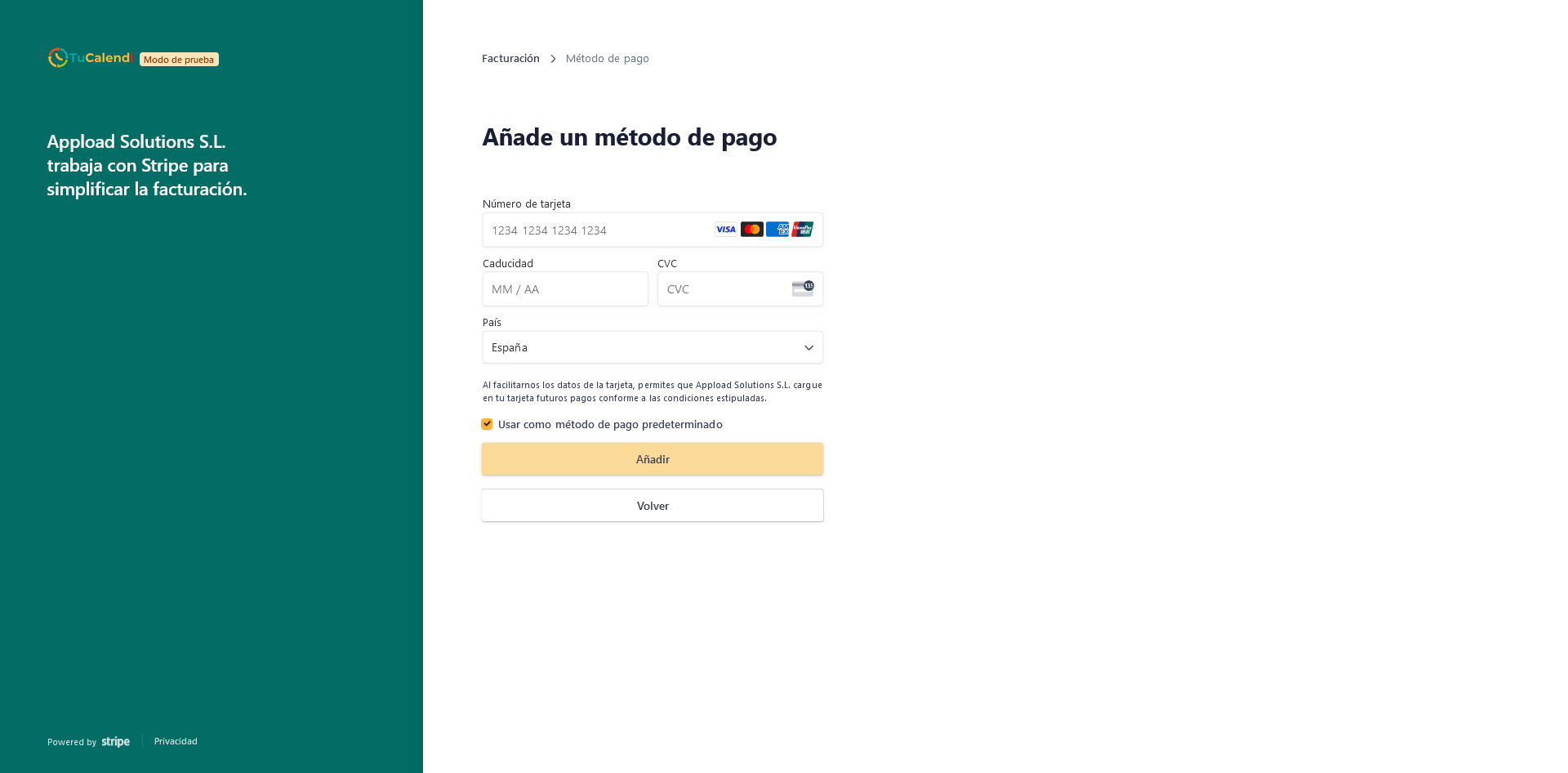
When you have entered them, click on "Save". From this moment on, subscription renewals will be charged to the new card you have entered and marked as default.
This is a 100% secure process, but if you have any questions, you can email us at support@tucalendi.com and our support team will be happy to help you.