
You can update your paid subscription at any time in a very simple and totally secure way, because we manage subscriptions with one of the best options available: Stripe.
Log in with your username and password in TuCalendi to enter your personal area. You can update your subscription from two places:
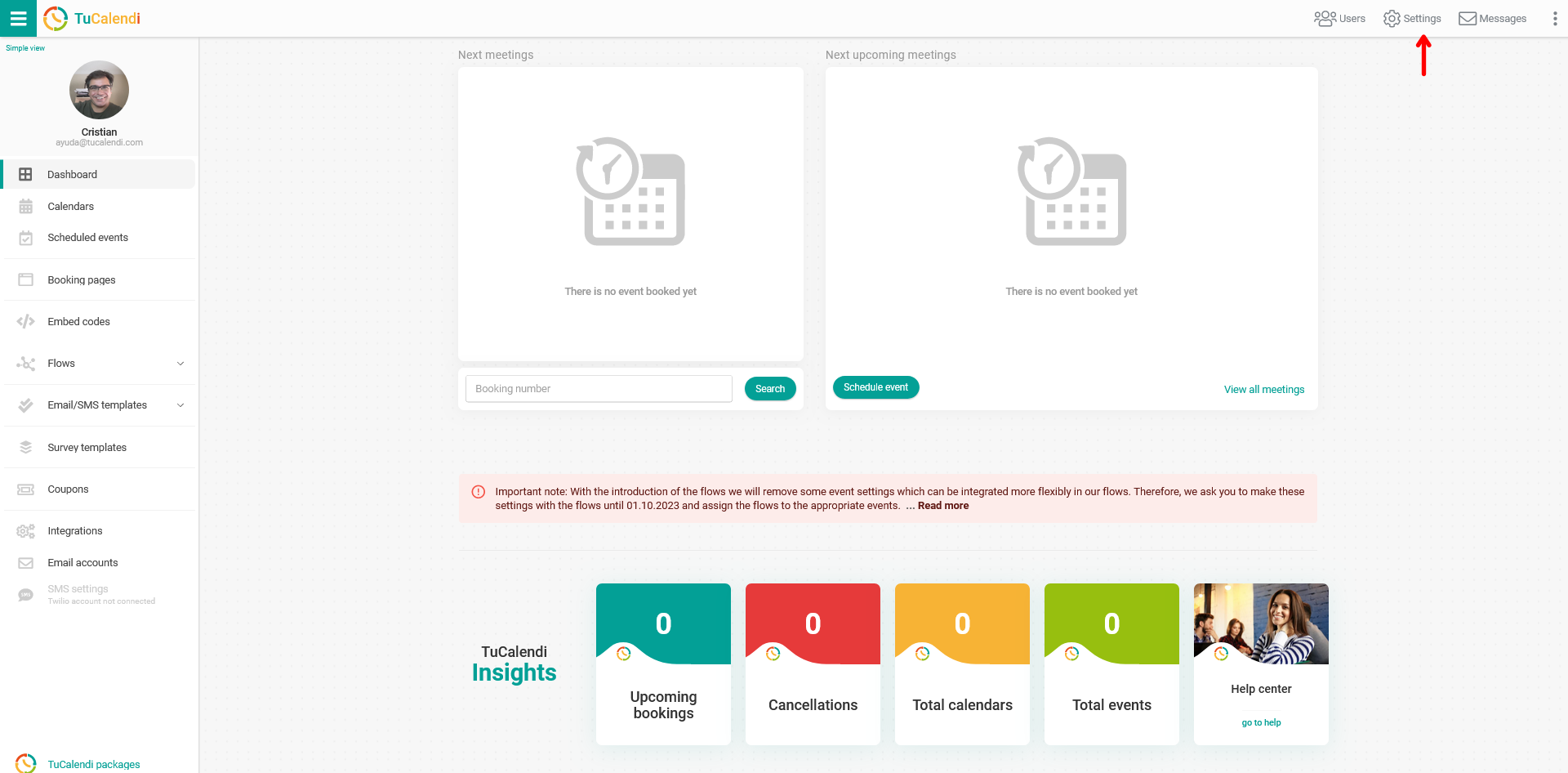
1. From the dashboard in the "TuCalendi packages" option
In the bottom left corner you'll find the first option to update your subscription. Simply click on "TuCalendi packages":
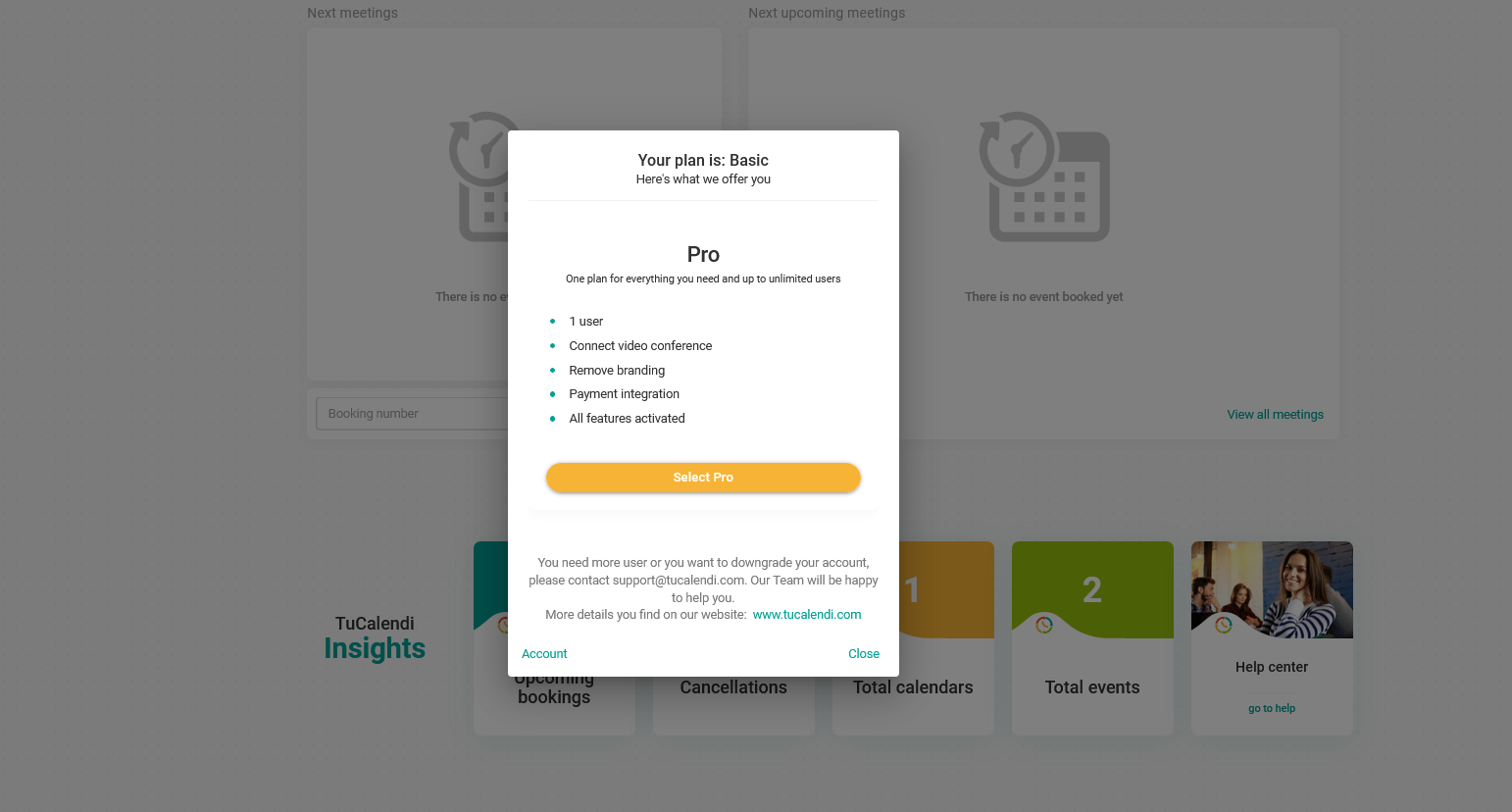
A window will open showing your current pricing plan and information about the Pro Plan. Just click on "Choose Pro" to upgrade to the paid subscription.
2. From your account settings
On the top right side of the screen, click on "Settings". In the horizontal settings menu, select "Plan settings":
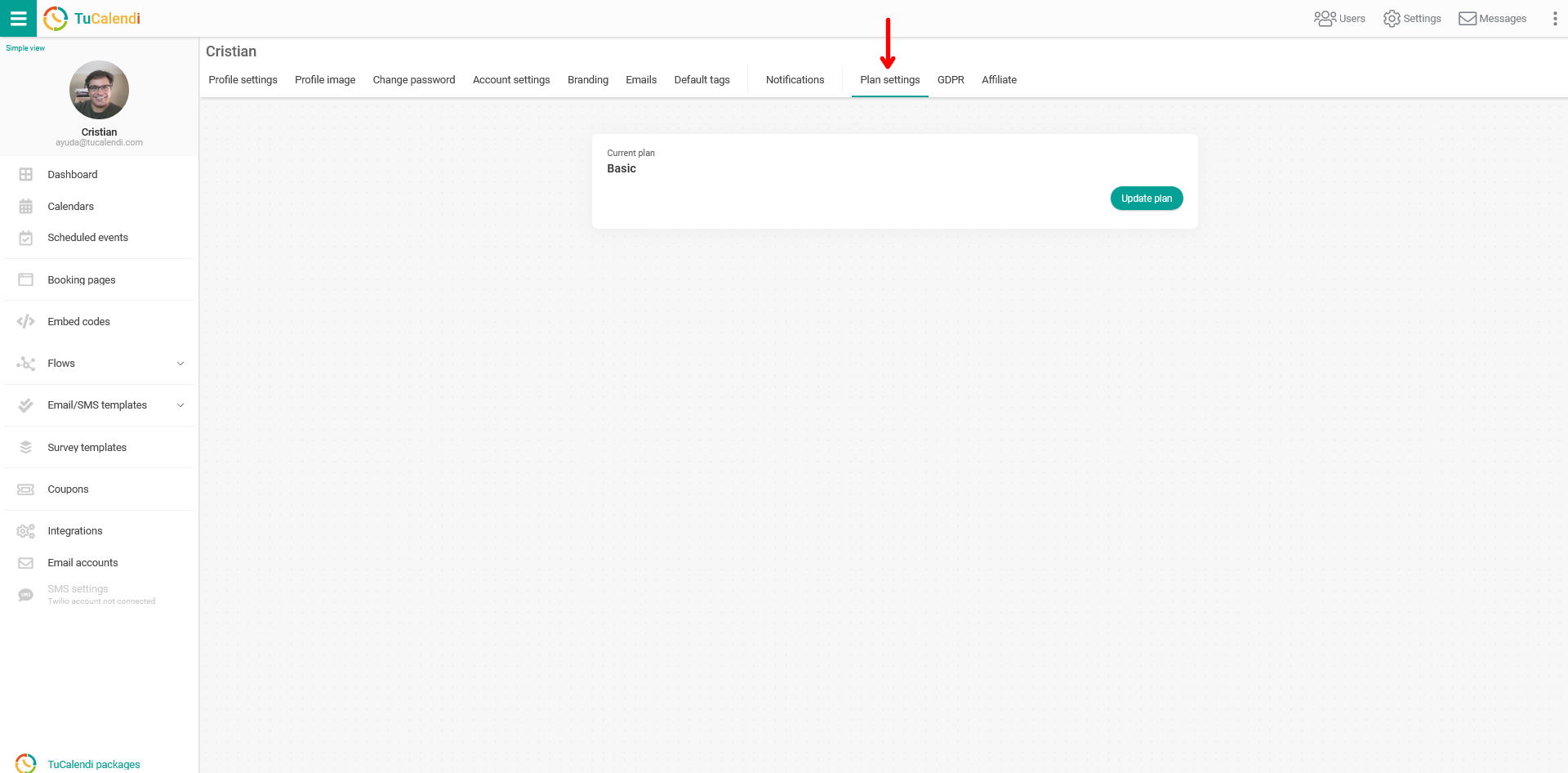
Here you can see your current plan information with the "Update plan" option, as well as a summary of your billing and any payments you've made.
To upgrade your plan, just click on "Update Plan" and the available pricing plans and payment methods will be displayed so you can choose the one you're most interested in:
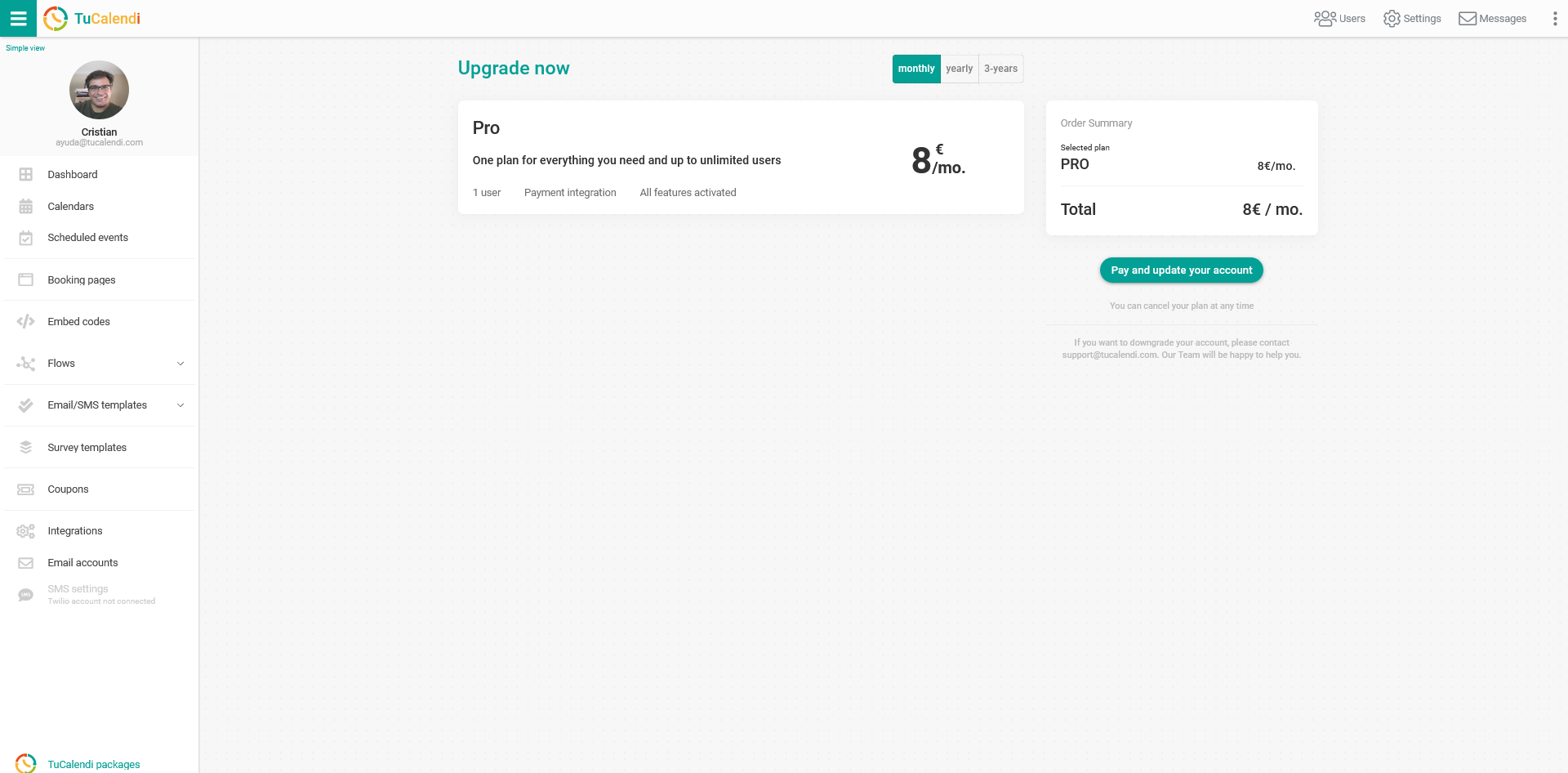
Each plan has a short description. Select the one that best suits your needs and click on "Pay and update your account".
You'll be redirected to the payment gateway, where you can enter your details and pay for your subscription securely.
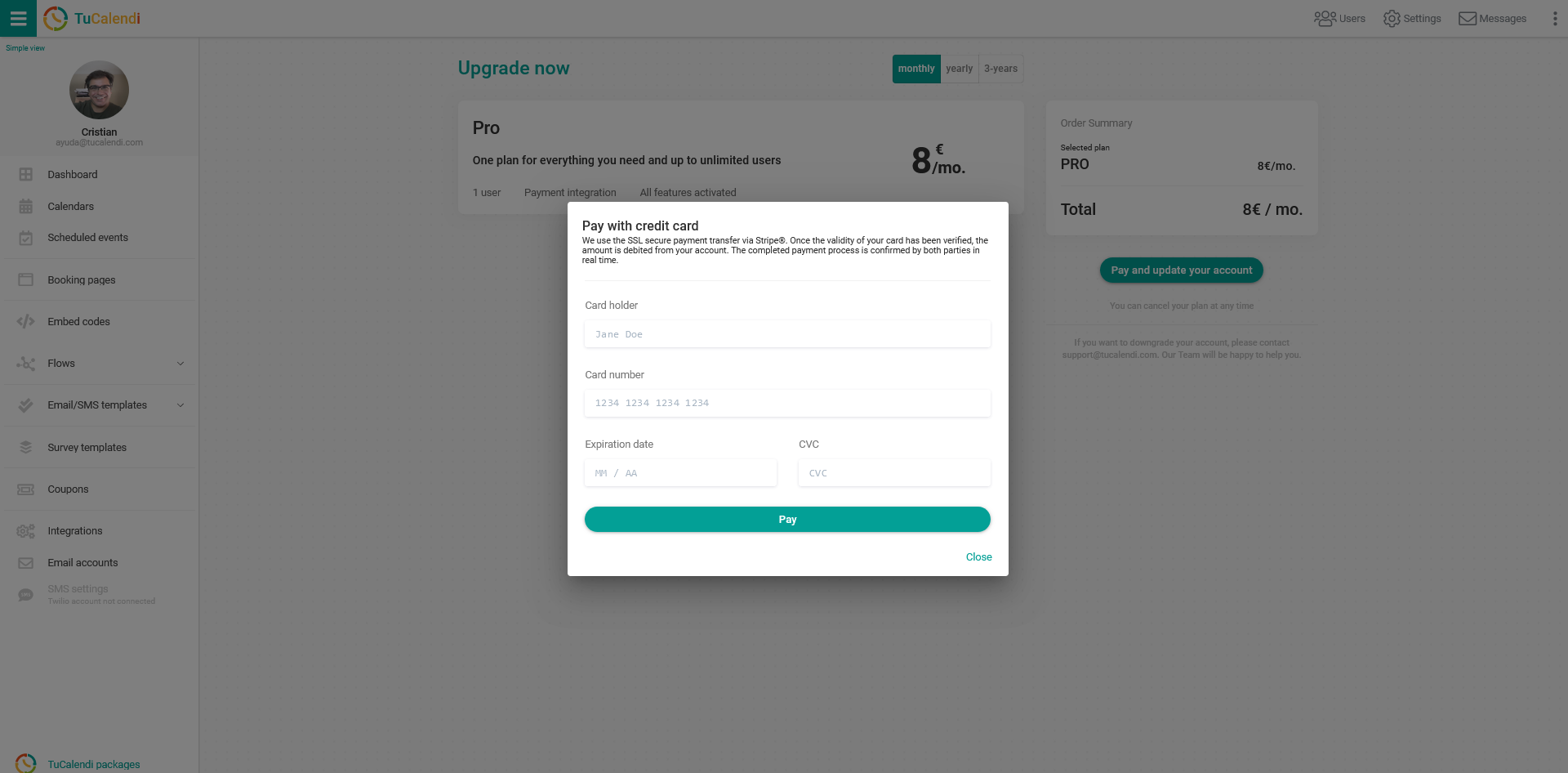
The payment gateway we use is Stripe, and you can pay with any credit or debit card. The transaction is 100% secure.
NOTE: You can cancel your subscription at any time.