
For various reasons, after you have added extras to your TuCalendi account, you may need to cancel the monthly extras subscription.
At any time you can easily unsubscribe from the extras you have added to your TuCalendi Pro Plan subscription.
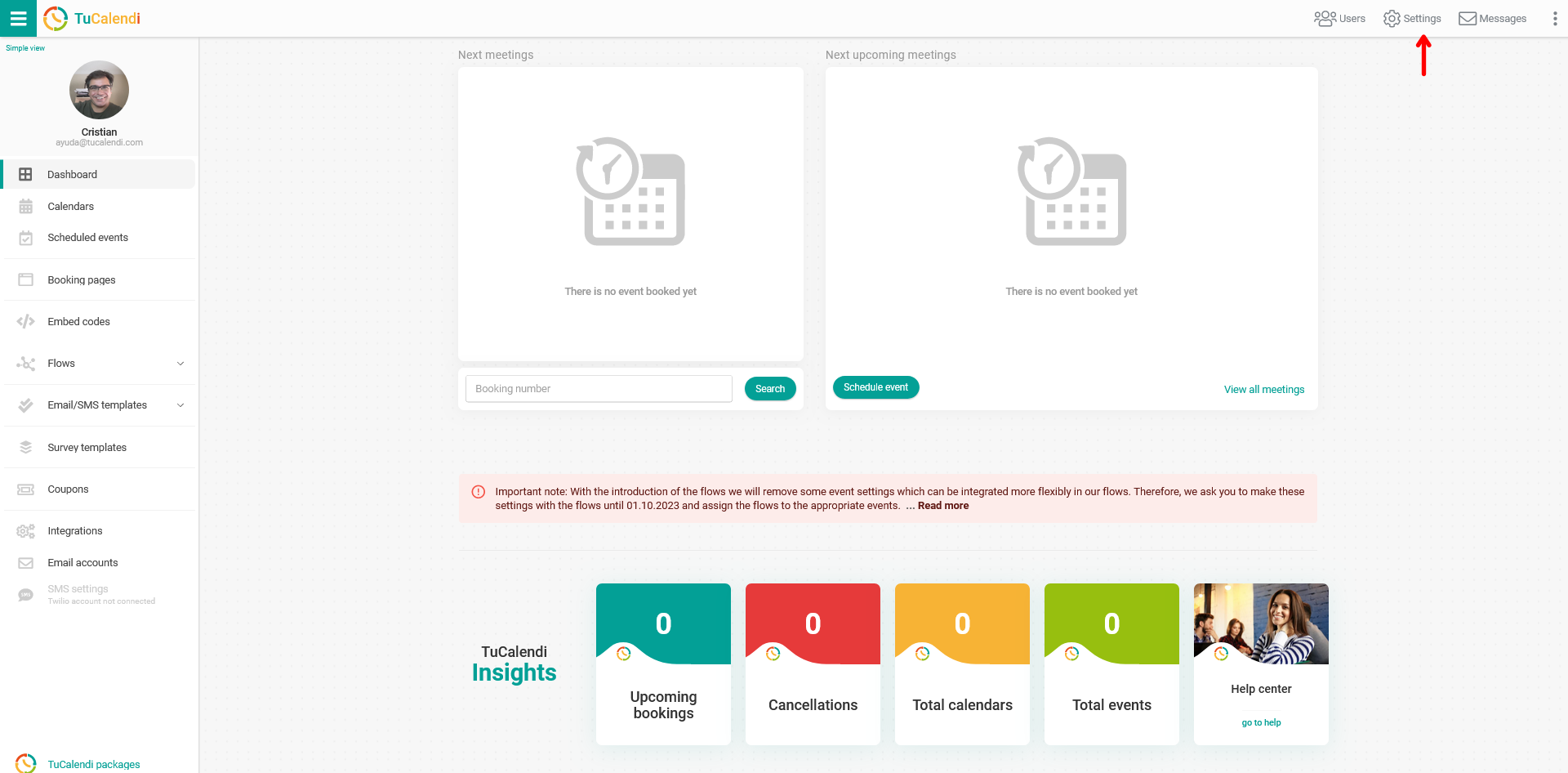
Log in to TuCalendi with your username and password. Go to the "Settings" option:
Click on the "Plan Settings" tab:
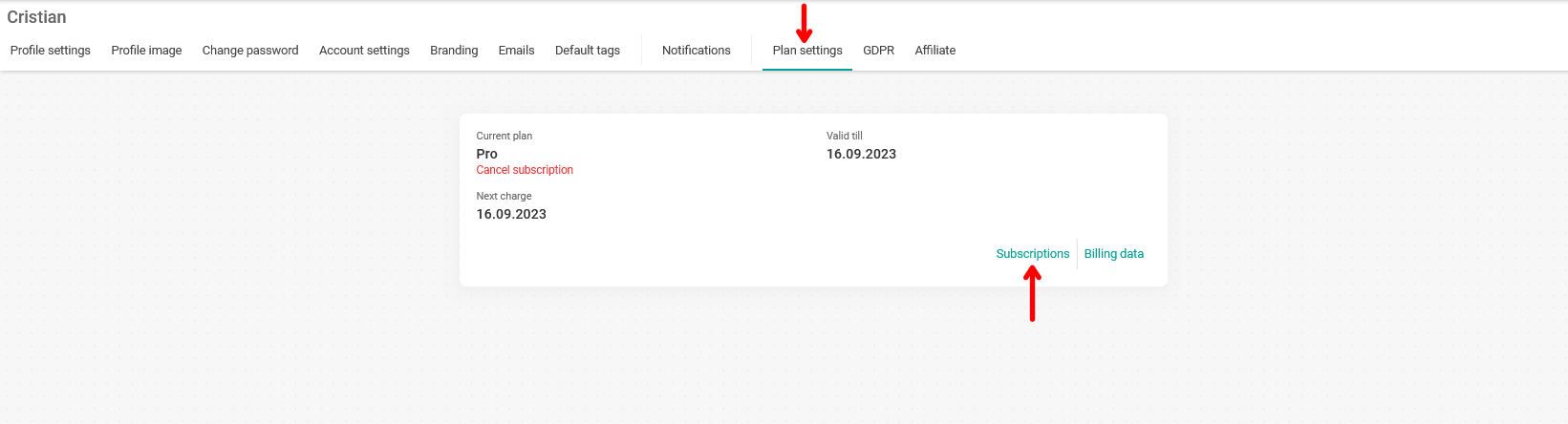
In your account information, click on the "Subscriptions" option. You will see more details about all your subscriptions, both the Pro Plan subscription and the extras you have added.
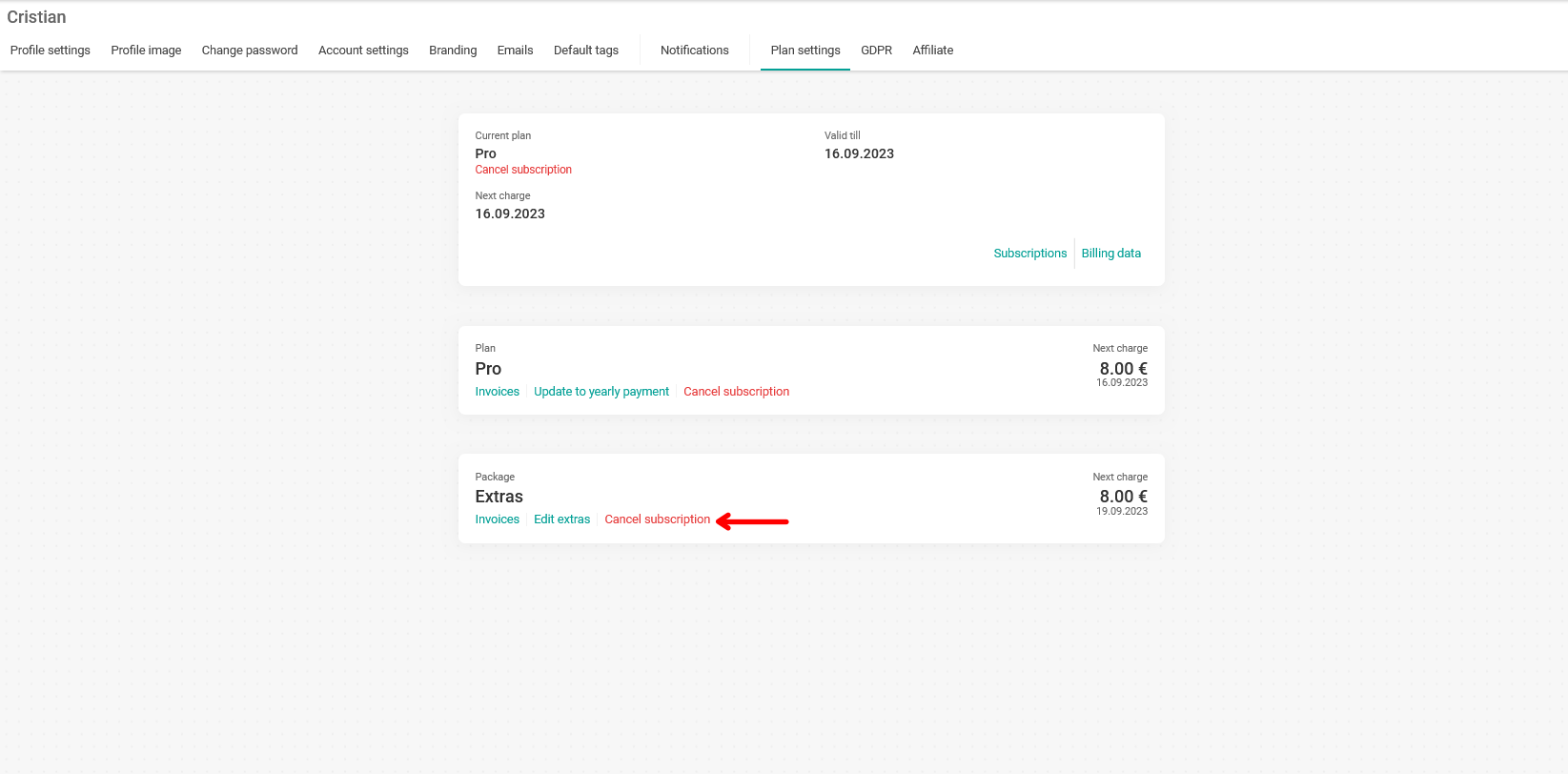
In the "Extras Package" section, click on "Cancel Subscription".
In the pop-up window, you can confirm that you want to cancel your extras package subscription by clicking "Cancel Subscription".
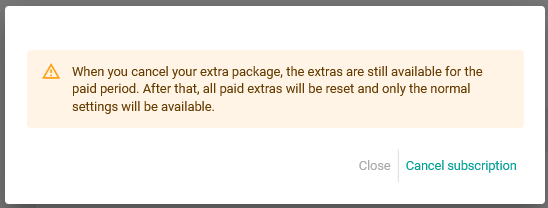
When you cancel the extras package you have added, the extras will remain available for the paid period. At the end of the period, the normal Pro Plan settings will be restored.