
If you have created a workflow but have stopped using it and want to delete it to avoid confusion, you can do it in just three clicks.
Let's see how to delete a workflow. It's very simple.
Log in to TuCalendi with your username and password. Go to the "Flows" menu:
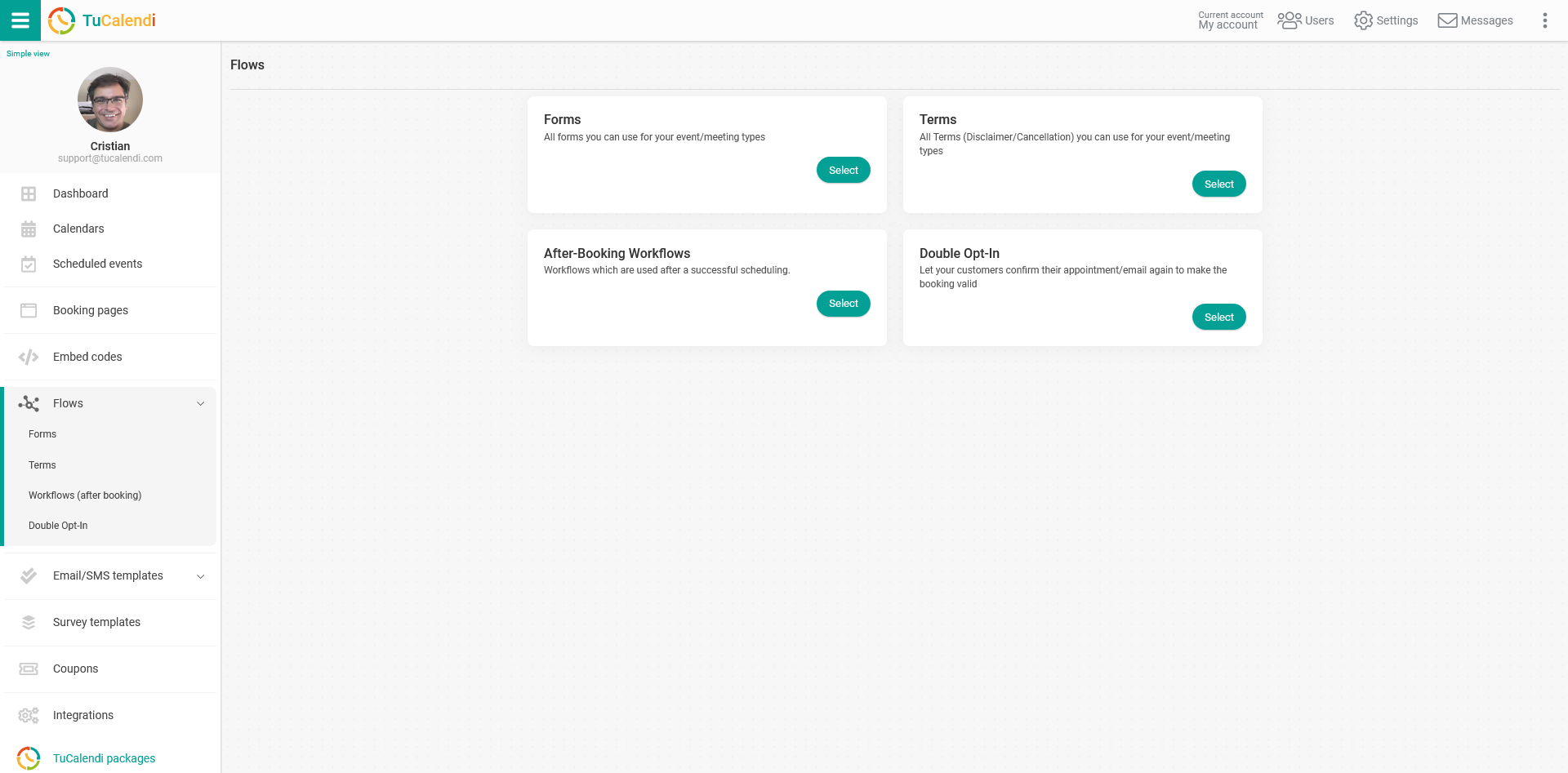
Under the option "Workflows (After booking)", click on "Select".
The flows you have created will appear.
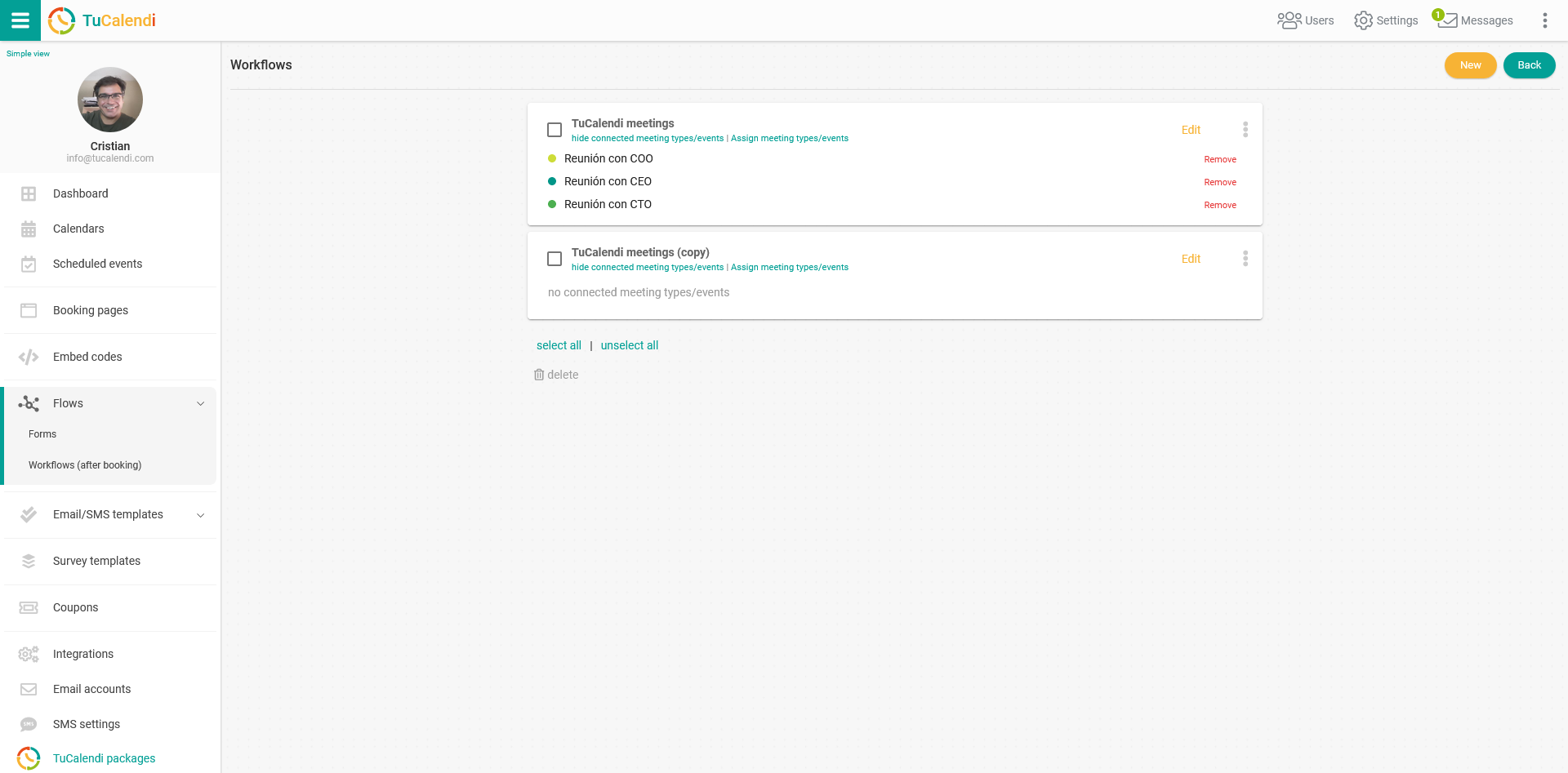
To avoid accidentally deleting a workflow, the delete option is initially disabled.
To delete a workflow, you only have to select the workflow you want to delete and the delete option will be activated.
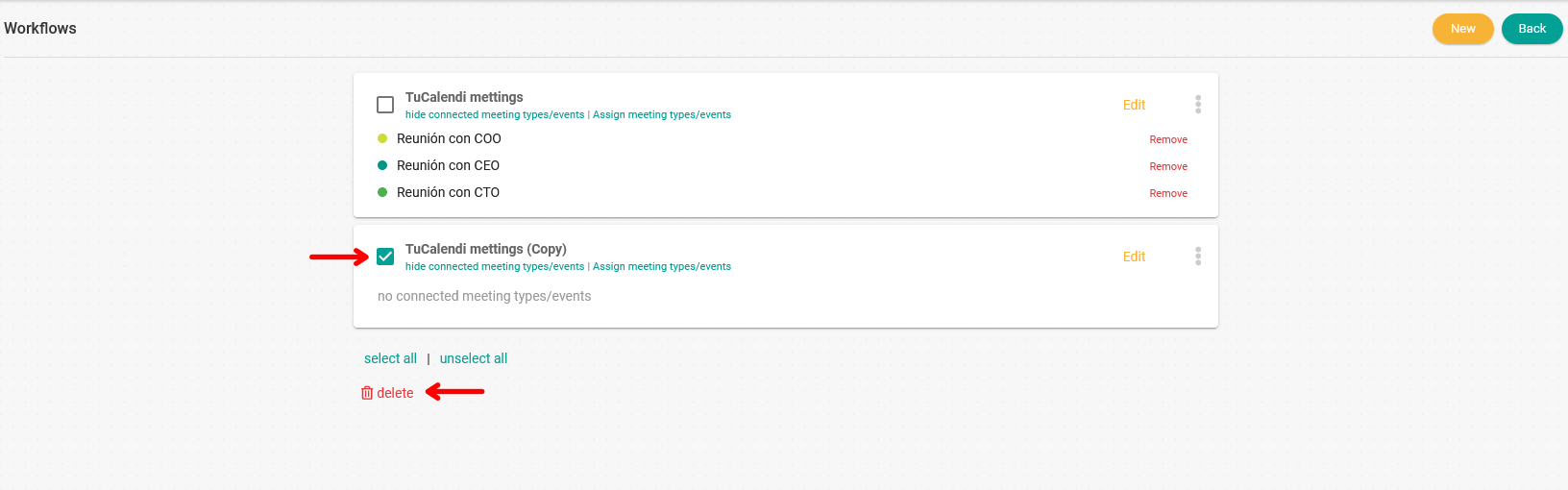
Click on "Delete" and a window will appear asking you to confirm that you really want to delete the selected workflow.
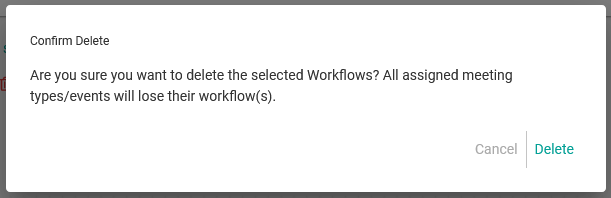
If you are sure, just click on "Delete". The workflow and all its automations will be deleted and cannot be recovered.
When you delete a workflow, all the automations will be removed and the events assigned to the workflow will no longer be connected to it. You can assign them to another existing workflow or to a new one you create.