
In addition to being able to customize the internal notifications you receive when a client makes a booking with you, reschedules a meeting or cancels a booking, you can also choose which notifications you want to receive. Let's see how to disable internal booking notifications.
Note that account owners or users assigned to events do not receive meeting reminders. The reminder emails are only received by customers who have booked with you or your team.
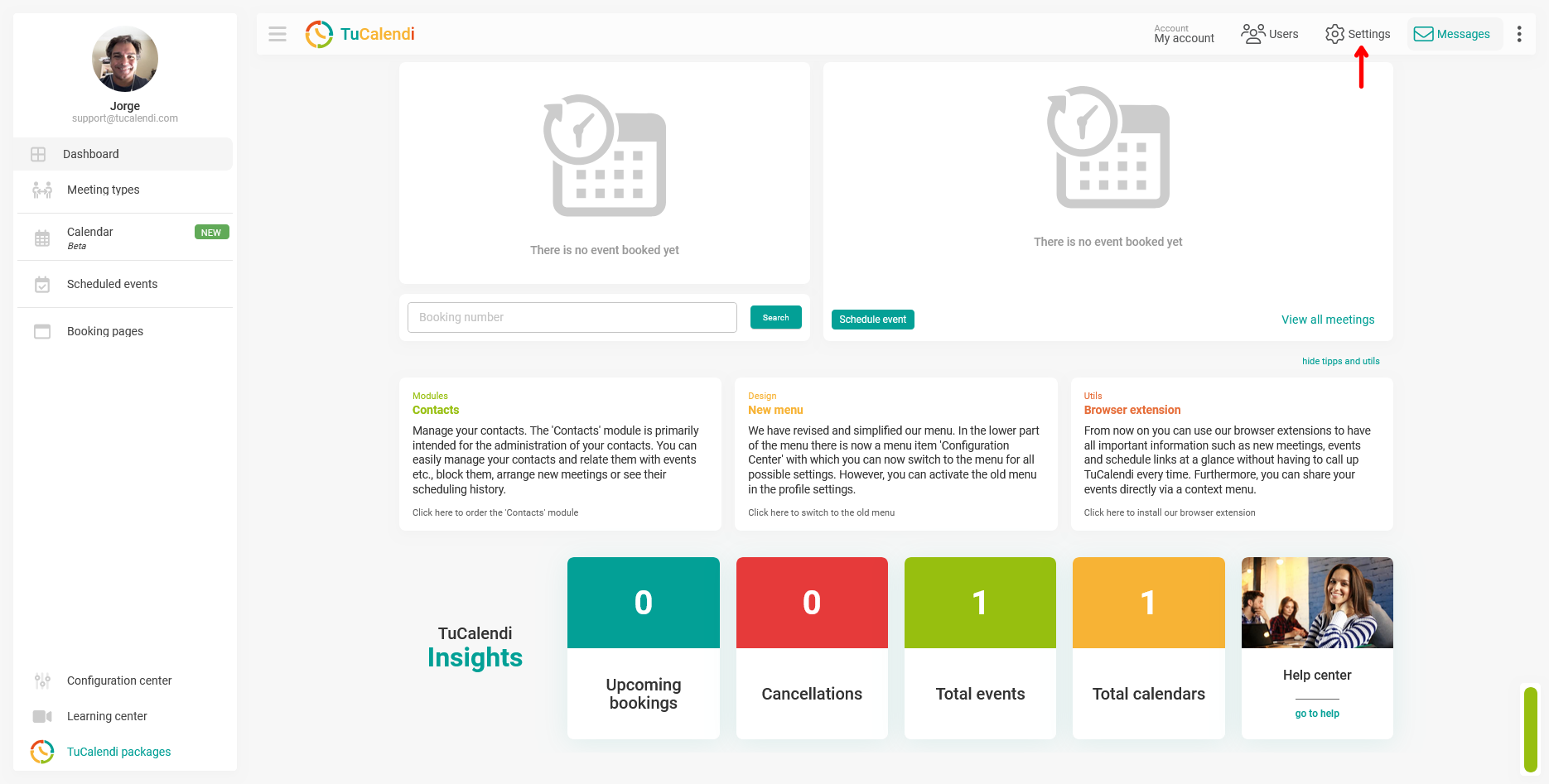
Log in with your TuCalendi username and password. Go to the Settings.
In the horizontal options menu, click "Notifications":
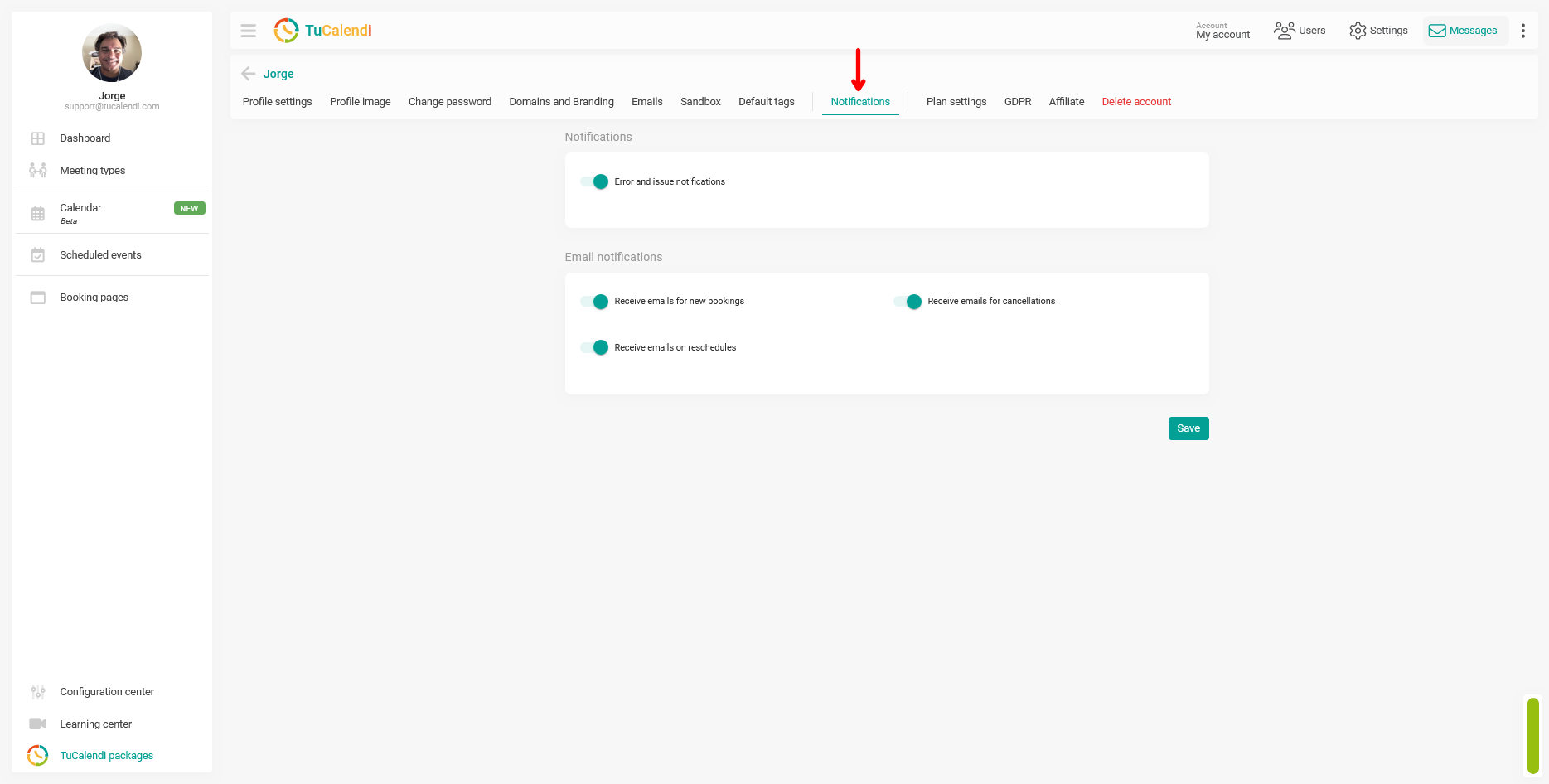
You can enable or disable Error and issue notifications.
In the "Email notifications" block, you can enable or disable the email notifications you want to receive:
- New bookings.
- Rescheduled bookings.
- Booking cancellations.
When you have adjusted the notification settings, click the "Save" button.