
The standalone widget used for smart survey with routing can also be customized in the same way as the appearance of the calendar widget, with the same customization possibilities. Let's see how to modify the appearance of the smart survey widget.
To access the appearance options of the smart survey widget with routing, you must log in with your TuCalendi username and password.
Go to the "Survey Templates" option:
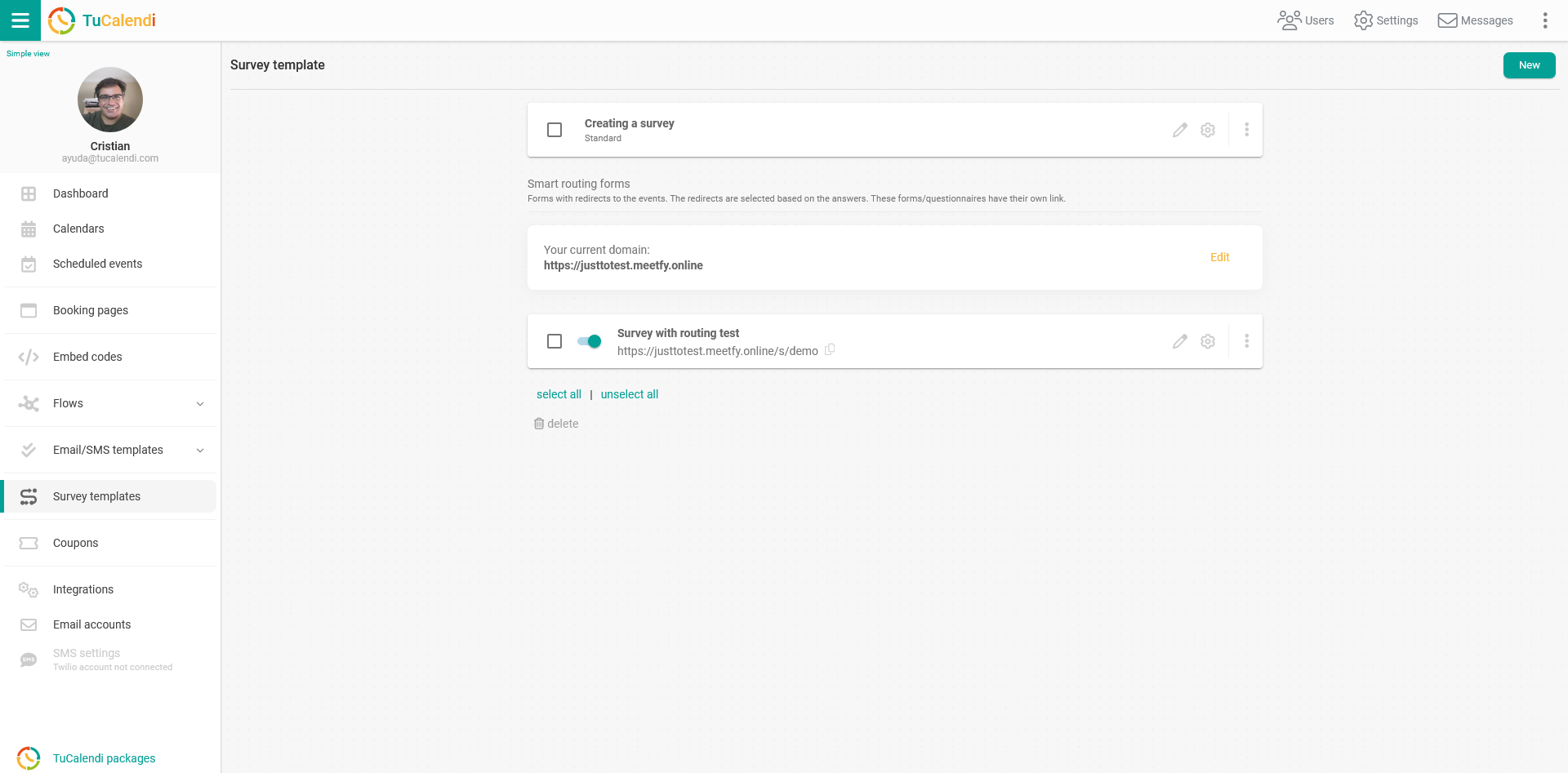
Locate the smart survey with routing whose widget appearance you want to customize and click on the settings wheel to access the options:

Select the "Appearance" option.
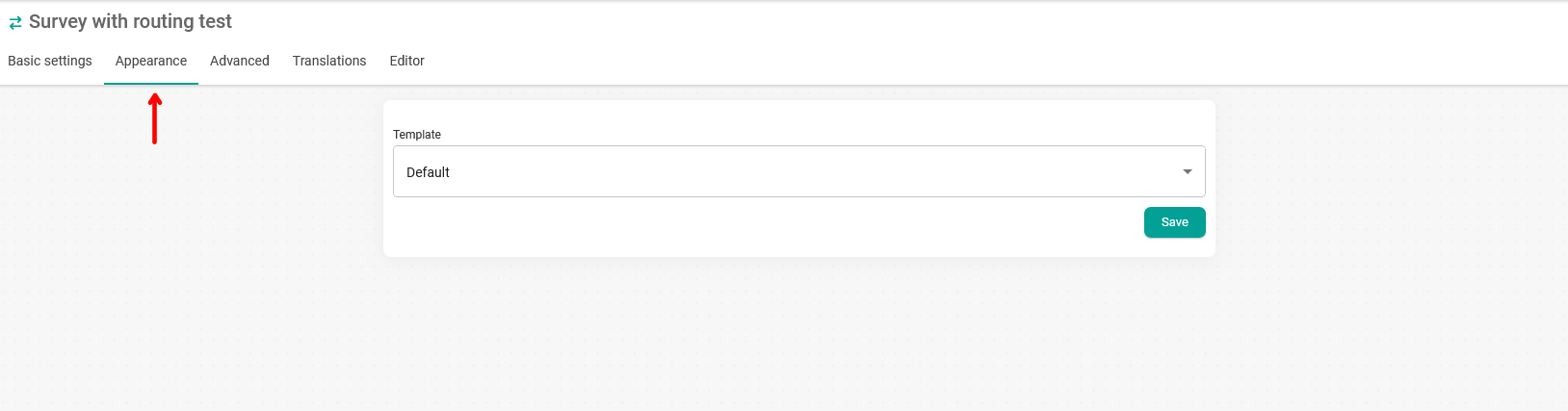
In the "Templates" field, click to display the available templates:
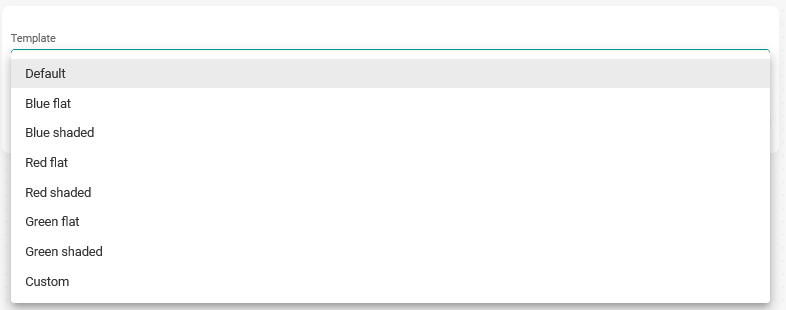
Then choose "Custom" to access all the appearance customization options:
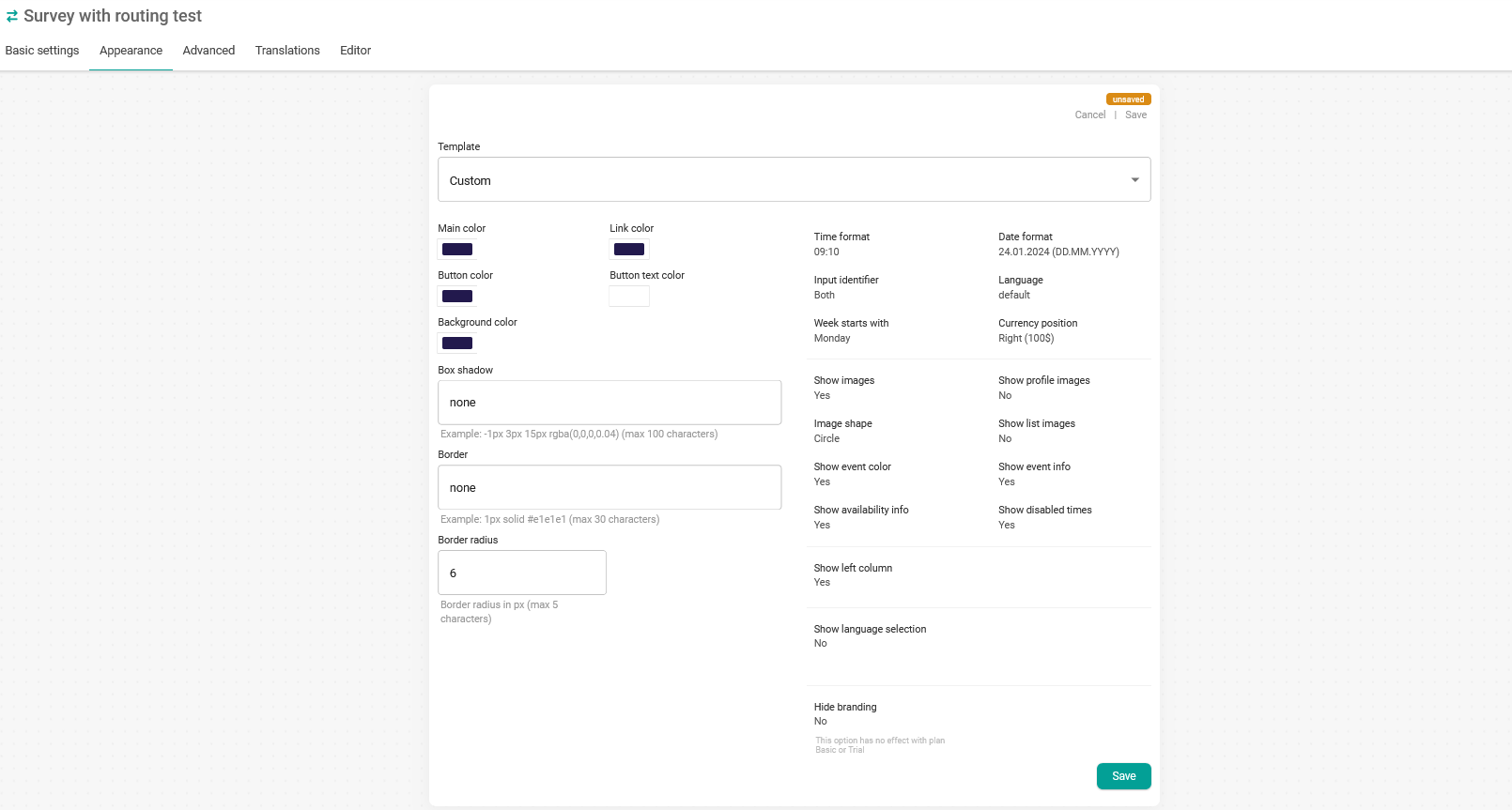
You will be able to make the following changes to the widget appearance:
- Set colors.
- Set borders and shadows.
- Change the date and time format.
- Set the widget language.
- Remove TuCalendi branding from the widget (option not available in the Basic Plan and during the trial period).
- Input identifier.
- Start day of the week.
- Show disabled or busy hours in the calendar.
Once you have made the changes you want, click "Save". You can then embed the code of the smart survey widget on your website or share the link of the smart survey with routing, with the appearance you have set, by email, social networks or WhatsApp.