
Another feature you can customize in the TuCalendi widget is the date and time format, so you can set the most appropriate one for each case.
To make these changes in the TuCalendi widget, go to the "Appearance" option of the widget.
Choose your favorite template for your widget. Click on the "Time format" and "Date format" fields.
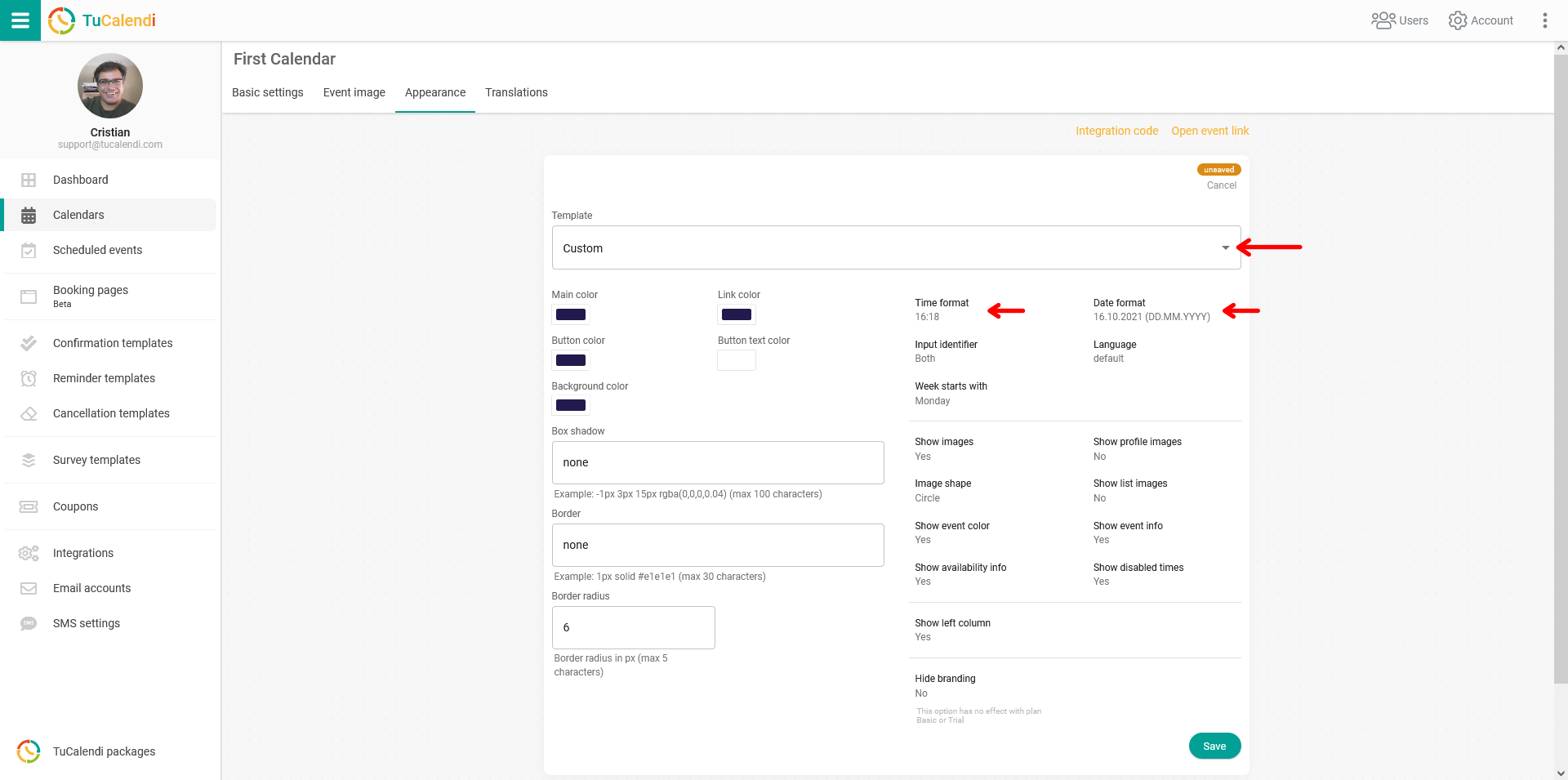
- Time format: You can choose the 24-hour format or the am/pm format.
- Date format: There are several date formats you can choose from.
For the changes to take effect, click on "Save". The widget settings will be updated, and the date and time will appear in the new formats you have chosen.
We have added a new feature to the widget. Now, in addition to setting the format of the times and dates you want to display in the calendar, your users or customers can choose and change the hour format in the widget between 24 hours or am/pm, whichever they prefer.