
What is the input identifier? It is the way the names of the fields are displayed in the data collection form for appointments, meetings or events that customers book from the TuCalendi widget.
To change how the input identifier is displayed in the TuCalendi widget, you need to open the "Appearance" option of the widget.
Choose your favorite template for your widget. Click on the "Input identifier" field.
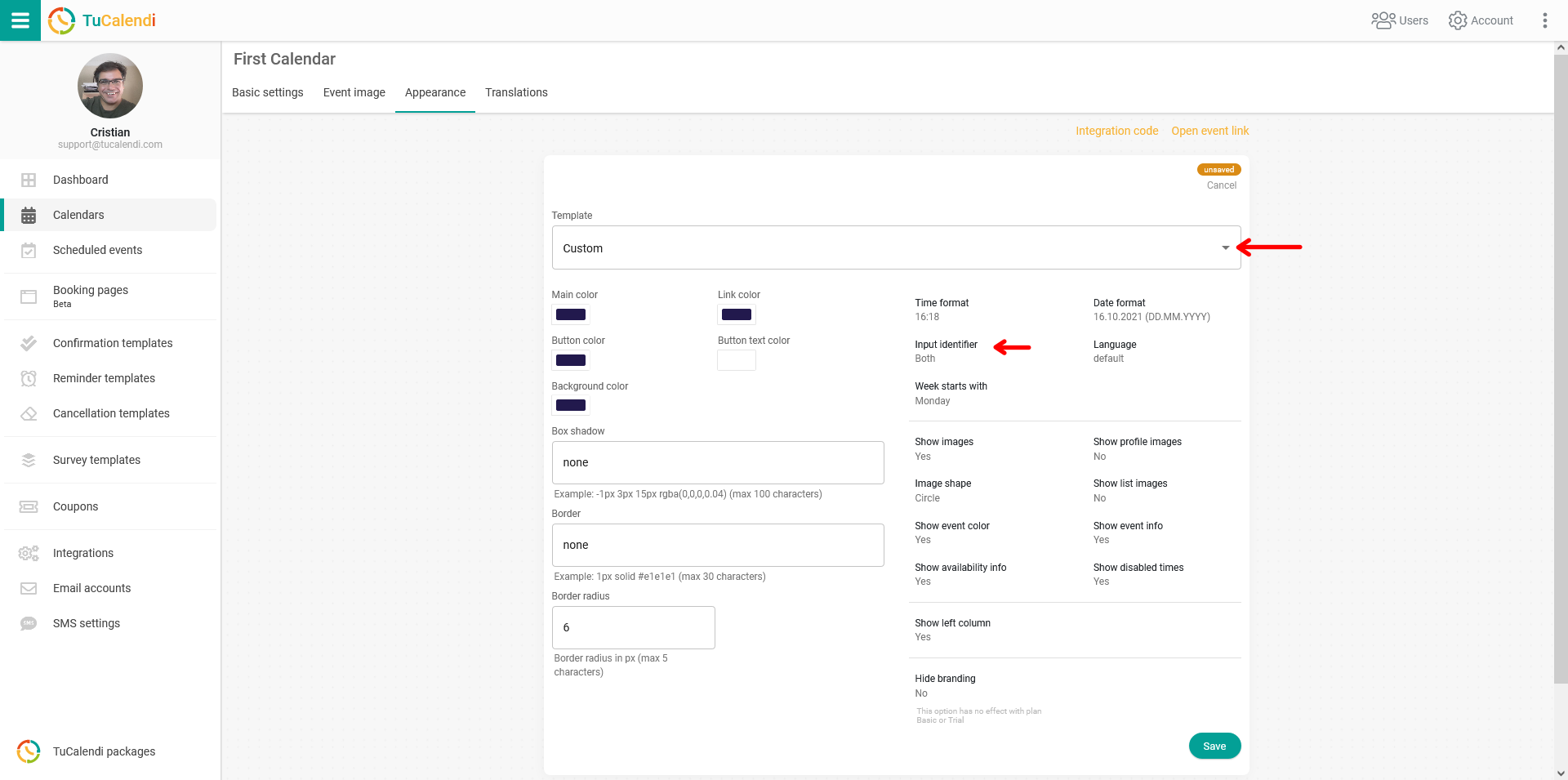
A menu with the two available options will be displayed. Just choose the one you prefer.
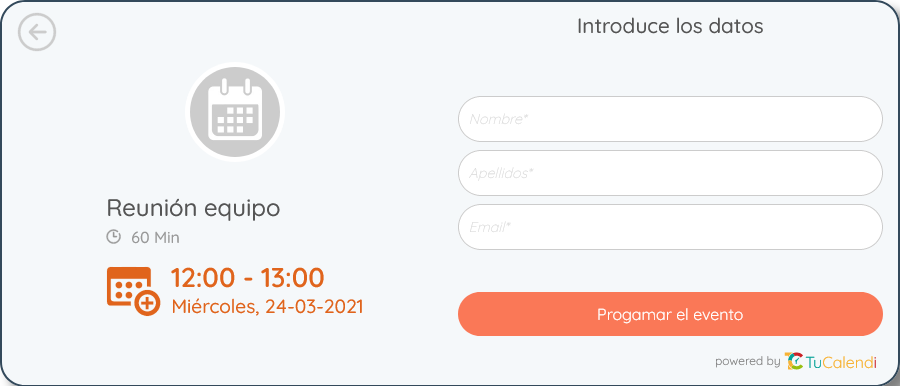
- Placeholder: When you select this option, the name of the field is displayed inside the box.
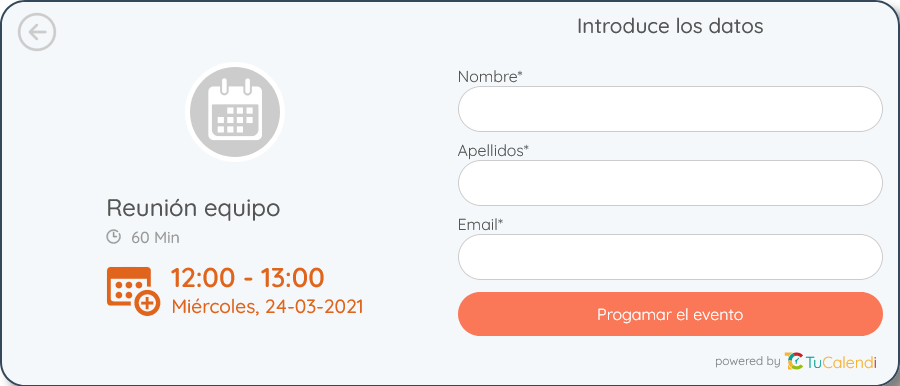
- Label: With this option, the name of the field is displayed in the upper left corner of each box.
For the changes to take effect, you need to click "Save" and the widget configuration will be updated.