
One feature you can customize in the TuCalendi widget is the starting day of the week. Depending on the country or part of the world you are in, it is more common to start the week on one day or another. This option is available in TuCalendi so you can customize the widget according to your needs.
To make this change in the TuCalendi widget, go to the "Appearance" option of the widget.
Choose your favorite template for your widget. Note the "Week starts with" field:
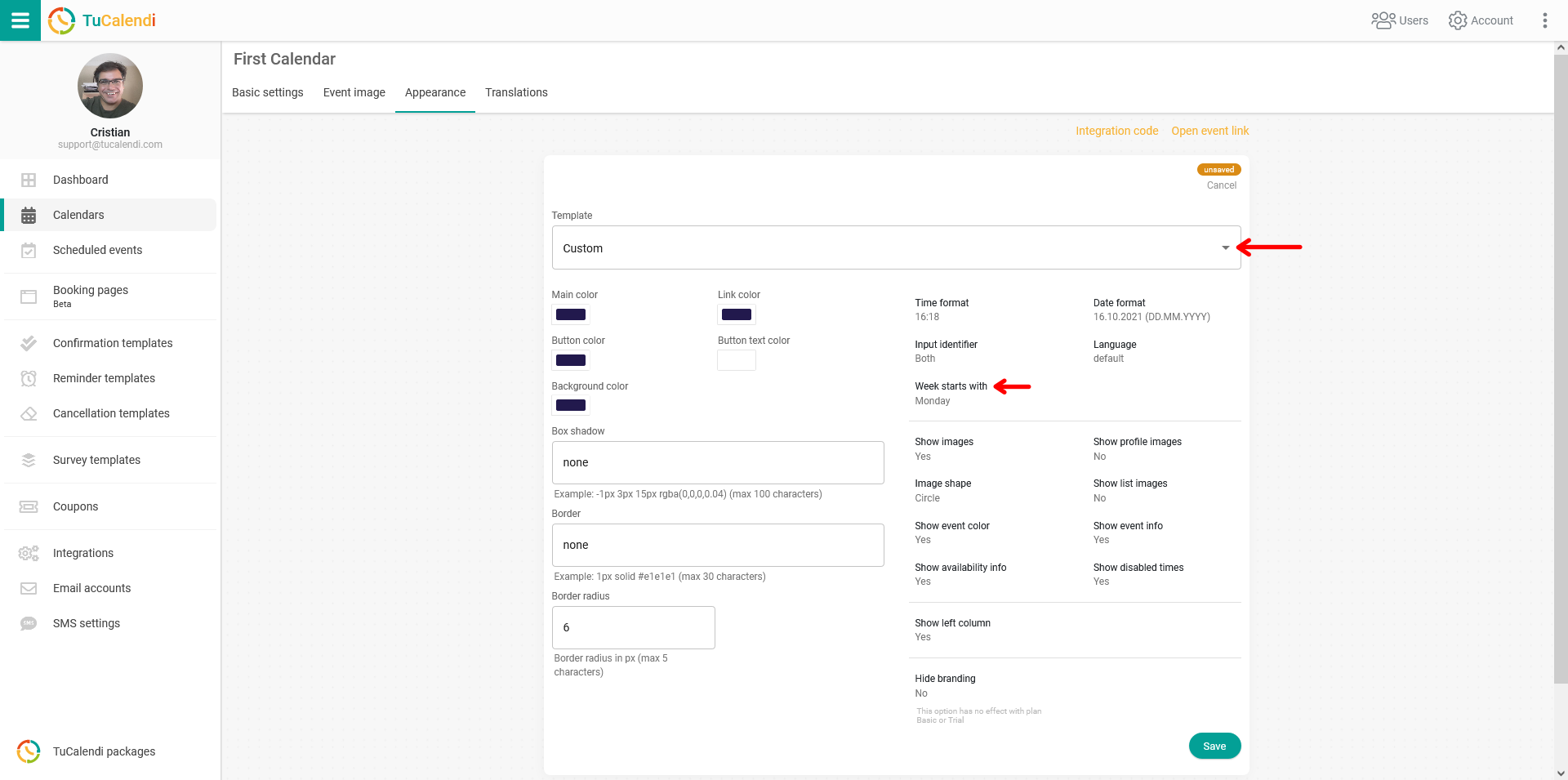
Clicking the "Week starts with" option opens a menu where you can choose the day you want the week to start on in your calendar.

Select the day you prefer for the start of the week in the calendar.
For the changes to take effect, just click "Save" and the widget settings will be updated.