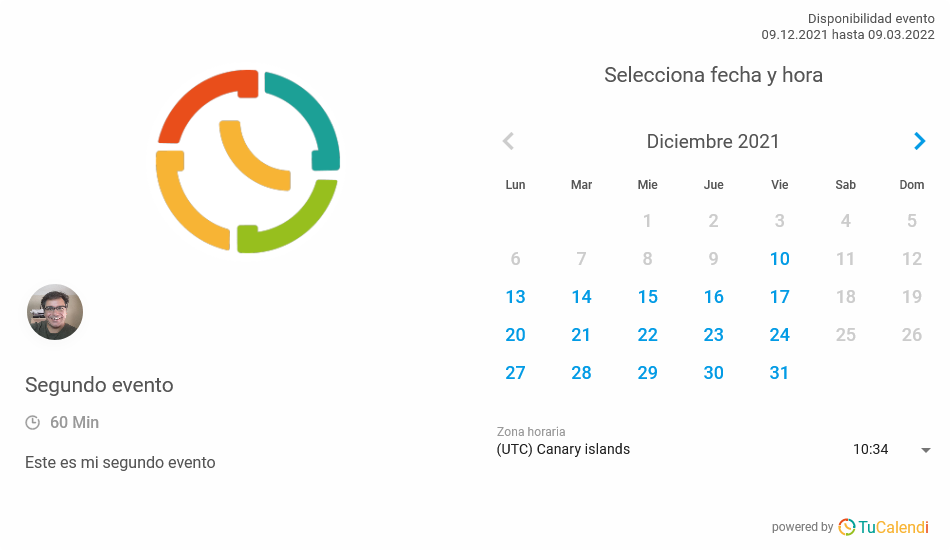
One option you can customize in the TuCalendi widget is the ability to show the profile image in the events. This way, the events you have created can show the image associated with the event and also the image you have set in your TuCalendi profile.
TuCalendi users usually show the company logo or an image related to the event as the event image, while the profile image is a picture of the person. However, this customization option depends on what you want to show.
To make this change in the TuCalendi widget, go to the "Appearance" option of the widget.
Choose your favorite template for your widget. Click on the "Show profile images" field.
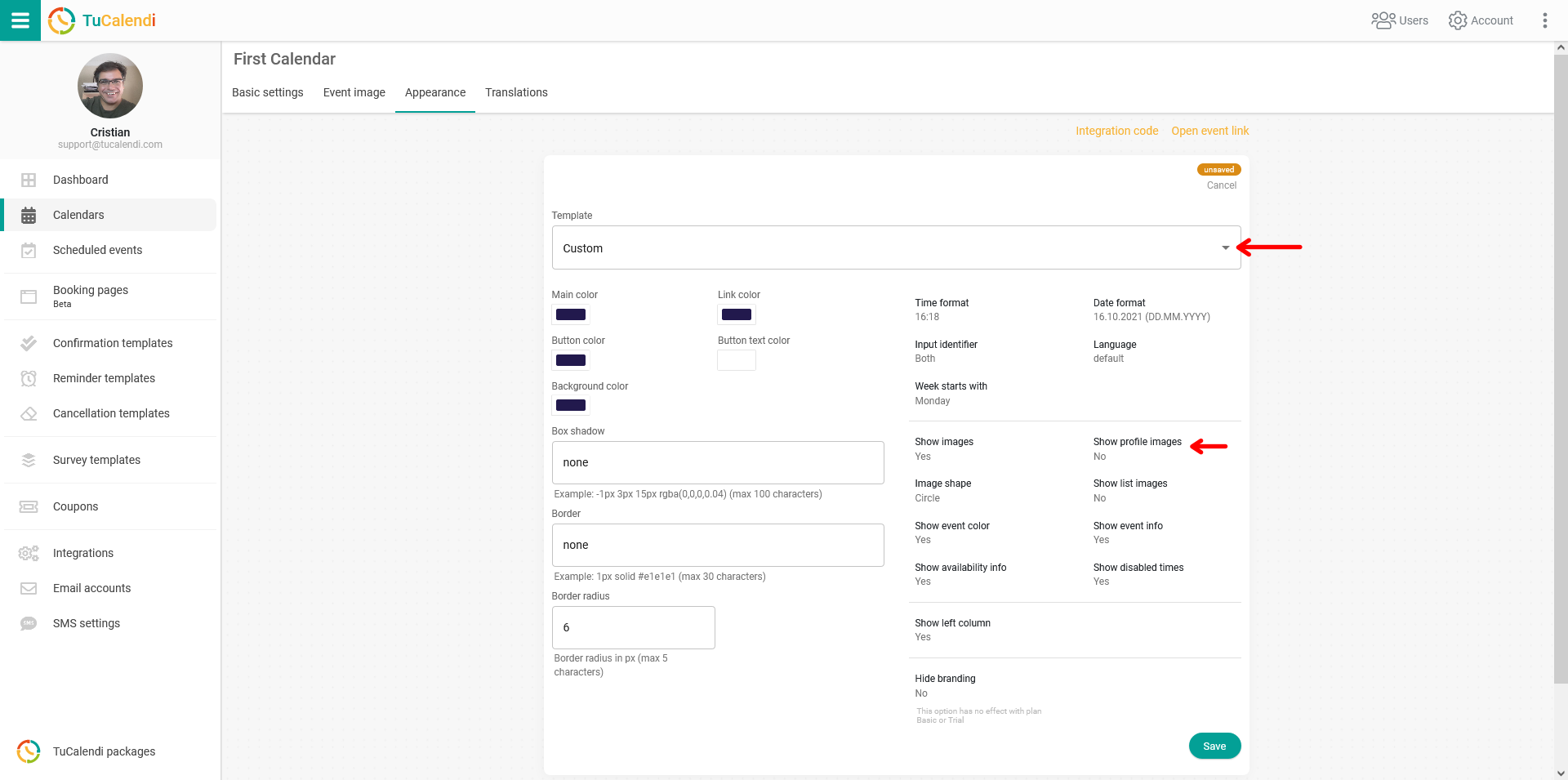
You have two options:
- Yes, show the profile image.
- Do not show the profile image.
For the profile image to be shown, in addition to selecting the "Yes" option in the widget appearance, you must assign the user to the event.
For the changes to take effect, click "Save". The widget configuration will be updated, and from then on your profile image will be shown or hidden in the events according to your choice.
When you select "Yes" in the "Show profile images" option, the widget will look like this: