
For certain types of events, you may want the confirmation email not to be sent when a customer confirms a booking. This means that when customers make a booking with you, they will not receive the email with the confirmation template you have created and associated with the workflow.
Note that if you enable this option, customers will not receive any booking confirmation notification, except for the confirmation page shown in the browser at the time of booking.
Let's see how to activate the option to not send the confirmation email when a booking is made.
Log in to TuCalendi with your username and password. Go to the "Calendars" menu.
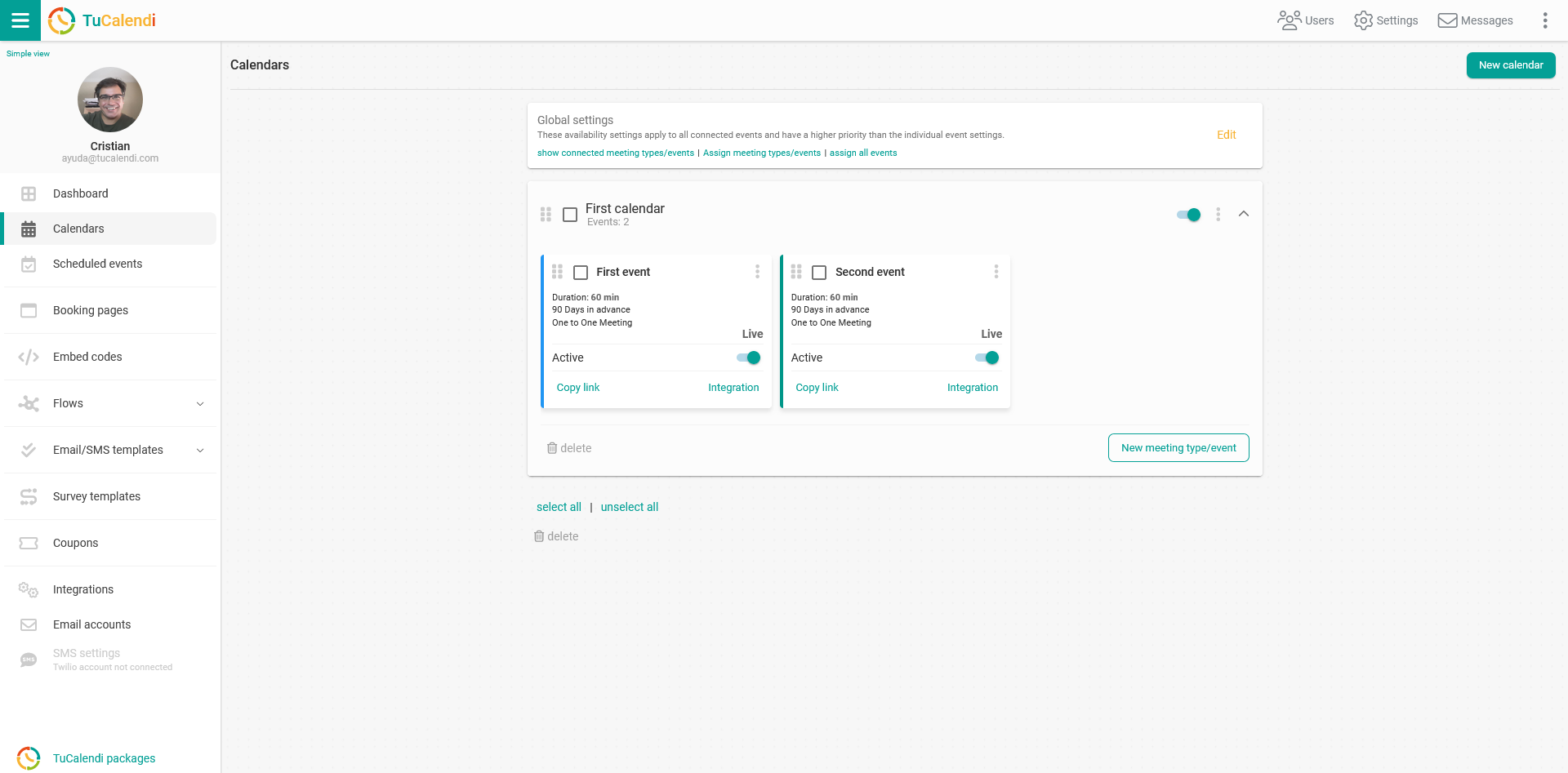
Find the event for which you want to activate the option to not send the confirmation email when a customer confirms a booking with you.
All the event configuration options appear in the horizontal menu.
Click on "Advanced":
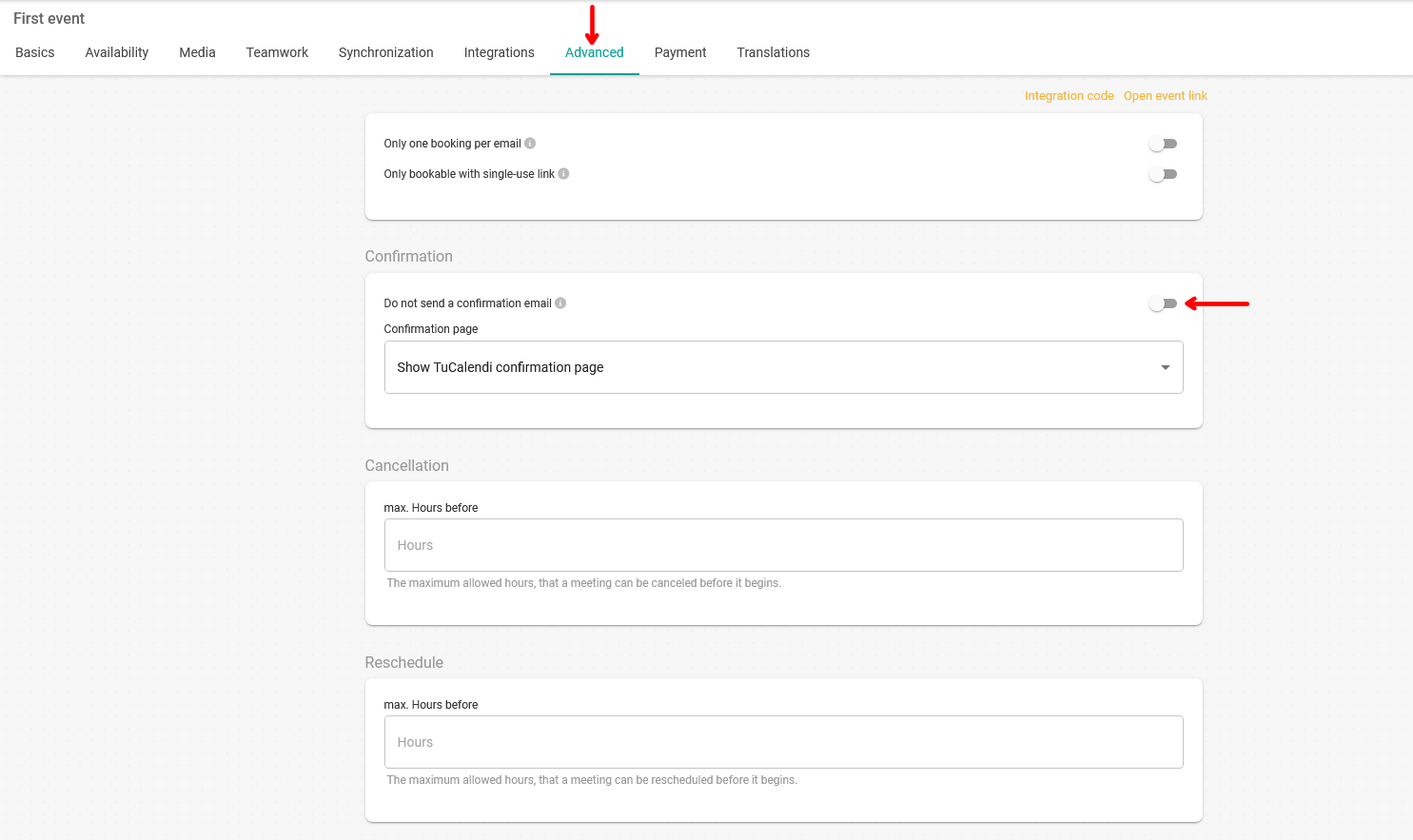
In the "Confirmation" field, activate the option "Do not send a confirmation email".
Remember that with this option activated, customers will not receive the confirmation email.
Once you have activated the option, click the "Save" button so that customers do not receive the confirmation email when they confirm a booking.