
Once you have completed the integration of TuCalendi and PayPal, you can start receiving payments with PayPal from your online calendar for the events where you need to charge your customers directly when they make a booking with you.
Linking the PayPal payment gateway to an event is very simple. Log in to TuCalendi with your username and password and go to the "Calendars" option.
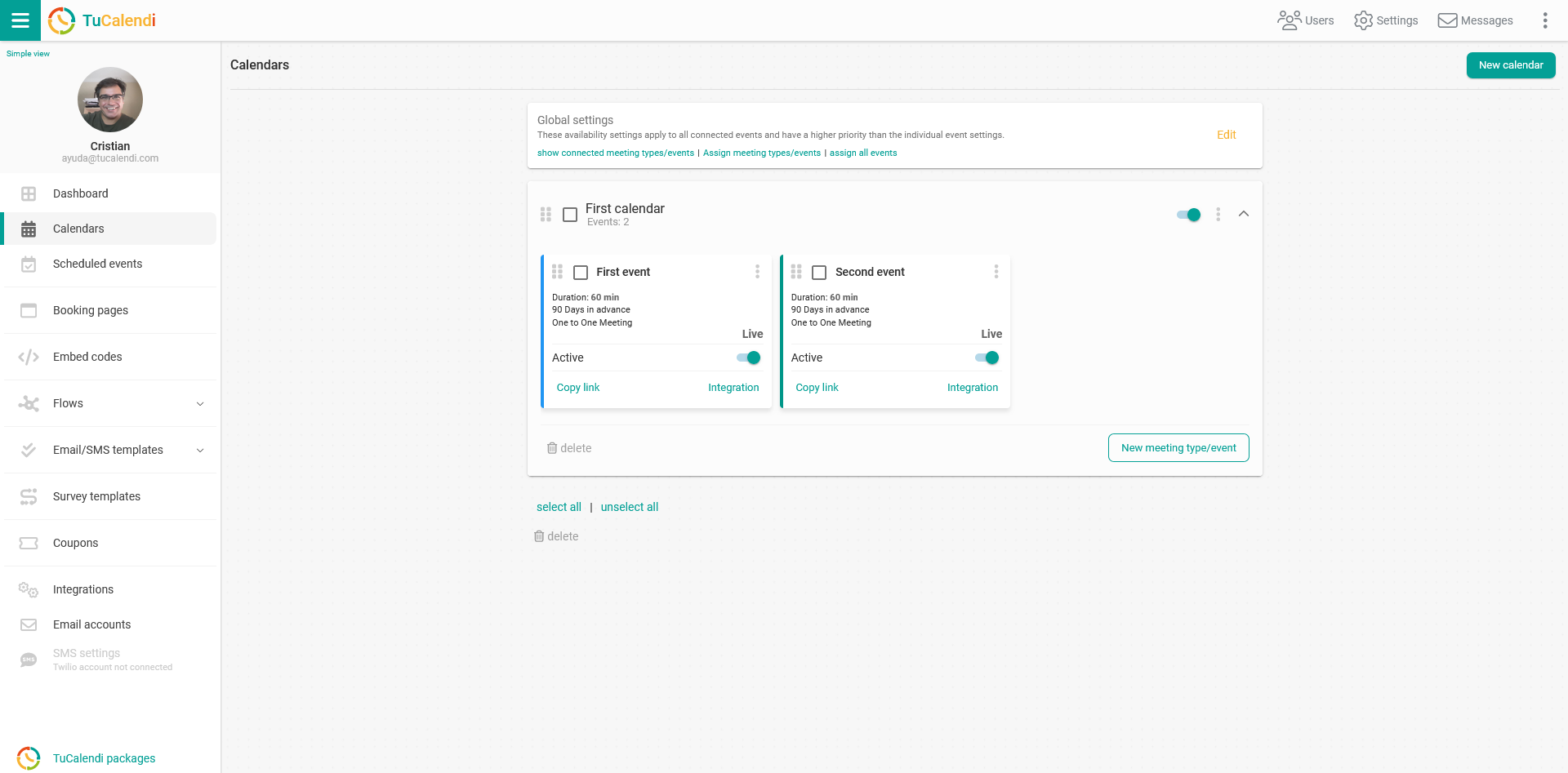
Find the event for which you want to enable PayPal payments and click on the event name.
All the event configuration options appear in the horizontal menu.
Click on the "Payment" block.
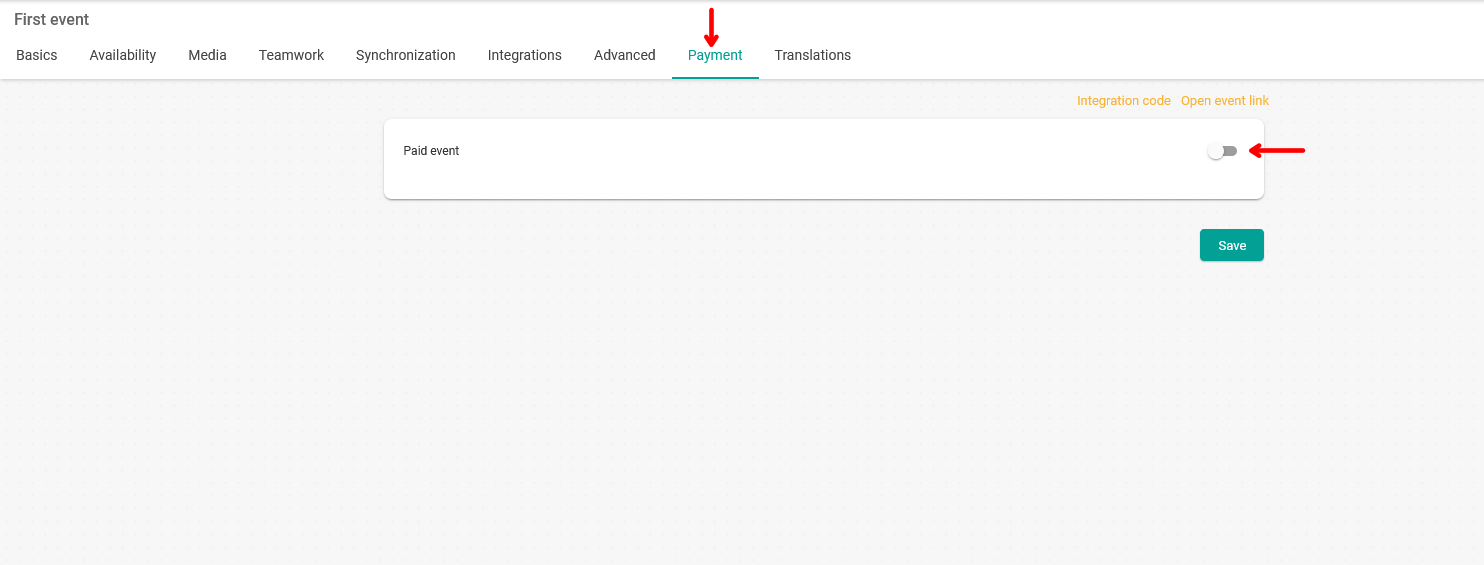
Enable the "Paid event" option. Choose the currency you want to charge in, the price you are going to charge for the event, and select PayPal.
We have added an option you can use for events that require PayPal payment:
- Charge only a deposit. This is a very useful option if you want to charge part of the service at the time of booking.
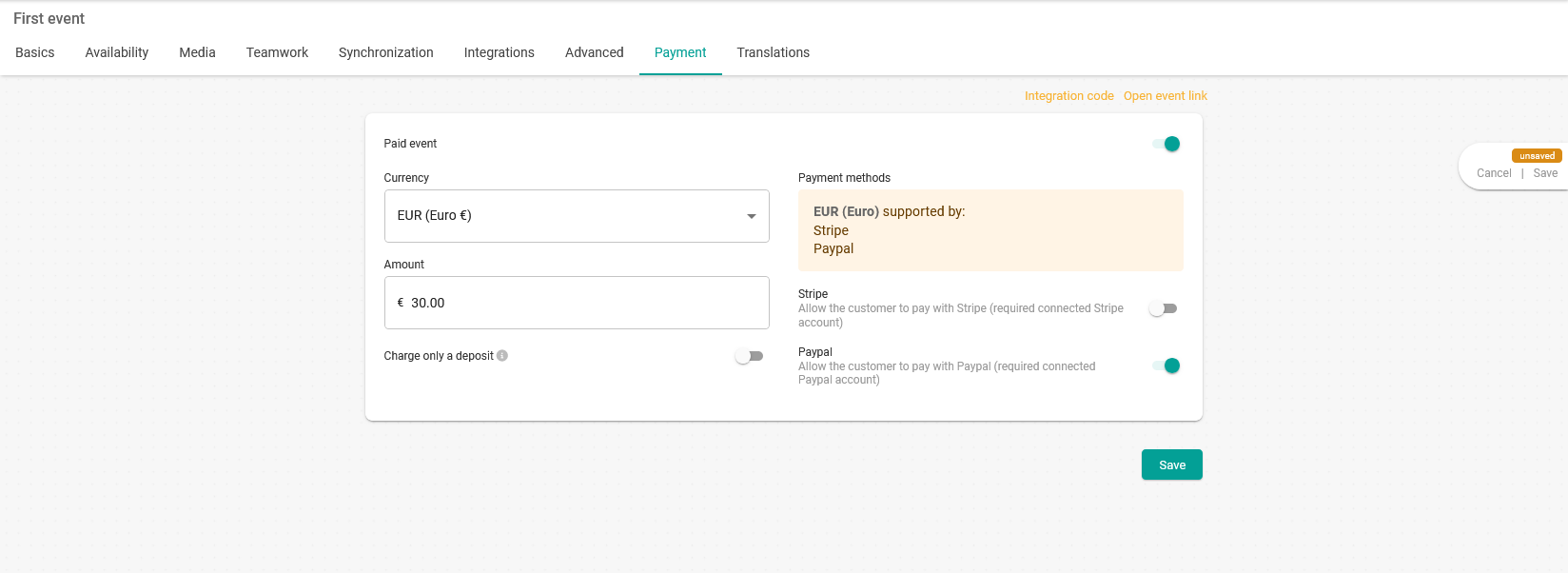
Click "Save" to update the changes to the event.
The result in the TuCalendi widget will look like this:
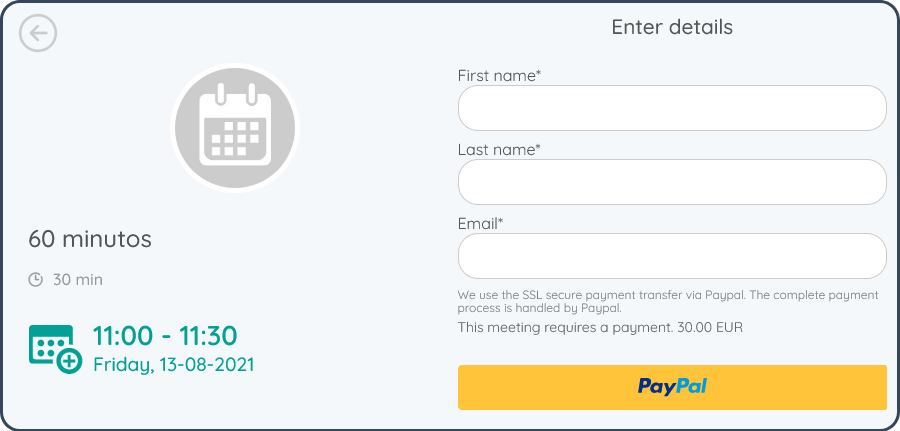
Please note that to receive PayPal payments for the events you organize on TuCalendi, you need your own PayPal business account.
IMPORTANT: To receive payments from TuCalendi events, you must be subscribed to a payment plan.