
On many occasions it is very useful to know the exact duration of a Zoom meeting. It is a very valuable piece of information in different situations:
- Knowing how many meetings and how much time it takes to get a new customer.
- Being able to invoice the meeting time to certain customers.
- Knowing the real duration of team meetings, for a better use of time.
These are some of the reasons that led us to implement this functionality in our Zoom integration. It is data you can obtain in an automated way with TuCalendi.
NOTE: In order to integrate TuCalendi with Zoom you need to have your own Zoom account.
Log in to TuCalendi with your username and password. Select the "Scheduled events" option.
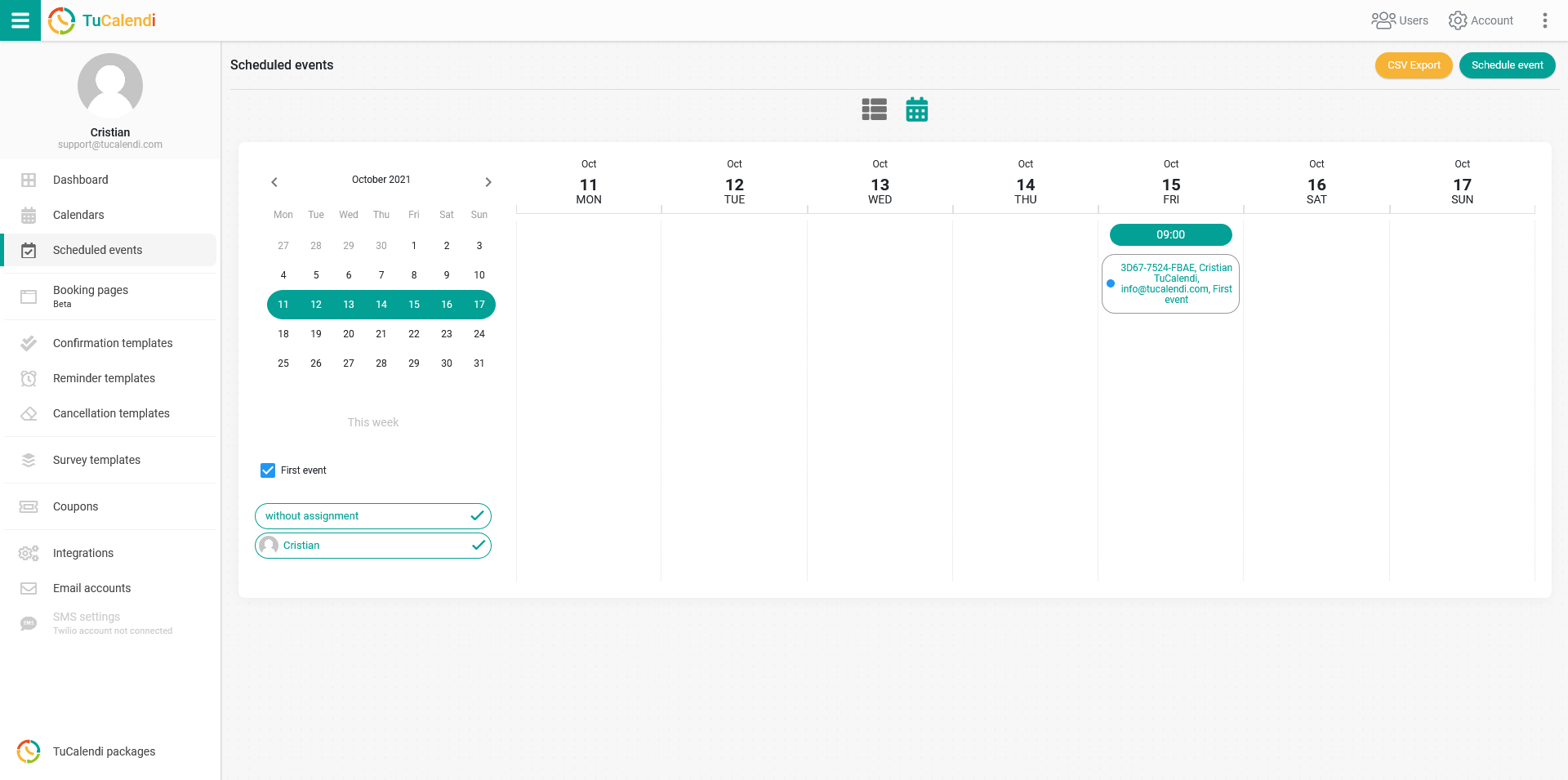
Locate the event you held in Zoom and for which you want to know the exact duration. Click on the event to open the event details.
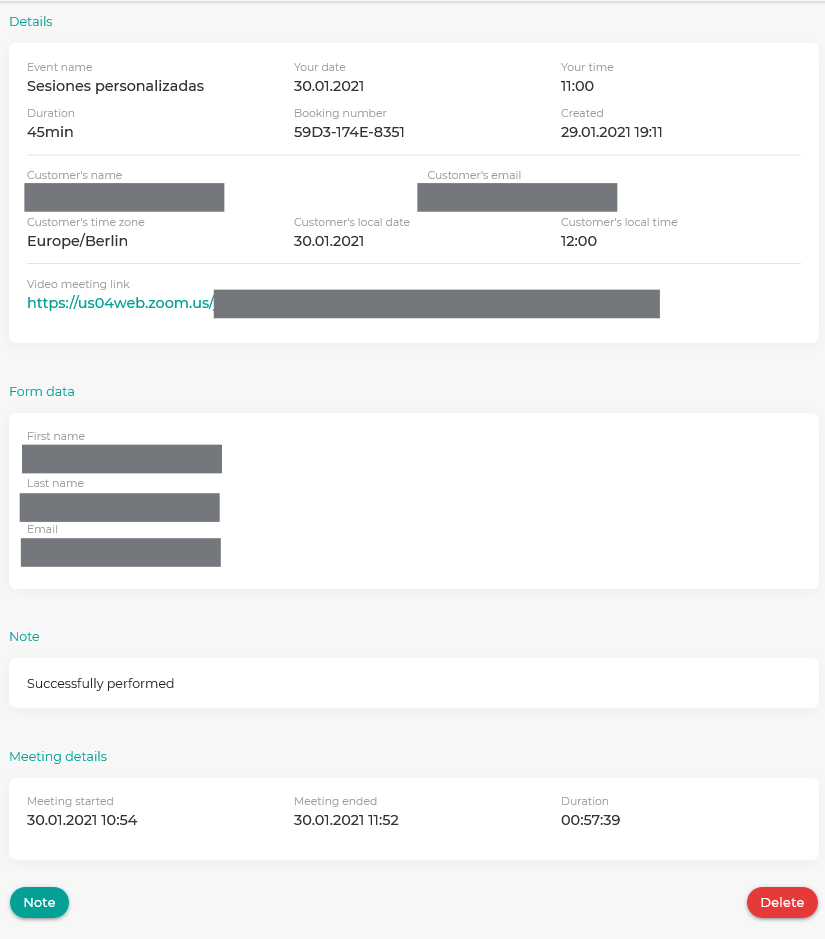
In the "Meeting details" block you can check the time the meeting started, the time it ended and the exact duration of the meeting.
This information is obtained by integrating TuCalendi with Zoom in a fully automated way. You don't have to worry about anything.