
It is common for companies or freelancers to offer their services in several languages, and that's why TuCalendi lets you create calendars, events and email templates in different languages.
If you also use TuCalendi surveys for your business, either standard surveys or surveys with routing, it is important that all the elements you add to your surveys are translated into the languages in which you offer your services.
Once a survey has been created, translating it is very simple.
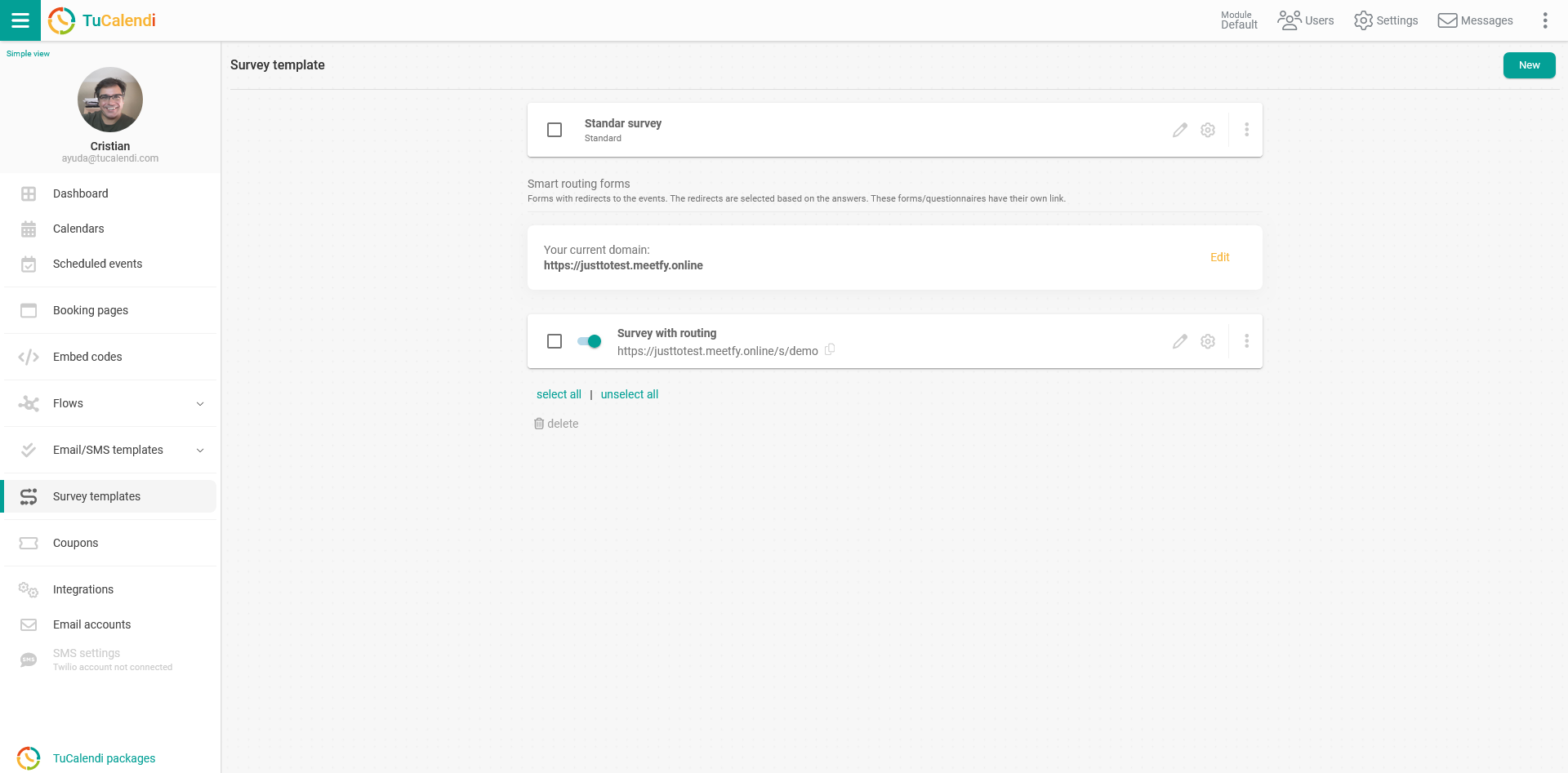
Log in to TuCalendi with your username and password. Go to the "Survey Templates" option and the survey templates you have previously created will be displayed:
Whether it is a standard survey or a survey with routing, to access the survey settings you need to click on the settings icon:
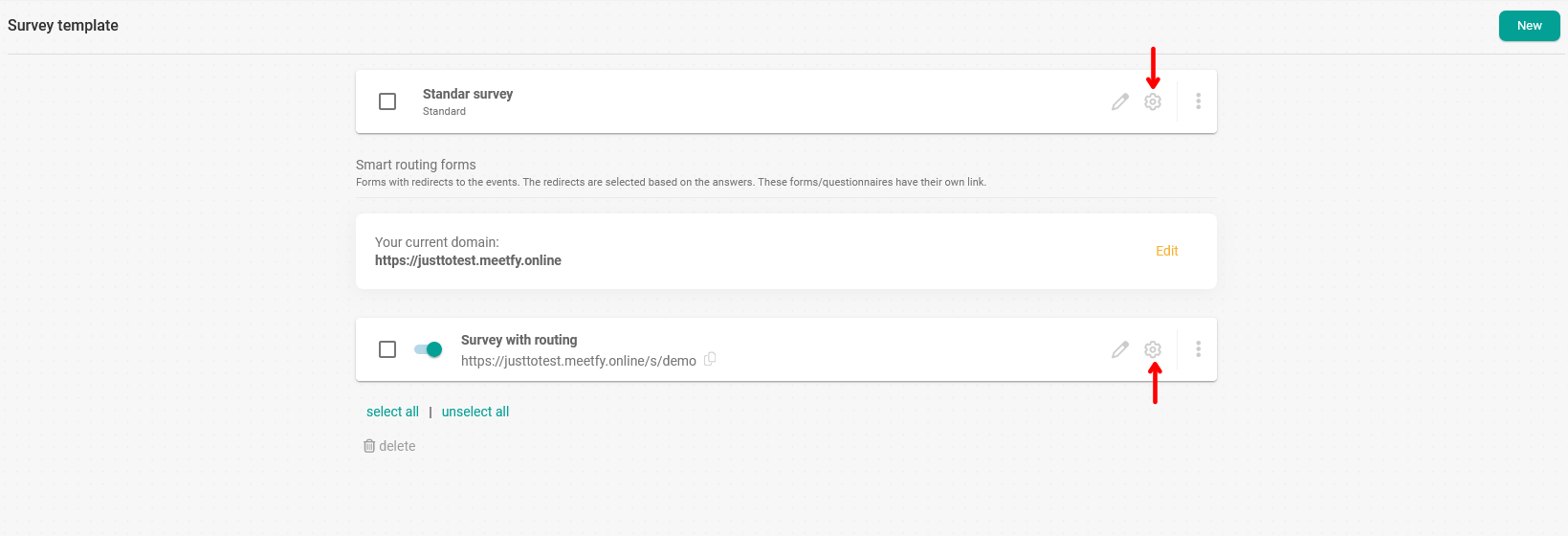
In this tutorial we are going to translate a standard survey. The process for translating a survey with routing is the same.
In the survey template settings, click on "Translation":
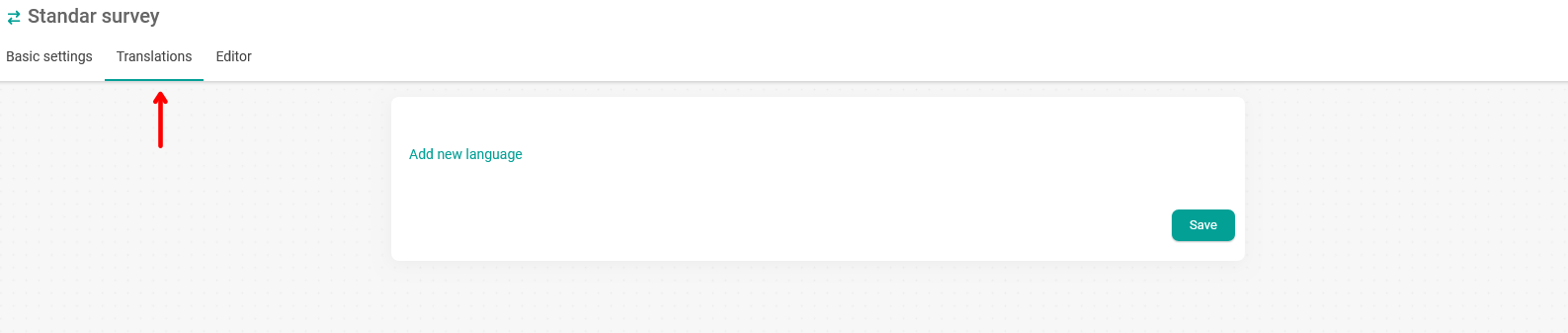
Click on "Add new language" and select from the list the language you want to add to the survey:
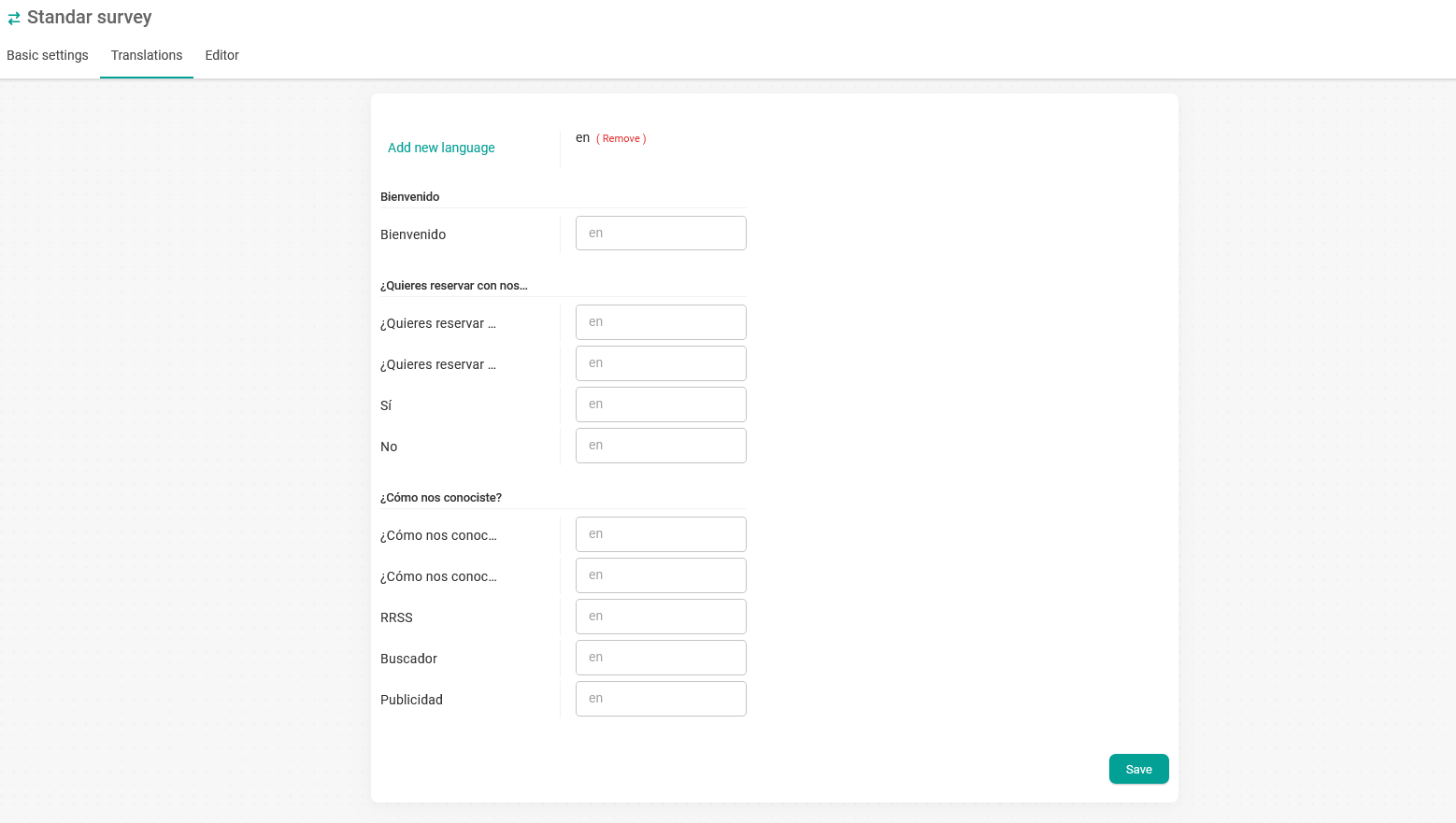
All the elements of the survey in the original language will be displayed. In our case the survey is in Spanish and we want to translate it into English.
Just translate the texts and click "Save":
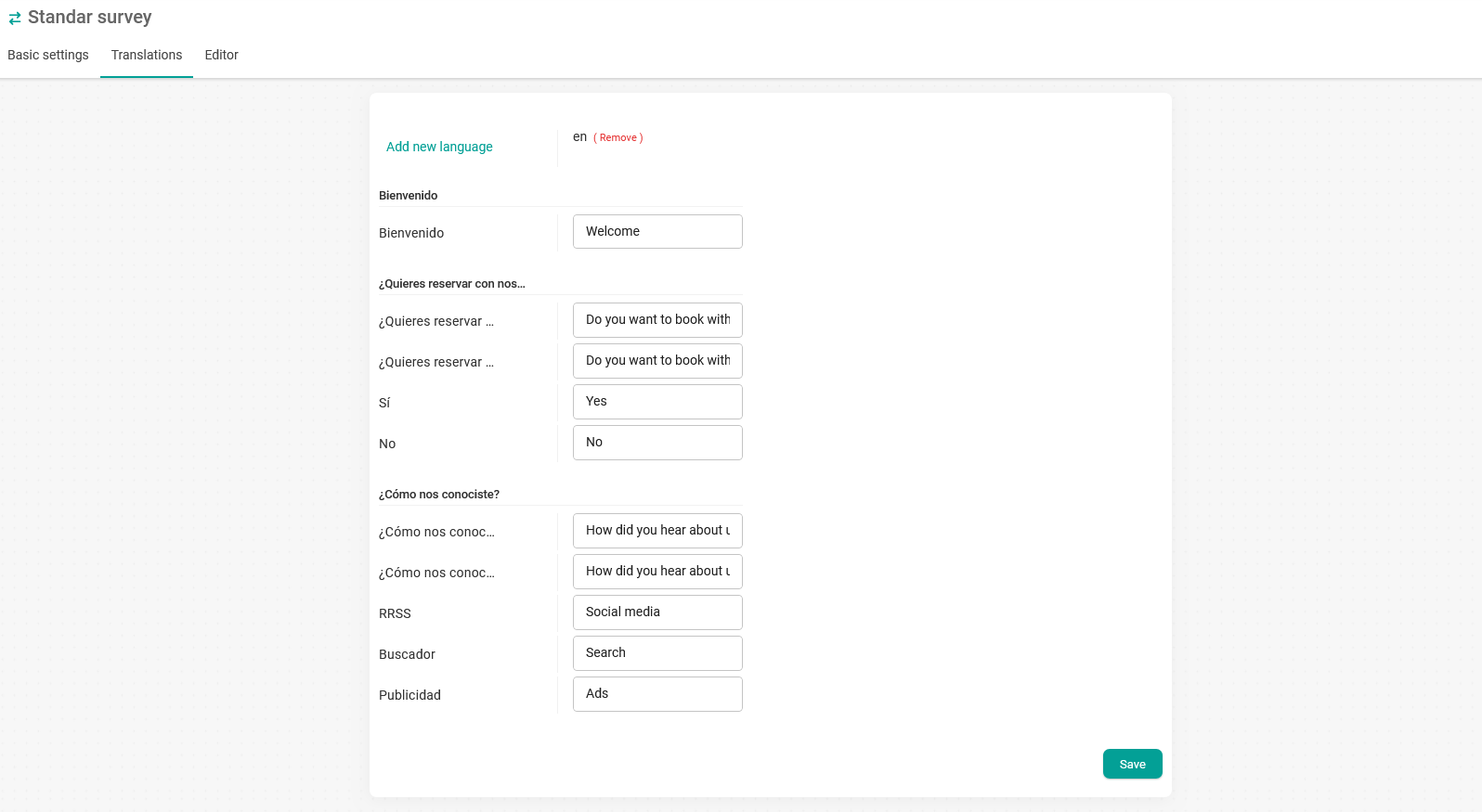
If you want to have the survey in more languages, just click on "Add new language" and translate the survey elements into another language.
From now on, when your customers open the widget to book a meeting with you and the event has the survey associated with it, everything will be displayed in the chosen language.