

You want to offer a workshop, course or training programme, and you need a tool to organise it. As you explore your options, you come across booking systems, course management software and learning platforms. They all mention learners, dates and registrations, but they don’t necessarily solve the same problems.
If you need to publish dates, limit places, accept registrations and collect payments, a booking system for workshops and courses may cover that part of the job. If you also need academic records, learning content, exams or progress tracking, you’ll need to assess additional features.
Start by defining what you need to manage. Let’s look at three examples: a pottery workshop, an eight-session language course and a training programme with videos and assessments.
What does “course management software” mean?
The term covers tools with different purposes. Some focus on registrations and session scheduling. Others handle training centre administration. Others provide the environment where learners study and complete activities.
Before comparing providers, separate these three needs:
| Main need | What to look for |
|---|---|
| Manage bookings and registrations | Dates, places, payments, confirmations and participant communication. |
| Administer a training centre | Enrolment, academic administration, documentation and the administrative processes your centre requires. |
| Deliver training and assess learning | Content, activities, quizzes, grades and progress tracking. |
These areas can overlap: one tool may cover several of them. Check the specific features rather than choosing solely by the category name.
Example 1: a morning pottery workshop
Imagine you’re organising a workshop for twelve people. You need to explain what’s included, display the date and location, collect payment and know who’s attending.
Before Saturday, you want answers to these questions:
- How many people have registered?
- Are there any places left?
- Who has paid?
- What information should participants receive?
- What happens to further registrations when the workshop is full?
Here, the main task is managing registration and preparing for participants. The learning takes place in the studio, during the activity. You may not need a virtual classroom with assignments, grades or individual progress tracking.
A useful way to evaluate a tool is to create the workshop and complete a registration on your phone. Check whether someone can understand the offer and book their place without you having to explain the process by email.
Example 2: an eight-session language course
Now imagine a course that takes place every Tuesday for two months. One registration covers the entire programme.
Alongside places and payments, you need to check how the dates are managed:
- Does one registration include all eight sessions?
- Can you exclude a public holiday from the schedule?
- Are all session times clear before booking?
- How do you communicate a change of location or an online session?
Having several sessions doesn’t, by itself, mean you need a learning platform. If classes take place live and your main need is registering people for the group, start by checking how the tool handles that process.
Your requirements change if learners also need to submit assignments, check their grades or access content based on their progress. Assess those features separately.
Example 3: a training programme with videos and exams
Suppose you sell a programme where participants study at their own pace, watch lessons and complete an assessment before moving on.
Here, accepting a registration is only the beginning. You need an environment where learning takes place and where you can assess it.
A learning management system, or LMS, is a category worth considering for this situation. For example, Moodle offers tools for assessments and tracking learner progress.
Before choosing, test the full learner journey: accessing content, completing an activity, receiving a grade and continuing. If you also offer live sessions, check how registration for those sessions is organised.
When do you need training centre administration software?
There’s another situation: you run a training centre with several groups, instructors and administrative processes.
You may need academic records, enrolment documents, attendance tracking or billing processes specific to your centre. Write down which functions are essential and ask for a demonstration of each one.
A tool may handle course registrations well without covering the academic administration you need. Equally, a comprehensive management system may require more setup than a monthly workshop justifies.
Where TuCalendi fits
TuCalendi helps you organise bookings and registrations for workshops and courses. Its new feature lets you publish one-off activities or multi-session programmes that participants book together.
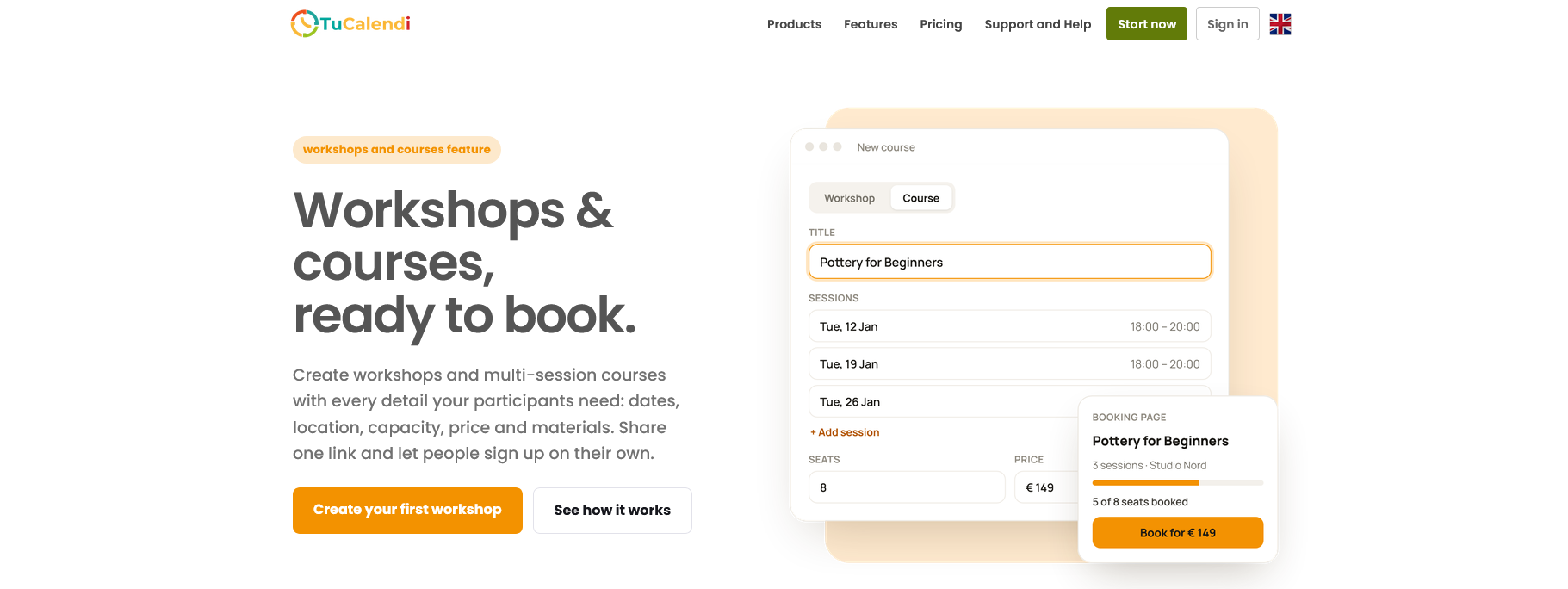
You can define dates, places, location, instructor and materials; offer free activities or collect payments through Stripe or PayPal; and view participants, payments and waiting lists. It also includes reminders for each session, pricing options and in-person, online or hybrid formats.
This is useful when your next step is opening registration for an activity and organising participation. If you need a learning environment with content and assessments, or specific academic processes, include those requirements in your comparison.
Explore the options on the TuCalendi Workshops and Courses page, or read our launch announcement for an introduction to the feature.
Five questions to help you choose using a real example
Before subscribing, choose an activity you want to launch and answer these questions:
| Question | What it helps you decide |
|---|---|
| Does registration cover one date or an entire programme? | What session management you need. |
| Do you need to limit places and collect payments? | What the registration process must handle. |
| Is training delivered through live sessions or content learners access at their own pace? | Whether you need to organise sessions and registrations or also provide a learning environment. |
| Do you need assignments, grades or progress tracking? | Which educational features to check. |
| What needs to happen after registration? | What communication, documentation or administration you need. |
Use your answers to request a demonstration based on your activity. Seeing your dates, capacity and working process in the tool will tell you more than a long feature list.
Choose according to the process you need to manage
For a one-off workshop, the priority may be making it easy to book a place. For a course lasting several weeks, it may be registering participants for the whole programme. For self-paced training, it may be delivering content and assessing learning.
Define how your activity will work first, then check which tool supports that process.
Would you like to organise registration for a workshop or course? Book a demo with the TuCalendi team, and we’ll explore how to set up your activity.