
One of the advantages of TuCalendi is how easily your users and clients can see your availability on the calendar and select the best time to book with you. Also, since our platform synchronizes bi-directionally with your external calendar, whether it's Google Calendar, Outlook Calendar or iCloud calendar, it ensures that no double bookings occur.
But what if you have a lot of free hours and want to give your clients the impression that you're a bit busier than you really are? There can be different reasons for doing this, and TuCalendi lets you enable this feature in your calendar events very easily.
We've added a feature called look busy, which lets you set a percentage of your available hours to be marked as busy in your calendar.
Log in to TuCalendi with your username and password. Go to the "Calendars" option.
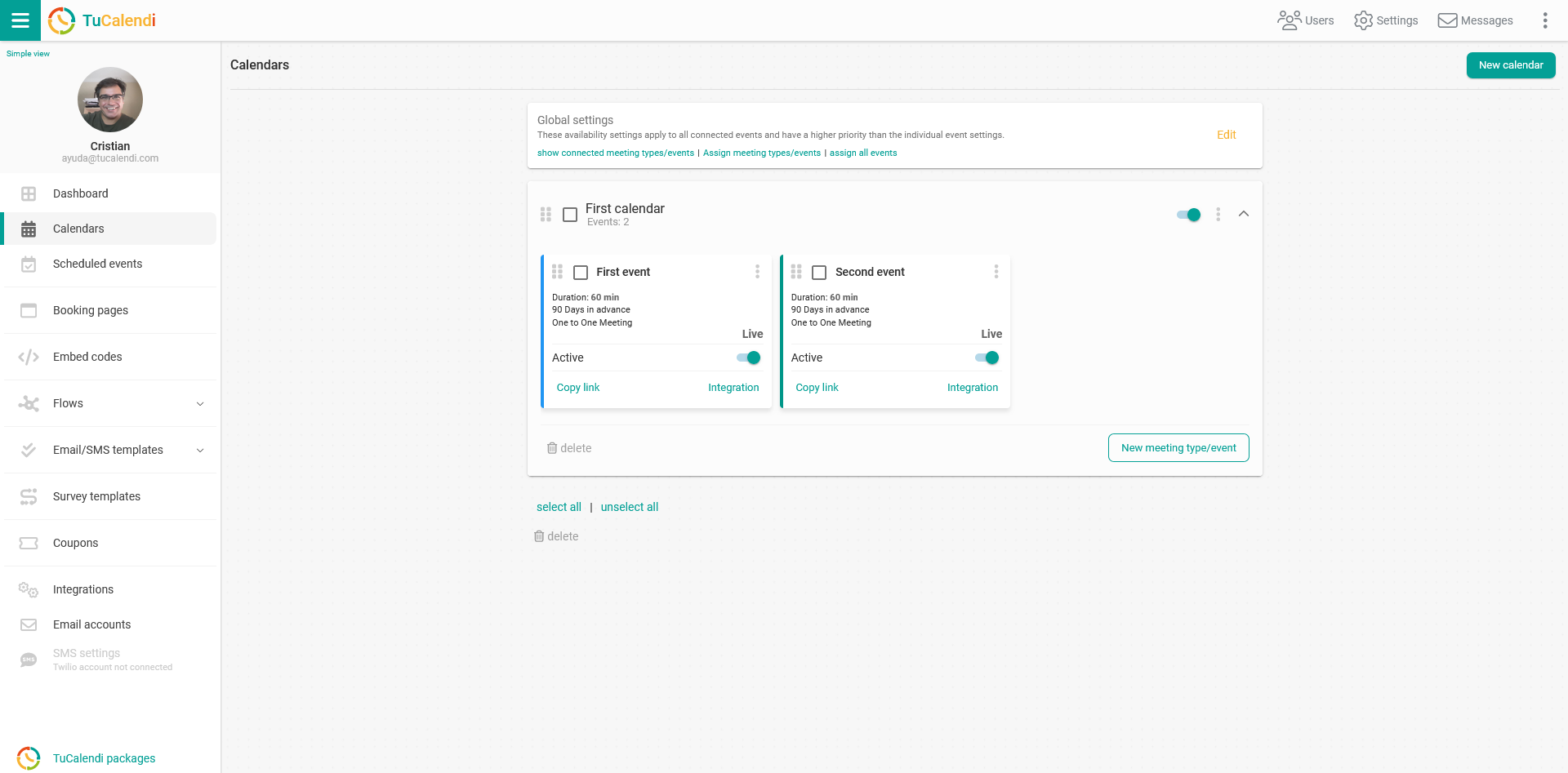
Select the event where you want to activate this feature by clicking on the event name.
In the horizontal menu, click on "Availability" and look for the "Look busy" field.
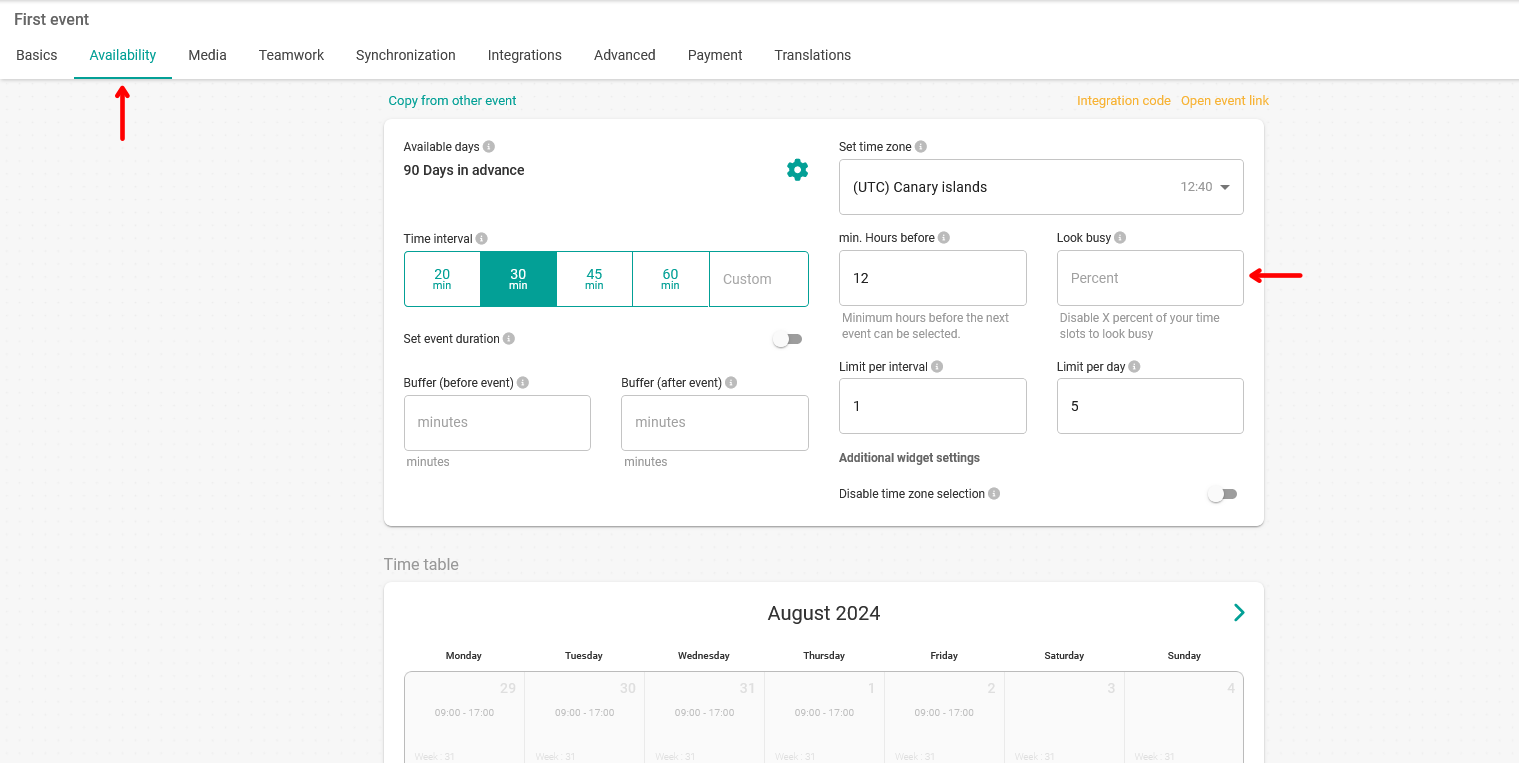
Enter the percentage of time you want to set as busy, so those hours aren't shown as available in your calendar.
For the changes to take effect, just click "Save".