
To let you know when reminders are sent for the bookings you receive through TuCalendi, we have added a new feature that allows you to know and modify the reminders that will be sent for each booking.
When a customer makes a booking with you, that reservation appears in TuCalendi's "Scheduled Events":
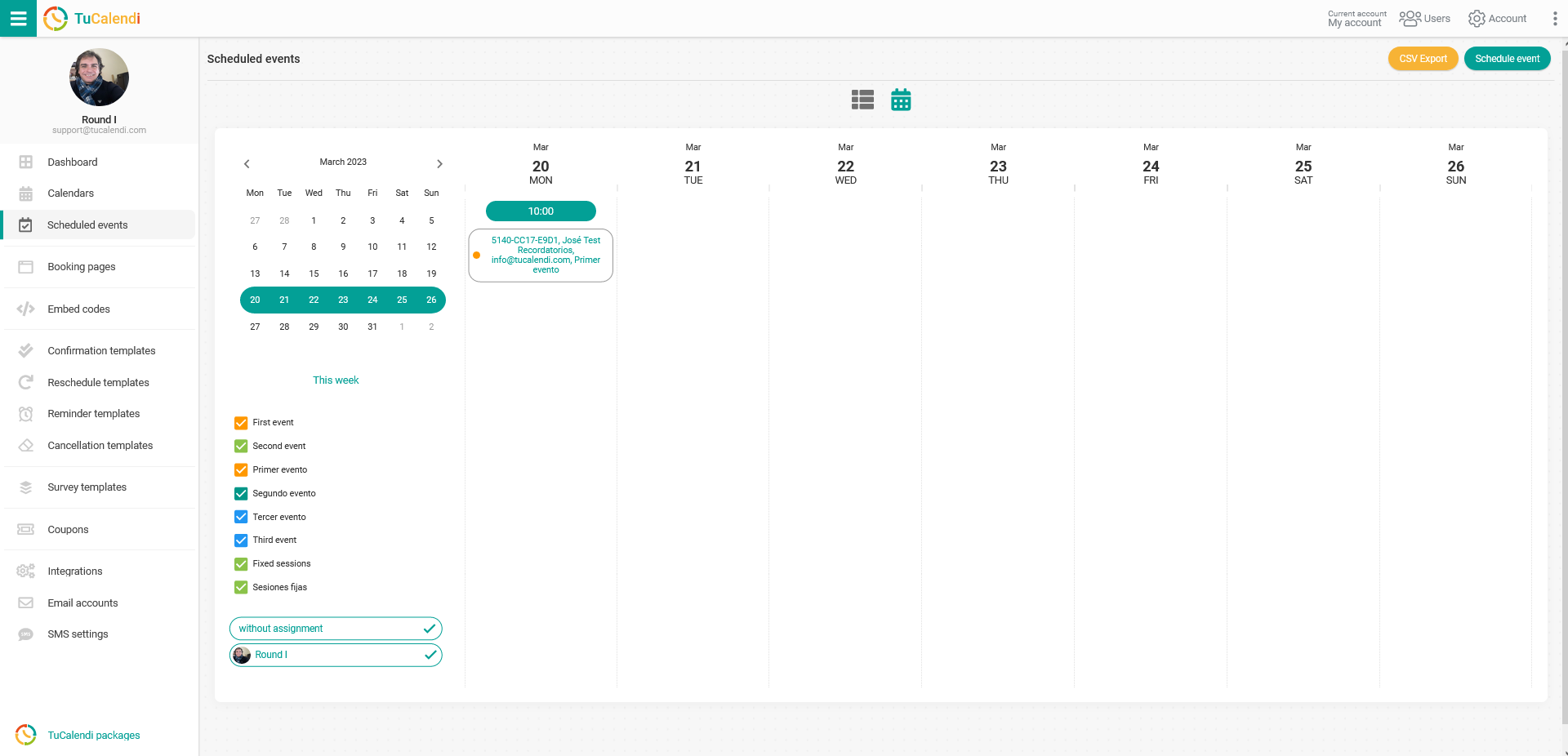
Clicking on any scheduled event in the calendar, that is, on any of the bookings your customers have made, takes you to the full details of the booking:
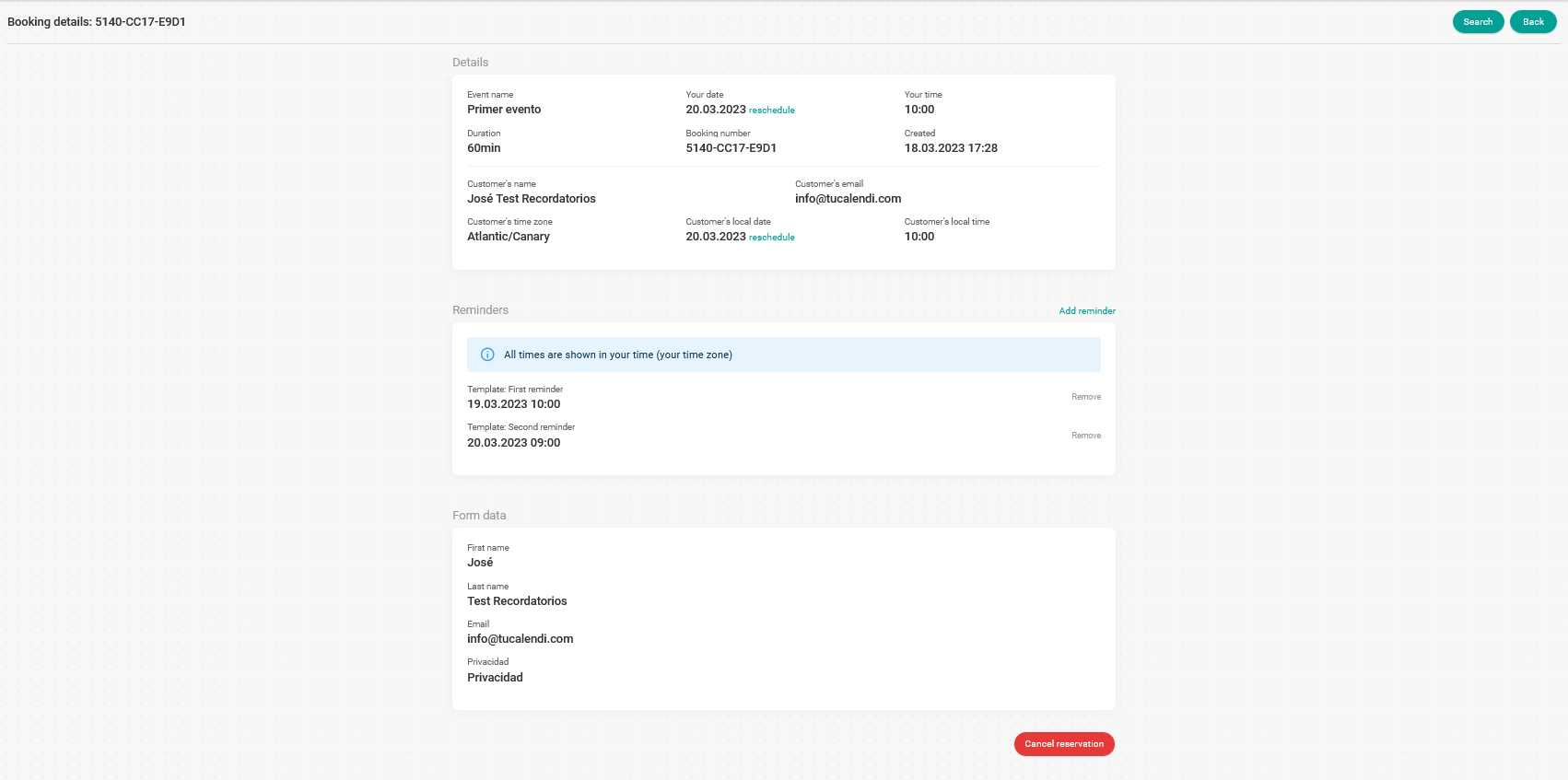
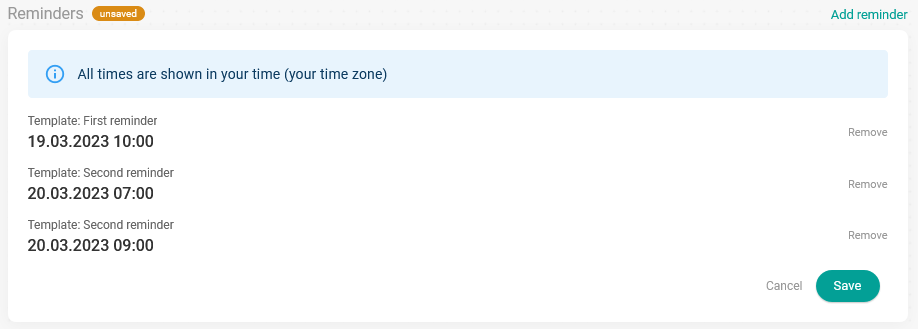
The "Reminders" block shows the scheduled reminders associated with the booking, along with the available actions:
- Remove scheduled reminders.
- Add a new reminder.
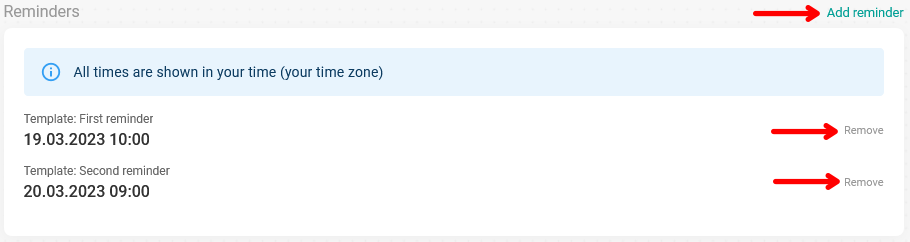
Clicking "Remove" deletes the selected scheduled reminder.
If you want to include a new reminder, click "Add reminder".
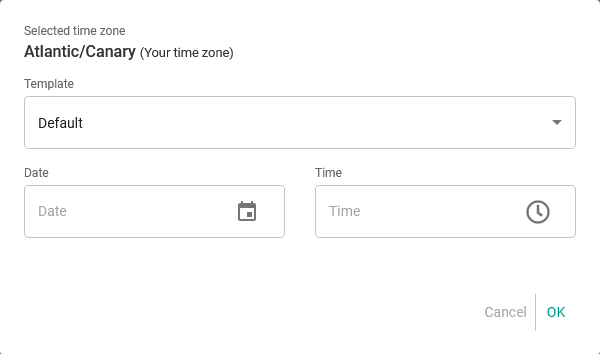
In the "Template" field, choose the reminder template you want to send with the new reminder, then set the date and time it will be sent. When you're done, click "OK".
The new reminder will appear in the list of scheduled reminders. For the new reminder to be sent, you must click the "Save" button:
From that moment on, the list of reminders is updated and you can check when each one will be sent:
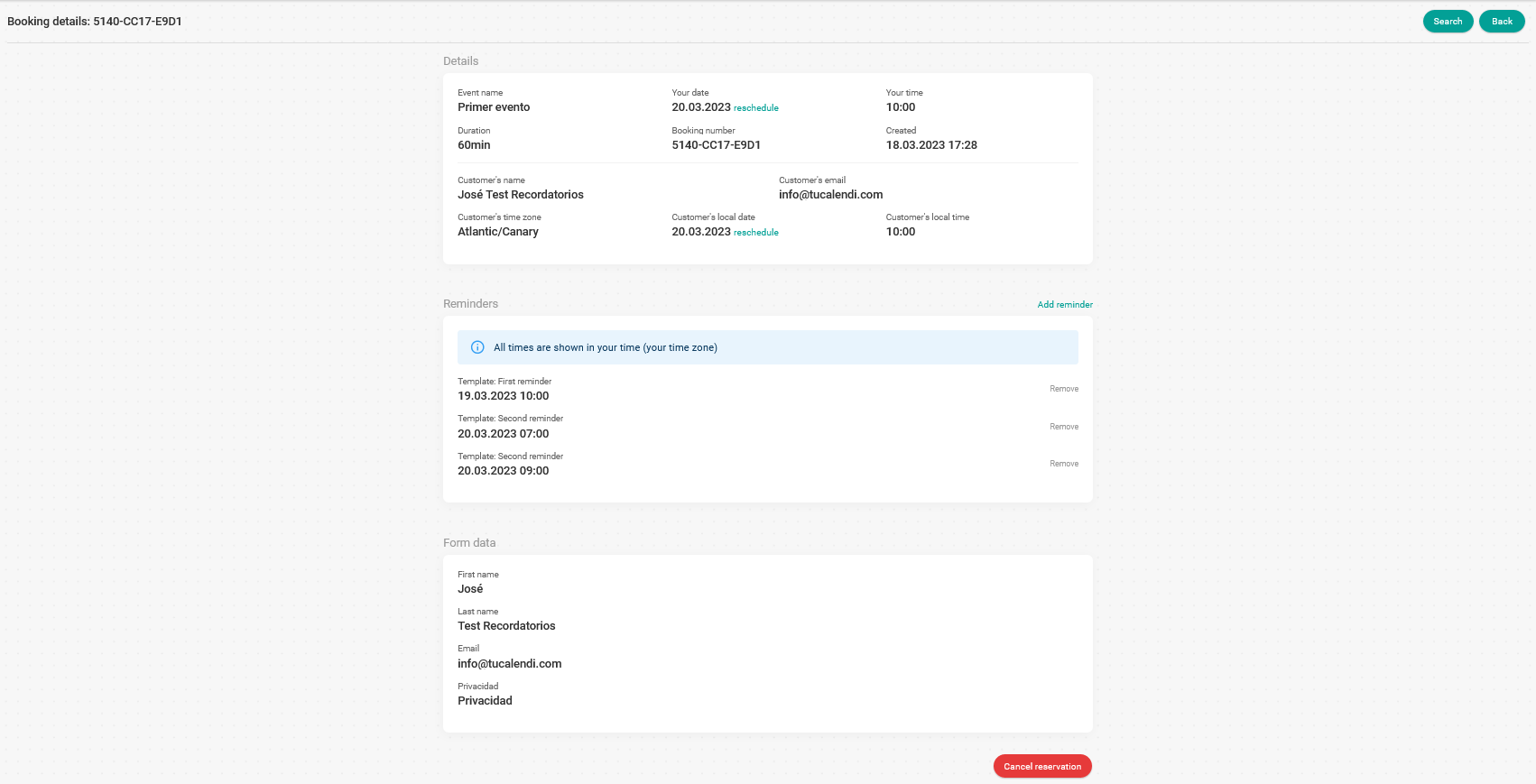
As reminders are sent, they are removed from the list. When all reminders have been sent, the list will be empty.
Please note that a maximum of 5 reminders can be scheduled.