

You have a meeting with a potential customer. You know their business and the services you could offer, but you still need to understand their situation, identify their priorities and establish whether you can help.
How you approach the conversation matters too. Your contact may prefer brief explanations, value practical examples or have concerns arising from a previous experience.
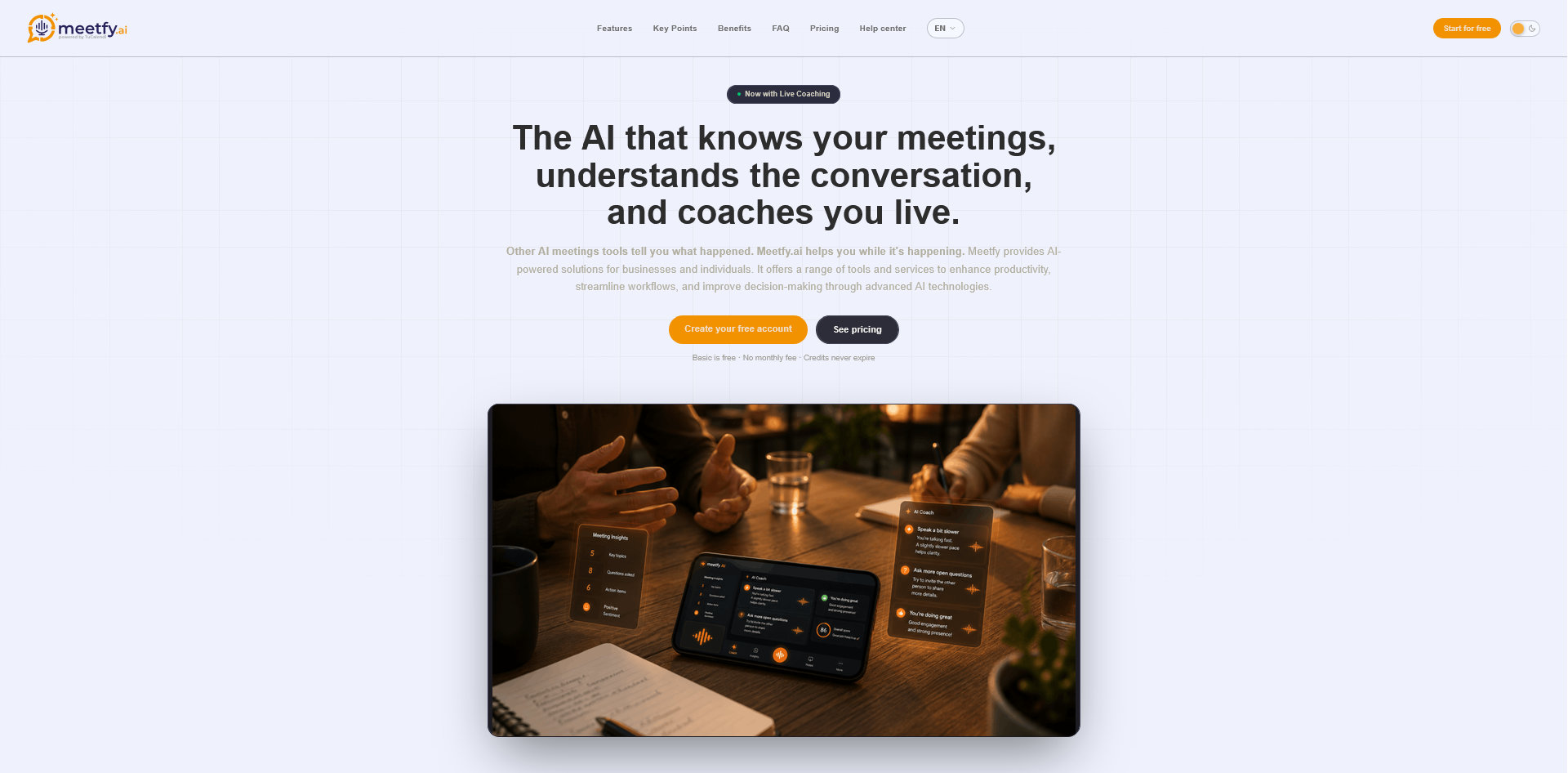
With Meetfy.ai, you can prepare that context before the meeting: who is participating, their communication preferences, topics requiring care and what you want to achieve. This preparation can support live AI coaching during the conversation.
This tutorial shows you how to access meeting preparation from a TuCalendi booking and what information to add, using a fictional sales example.
What We Will Prepare
Imagine you work for an automation consultancy and are meeting Laura, the operations manager of a service business.
Laura has explained that her team spends too much time coordinating appointments by email. She wants to explore alternatives but has not yet defined all the requirements.
Your initial objective is:
Understand how the company currently manages appointments, identify the difficulties and decide whether a demonstration tailored to its process would be useful.
We will use this scenario throughout the tutorial.
The screenshots show a test appointment called “Live demonstration,” booked through TuCalendi. Laura and her business are fictional examples that you can adapt to your own meetings.
1. Select the Meeting in Meetfy.ai
Open the app’s Meetings section and select the Upcoming tab.
If you use TuCalendi, you can view your bookings here. Each card displays information that helps identify the appointment, including its name, scheduled time, duration and participant.
Select the meeting you want to prepare.
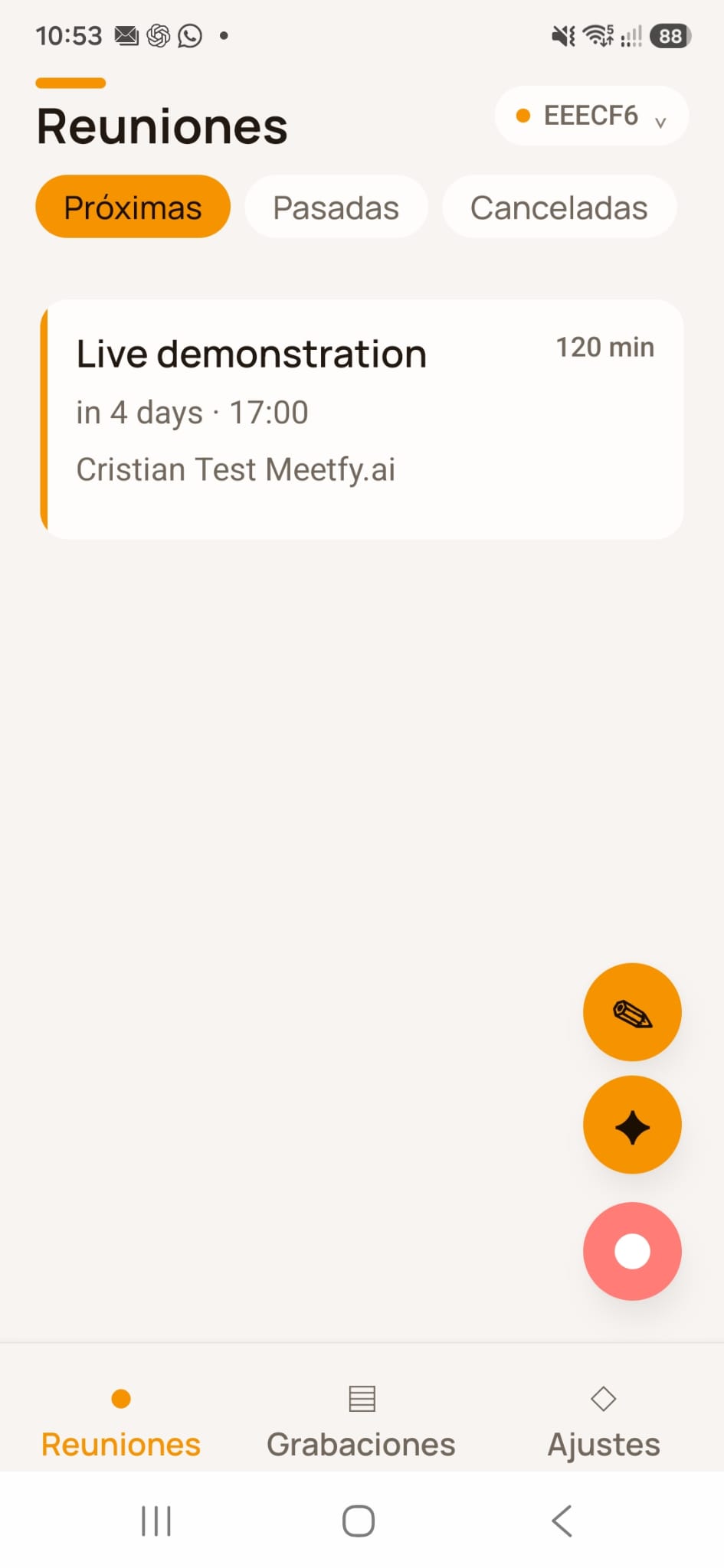 Upcoming meetings in Meetfy.ai, showing a test booking made through TuCalendi.
2. Open the Preparation Option
Selecting the booking opens the meeting details.
This screen shows the date, duration and attendee information. It also provides options to prepare the meeting, start recording or start the coach.
Select Preparation to add context for the conversation. You do not need to start recording or activate the coach to complete the preparation.
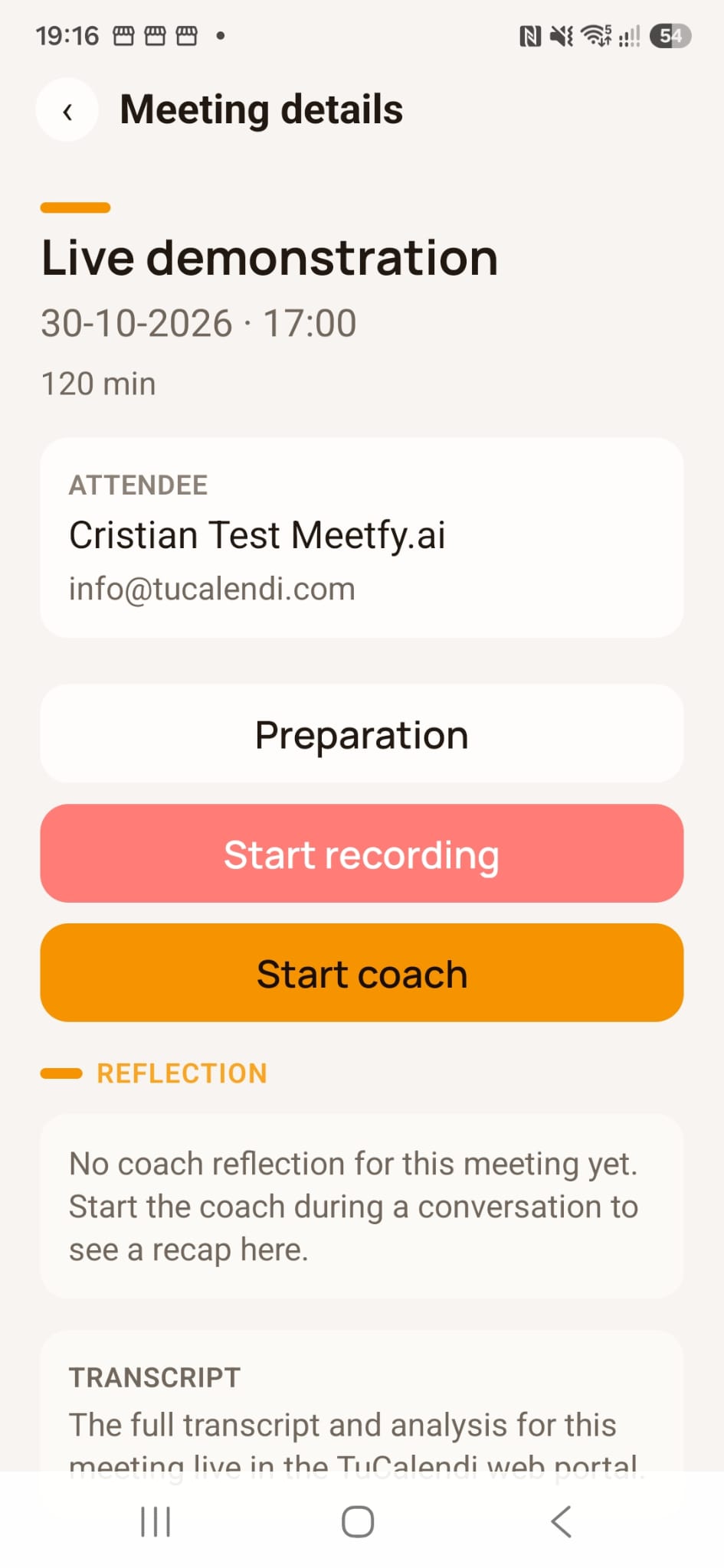
Access meeting preparation from the appointment details.
3. Add the Participant’s Details
In the meeting preparation screen, start by identifying the person you will be speaking with.
The participant section includes fields for their name, role or job title and LinkedIn profile, together with a VIP option.
For our example:
| Field | Example |
|---|---|
| Name | Laura |
| Role or job title | Operations manager |
| LinkedIn profile | Profile URL, if relevant to the preparation |
Adding a LinkedIn URL does not replace checking the information. Use only relevant details you have verified.
The VIP description lets you identify an important contact so the coach approaches the conversation with particular care. Use it when appropriate to the meeting’s context.
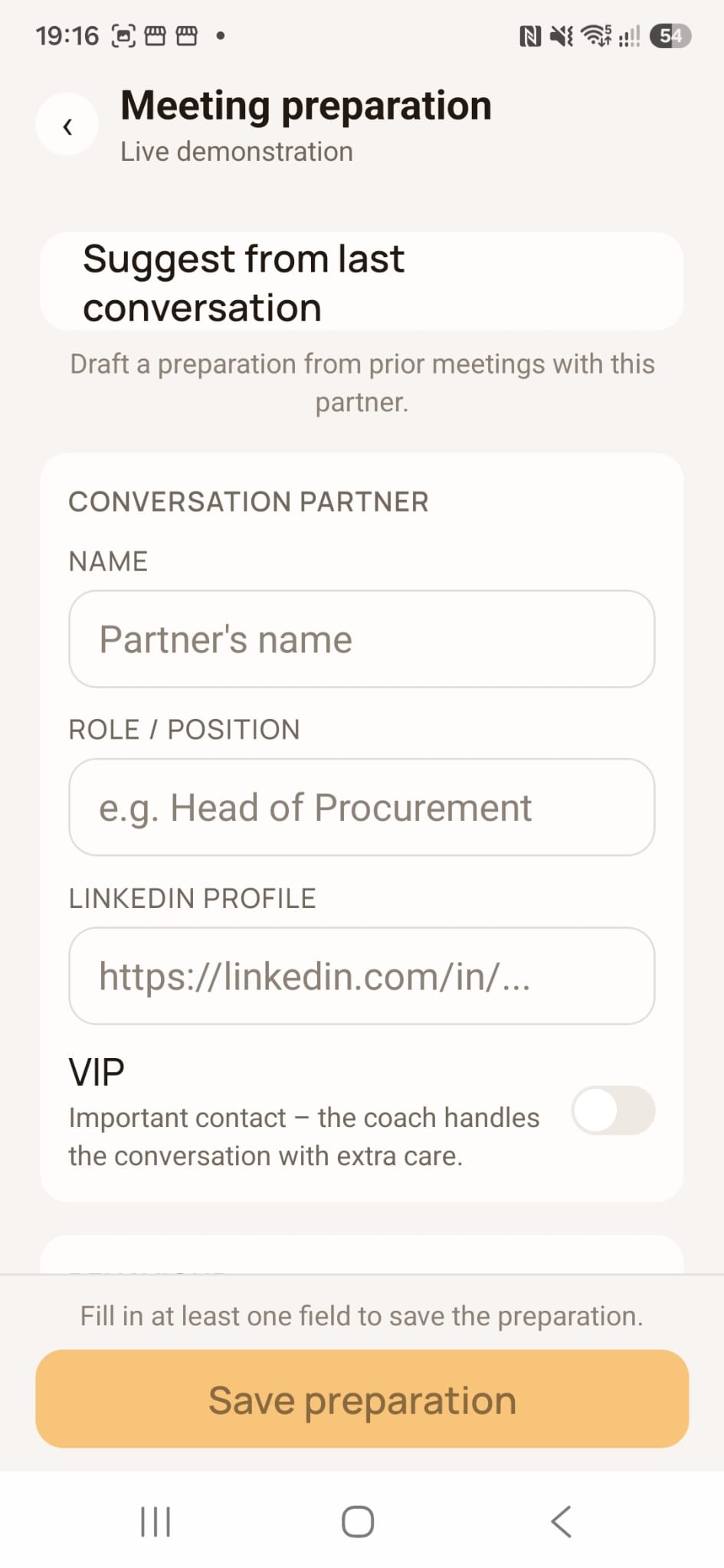 Participant details in the meeting preparation screen.
If You Have Spoken with This Person Before
The screen also offers an option to suggest preparation from the last conversation, creating a draft based on previous meetings with that person.
If you use this suggestion, check what remains relevant. Priorities, outstanding questions and circumstances may have changed since the previous meeting.
4. Add Communication Style and Preferences
Preparation can also include information about the participant’s behavior: how they communicate, their preferred format and what helps them evaluate a proposal.
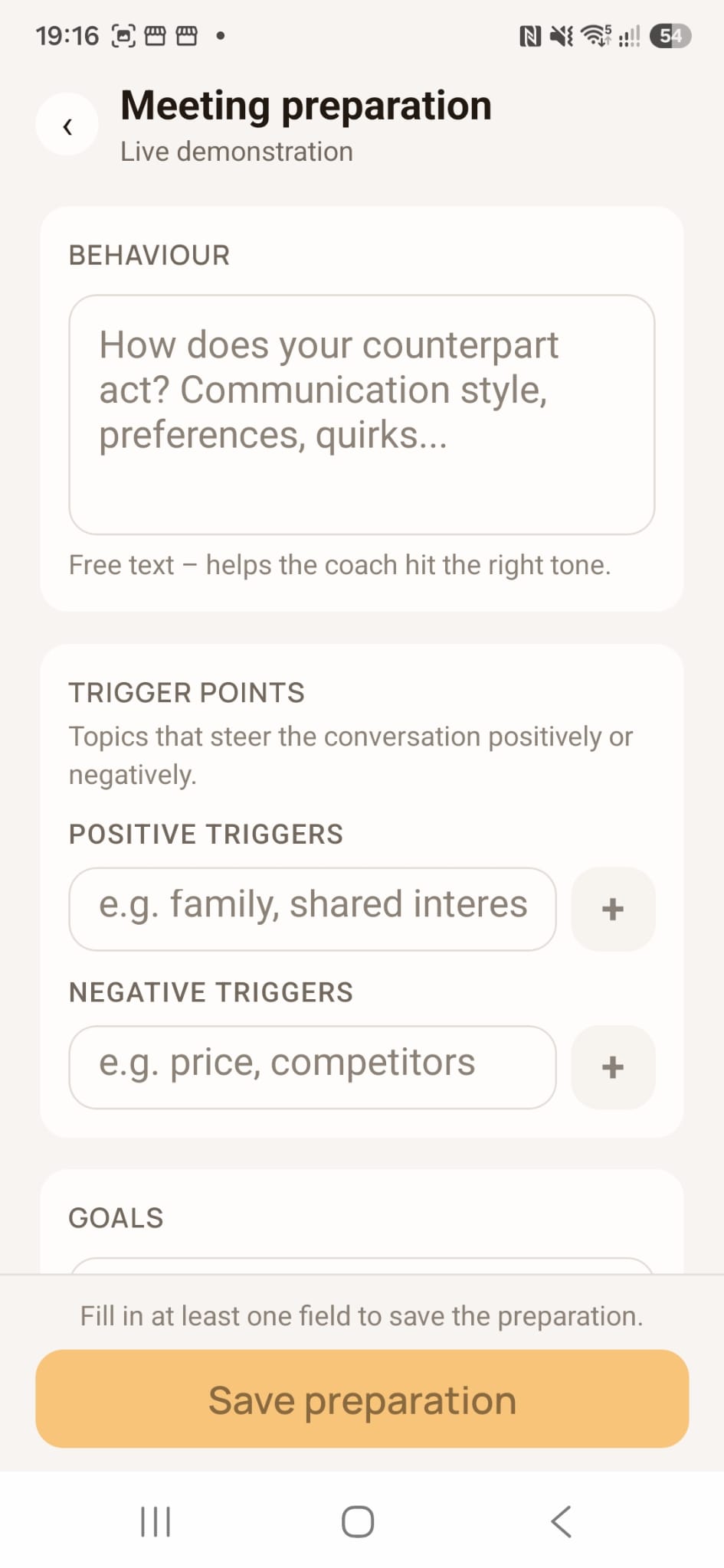 For our example, you could write:
Laura prefers direct explanations and practical examples. In our earlier exchange, she asked to understand how the solution would work for her team before reviewing technical details.
This context can help you plan a more appropriate conversation. For example, you could begin with a practical walkthrough rather than presenting every product feature.
Relevant preferences might include:
- Receiving an overview first.
- Reviewing examples before discussing details.
- Having time to ask questions.
- Comparing options against specific criteria.
- Reading documentation after the meeting.
Distinguish observations from interpretations. “She asked for a shorter explanation” describes something that happened. “She is impatient” assigns a characteristic that may not be accurate.
If you do not know their preferences, ask at the beginning:
Would you prefer to start with how the process would work or review the requirements first?
5. Prepare Topics That Could Influence the Conversation
Some topics and approaches can encourage a productive discussion. Others need care because they raise concerns, resistance or tension.
In Meetfy.ai’s preparation, you can record these positive and negative triggers to provide context.
Positive Topics and Approaches
Note aspects the person has valued or that you know matter to their evaluation.
For example:
Laura values keeping the tools that already work and exploring a gradual rollout. Examples connected to her team’s daily work are useful to her.
This points you towards an explanation grounded in her process and the requirements you need to check.
Negative or Sensitive Topics
Record matters that require particular attention.
For example:
In a previous conversation, Laura expressed concern about a supplier who promised a quick implementation that later took longer. Avoid committing to a timeline before reviewing the scope.
Preparation should help you address that concern transparently:
Before discussing dates, we need to check the integrations and the process you want to configure.
Use these fields to communicate thoughtfully and respect expressed preferences. Avoid treating assumptions as facts or adding personal information that is unnecessary for the meeting.
6. Define What You Want to Achieve
An objective such as “present our services” does not specify what you need to clarify.
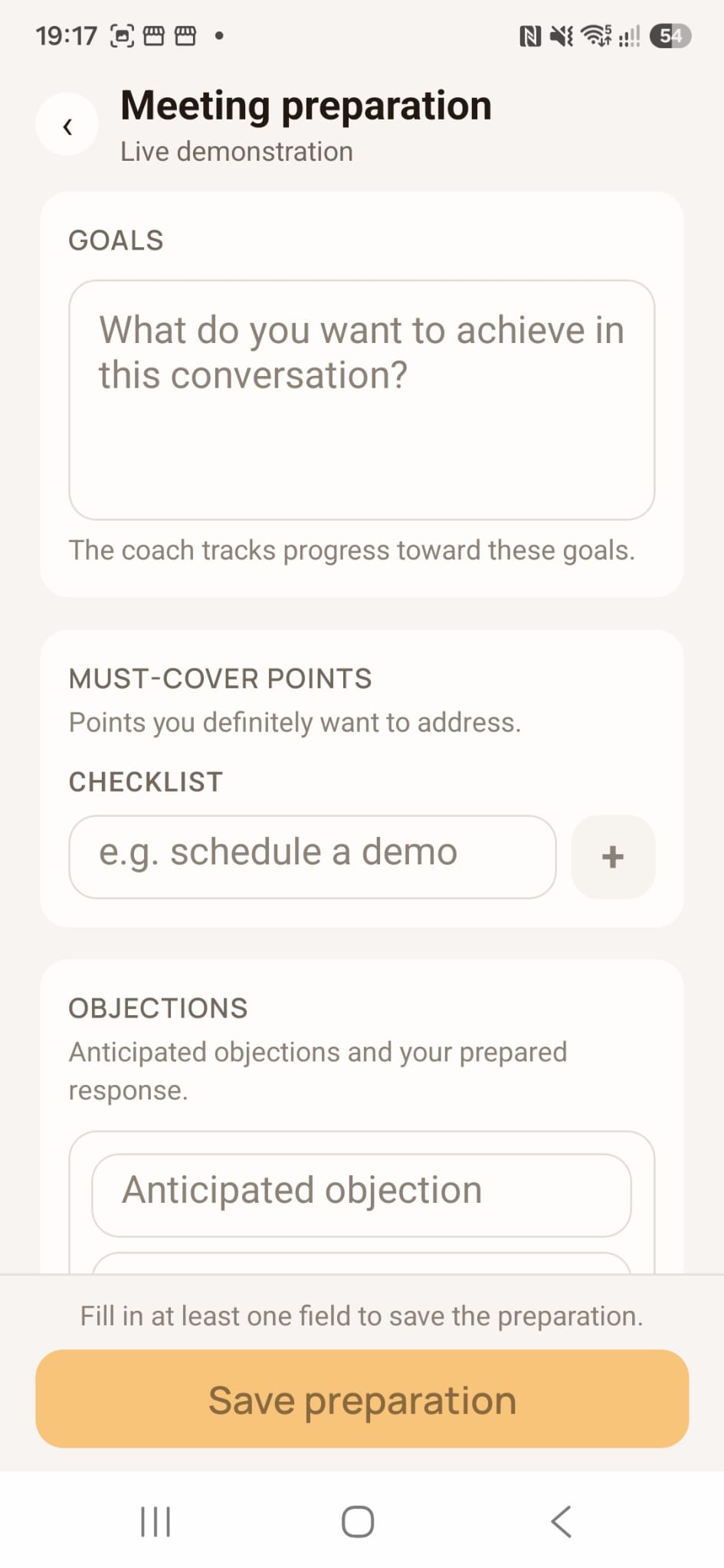 Write the intended outcome using a simple structure:
By the end of the meeting, I want to have clarified [need or question] so we can decide [possible next step].
For Laura’s meeting:
By the end of the meeting, I want to understand the current booking process, assignment criteria and tools they need to keep, so we can decide whether to prepare a demonstration.
You can distinguish between different objectives:
| Objective | Example |
|---|---|
| Understand | Learn how requests are currently managed |
| Check | Identify essential requirements |
| Decide | Assess whether there is a fit worth exploring |
| Agree | Define a next step if both parties consider it useful |
The objective should match the sales stage. An initial conversation may end with unanswered questions or the conclusion that the solution is not a good fit.
7. Select Priority Topics and Questions
Use the objective to prepare a short checklist of points to cover.
For our example:
- How meeting requests arrive.
- How the company decides who handles them.
- Which calendars and tools are used.
- Where most manual work occurs.
- Which requirements an alternative must meet.
- Who should participate in the evaluation.
Then prepare open-ended questions:
| What you want to understand | Example question |
|---|---|
| Current process | What steps do you follow from receiving a request to confirming the appointment? |
| Assignment | How do you decide which consultant handles each meeting? |
| Difficulties | Can you describe a recent situation that required several exchanges? |
| Tools | Which applications do you need to keep? |
| Requirements | What would an alternative need to solve to be useful? |
| Evaluation | Who should participate in a demonstration? |
The checklist helps you remember what matters. Adapt your questions to the customer’s explanation and avoid repeating topics they have already covered.
8. Anticipate Concerns Without Preparing Rigid Responses
You can add possible objections and planned responses to the preparation. Focus on what you need to clarify and which information you can provide accurately.
| Possible comment | Prepared approach |
|---|---|
| “We already use several tools” | Ask which tools they want to keep and which difficulties remain |
| “Changing now would be complicated” | Identify the scope of the change and the people involved |
| “We are concerned about privacy” | Clarify their requirements and provide the relevant documentation |
| “We do not know whether it would justify the cost” | Understand intended usage and current costs before comparing |
| “We need to discuss it internally” | Ask who needs to be involved and what they need to evaluate |
Also note what you must verify before answering:
Do not promise integrations without checking them.
Do not commit to an implementation date before reviewing the scope.
Do not present an estimate as a guaranteed result.
If you do not know an answer, agree on how to resolve it afterwards.
9. Review and Save the Preparation
Before saving, check that the information is useful and consistent.
- Is the objective clear?
- Are the participant details correct?
- Have I separated facts from assumptions?
- Are preferences based on known information?
- Have I identified topics requiring care?
- Is there unnecessary information I should remove?
Select the option to save the preparation. The screen indicates that at least one field must be completed before it can be saved.
If you will use the coach during the meeting, also review the coaching approach and setup. Before activating features that process audio or record the conversation, inform participants and check the applicable requirements. You can also check out our guide on the GDPR and online bookings to review data protection and AI features.
How to Use the Preparation During the Meeting
The conversation may reveal needs different from those you expected.
Laura might explain that emails are a minor inconvenience and that the main difficulty is directing each request to the right specialist. In that case, explore that need further.
Meetfy.ai can use the prepared context to support live coaching. You decide which suggestions are relevant and when to use them.
Preparation should help you listen and adapt. Objectives, preferences and sensitive topics are reference points to assess against what actually happens in the meeting.
At the End, Check What Has Been Clarified
Before closing, confirm your understanding:
From what we have discussed, you need to direct requests to the right consultant and keep your current calendars. Before moving forward, we need to check compatibility. Have I understood correctly?
Then agree on a next step where appropriate.
For the follow-up review, separate:
- Confirmed needs.
- Assumptions that were ruled out.
- Outstanding questions.
- Each party’s commitments.
- The agreed next action.
If you use transcripts, analyses or summaries, check important details before including them in a proposal or sending them to the customer.
Template for Your Next Meeting Preparation
| Section | What to include |
|---|---|
| Participant | Name, role and relevant context |
| Communication style | How they prefer to receive and discuss information |
| Preferences | What they have said they value when evaluating options |
| Positive topics | Subjects and approaches that can support the discussion |
| Sensitive topics | Concerns or experiences requiring care |
| Objectives | What you need to understand, check or decide |
| Priority topics | What should not be left unaddressed |
| Questions | What you need to ask to understand the situation |
| Possible objections | Expected concerns and information to prepare |
| Possible next step | What progress would make sense if there is a fit |
Adapt the content to each meeting. If you do not know something, leave it to be confirmed.
Do You Need TuCalendi to Use Meetfy.ai?
No. Meetfy.ai can be used independently, even if you organize your schedule with other tools.
This tutorial follows the journey from a TuCalendi booking. If you use both products, you can view bookings in the Meetfy.ai app and access recordings, transcripts and analyses through the AI Center in the TuCalendi dashboard.
Prepare Your Next Meeting with Meetfy.ai
Choose a meeting and start with the essentials: who is participating, what you want to achieve and which context you need to keep in mind.
Discover Meetfy.ai and prepare your next sales conversation.
Want to see how it works alongside TuCalendi? Book a demo with our team to explore the journey from booking to meeting preparation, live support and analysis.