

You’re preparing an eight-session course. The group will meet each week, work through a programme and register just once. It sounds straightforward until you start planning the dates: there’s a week without a class, one session takes place in a different room, and you need to explain what happens if someone misses a session.
To manage registration for a multi-session course, first define what the booking includes: the full programme, its dates, the price and the participation conditions. Then prepare a schedule people can check before signing up.
Let’s use an English conversation course as an example: ten participants attending eight ninety-minute sessions.
1. Make it clear whether people book the full course or individual classes
Before publishing the activity, decide what you’re offering.
A course with a stable group and a progressive programme is different from an open class that people attend whenever they choose. Make that distinction clear in the description.
| Full course | Independent classes |
|---|---|
| One registration covers a set of sessions. | Each class is booked separately. |
| The programme progresses with the group. | Each meeting can cover a standalone topic. |
| Participants check the full schedule before registering. | Participants choose which dates to attend. |
In our example, the eight sessions form one programme. You could describe it like this:
An English conversation course with eight ninety-minute sessions. Registration includes the full programme and reserves your place in the group for every date listed.
Avoid presenting a full course as a series of separate bookings if you intend to work with the same group from start to finish.
2. Prepare every date before opening registration
“Every Tuesday for two months” is a useful summary, but it doesn’t replace a complete schedule.
Before announcing the course, check the instructor’s availability, the venue and the resources needed for each session. Review public holidays and planned closures too.
For this example, you could prepare the following structure:
| Session | Suggested content | Time |
|---|---|---|
| 1 | Introductions and personal goals | 18:00–19:30 |
| 2 | Everyday conversations | 18:00–19:30 |
| 3 | Asking questions and requesting clarification | 18:00–19:30 |
| 4 | Expressing opinions | 18:00–19:30 |
| 5 | Professional situations | 18:00–19:30 |
| 6 | Working through a situation as a group | 18:00–19:30 |
| 7 | More independent conversations | 18:00–19:30 |
| 8 | Final practice and review | 18:00–19:30 |
An illustrative programme. Assign a specific date to each session before publishing it.
If there’s a week without a class, decide whether the course will finish a week later or whether you’ll hold that session on another day. Check that the final schedule contains all eight sessions you promised. Don’t assume that excluding one date automatically adds another at the end.
3. Make exceptions easy to spot
An exception can be easy for the organiser to remember and easy for a participant to overlook.
Suppose the fourth session takes place on a Thursday rather than a Tuesday. Explain this alongside the schedule, before booking:
The course runs on Tuesdays from 18:00 to 19:30, except for the fourth session, which takes place on the Thursday shown in the schedule.
Apply the same approach to changes of room or format. If one class is online, explain how participants will join. If people are attending from different time zones, identify the course’s reference time zone.
Participants should be able to check whether they can attend the whole programme before booking their place.
4. Set the capacity and full programme price
In a progressive course, one place is for a participant attending throughout the programme. The group size should suit how the sessions will work.
For a conversation course, consider how much speaking time each person will have and how much support they’ll need. The room’s capacity is only part of the decision.
When displaying the price, distinguish the total amount from any per-session comparison. For example:
Full programme price: €160 per person. Includes all eight ninety-minute sessions.
A fictional amount used to illustrate the presentation.
If you also show an equivalent price of €20 per session, explain that registration is for the full course. Otherwise, someone may assume they can buy a single class.
State which materials or services are included and any additional costs participants will need to cover.
5. Explain what happens if someone cannot attend
Before opening registration, decide how you’ll handle absences and changes.
Questions worth answering include:
- Can participants make up a missed session?
- Will materials be available to help them keep up?
- Can someone transfer their place to another person?
- Will you accept new participants after the course starts?
- How will you communicate a date change?
Don’t promise replacement sessions, recordings or alternatives you haven’t prepared. In a conversation course, you might suggest exercises to complete before the next meeting, but that isn’t the same as repeating the session.
Communicate the conditions before booking and review them against the requirements that apply to your activity.
6. Check registration from the participant’s perspective
Ask someone to open the course page on their phone and check the following:
| Check | What they should understand |
|---|---|
| Scope of the booking | They’re registering for the full programme. |
| Schedule | All eight dates and session times. |
| Exceptions | Which sessions change day, location or format. |
| Price | The total amount and what it includes. |
| Requirements | Level, materials and preparation needed. |
| Conditions | What happens in the event of absences or changes. |
Then test registration and review the confirmation received. Check that it matches the published information and tells participants where to find the details.
If your test includes payment, use a process that lets you identify and handle any test charges and bookings.
7. Organise your course and registrations with TuCalendi
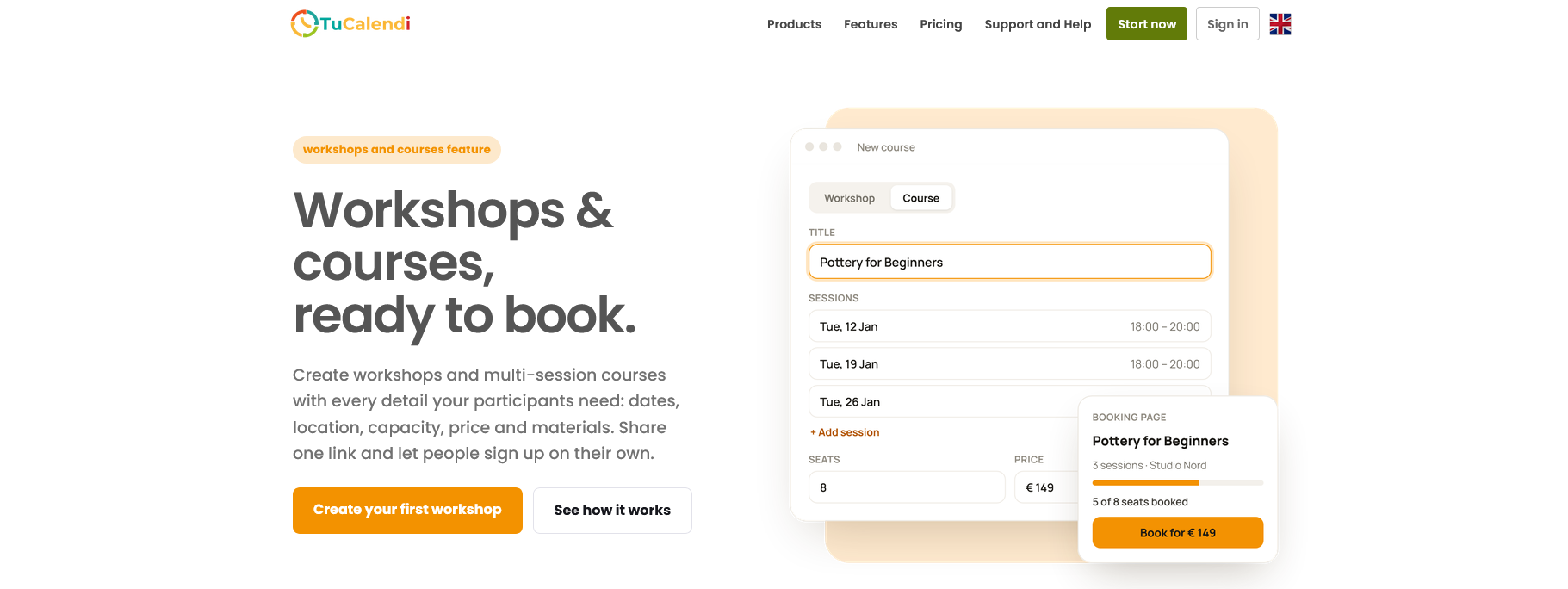
The Workshops and Courses feature in TuCalendi lets you publish a course whose sessions are booked together. You can create recurring series, add exceptions and review the dates before saving. You can also set capacity and pricing, manage payments and waiting lists, and view registrations.
To put the example into practice, prepare the course in this order:
- 1.- Add the title, level and programme description.
- 2.- Set up the sessions and review the full schedule.
- 3.- Check exceptions and locations.
- 4.- Set the capacity to ten and add the full programme price.
- 5.- Make a test registration before sharing the link.
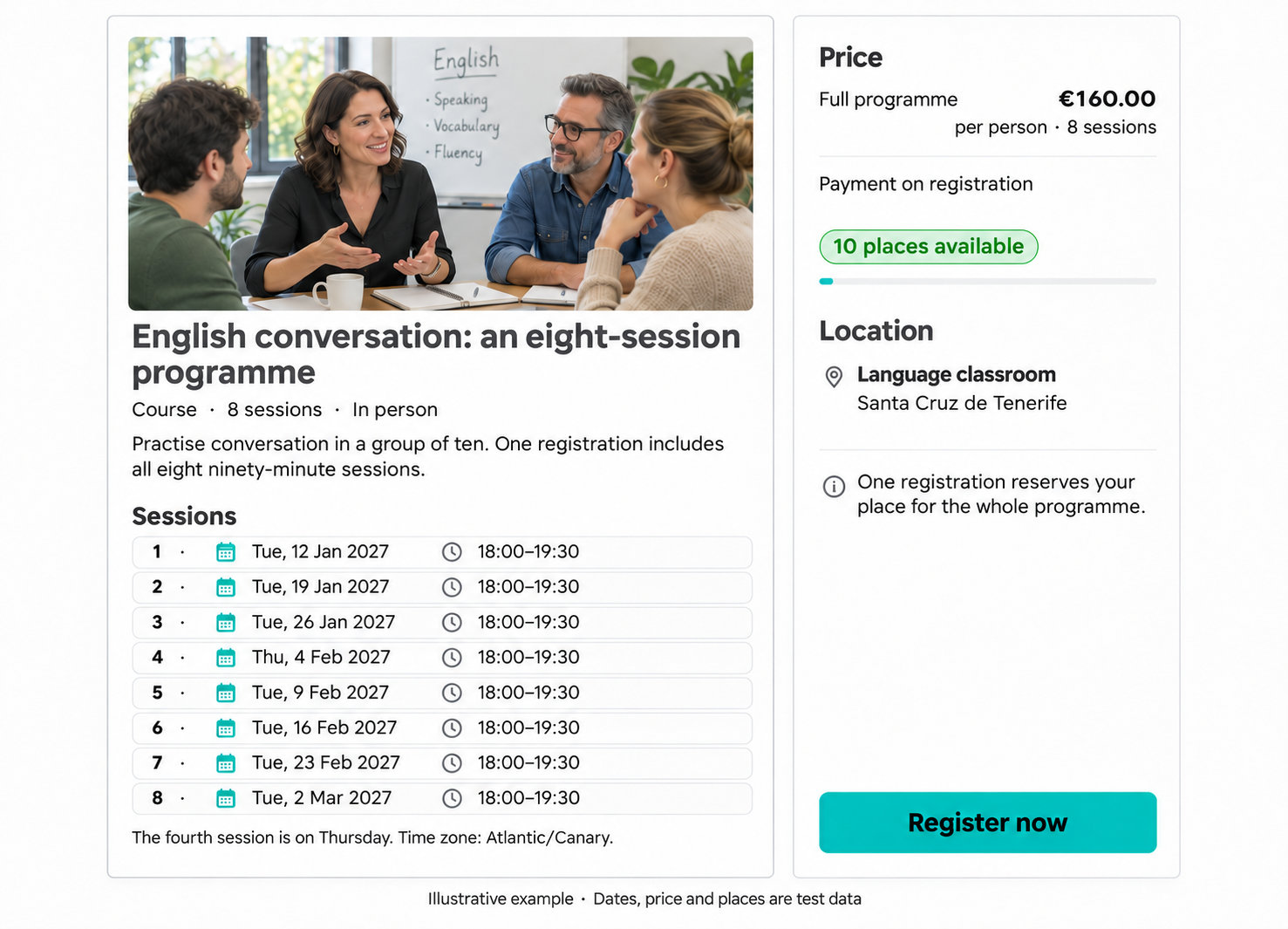
Illustrative eight-session course. Dates, price and available places are test data.
TuCalendi also lets you specify a different location or meeting link for individual sessions and send reminders before each meeting.
These options turn your plan into a registration process: participants know which programme they’re booking, and you can see who has joined the group.
If you’re still developing the activity itself, our guide on how to organise a workshop and manage online registrations will help you prepare the goals, materials and participant information.
One registration should explain the whole commitment
Booking a multi-session course means committing time over several weeks. A complete schedule, a clear price and understandable conditions help people decide whether they can participate.
Before publishing, check that the description, configured dates and registration confirmation tell the same story: what the course includes, when it takes place and what participants should prepare.
Would you like to organise registration for your next course? Book a demo with the TuCalendi team, and we’ll show you how to set up the sessions, capacity and full programme price.