

You are in a sales meeting. The customer has just described a need you did not expect. As you explore it, a question you prepared remains unanswered.
Perhaps you will remember it before the meeting ends. Perhaps it will come back to you later, when you review your notes and the opportunity to ask has passed.
AI coaching can help at that moment. It follows the conversation and offers suggestions during the meeting, taking into account your selected coaching approach and prepared context.
In this tutorial, we’ll look at how to use the Meetfy.ai coach during a meeting, using a practical example. We’ll also explain what to review before you start, how to interpret the advice, and where to find the analysis when you’re done.
What is live AI coaching?
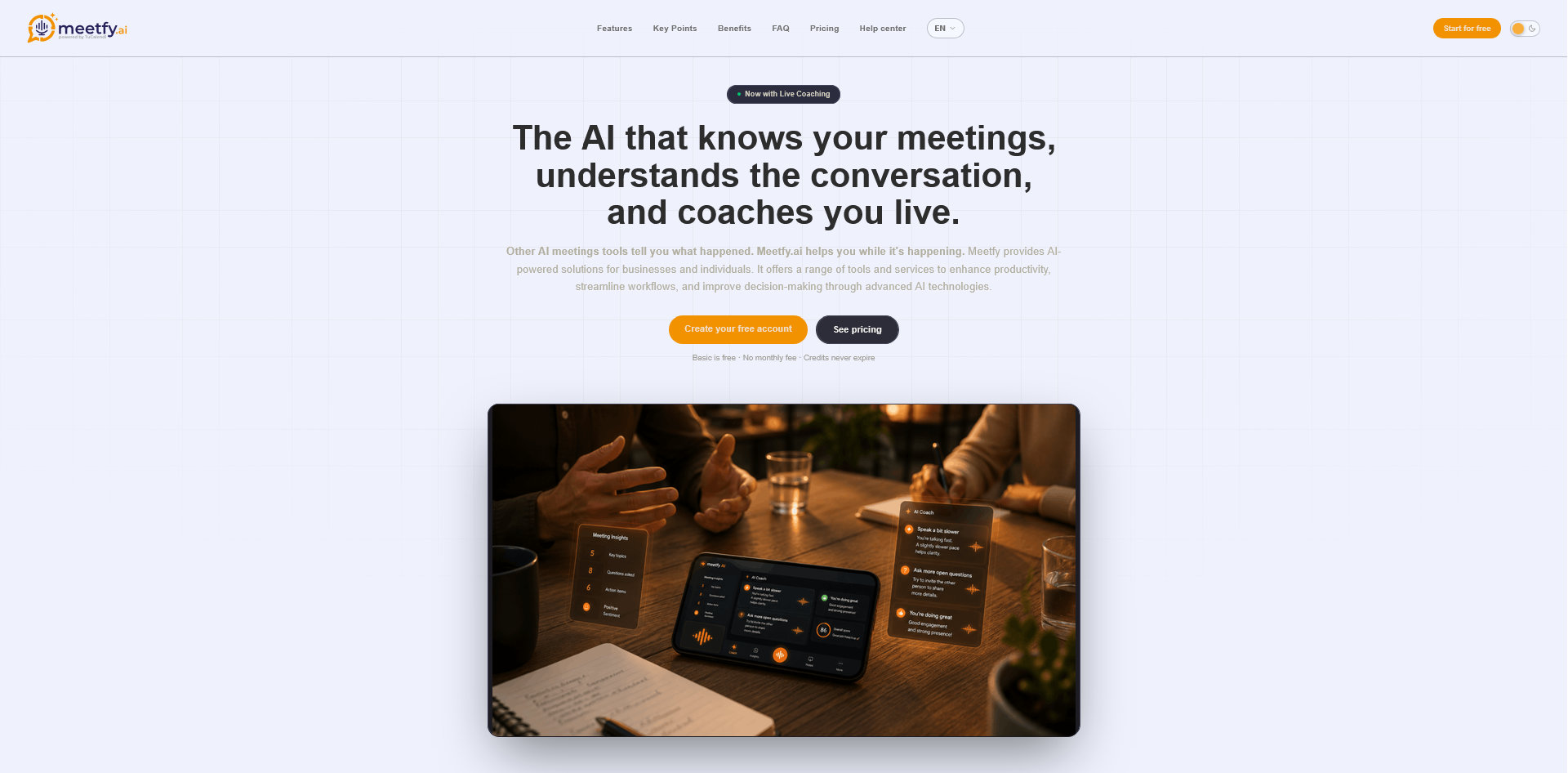
Live AI coaching is a Meetfy.ai feature that provides short suggestions while you are having a conversation.
When you start a session, audio is streamed to the AI coach. It follows what is being said and can display suggestions on screen or deliver them through your headphones, depending on your setup.
For example, a suggestion might remind you that:
- An important topic has not yet been covered.
- An answer needs clarification before you move on.
- There is an opportunity to discuss the next step.
- The conversation is approaching a topic you marked as sensitive.
Suggestions support your meeting. You decide which ones are useful and how to respond. AI can misinterpret a situation or lack information that you already know.
Meetfy.ai offers coaching for both scheduled meetings and spontaneous conversations.
The example: a Sales Meeting with Laura
We will continue with the scenario from the previous tutorial.
Laura is the operations manager of a service business. She wants to explore alternatives for managing her team’s appointments, many of which are currently coordinated by email.
Before the meeting, you prepared this objective:
To understand how requests are received and assigned, what challenges exist, and which tools they need to keep.
You’ve also noted that Laura prefers practical examples and is concerned about committing to an implementation without first understanding its scope.
If you haven’t prepared the context yet, you can follow our guide on how to prepare for a sales meeting using AI and Meetfy.ai.
1. Review the preparation before starting
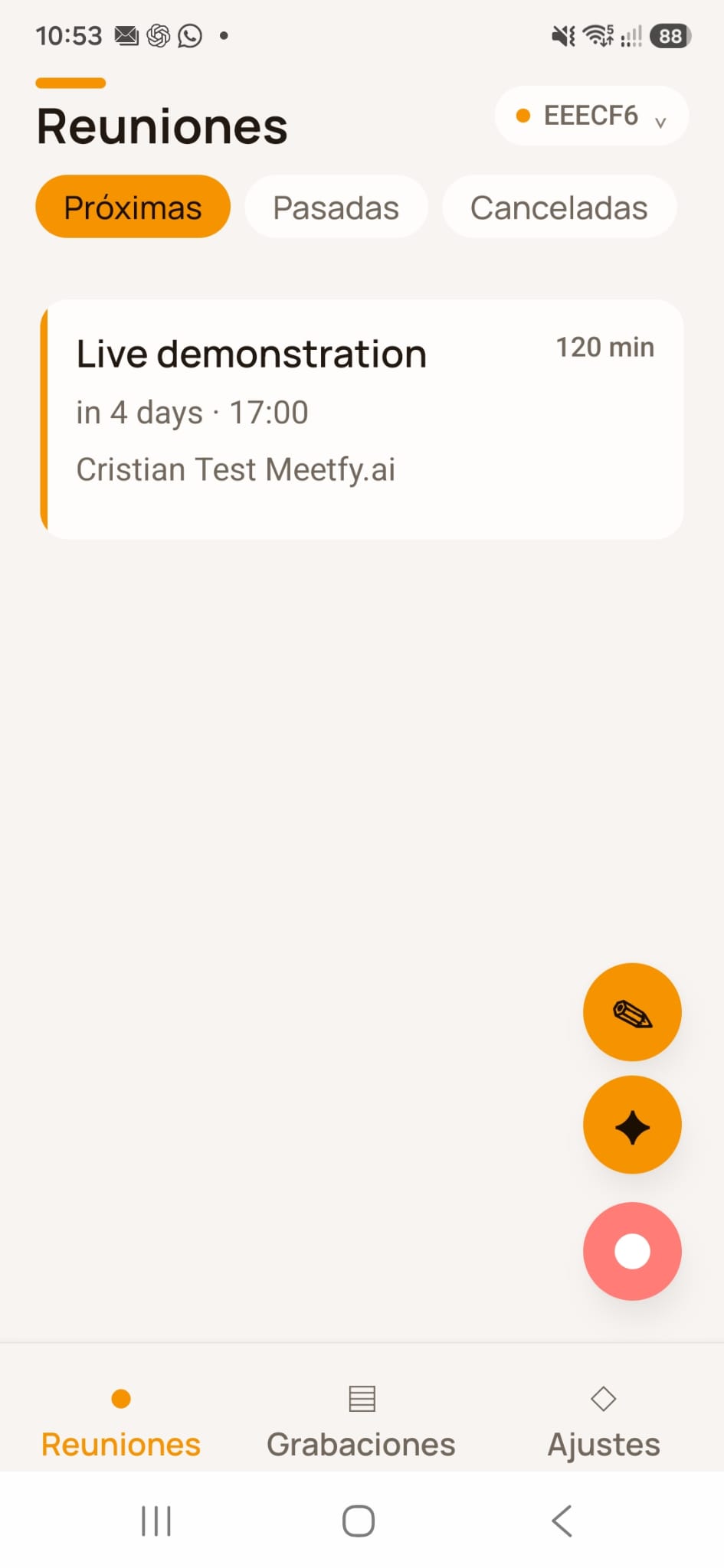
Open Meetfy.ai and select the meeting you’re about to hold.
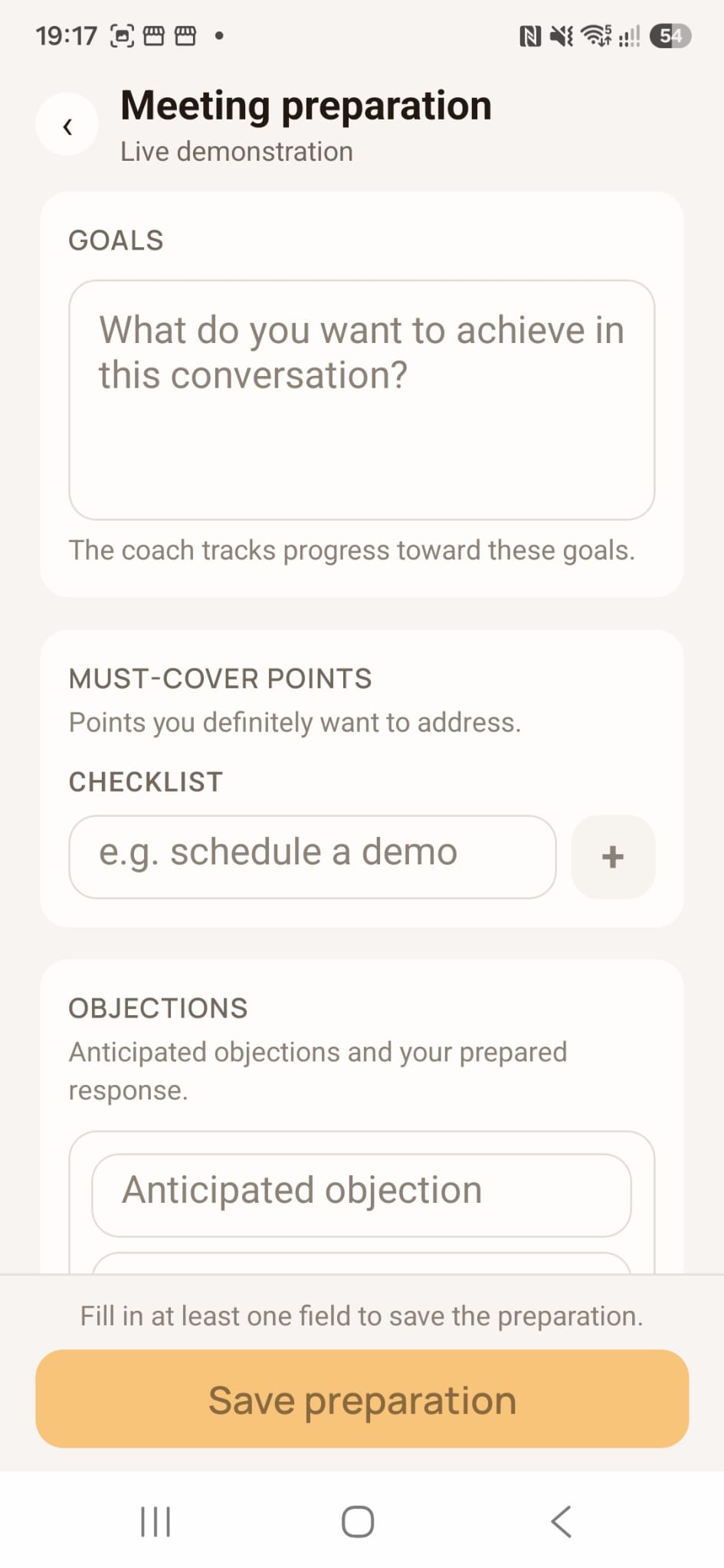
Before launching the coach, make sure the preparation includes the information you want to keep in mind:
- The conversation’s objective.
- Points you need to cover.
- Known communication preferences.
- Topics requiring care.
- Questions or objections you want to be ready to address.
In Laura’s example, one of the points could be:
Asking how the team decides which consultant handles each request.
If you’ve prepared for that meeting in Meetfy.ai, the coach can automatically use the saved context during the session.
2. Open the meeting details and start coaching
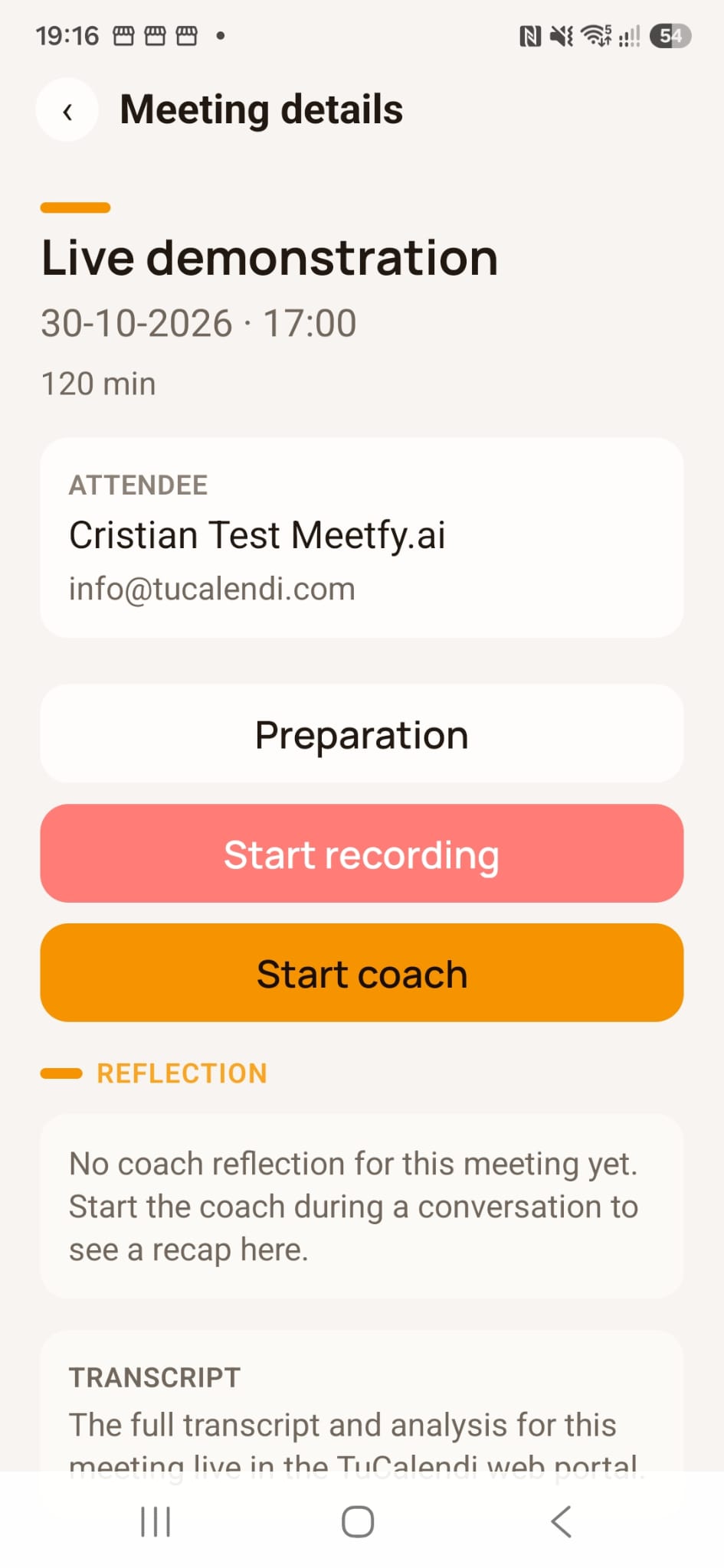
From Meetings select the meeting. The meeting details screen provides an option to start the coach.
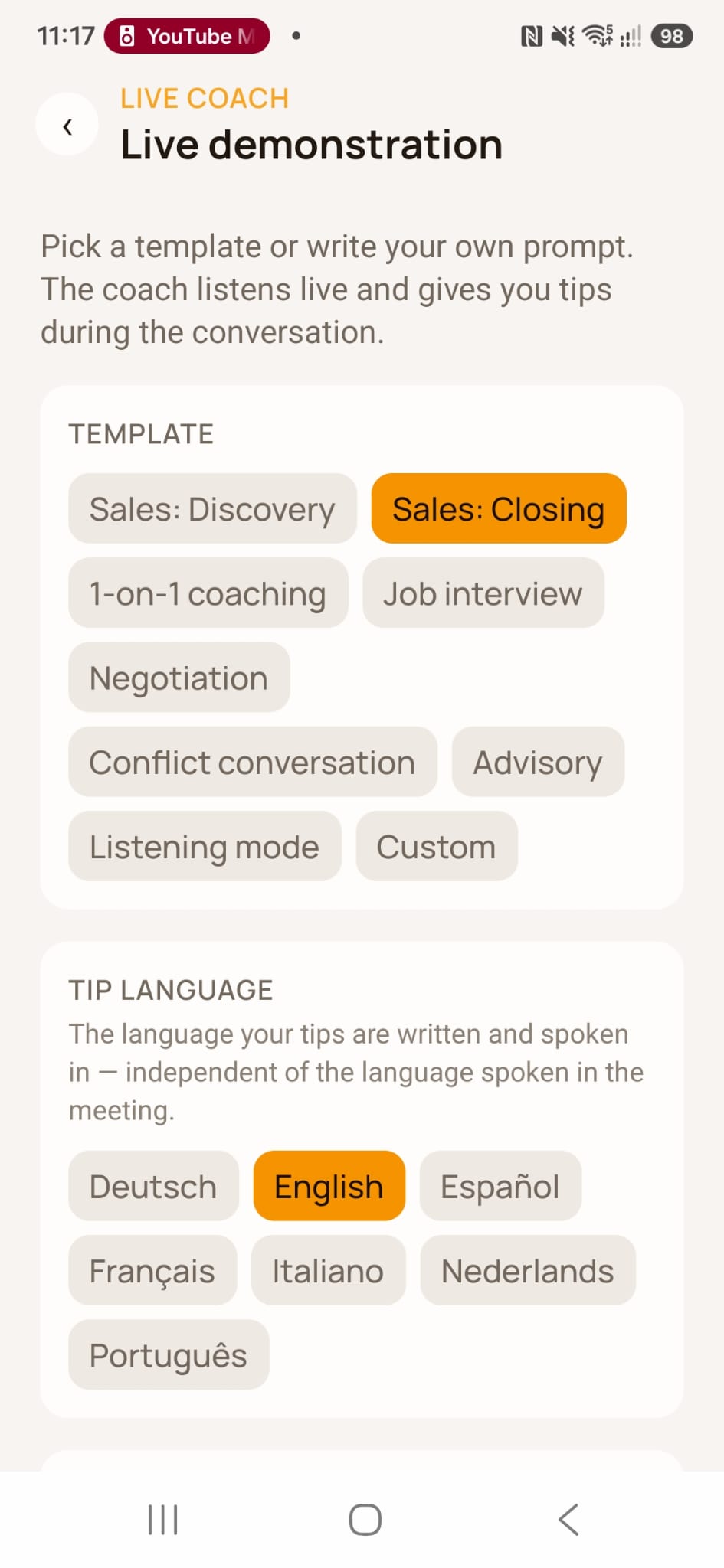
When you start the coaching session, you can choose an approach that suits the type of conversation. Meetfy.ai offers templates for situations such as sales discovery, closing sales, negotiation, interviews, and one-on-one meetings, as well as a customized approach.
For the meeting with Laura, the sales discovery approach is appropriate: you still need to understand her process before presenting a solution.
3. Check how you’ll receive suggestions
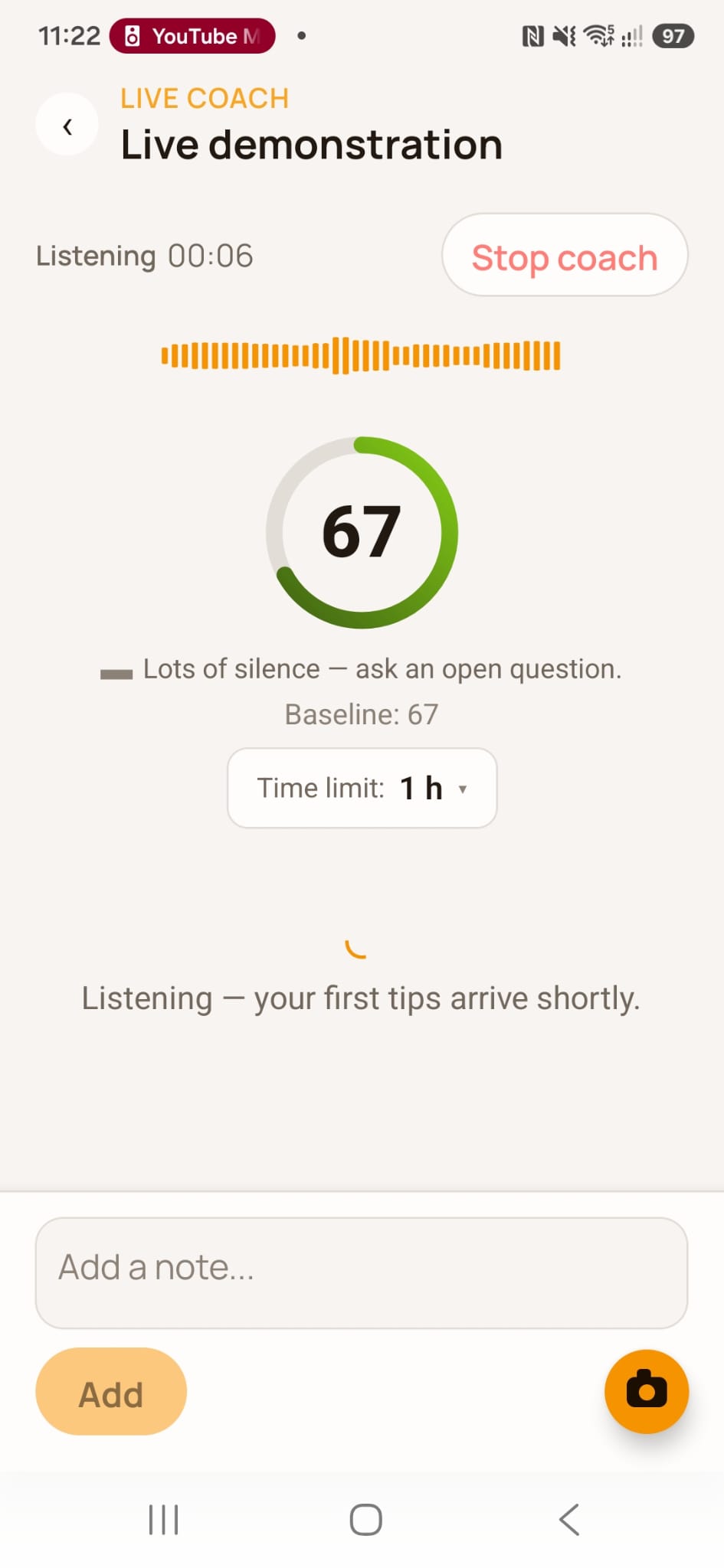
During the session, tips may appear on the screen and can also be heard through your headphones.
Before an important meeting, run a test to verify:
- The app has the necessary permissions.
- Your device can capture the audio you need.
- You can comfortably read or listen to suggestions.
- You have an internet connection and sufficient credits for the intended use.
Audio capture may vary depending on the device and the type of meeting. Meetfy.ai is available for Android and iPhone; be sure to check the specific settings if you’re participating in a video call.
4. Get support while following the conversation
Imagine that Laura explains that the main problem isn’t finding an opening, but deciding which consultant should handle each request.
A hypothetical suggestion might be:
"We still need to clarify how requests are assigned among the consultants."
You could assess whether this aligns with what Laura just explained and ask:
"What information do you need to know before deciding who will handle the meeting?"
Later on, if Laura mentions a bad experience with a previous implementation, another suggestion might remind you that this was an issue flagged during the preparation.
Preparation does not replace listening. If Laura raises a different priority, adapt your questions and clarify what you need to understand.
5. Decide if you also need a recording
In Meetfy.ai, recording and coaching are separate features. You can use one or both during the same session.
- Coaching processes the audio during the conversation to provide suggestions.
- Recording preserves audio for listening afterwards.
If you use both, you must start and stop them separately.
Before activating either feature, inform the participants and verify the legal basis, terms of use, and requirements applicable to your situation. To review these aspects, also consult our guide on the GDPR and online bookings.
6. Add your own notes when needed
The coach can offer suggestions, but there may be information that only you know you need to verify.
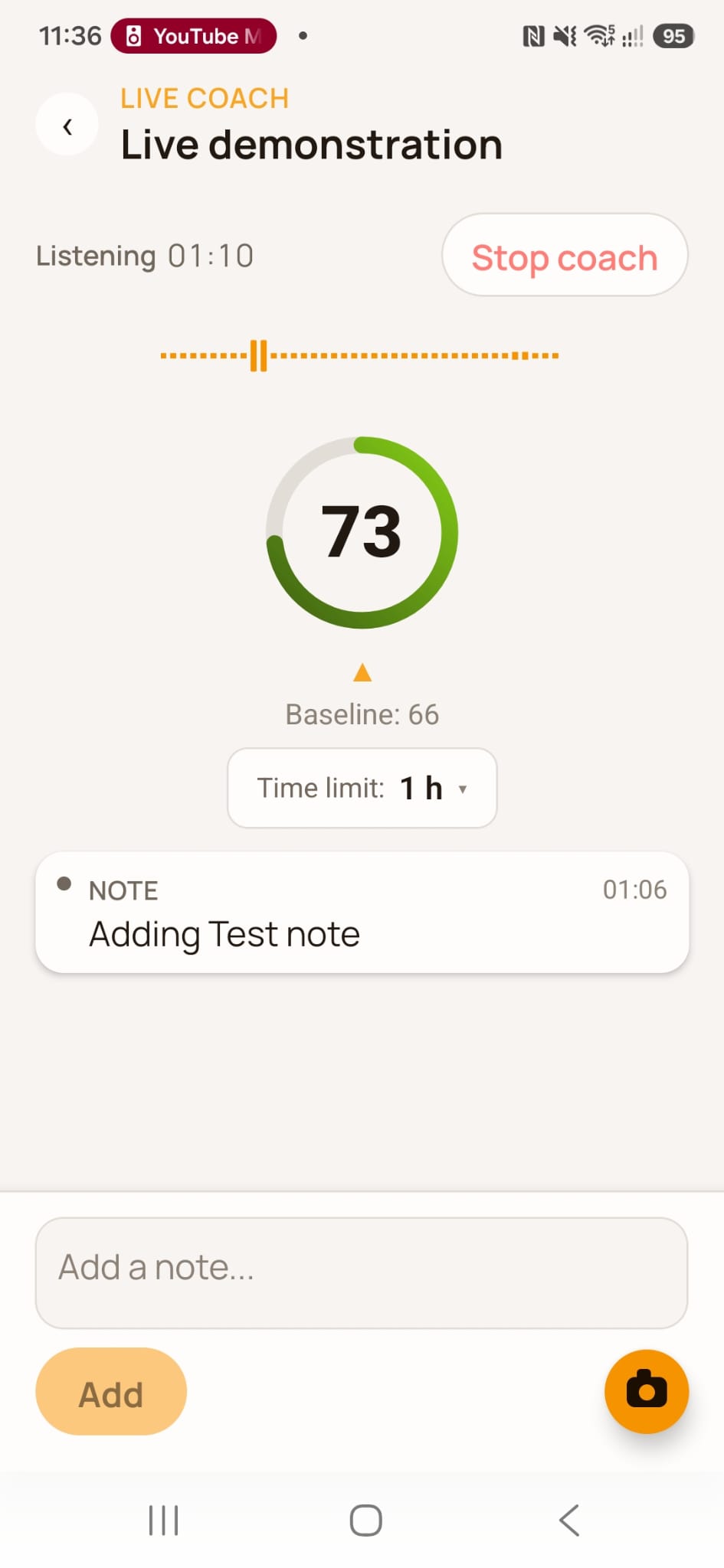
During a coaching session, you can add your own notes. For example:
- "Check compatibility with their calendar"
- "Send data processing documentation"
- "Confirm who will attend the demonstration"
These notes are associated with the session and can be reviewed afterwards alongside the analysis.
7. End the session and review the analysis
When the conversation ends, stop the coaching session.
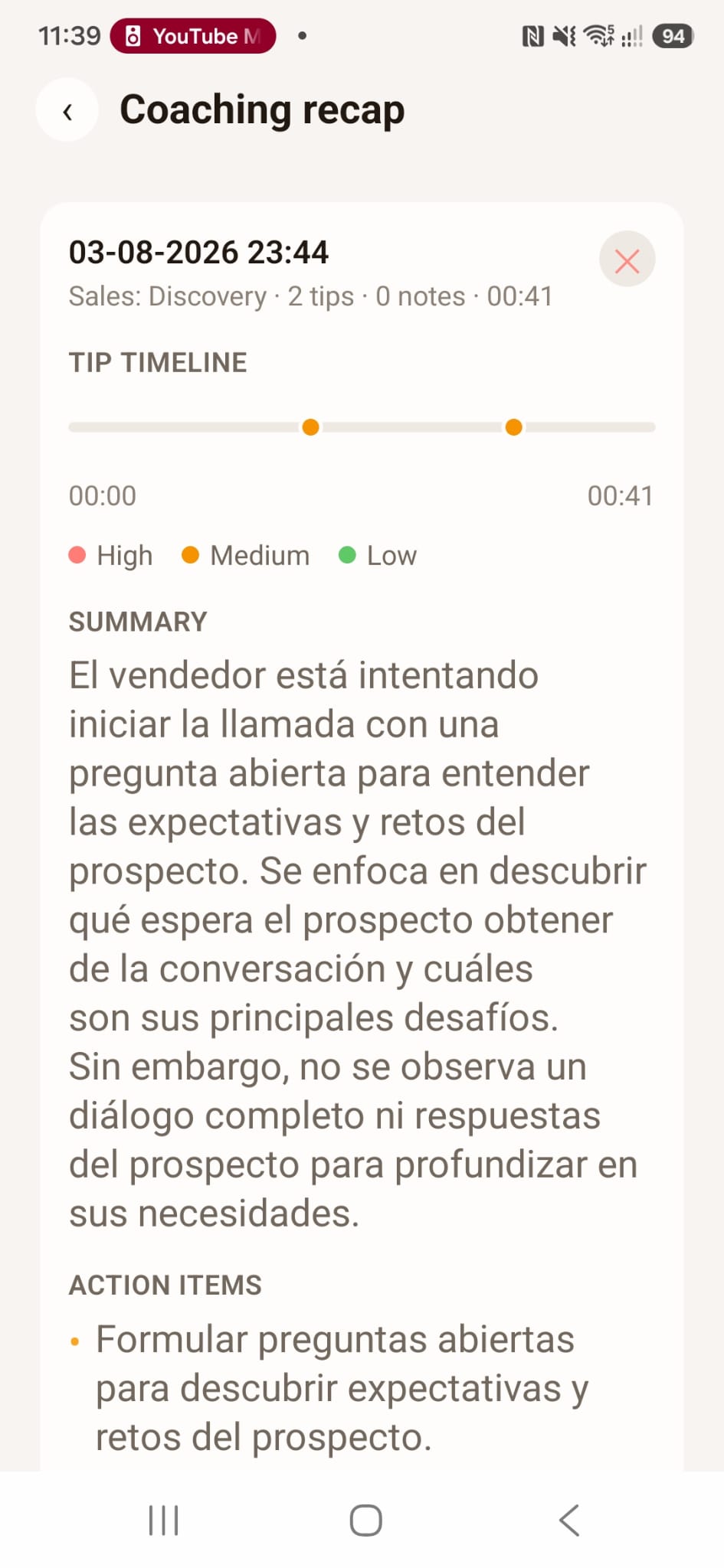
Afterward, Meetfy.ai generates an analysis that may include a summary, the advice received, and any notes or photos added during the session. If you prepared objectives and points to cover, the analysis also lets you review the conversation against that preparation.
For the meeting with Laura, you could review:
| What to check | Example |
|---|---|
| Objective | Did we understand how they handle requests? |
| Outstanding issue | Did we clarify how appointments are assigned? |
| Information to be verified | Which integrations need to be verified? |
| Commitment | Who will send the requested information? |
| Next step | Was a demonstration agreed upon? |
Before sharing a summary or including it in a proposal, verify names, figures, conclusions, and key commitments.
Can I use the coach during an unscheduled conversation?
Yes. Meetfy.ai allows you to start a spontaneous coaching session without it being linked to a booking.
This can be useful for an unplanned conversation or a call you decide to support with AI. According to the help center, this type of session has no meeting preparation attached. Once it ends, you can find it in the coaching section of Recordings.
You can also use Meetfy.ai independently. If you use TuCalendi, you can view your bookings in the app and access recordings, transcripts and analyses through the AI Center in the TuCalendi dashboard.
Frequently asked questions about AI coaching
Does the coach speak on my behalf?
No. Meetfy.ai provides suggestions to support you during the conversation. You decide what to say and how to respond.
Do I need to follow every suggestion?
No. Assess each suggestion against what is happening. You can use it, adapt it or continue with the conversation.
Can I use coaching without recording the meeting?
Yes. They are independent features. Coaching streams audio to provide live support, so you must inform participants and review the applicable requirements even when recording is not enabled.
Does coaching have a cost?
Live coaching uses credits based on the duration of use. You can check the current terms and conditions on the Meetfy.ai pricing page and in the app.
Can I review suggestions afterwards?
Yes. After the session ends, the analysis lets you review the suggestions alongside the summary and your session notes.
Try coaching in your next conversation
Start with a meeting where you have a clear goal. Prepare the key points, choose a coaching approach, and review afterward which suggestions you found helpful.
Discover Meetfy.ai and learn how to get support before, during, and after your meetings.
Want to see how it integrates with TuCalendi? Book a demo with our team, and we’ll walk you through the entire process from booking to reviewing the conversation.