

The meeting ends with something that sounds like an agreement: “If you send us the proposal on Thursday, we’ll try to review it on Friday.” Later, as you draft your follow-up email, you pause. Did everyone agree to Friday, or was it just a possibility?
That distinction matters. If you write, “We’re confirmed for Friday,” you might turn a tentative date into a commitment the client hasn’t made. A meeting transcript lets you go back and check what was said before you send the email.
Here’s how to review a transcript in TuCalendi’s AI Center, ask Meetfy.ai to analyse it, and turn the result into a follow-up your client can confirm.
1. Find the meeting in the TuCalendi AI Center
In your TuCalendi dashboard, open AI Center from the sidebar. At the top, you’ll find sections for recordings, transcripts, and coaching sessions.
In Recordings, you can search for an audio file, play it back, or upload an MP3 recording. If you already have a transcript for the meeting you want to review, go to Transcripts and find it there.
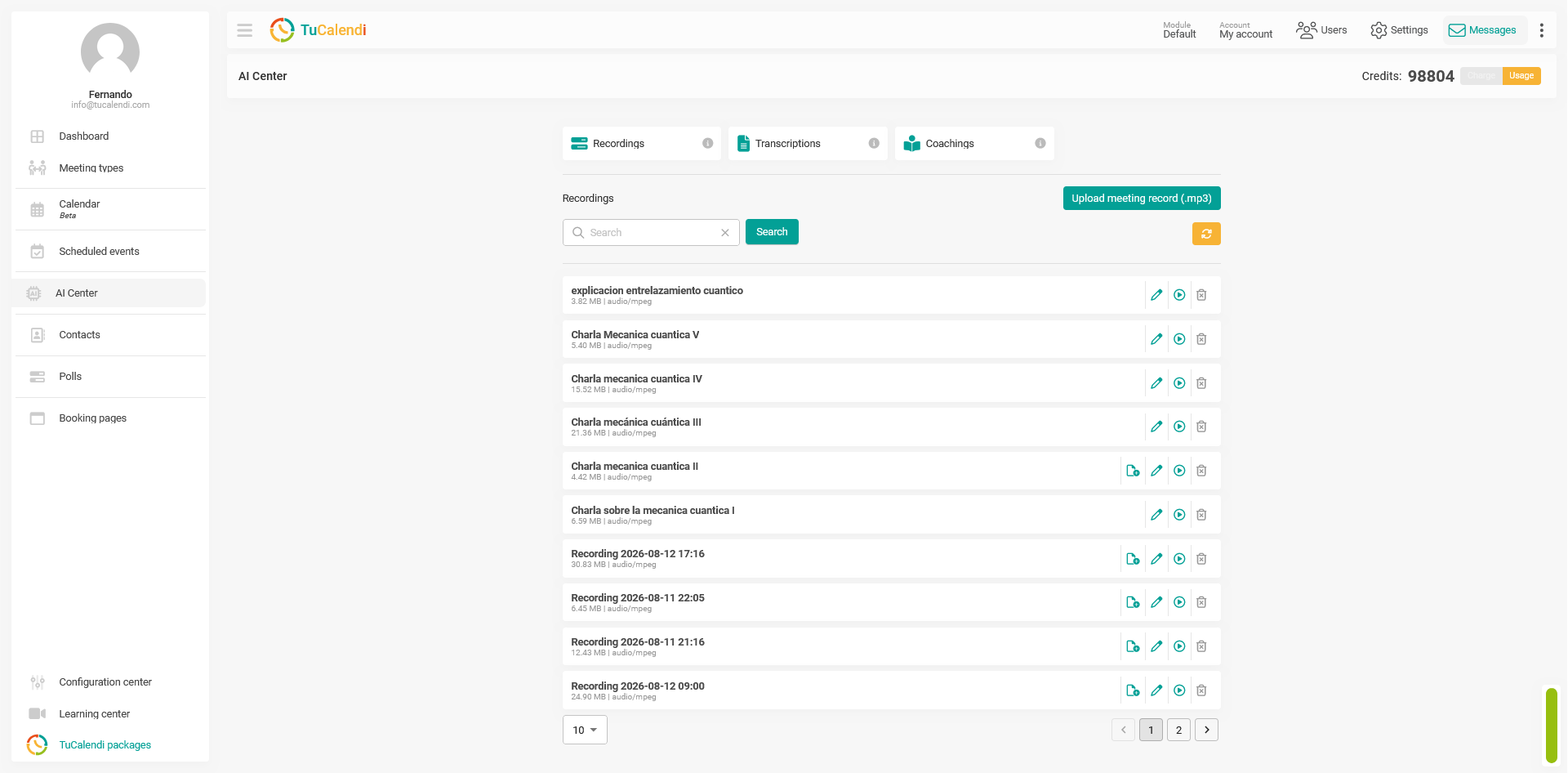
If you’ve had several conversations with the same client, check the date before opening the transcript. If you’re still unsure which recording you need, play the first few seconds of the audio.
2. Open the transcript and check what was said
Open the completed transcript to read the conversation. On the right, you’ll see the Note and Analysis tabs. Start by checking the part of the conversation where people discussed dates, deliverables, or who would do what. If a sentence could mean two things, listen to that part of the recording for context.
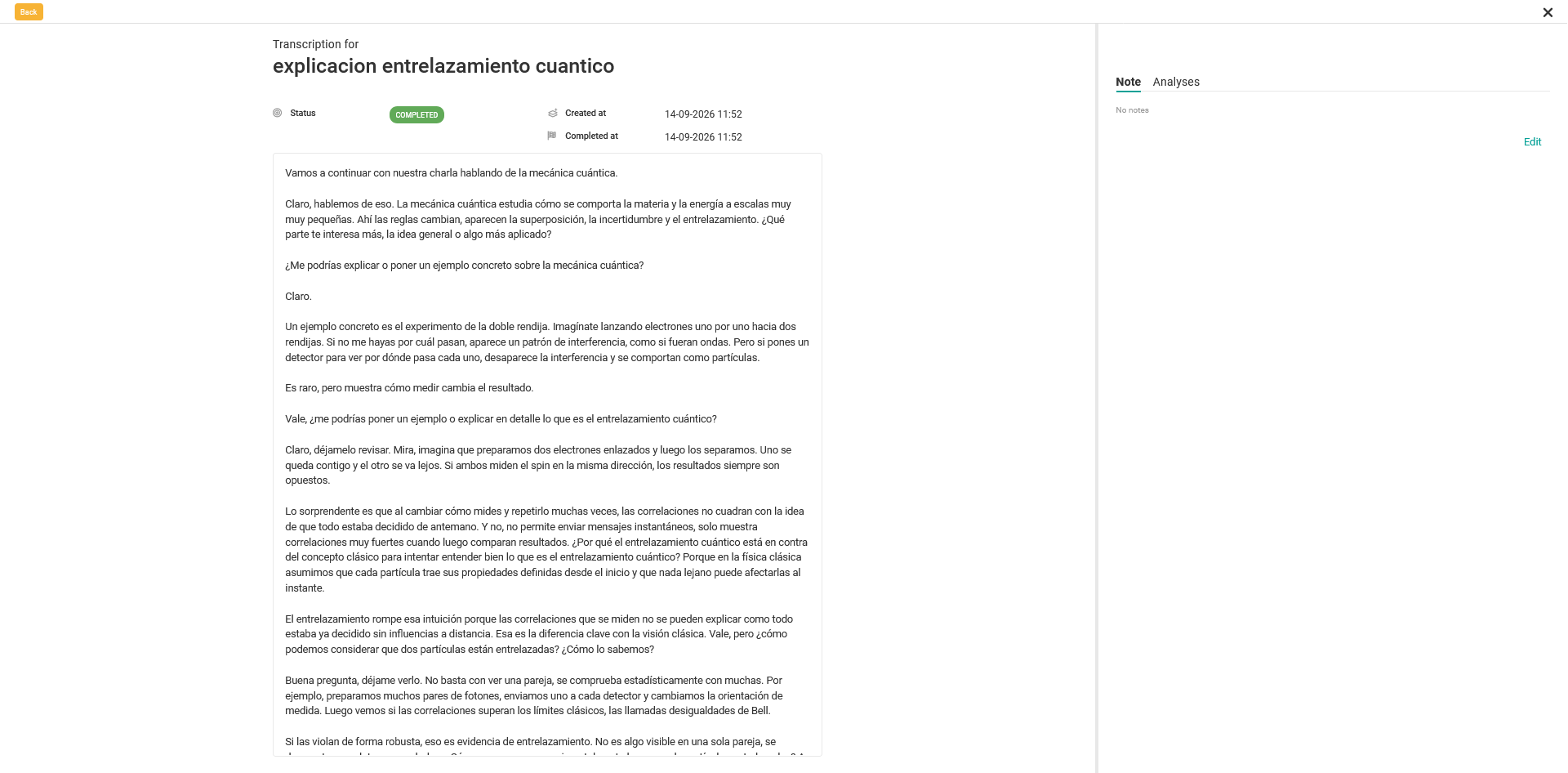
Suppose the conversation with your client went like this:
Consultant: “We’ll send you the proposal on Thursday.”
Client: “If it arrives on Thursday, we’ll try to review it on Friday. I need to check whether Marta can join.”
Consultant: “Sounds good. Let us know when you’ve checked, and we’ll find a time.”
Here’s what you can take from that exchange:
| Next step | Who’s responsible | Status |
|---|---|---|
| Send the proposal on Thursday | Consulting team | Agreed |
| Check whether Marta can join | Client | Awaiting confirmation |
| Review the proposal on Friday | Both teams | Proposed date |
Sending the proposal on Thursday is a commitment. Reviewing it on Friday is still tentative. Your follow-up should preserve that distinction.
3. Ask Meetfy.ai to analyse the transcript
Open the Analyses tab and select New analysis. Tell Meetfy.ai what you want to get out of the conversation. A simple prompt is enough to get started:
Summarise the main points discussed and list any questions that remained open.
In the screenshot below, the prompt was used to analyse a discussion about quantum mechanics. The result summarises the topics, notes that no decisions were made or tasks assigned, and lists questions for further discussion. The screenshot shows how the feature works; the consulting example uses a different prompt.
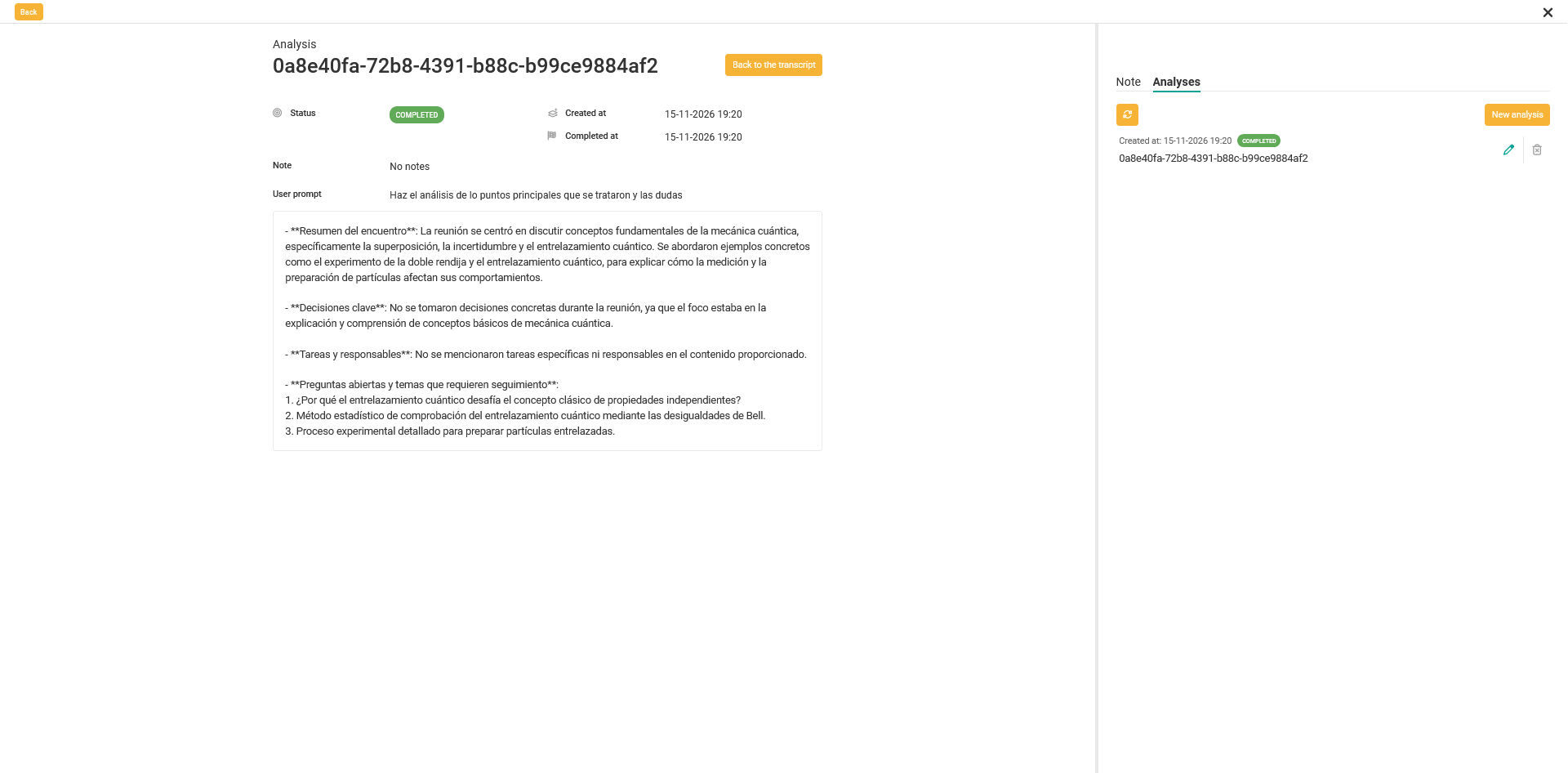
For a client meeting where you need to follow up on commitments, try this prompt:
Summarise the confirmed agreements and list the action items, who owns them, and any dates mentioned. Separate confirmed dates from proposed ones. If an owner or a date wasn’t specified, mark it as pending.
Treat the analysis as a draft. Before sharing it, check the commitments against the transcript, especially if a date or owner appears more definite in the analysis than it sounded in the conversation.
4. Turn the analysis into a follow-up email
Your client doesn’t need to reread the whole meeting. They need to know what happens next, who’s responsible, and what still needs confirming. In this example, you can confirm the Thursday delivery and ask whether Friday works for the review.
"Subject: Next steps for reviewing the proposal
Hi Laura,
Thanks for meeting with us today. We’ll send you the proposal on Thursday, as agreed.
We discussed Friday as a possible day to review it. Once you know whether Marta can join, could you let us know if Friday works for your team? If it doesn’t, we can find another time.
Thanks,
Ana"
Before you send the email, check the names, dates, and responsibilities against the transcript. If nobody agreed to take on a task, ask who can own it. If a date is still tentative, say what needs to happen before it can be confirmed.
A good follow-up starts with what was actually said
TuCalendi helps you schedule the meeting. Meetfy.ai helps you prepare for it, get support during the conversation, and review what was said afterwards. If you use both, the TuCalendi AI Center gives you a place to access meeting recordings and transcripts from the same dashboard where you manage your bookings.
If your next meeting is face to face, read our guide on how to prepare for and summarise an in-person meeting with AI. To see how both tools could fit your team’s workflow, book a demo with TuCalendi.