

Someone wants to join your workshop. They check the date, choose a rate and start the payment process. But they close the page before finishing. Shortly afterwards, they email you: “Is my place confirmed?”
To answer, you need to know what happened to both the registration and the payment. If you manage them separately, you could find yourself searching through emails, checking transactions and asking the participant which steps they completed.
To manage payments for workshops and courses, define what participants are paying for, when their registration is confirmed and how you will check incomplete transactions. The aim is for participants to understand their booking status and for you to organise the group using reliable information.
Let’s use an example: a three-hour photography workshop with ten places and a standard rate of €55 per person.
1. Explain what participants are paying for before requesting payment details
Before paying, participants should be able to check what they are booking and how much it costs.
Displaying a price next to a button is not enough. The registration page needs to connect that amount to a specific activity.
| Information | Workshop example |
|---|---|
| Activity | Practical photography workshop |
| Date and time | 23 January 2027, from 10:00 to 13:00 |
| Format | In person |
| What the booking covers | One place for the complete workshop |
| Selected rate | Standard |
| Example price | €55 per person |
| What is included | Guided practice, photo reviews and an exercise guide |
| What to bring | A camera with a fully charged battery |
Illustrative example using test data.
Show the applicable final price and any relevant conditions before the participant confirms payment.
If you offer different rates, make it clear which one they have selected. Early bird and standard rates may cover exactly the same activity but have different booking conditions.
For help with this, see our guide on how to price a workshop.
2. Define when a place is confirmed
Participants need to know what they must complete to register. You need to apply the same criteria when reviewing bookings.
If your activity requires payment during registration, explain this before the process begins. For example:
To confirm your registration, complete the booking and payment. Once you have finished, check that you have received confirmation of your place.
Avoid messages such as “You’re in” at a stage where payment still needs to be completed.
Starting a registration, making a payment and having a confirmed place do not necessarily mean the same thing. The process should make it clear when each part is complete.
If you use a different procedure, such as reviewing an application before accepting a participant, explain the order of the steps. Do not promise immediate confirmation if you still need to carry out a check.
3. Check how registration and payment work together
Collecting payment during booking allows participants to complete both steps in the same process. Even so, check how that process behaves before publishing the activity.
For our workshop, the intended process is straightforward:
- 1. The participant reviews the activity and its conditions.
- 2. They enter the details needed to register.
- 3. They check the selected rate and amount.
- 4. They complete payment.
- 5. They receive the corresponding confirmation.
When testing, pay particular attention to these situations:
| Situation | What to check |
|---|---|
| Payment is completed | Whether you can identify the payment and its corresponding registration |
| The participant leaves before finishing | What information is recorded and whether a place is temporarily held |
| Payment is not completed | What message the participant receives and how they can continue |
| The participant tries again | Whether a registration or payment already exists |
| An early bird rate is used | Whether the correct amount is displayed and its conditions are respected |
These are process checks, rather than status names that every tool must use.
Do not assume how a place is released or how long an incomplete booking holds it. Check how your chosen solution works before explaining those conditions to participants.
4. Check payment issues before asking someone to pay again
Imagine Laura finishes the process but cannot find her confirmation. She emails you saying she believes she has paid.
Immediately asking her to repeat the transaction could create a second registration or a duplicate payment.
First, find the booking and check the transaction with the payment provider. Use details that help you match them, such as the registration email address, activity, amount and transaction reference.
| What you find | Next check |
|---|---|
| A payment and a confirmed registration | Verify the contact details and provide the booking information |
| A payment without an identifiable confirmed registration | Check the connection between the records before requesting another payment |
| A registration without a completed payment | Check what remains outstanding and how the participant should continue |
| No conclusive record | Request the minimum information needed to locate the attempt |
While investigating, you could reply:
"Hi Laura,
We will check your registration and payment status before you try again.
Please let us know the email address you used to book and, if available, the transaction reference. We do not need your full card details.
We will explain how to proceed once we have checked.
Thank you,
The workshop team"
Do not promise a confirmed place until you have checked its status. If the activity is nearly full, record the issue so your team can take it into account.
5. Send a confirmation that helps participants attend
Once registration is confirmed, the message should help the participant prepare for the workshop.
The activity confirmation and payment receipt serve different purposes: one explains how to attend; the other records the transaction.
For our example, the activity message could look like this:
Subject: Registration confirmed — Practical photography workshop
Hi Laura,
Your registration for the practical photography workshop is confirmed.
Date: 23 January 2027
Time: 10:00–13:00, Canary Islands time
Location: Photography studio, at the address shown in your booking
Rate: Standard, €55The activity includes guided practice, photo reviews and an exercise guide.
Please bring your camera with a fully charged battery. If you have any questions before the workshop, reply to this email.
Thank you,
The workshop team
Example template: adapt the details and send it only once registration is confirmed.
For a multi-session course, include or provide access to the complete schedule. Participants should not have to work out whether they have paid for one class or the entire programme.
See our guide on how to manage registration for a multi-session course for more detail.
6. Check cancellation and refund status separately
If someone cancels, there are two things to review: what happens to their place and what happens to their payment.
Do not assume that cancelling a registration means a refund has already been issued. Check the conditions communicated to the participant, your tool’s process and the transaction status with the payment provider.
To organise this:
- Identify the registration and original payment.
- Review the action required under the applicable conditions.
- Check how the cancellation is recorded.
- If a refund is due, verify how it is processed and its status.
- Tell the participant what has been done and what remains outstanding.
Avoid promising a date for the money to arrive unless you have been able to confirm it with the provider.
When a cancellation leaves a place available, also check whether you can offer it to someone else. Coordinate this with your process for managing course capacity and waiting lists.
7. Review registrations and payments before the activity
Before the workshop, review confirmed registrations and outstanding issues.
Checking the total amount collected is not enough. You need to know who will attend and whether anything still needs attention.
A brief review can include:
- Number of confirmed participants.
- Correspondence between registrations and payments.
- Rate applied to each booking.
- Possible duplicate records.
- Outstanding cancellations and refunds.
- Queries that could affect attendance.
With ten places, a difference of one participant can affect materials, space and group organisation.
This review is particularly useful when several team members are involved. Decide who will resolve issues to avoid conflicting replies or repeated checks.
8. Manage registrations and payments with TuCalendi
TuCalendi’s Workshops and courses feature lets you publish an activity with its dates, capacity, prices and materials, and collect payment during booking through Stripe or PayPal.
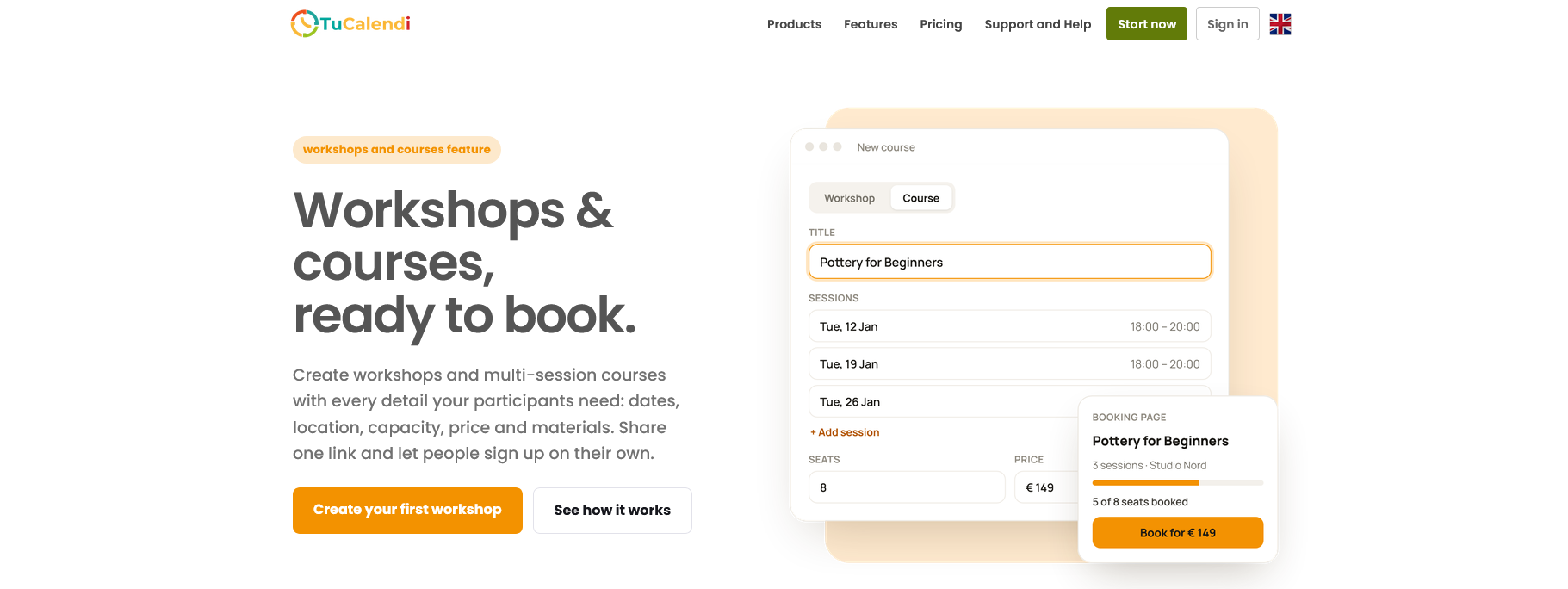
From participant management, you can check who has booked, who is on the waiting list and who has paid. This helps you review the activity information without maintaining separate lists for participants and payments.
The same process applies to other activities. This pottery workshop example shows the price, included materials and payment during registration.
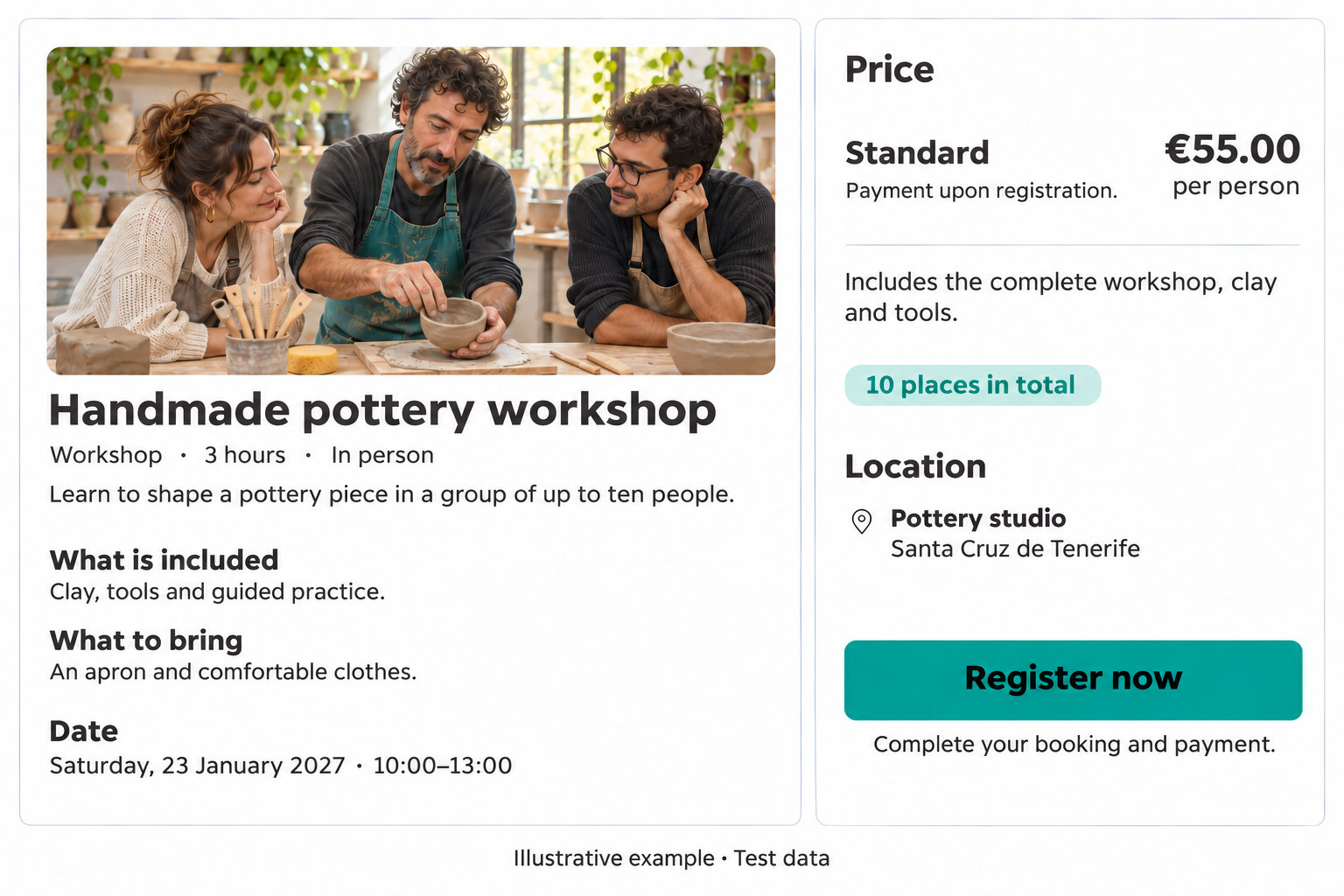
Price and payment conditions for a pottery workshop. Illustrative example using test data.
To prepare the process:
- 1. Add the workshop information and set its capacity.
- 2. Configure the price and payment provider.
- 3. Explain what registration includes and the participation conditions.
- 4. Test the booking and payment process.
- 5. Check where you will review registrations and payments received.
Participants receive a confirmation and a reminder before each session. Check that the activity information is complete so those messages are useful.
To investigate a payment issue, compare the registration information with the transaction record in Stripe or PayPal. Do not conclude that a refund or correction has been completed simply because the booking status has changed.
A well-managed payment process makes registration clear
Managing workshop payments means helping participants understand what they are buying, check their registration and receive the information they need to attend.
Before opening bookings, test the complete process and the situations that could cause uncertainty. Resolving them in advance will help you answer clearly when someone asks: “Is my place confirmed?”
Would you like to organise registration and payments for your next workshop or course? Book a demo with the TuCalendi team, and we will explore how to set up the process with you.