How to Add Your Brand's Logo to Your Meetfy.me Domain
The "Branding" option under "Domains and Branding" allows you to upload your company logo, which will be displayed on your booking domain. This is the easiest way to customize the look of your domain on Meetfy.me with your own brand identity.
Step 1. Go to Settings
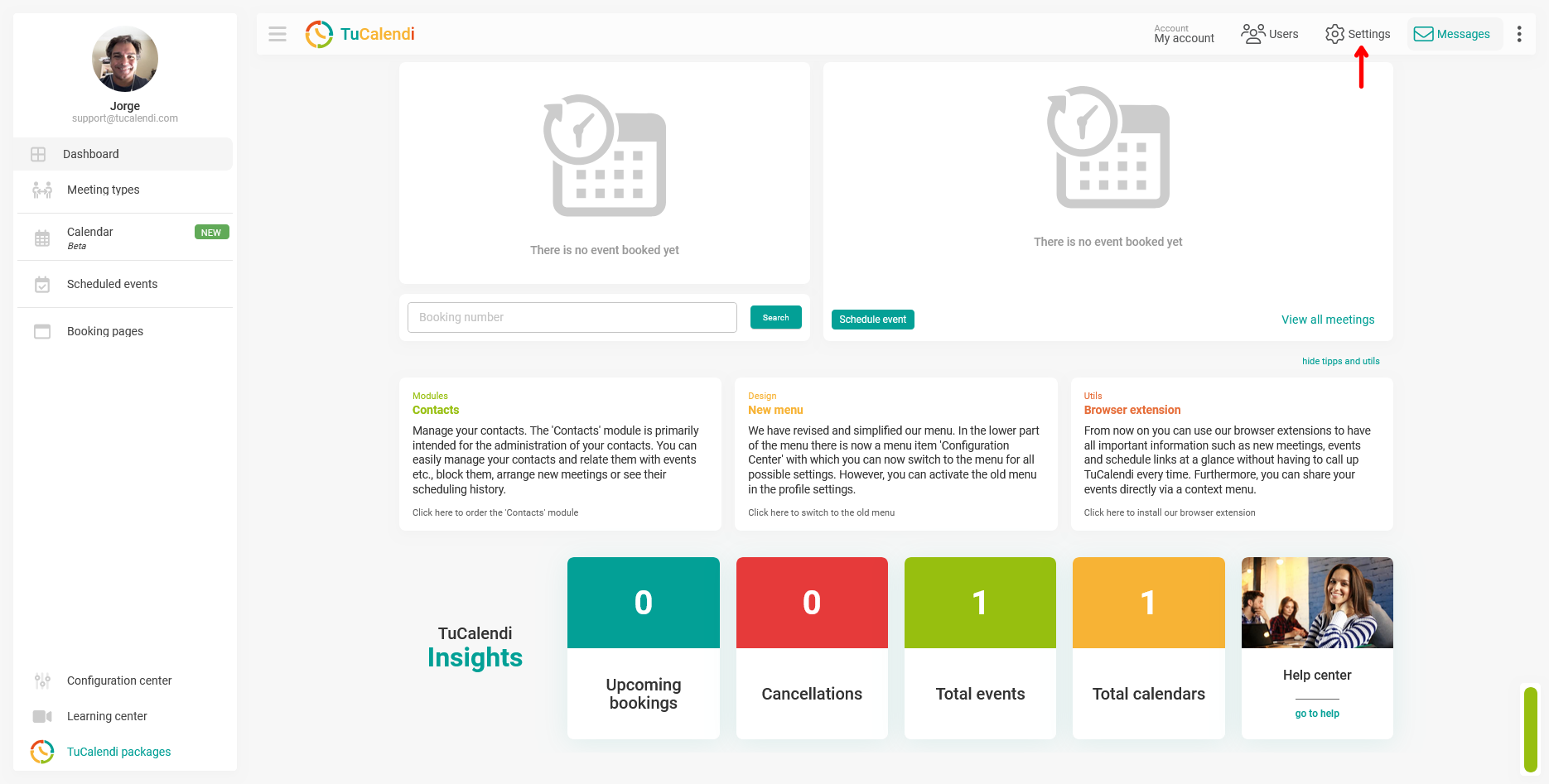
Click "Settings" in the top navigation bar of TuCalendi.
Step 2. Select "Domains and Branding"
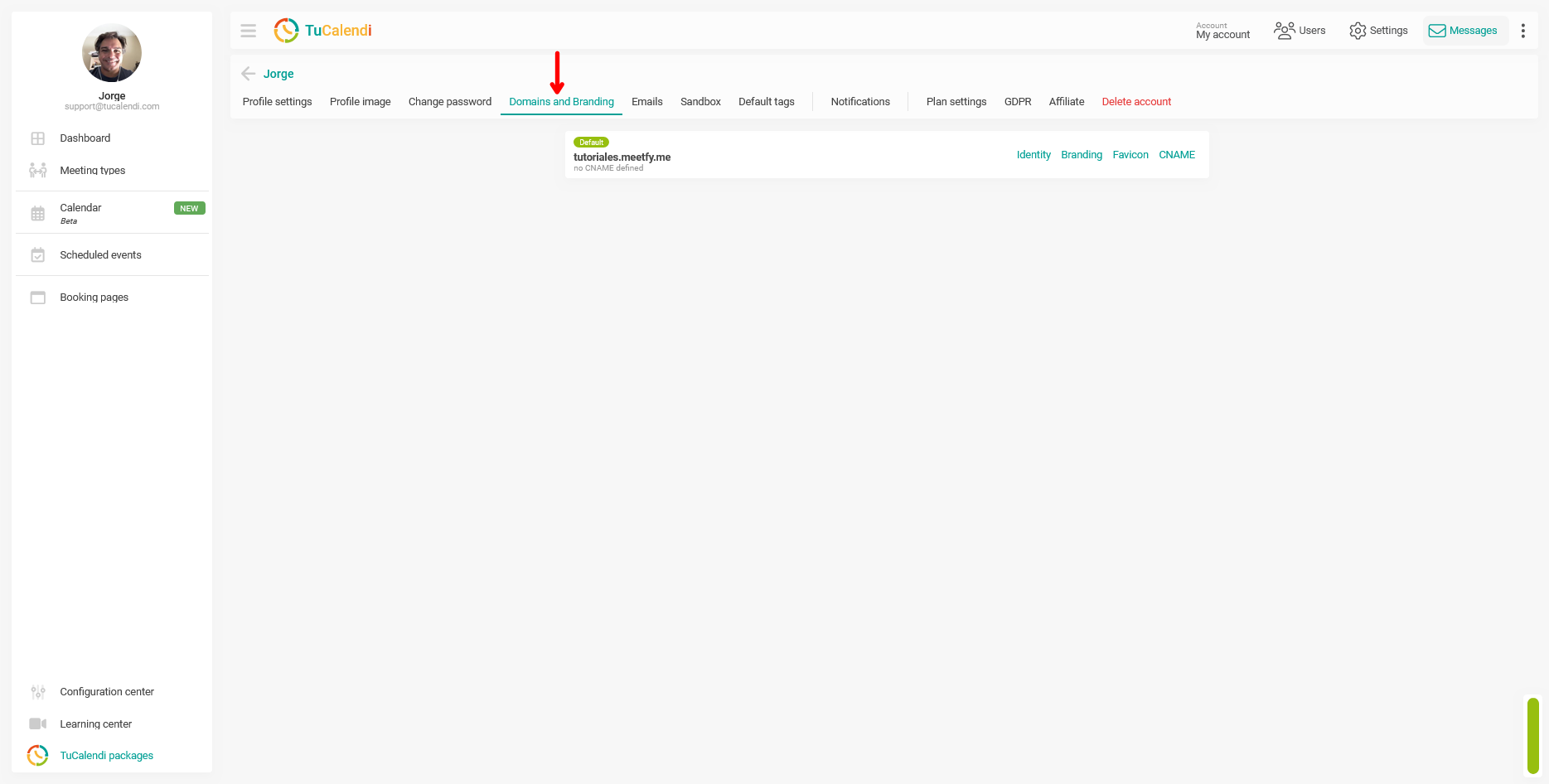
In the horizontal menu of options that appears at the top of the screen, click "Domains and Branding".
Step 3. Open the "Branding" option
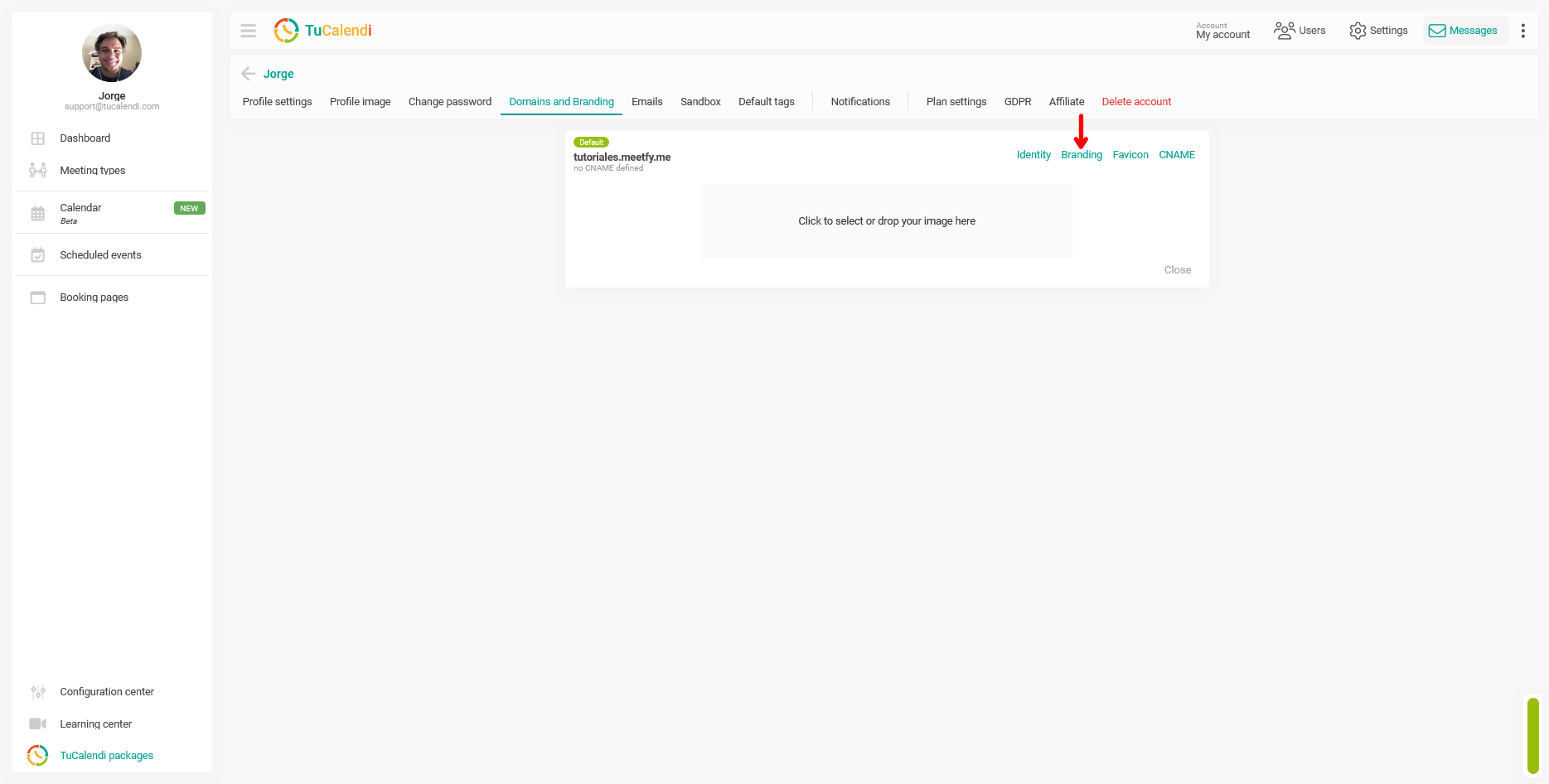
On the Domains and Branding screen, locate your active domain and click the "Branding" link on the right.
A box will open with the image upload area and the message "Click to select or drop the image here".
Step 4. Select and upload the image
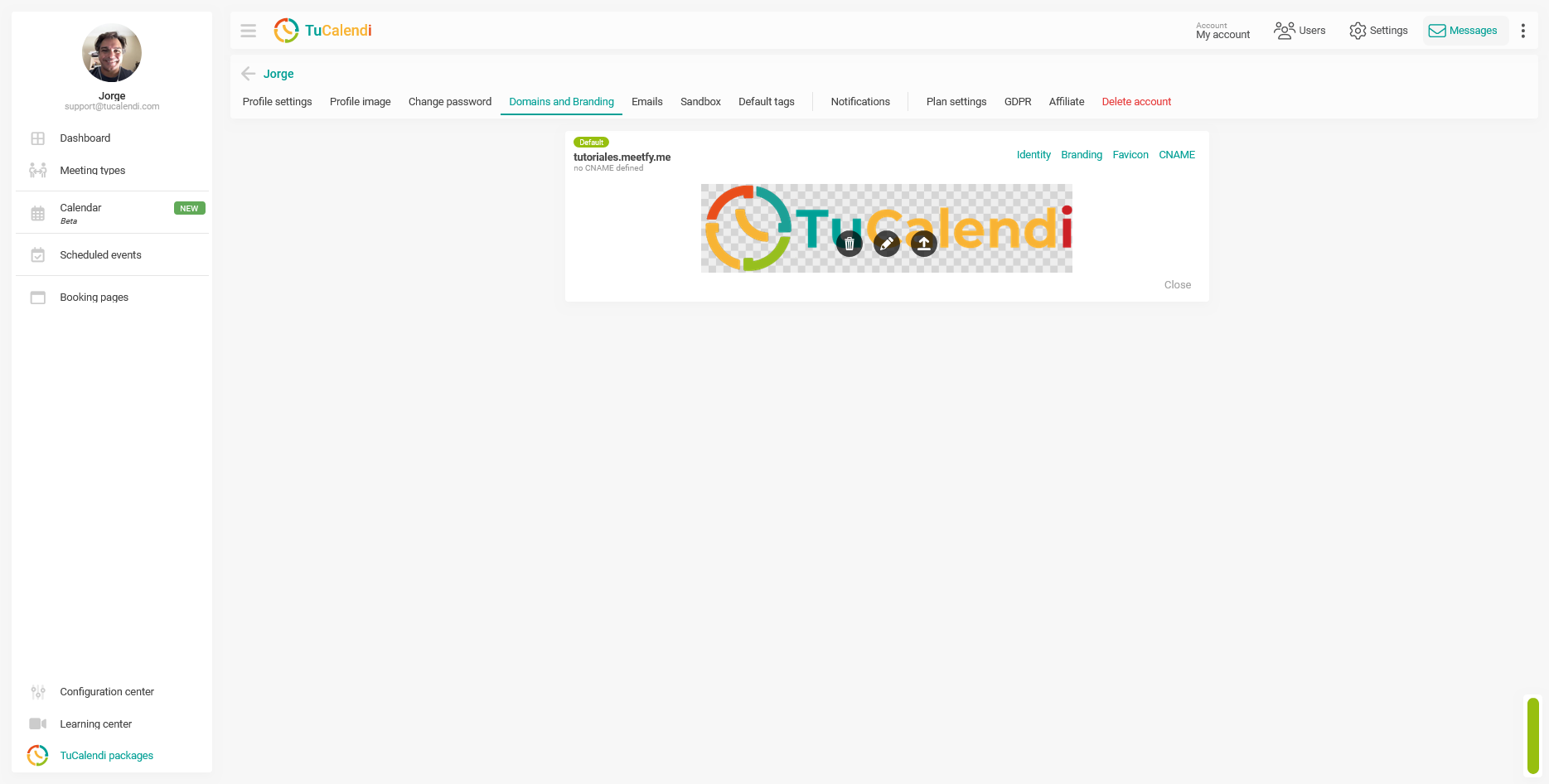
Click the upload area to open your device’s file selector and choose the logo image. You can also drag the file directly onto the area and drop it there.
Once selected, the image will upload automatically and appear in the box. Three action icons will appear above the image:
- Trash can: Delete the uploaded image.
- Pencil: Edit or crop the image.
- Up arrow: Upload the selected image
Step 5. Close the panel
Once the image is uploaded, click "Close" to return to the Domains and Brands screen.
Process Overview
To add your company logo to TuCalendi, go to "Settings" from the top bar, select "Domains and Branding" from the horizontal menu, and click "Branding" next to your active domain. Click the upload area or drag your image directly onto it. Once uploaded, you can delete, edit, or upload it using the icons that appear above the image. Click "Close" to return to "Domains and Branding".